
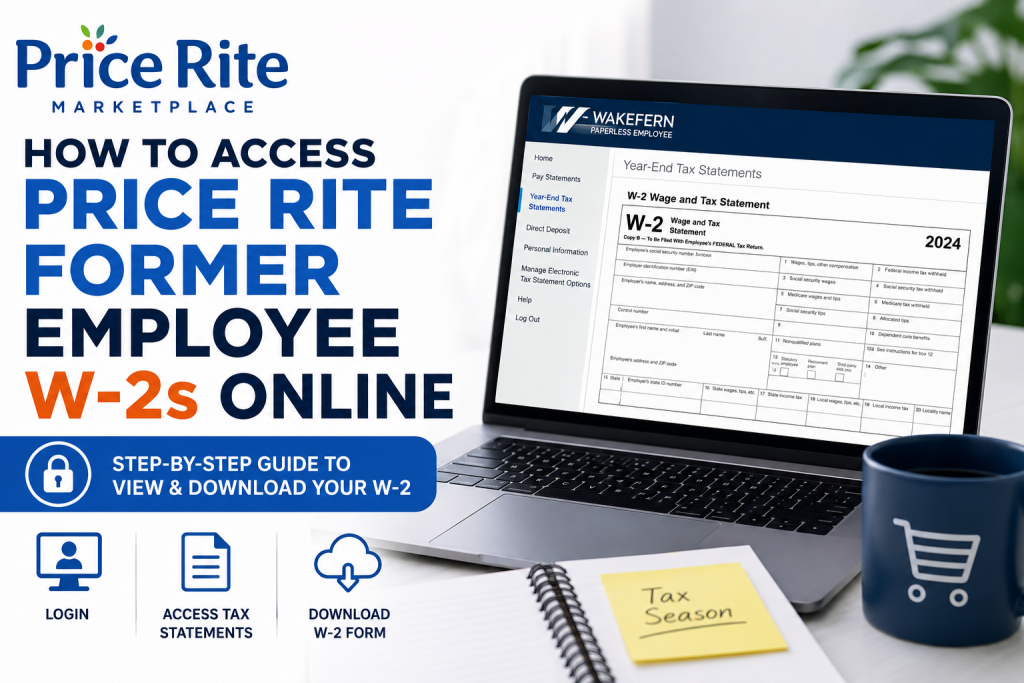
Former employees of Price Rite Marketplace can conveniently retrieve their W-2 tax forms online through the Wakefern Paperless Employee portal. The platform allows eligible former associates to securely access and download tax documents without visiting a store location or contacting payroll directly.
The official W-2 portal is:
Paperless Employee Portal:
https://www.paperlessemployee.com/wakefern/PE/Login
This secure online self-service system is operated for Wakefern-affiliated employees, including former Price Rite associates.
About Price Rite Marketplace
Founded in 1995 and headquartered in Keasbey, New Jersey, Price Rite Marketplace is a subsidiary of Wakefern Food Corporation, the same cooperative behind ShopRite supermarkets. The chain operates discount grocery stores across several Northeastern states and is known for affordable pricing, fresh produce, and locally sourced products.
Price Rite emphasizes:
- Fresh produce and meats
- Competitive grocery pricing
- Private-label products
- Community-centered customer service
- American-owned operations
The company currently serves customers across Connecticut, Massachusetts, Pennsylvania, New York, Rhode Island, New Jersey, and neighboring regions.
How Former Employees Can Access Price Rite W-2s Online
If you previously worked for Price Rite, follow these steps carefully to retrieve your W-2 form online.
Step 1: Visit the Official Paperless Employee Portal
Go to:
https://www.paperlessemployee.com/wakefern/PE/Login
This is the official Wakefern Paperless Employee portal for tax documents and payroll records.
Step 2: Log Into Your Account
Enter your:
- User ID
- Password
Then click Login.
If this is your first time using the portal, select Create an Account and complete the registration process using your employee information.
Step 3: Access Year-End Tax Statements
After signing in:
- Navigate to the left-side menu
- Click Year-End Tax Statements
- Choose Access Current Year-End Statements or Access Prior Year-End Tax Statements depending on the tax year needed.
Step 4: Select and Download Your W-2 Form
On the tax statement page:
- Check the box beside your desired W-2 form
- Click View/Print Selected Tax Statements
- Your W-2 will open as a PDF document in a new browser window
- Download or print the form for your records.
How to Register for Electronic W-2 Delivery
Former employees who want faster online access should enroll in electronic tax statement delivery.
To enable electronic delivery:
- Open Manage Electronic Tax Statement Options
- Select Yes for electronic delivery
- Verify your email address or phone number
- Save your notification settings.
Once enrolled, future W-2 forms may become available electronically each tax season.
Forgot Your Login Credentials?
If you cannot remember your login information:
- Click Forgot User ID or Password
- Follow the identity verification prompts
- Reset your account credentials securely
If you no longer have access to your registered email or phone number, contact Wakefern payroll support or your former HR department for assistance.
Common Issues When Accessing Price Rite W-2s
Account Locked
Too many incorrect login attempts may temporarily lock your account. Wait several minutes before retrying or use the password recovery feature.
W-2 Not Available Yet
Employers generally issue W-2 forms by the end of January. If your form is unavailable, check again later or contact payroll support.
Browser or PDF Problems
Your W-2 opens as a PDF file. Make sure:
- Pop-ups are enabled
- Adobe Acrobat Reader is installed
- Your browser is updated
The employee guide specifically recommends using a PDF reader for viewing statements.
Benefits of Accessing Your W-2 Online
Using the online Paperless Employee portal offers several advantages:
- Faster access to tax documents
- Secure digital storage
- Easy printing and downloading
- Access to prior-year statements
- Reduced paperwork and mailing delays
Final Thoughts
The Wakefern Paperless Employee system makes it straightforward for former Price Rite employees to retrieve W-2 forms online securely and efficiently. By using the official portal, registering for electronic delivery, and maintaining updated contact information, you can quickly access both current and previous tax statements whenever needed. Whether you need your W-2 for tax filing, income verification, or personal records, the Paperless Employee portal provides a reliable self-service solution for former Price Rite associates.
Frequently Asked Questions (FAQs)
1. Where can former Price Rite employees get their W-2 online?
Former employees can retrieve their W-2 forms from the Wakefern Paperless Employee portal at:
https://www.paperlessemployee.com/wakefern/PE/Login
2. What portal does Price Rite use for W-2 access?
Price Rite uses the Wakefern Paperless Employee self-service portal for payroll and tax document access.
3. Can I still access my W-2 after leaving Price Rite?
Yes. Former employees can usually continue accessing prior tax forms online through the Paperless Employee portal.
4. What information do I need to log in?
You typically need:
- User ID
- Password
- Employee-related verification details
5. What should I do if I forgot my password?
Click the “Forgot User ID or Password” link on the login page and follow the recovery instructions.
6. When are Price Rite W-2 forms available online?
W-2 forms are generally released by the end of January each year for the previous tax year.
7. Can I download and print my W-2?
Yes. The W-2 is available as a downloadable PDF that you can save or print anytime.
8. How do I access previous years’ W-2 forms?
After logging in, choose “Access Prior Year-End Tax Statements” from the Year-End Tax Statements section.
9. Is the Paperless Employee portal secure?
Yes. The portal uses secure login authentication to protect employee payroll and tax information.
10. Can I receive my W-2 electronically instead of by mail?
Yes. Employees can enroll in electronic tax statement delivery through the portal settings.
11. Why is my W-2 not showing up online?
Possible reasons include:
- W-2 not yet released
- Incorrect account information
- Inactive account access
- Technical browser issues
12. What browser works best for accessing W-2 forms?
Updated versions of Chrome, Firefox, Edge, or Safari generally work best for viewing and downloading PDF tax forms.
13. Do I need Adobe Reader to open my W-2?
Yes. A PDF reader such as Adobe Acrobat Reader is recommended to open and print W-2 documents properly.
14. Who owns Price Rite Marketplace?
Price Rite Marketplace is owned by Wakefern Food Corporation, the cooperative behind ShopRite supermarkets.
15. What should I do if I cannot access my former employee account?
If you are locked out or unable to verify your identity, contact Wakefern payroll support or your former HR department for assistance.

