
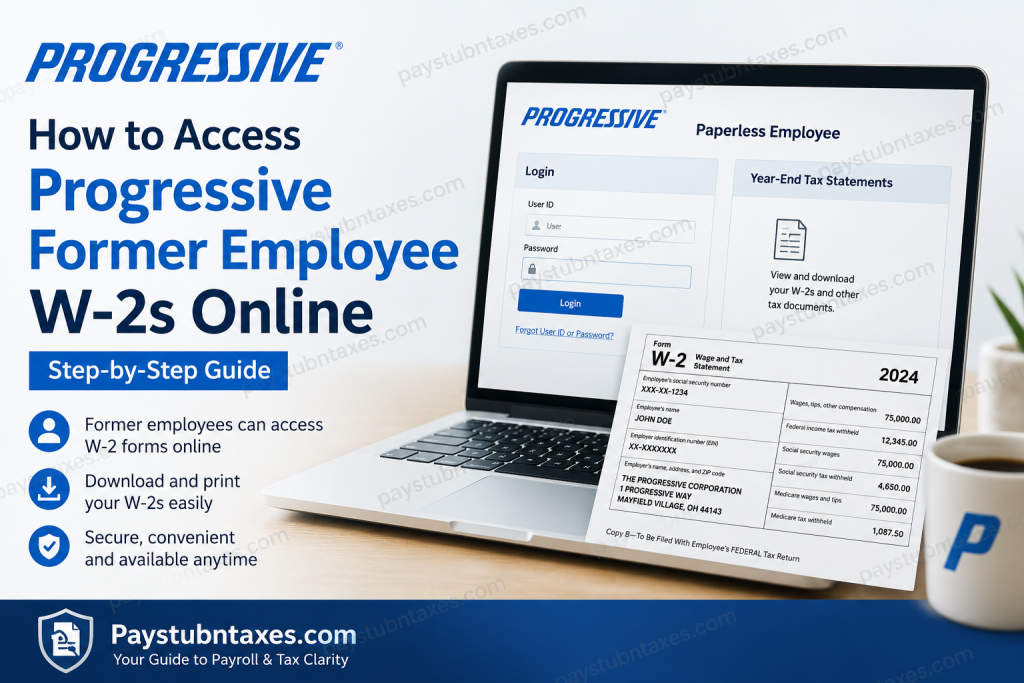
Former employees of Progressive can continue to access their W-2 tax forms online through the Paperless Employee portal even after their employment has ended. Whether you need your current year’s W-2, a corrected W-2c, or prior-year tax documents for filing, mortgage applications, or income verification, the process is straightforward once your account is set up. This comprehensive guide explains how former Progressive employees can access, download, print, and request reissued W-2 forms online.
About Progressive
Founded in 1937, The Progressive Corporation has grown into one of America’s largest insurance providers and is widely recognized for its innovative approach to personal and commercial insurance. Headquartered in Mayfield, Ohio, Progressive serves millions of customers across the United States and offers coverage for automobiles, homes, motorcycles, boats, recreational vehicles, businesses, and more. The company employs more than 60,000 professionals nationwide and has consistently earned recognition as one of the country’s leading employers.
For former employees, Progressive maintains online access to important year-end tax documents through the Paperless Employee platform, ensuring continued access even after separation from the company.
Can Former Progressive Employees Access Their W-2 Online?
Yes. Former Progressive employees can access W-2 and W-2c forms through the Paperless Employee portal after termination. The system also stores historical tax documents, allowing former team members to retrieve and download copies whenever needed during the availability period.
Additionally:
- W-2 forms are generally mailed by January 31 each year.
- Electronic copies become available online around the same time.
- W-2c (corrected wage statements) remain accessible through the same portal.
- 1095-C forms for tax year 2022 and later are available through Progressive’s bswift benefits portal, while earlier 1095-C forms remain within Paperless Employee.
Progressive Former Employee W-2 Portal
Paperless Employee Self-Service Portal
Portal URL:
https://www.paperlessemployee.com/progressive/PE
Former employees can use this website to:
- Access W-2 forms
- Download W-2c corrections
- Retrieve historical tax statements
- Manage electronic delivery preferences
- Request reissued tax forms
- Update notification settings
How to Create a Paperless Employee Account
If this is your first visit to the portal, you must register before accessing tax documents.
Step 1: Visit the Portal
Go to: https://www.paperlessemployee.com/progressive/PE
Click Create Account.
Step 2: Verify Your Identity
You will be asked to provide:
- Social Security Number
- Date of Birth
- CAPTCHA verification
After entering the required information, select Authenticate & Create Account.
Step 3: Create Login Credentials
Enter:
- First Name
- Last Name
- Preferred User ID
- Secure Password
Choose a password that satisfies the system’s security requirements.
Step 4: Verify Your Account
Select your preferred verification method:
- Text Message
- Automated Phone Call
Enter the verification code sent to you and continue.
Step 5: Set Security Questions
Choose and answer three security questions. These will be used if you ever need to reset your password.
Step 6: Add Contact Information
Provide:
- Email Address
- Mobile Phone Number (optional)
Verify each contact method using the confirmation codes provided.
Step 7: Choose Tax Statement Delivery Preferences
You may elect to receive tax forms electronically.
Employees who consent to electronic delivery before December 31 can generally receive future forms electronically rather than by mail.
Save your notification settings to complete registration.
How to Access Your Progressive W-2 Online
After your account has been created, follow these steps:
1. Log in to Paperless Employee
Visit: https://www.paperlessemployee.com/progressive/PE
Enter:
- User ID
- Password
2. Navigate to Tax Statements
From the homepage:
- Click Year-End Tax Statements or
- Select Access Current Year-End Statements
3. Download Your W-2
Locate the applicable tax year.
Click: Download PDF
The W-2 will open in a new browser tab.
4. Save or Print
You may:
- View the document
- Download it
- Save it to your computer
- Print copies as needed
The forms can typically be downloaded multiple times during the availability period.
How Long Are W-2 Forms Available Online?
Progressive’s Paperless Employee system generally keeps year-end tax forms available online until October 15 of the current tax year.
After that date, you may need to request a reissued copy through the portal’s tax statement request process.
Forgot Your User ID?
If you cannot remember your User ID:
- Click Forgot User ID
- Enter:
- Social Security Number
- Date of Birth
- Complete identity verification
- Select Authenticate
- Your User ID will be displayed
You can then return to the login screen and sign in.
Forgot Your Password?
If you’ve forgotten your password:
- Click Forgot Password
- Enter your User ID
- Complete CAPTCHA verification
- Verify your identity
- Answer security questions or enter a verification code
- Create a new password
After resetting the password, you can immediately regain access to your account.
How to Request a Reissued W-2
If your original W-2 is no longer available online:
- Log into Paperless Employee.
- Open Year-End Tax Statements.
- Select the tax year needed.
- Choose the available reissue option.
- Select your preferred delivery method.
- Submit the request.
The reissue process can be used for both current-year and prior-year tax forms.
Accessing Progressive 1095-C Forms
Progressive changed the location of 1095-C forms beginning with the 2022 tax year.
Tax Year 2022 and Later
Access through: progressive.bswift.com
Tax Year 2021 and Earlier
Access through: Paperless Employee
This separation only affects 1095-C forms. W-2 and W-2c documents continue to remain in Paperless Employee.
What If You Cannot Register?
If the system cannot verify your identity during registration, there may be a mismatch in your records.
Common causes include:
- Incorrect Social Security Number
- Outdated date of birth records
- Old email address
- Incorrect phone number
In these situations, contact Progressive Human Resources to verify and update your information before attempting registration again.
Progressive HR Service Center Contact Information
If you experience problems accessing your W-2 or account, contact:
Progressive HR Service Center
Phone: 1-800-692-4772 (HRSC)
Hours:
- Monday–Thursday: 8:00 AM – 6:00 PM Eastern
- Friday: 8:00 AM – 5:00 PM Eastern
Representatives can assist with:
- W-2 access issues
- Account verification
- Login problems
- Tax form requests
- Former employee support
Final Thoughts
Obtaining a W-2 from Progressive after leaving the company is a relatively seamless process thanks to the Paperless Employee self-service portal. By maintaining access to electronic tax records, Progressive enables former employees to retrieve critical year-end documentation without waiting for mailed copies or navigating lengthy administrative procedures. If you have not yet created an account, doing so well before tax season arrives can save valuable time and eliminate unnecessary stress when filing your federal and state returns. Once registered, you can access, download, print, and manage your tax documents from virtually anywhere with an internet connection, ensuring that your financial records remain just a few clicks away.
FAQs
1. How do I get my W-2 from Progressive after leaving the company?
Former employees can log into the Paperless Employee portal and download their W-2 from the Year-End Tax Statements section.
2. What website does Progressive use for former employee W-2 access?
Progressive uses the Paperless Employee portal at https://www.paperlessemployee.com/progressive/PE.
3. Can I access my Progressive W-2 online after termination?
Yes. Progressive allows former employees to continue accessing W-2 and W-2c forms through Paperless Employee.
4. When are Progressive W-2 forms available?
W-2 forms are typically available online and mailed by January 31 each year.
5. How do I create a Paperless Employee account?
Click “Create Account” on the login page, verify your identity using your Social Security Number and date of birth, and follow the registration steps.
6. What if I forgot my Paperless Employee password?
Select the “Forgot Password” link and complete the identity verification process to reset your password.
7. What if I forgot my User ID?
Use the “Forgot User ID” option and verify your identity to retrieve your username.
8. Can I print my Progressive W-2?
Yes. Once downloaded as a PDF, you can print unlimited copies during the availability period.
9. How long are W-2 forms available online?
Tax statements are generally available online until October 15 of the current tax year.
10. Can I request an old W-2 from Progressive?
Yes. Former employees can request reissued tax statements through the Paperless Employee portal.
11. Where can I find my Progressive W-2c form?
Corrected W-2 forms (W-2c) are available in the same Paperless Employee account used for W-2 access.
12. Does Progressive mail W-2 forms?
Yes. W-2 forms are mailed to the address on file by January 31 unless electronic delivery has been selected.
13. Where can I access my Progressive 1095-C form?
1095-C forms for tax year 2022 and later are available through Progressive’s bswift benefits portal, while earlier forms remain in Paperless Employee.
14. Why can’t Paperless Employee verify my identity?
Verification issues usually occur when your Social Security Number, date of birth, email address, or phone number does not match company records.
15. Who do I contact for Progressive W-2 assistance?
Contact the Progressive HR Service Center at 1-800-692-4772 for help with W-2 access, account registration, or tax statement requests.

