
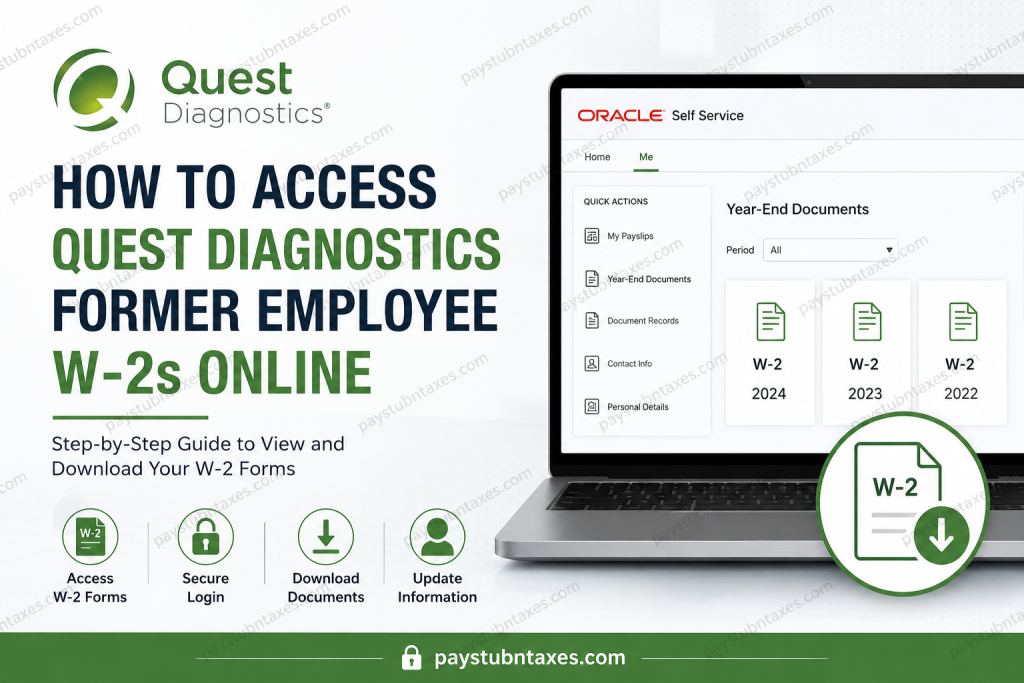
Former employees of Quest Diagnostics often need access to their W-2 tax forms for tax filing, mortgage applications, financial verification, or personal recordkeeping. Fortunately, Quest Diagnostics provides former employees with continued access to its Oracle Self Service portal, allowing them to conveniently retrieve W-2s, payslips, and update personal information long after employment ends. This comprehensive guide explains, step by step, how former Quest Diagnostics employees can access and download their W-2 forms online quickly and securely.
About Quest Diagnostics
Quest Diagnostics is one of the world’s leading clinical laboratory companies and a Fortune 500 enterprise. Headquartered in Secaucus, New Jersey, the company operates an extensive diagnostic network across the United States and internationally, serving millions of patients annually. With more than 3,000 diagnostic tests and approximately 2,250 patient service centers, Quest plays a pivotal role in modern healthcare, from cancer diagnostics to clinical trials and preventive screening.
Given its large workforce, Quest maintains a sophisticated digital infrastructure that enables both active and former employees to manage payroll and tax documents efficiently.
Can Former Quest Diagnostics Employees Access Their W-2 Online?
Yes. Quest Diagnostics allows former employees to continue accessing their tax forms and payslips through the Oracle Self Service platform. In addition to retrieving W-2 forms, former employees may:
- View and download payslips
- Access Year-End Documents (W-2s)
- Update mailing addresses
- Modify personal email addresses
- Update phone numbers
- Download Form 1095-C documents
Keeping your personal email address current is particularly important because Quest sends notifications in late January when Year-End tax documents become available.
Quest Diagnostics Former Employee W-2 Login Portal
Former Employee Self Service Portal:
Oracle self-service portal for former employee
Login Credentials
- User ID: Your Person Number (Employee ID)
- Password: Your Oracle Self Service password
Once authenticated, former employees can securely access payroll and tax information from virtually anywhere.
How to Access Your Quest Diagnostics W-2 Online
Follow these steps to locate and download your W-2 form:
Step 1: Sign In to Oracle Self Service
Visit the Quest Diagnostics Former Employee Self Service portal.
Enter:
- Your Person Number (Employee ID) as the username
- Your password
- Click Sign In
Step 2: Navigate to the “Me” Tab
After signing in:
- Click Me
- Select Show More
- Under the Pay section, click Year-End Documents
Step 3: Locate Your W-2 Form
You can filter documents by:
- All
- Last 3 Years
- Specific Date Range
Choose the desired year to locate the appropriate W-2.
Step 4: View or Download
- Click the W-2 tile to view the document.
- Click the Save icon to download it to your device.
Once downloaded, retain a secure copy for future tax and financial purposes.
How to View or Download Payslips
Quest Diagnostics also allows former employees to access historical payslips.
Steps:
- Click the Me tab.
- Select My Payslips.
- Check the box next to the desired payslip.
- To view it, open the selected record.
- To download it, click the downward-facing export arrow.
This functionality proves invaluable when verifying employment income or reconciling financial records.
Forgot Your Password? Here’s How to Reset It
If you’ve forgotten your Oracle password, recovering access is straightforward.
Password Reset Process
- Open the Self Service portal.
- Click Forgot Password.
- Enter your Person Number in the Username field.
- Select Forgot password under Options.
- Click Submit.
- Check your email for the message titled:
“Oracle Fusion Applications – Password Reset Information”
- Click the reset link provided.
- Create a new password.
- Open a new browser window and sign in again.
Important: If you do not receive the email, check your spam or junk folder before contacting support.
Update Your Contact Information
Maintaining current contact information ensures uninterrupted access to payroll and tax notifications.
Update Your Email Address
- Navigate to Me > Contact Info
- Under Email Details, click + Add
- Select Home Email
- Enter your email address
- Mark it as Primary if applicable
- Click Save
Update Your Phone Number
- Go to Contact Info
- Click + Add
- Choose:
- Home Mobile Phone
- Home Phone
- Work Phone
- Enter the number and save changes
You may also edit or delete existing contact information using the pencil icon.
How to Access Form 1095-C
Former employees who need their health coverage documentation can retrieve Form 1095-C as follows:
- Go to Me > Show More
- Select Document Records
- Search by document type if necessary
- Click Download
This form may be useful for healthcare-related tax reporting.
When Are Quest Diagnostics W-2 Forms Available?
Quest Diagnostics generally releases Year-End tax documents in late January, in accordance with federal tax regulations. Employees with an updated personal email address on file typically receive notifications when W-2 forms become available for download.
Troubleshooting Login Issues
If you’re unable to access the portal:
- Verify that you’re entering the correct Person Number
- Reset your password if necessary
- Ensure your browser is updated
- Clear cache and cookies
- Try a different browser or device
If issues persist, contact Quest Diagnostics support.
Quest Diagnostics Payroll and HR Support
Payroll Assistance (W-2 Questions)
Quest Diagnostics Payroll Team
📞 855-411-8511
🕒 Monday–Friday: 8:00 AM–6:00 PM ET
Form 1095-C Questions
Ernst & Young Affordable Care Act Call Center
📞 1-855-901-1222
🕒 Monday–Friday: 8:00 AM–8:00 PM ET
Why Accessing Your W-2 Online Matters
Digital access to W-2 forms offers several advantages:
- Faster tax filing
- Immediate retrieval of historical records
- Reduced risk of lost mail
- Secure document storage
- Convenient access from anywhere
In an increasingly digital world, Quest Diagnostics’ Oracle Self Service portal provides former employees with a seamless and efficient means of managing essential payroll records.
Final Thoughts
Retrieving your Quest Diagnostics W-2 online is a remarkably straightforward process once you know where to look. By logging into the Oracle Self Service portal using your Person Number and password, you can effortlessly access W-2 forms, payslips, and other critical employment documents. To avoid delays during tax season, ensure that your personal email address and contact information remain up to date. A few moments spent maintaining your profile today can spare considerable inconvenience tomorrow. Whether you’re filing taxes, verifying employment income, or organizing personal records, Quest Diagnostics’ former employee portal places everything you need at your fingertips.
FAQ: Quest Diagnostics Former Employee W-2 Access
1. How do former employees access their Quest Diagnostics W-2 online?
Former employees can log into the Oracle Self Service portal using their Person Number and password to access and download W-2 forms.
2. What is the Quest Diagnostics former employee W-2 portal?
The portal is Quest Diagnostics’ Oracle Self Service platform for former employees to access tax forms, payslips, and contact information.
3. What login credentials are required?
You need your Person Number (Employee ID) as the username and your Oracle Self Service password.
4. When are Quest Diagnostics W-2 forms available?
W-2 forms are generally released in late January each year.
5. What should I do if I forgot my password?
Use the Forgot Password option on the login page to reset your password via email.
6. Can former employees still access payslips?
Yes. Former employees can view and download historical payslips through the Self Service portal.
7. How do I update my email address after leaving Quest Diagnostics?
Go to Me > Contact Info > Email Details and add or edit your Home Email address.
8. Why should I update my personal email address?
Quest uses your personal email to notify you when Year-End documents such as W-2s become available.
9. How do I download my W-2 from the portal?
Navigate to Me > Show More > Year-End Documents, select the tax year, and click the Save icon.
10. Can I access W-2 forms from previous years?
Yes. The portal allows you to filter documents by All, Last 3 Years, or a Specific Date Range.
11. What if I no longer remember my Person Number?
Contact the Quest Diagnostics HR Service Center or Payroll department for assistance.
12. Does Quest Diagnostics provide access to Form 1095-C?
Yes. Former employees can download Form 1095-C through Document Records in Self Service.
13. Who should I contact for W-2 issues?
Contact the Quest Diagnostics Payroll team at 855-411-8511 (Monday–Friday, 8:00 AM–6:00 PM ET).
14. Why can’t I log into the Self Service portal?
Common causes include incorrect login credentials, outdated browser settings, or expired passwords.
15. Is online access to W-2 forms secure?
Yes. The Oracle Self Service platform uses secure authentication to protect employee payroll and tax information.

