
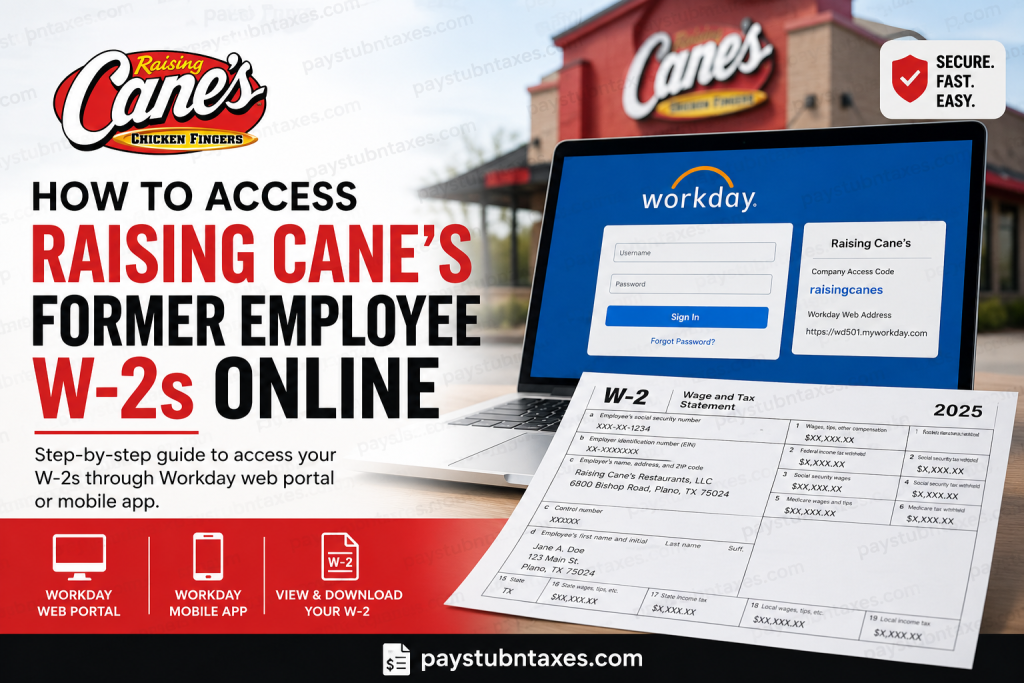
Former employees of Raising Cane’s Restaurants, LLC can conveniently retrieve their W-2 forms online through the company’s Workday self-service portal. Whether you need your tax documents for filing returns, applying for loans, or maintaining employment records, Raising Cane’s offers a secure digital solution that allows former crewmembers to access W-2 forms anytime and from virtually anywhere. With the company continuing its rapid expansion across the United States and internationally, Raising Cane’s has streamlined its payroll and HR systems through Workday, enabling both active and former employees to manage tax documents electronically with ease.
Can Former Raising Cane’s Employees Access W-2 Forms Online?
Yes. Former Raising Cane’s crewmembers can still access their electronic W-2 forms through the Workday platform, provided they previously consented to electronic delivery and still have access to their login credentials.
If you did not opt into electronic W-2 delivery, your paper W-2 will typically be mailed to the address listed in your Workday profile by early February.
Raising Cane’s Workday Login Information
To access the Workday mobile app or browser portal, you will need the following information:
- Company Access Code:
raisingcanes - Workday Web Address:
https://wd501.myworkday.com - Former Employee Login Portal:
http://1lvlogin.com/
Former employees must sign in using the same Ping Authentication or Workday credentials that were used during active employment.
How to Access Your Raising Cane’s W-2 Online Through Workday
Step 1: Open the Workday Portal
Visit the Raising Cane’s employee login portal:
You may also open the Workday mobile application and enter the tenant/company access code: raisingcanes
Step 2: Sign In Using Your Existing Credentials
Enter your:
- Username
- Password
- Multi-factor authentication code (if prompted)
The Workday mobile setup tutorial explains that users may receive a verification code by text message during login authentication.
Step 3: Navigate to Payroll or Tax Documents
Once logged in:
- Select the Pay icon from the Workday dashboard
- Click More
- Choose My Tax Documents
- Locate your available W-2 or W-2C forms
- Click View/Print to download or print your document
If a corrected W-2 (W-2C) is available, download all listed forms to ensure accurate tax filing.
How to Access Raising Cane’s W-2 on the Workday Mobile App
The Workday app allows former crewmembers to securely retrieve tax forms directly from their smartphone or tablet. The mobile platform is compatible with both Apple and Android devices.
Download the Workday App
Apple Devices
Download from the Apple App Store.
Android Devices
Download from the Google Play Store.
Configure the Workday App
After installing the app:
- Open Workday
- Enter the tenant/company access code:
raisingcanes
- Accept the configuration settings
- Tap Let’s Get Started
- Agree to the terms and conditions
You may then complete authentication using SMS verification and optionally create a secure mobile PIN for quicker future access.
What If You Forgot Your Workday Login?
If you no longer remember your Workday credentials or cannot access your account, you should contact Raising Cane’s W-2 support team directly:
Email: W2Help@raisingcanes.com
The support team can assist with:
- Login problems
- W-2 reissues
- Address updates
- W-2 corrections
- Electronic access issues
What If Your W-2 Was Not Received?
If you did not receive your W-2 by mail or lost the original copy, Raising Cane’s advises allowing at least two weeks after mailing before requesting assistance.
Former employees can still retrieve an electronic copy through Workday.
If you need a printed replacement copy, email W2Help@raisingcanes.com and include:
- Full name
- Last four digits of your Social Security Number
- Restaurant city and state
- Current mailing address
How to Correct Errors on Your Raising Cane’s W-2
If your:
- Name
- Social Security Number
- Mailing address
appears incorrectly on the W-2, Raising Cane’s may issue a corrected W-2C after verification.
Former employees are generally required to email supporting documentation, such as a Social Security card copy, to the W-2 support team for processing.
Important Tips for Former Raising Cane’s Employees
- Keep your mailing address updated in Workday whenever possible
- Download and save your W-2 immediately after accessing it
- Never email your full Social Security Number
- Use only official Raising Cane’s portals and email addresses
- Log out of Workday after completing your session for privacy and security
Final Thoughts
Raising Cane’s has made it remarkably straightforward for former employees to retrieve W-2 forms online through the Workday platform. By combining secure authentication, mobile accessibility, and electronic tax delivery, the company enables former crewmembers to obtain important payroll records without unnecessary delays. Whether you choose to access your W-2 through a desktop browser or the Workday mobile application, maintaining access to your credentials and keeping your personal information current will ensure a smooth and efficient experience during tax season.
Frequently Asked Questions
1. How do former employees access Raising Cane’s W-2 online?
Former employees can log into the Workday portal using their previous Workday credentials and access their W-2 under the “My Tax Documents” section.
2. What is the Raising Cane’s Workday Company Access Code?
The official Workday Company Access Code for Raising Cane’s is: raisingcanes
3. What website do I use to log into Raising Cane’s Workday?
You can access the employee login portal at: http://1lvlogin.com/
4. Can former Raising Cane’s employees still use Workday?
Yes. Former crewmembers can still access Workday to retrieve electronic W-2 forms if their account credentials remain active.
5. What if I forgot my Raising Cane’s Workday password?
You should contact the Raising Cane’s W-2 support team at: W2Help@raisingcanes.com.
6. When are Raising Cane’s W-2 forms available?
Electronic W-2 forms are usually posted in Workday during January each year.
7. Will Raising Cane’s mail my W-2?
Yes. If you did not consent to electronic W-2 delivery, a paper copy will be mailed to your address on file.
8. Can I access my Raising Cane’s W-2 from my phone?
Yes. You can use the Workday mobile app on Android or iPhone devices.
9. Which app does Raising Cane’s use for payroll and W-2 access?
Raising Cane’s uses the Workday app and web portal for payroll, tax documents, and employee self-service.
10. How do I find my W-2 inside Workday?
After logging in:
- Open Pay
- Click More
- Select My Tax Documents
- Click View/Print
11. What should I do if I never received my W-2?
Wait at least two weeks after mailing season, then contact W2Help@raisingcanes.com for assistance or request a replacement copy.
12. Can Raising Cane’s send me another W-2 copy?
Yes. Former employees may request a replacement W-2 by contacting the W-2 support team.
13. What information do I need when requesting a replacement W-2?
You may need:
- Full name
- Last 4 digits of your Social Security Number
- Restaurant location
- Current mailing address
14. What if my name or Social Security Number is incorrect on my W-2?
You should contact Raising Cane’s support immediately to request a corrected W-2C form.
15. Is the Raising Cane’s Workday portal secure?
Yes. Workday uses secure authentication methods, including password protection and multi-factor verification, to protect employee information.

