
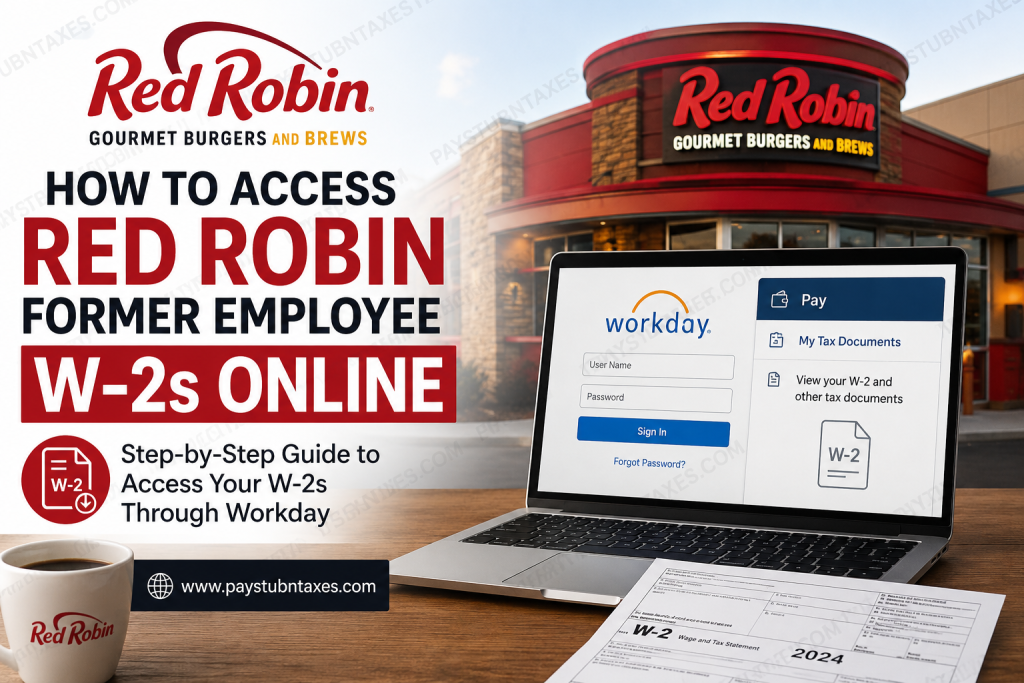
Former employees of Red Robin often need access to their W-2 forms for tax filing, financial applications, or personal recordkeeping. Fortunately, Red Robin provides electronic access to tax documents through its Workday employee portal, enabling eligible former team members to retrieve their W-2s quickly and securely without waiting for postal delivery. This comprehensive guide explains how former employees can access their Red Robin W-2 forms online, recover login credentials, and troubleshoot common access issues.
About Red Robin
Founded in Seattle, Washington, in 1940, Red Robin Gourmet Burgers and Brews has evolved from a neighborhood tavern into one of North America’s most recognizable casual dining chains. The company operates hundreds of restaurants across the United States and Canada and is renowned for its gourmet burgers, Bottomless Fries®, and family-friendly dining experience.
Red Robin places significant emphasis on creating an inclusive workplace, fostering diversity, and providing rewarding career opportunities for its team members. Formerly known as Sam’s Tavern and later Sam’s Red Robin, the company adopted the Red Robin name in 1969 and has continued expanding ever since.
Can Former Employees Access Red Robin W-2 Forms Online?
Yes. Former Red Robin employees can generally access their W-2 forms electronically through the Workday portal, provided their account remains active and they have retained their login credentials.
Electronic W-2 access offers several advantages:
- Immediate access to tax documents
- Ability to download or print copies anytime
- Secure storage of payroll records
- Convenient retrieval during tax season
If you previously elected to receive paper tax documents, your W-2 will typically be mailed to your address on file on or before January 31 each year.
Red Robin Workday Login Portal
Former employees can access their payroll and tax records through the official Red Robin Workday portal:
Workday Login:
https://wd1-identity.myworkday.com/wday/authgwy/redrobin/upc/login?redirect=n
For security purposes, always verify that you are logging into the official Workday website before entering your credentials.
How to Access Your Red Robin W-2 Online
Follow these steps to retrieve your W-2 form:
Step 1: Visit the Workday Portal
Open the official Red Robin Workday login page using your preferred web browser.
Step 2: Enter Your Credentials
Log in using:
- Username (typically your Team Member ID)
- Password
Recently terminated employees should check their personal email for onboarding or offboarding communications that may contain temporary login instructions or an initial password.
Step 3: Navigate to Tax Documents
After signing in:
- Select Pay
- Click My Tax Documents
- Choose the desired tax year
- Open, download, or print your W-2 form
The Workday system provides secure access to payroll and tax records around the clock, allowing users to retrieve documents whenever needed.
Forgot Your Workday Password?
If you cannot remember your password:
- Click “Forgot Password?”
- Enter your username and email address
- Follow the password reset instructions sent to your email
If you do not receive the email promptly, check your:
- Spam folder
- Junk folder
- Clutter folder
Should the email still fail to arrive, your account information may require verification through Human Resources or technical support.
What If I Never Received My W-2?
If your W-2 is unavailable online or has not arrived by mail:
- Verify that your mailing address on file was current at the time of separation.
- Confirm whether you previously consented to electronic delivery.
- Contact Red Robin support for assistance.
Common Workday Login Issues and Solutions
Account Locked
Multiple unsuccessful login attempts may temporarily lock your account. Wait for the reset period or contact support for assistance.
Incorrect Username
Former employees typically use their Team Member ID as the username. If uncertain, contact HR for verification.
Password Reset Not Working
Ensure the email address entered matches the one stored in the Workday system.
Browser Compatibility Problems
Try the following troubleshooting steps:
- Clear browser cache and cookies
- Enable pop-ups
- Use an updated browser
- Try another device if necessary
Red Robin Payroll and Tax Documents Available in Workday
Depending on eligibility and account access, Workday may provide:
- W-2 tax forms
- Pay stubs
- Payroll history
- Tax withholding elections
- Personal information updates
- Direct deposit details
The platform offers secure, self-service access to employment records, helping former employees manage essential documents efficiently.
Red Robin Former Employee Support
If you require additional assistance accessing your W-2:
Red Robin Support Number:
1-800-700-8002
Current employees may also ask their manager to open a ServiceNow ticket on their behalf.
Final Thoughts
Accessing your Red Robin W-2 online is generally a straightforward process through the Workday employee portal. By maintaining updated contact information and preserving your login credentials after separation, you can avoid unnecessary delays during tax season. Whether you need a copy for filing taxes, applying for loans, or maintaining personal records, Workday provides a secure and convenient means of retrieving your employment documents whenever the need arises. In an era where digital accessibility reigns supreme, having round-the-clock access to your payroll information is not merely convenient—it is indispensable.
Frequently Asked Questions
1. How do I access my Red Robin W-2 online as a former employee?
Former employees can log in to the Red Robin Workday portal using their Team Member ID and password. Navigate to Pay > My Tax Documents to view and download W-2 forms.
2. What is the Red Robin Workday login URL?
The official Workday login portal is:
https://wd1-identity.myworkday.com/wday/authgwy/redrobin/upc/login?redirect=n
3. What username do former employees use for Workday?
Former employees typically use their Team Member ID as their Workday username.
4. How do I find my W-2 in Workday?
After signing in, select Pay, then click My Tax Documents, and choose the desired tax year to access your W-2.
5. What should I do if I forgot my Workday password?
Click “Forgot Password?” on the login page and enter your username and email address to receive password reset instructions.
6. Why am I not receiving the password reset email?
Check your Spam, Junk, or Clutter folders. Ensure the email address entered matches the one on file with Red Robin.
7. When does Red Robin mail paper W-2 forms?
Paper W-2 forms are generally mailed on or before January 31 each year.
8. Can I still access Workday after leaving Red Robin?
Many former employees retain limited access to Workday for tax documents, although access duration may vary.
9. What if my Workday account is locked?
Wait for the automatic unlock period or contact Red Robin support for assistance.
10. How do I update my mailing address for tax forms?
Contact Human Resources promptly if your address has changed to ensure accurate W-2 delivery.
11. What should I do if my W-2 is missing?
Verify your Workday access, confirm your mailing address, and contact support if the document remains unavailable.
12. Can I print multiple copies of my W-2?
Yes. Workday allows users to download and print W-2 forms as needed for personal or financial purposes.
13. What other payroll documents are available in Workday?
Workday may provide access to pay stubs, payroll history, tax elections, direct deposit information, and other employment records.
14. Who do I contact for help accessing my Red Robin W-2?
For assistance, call 1-800-700-8002 or contact Human Resources for further support.
15. Is the Red Robin Workday portal secure?
Yes. Workday uses secure authentication measures to protect employee payroll and tax information.

