
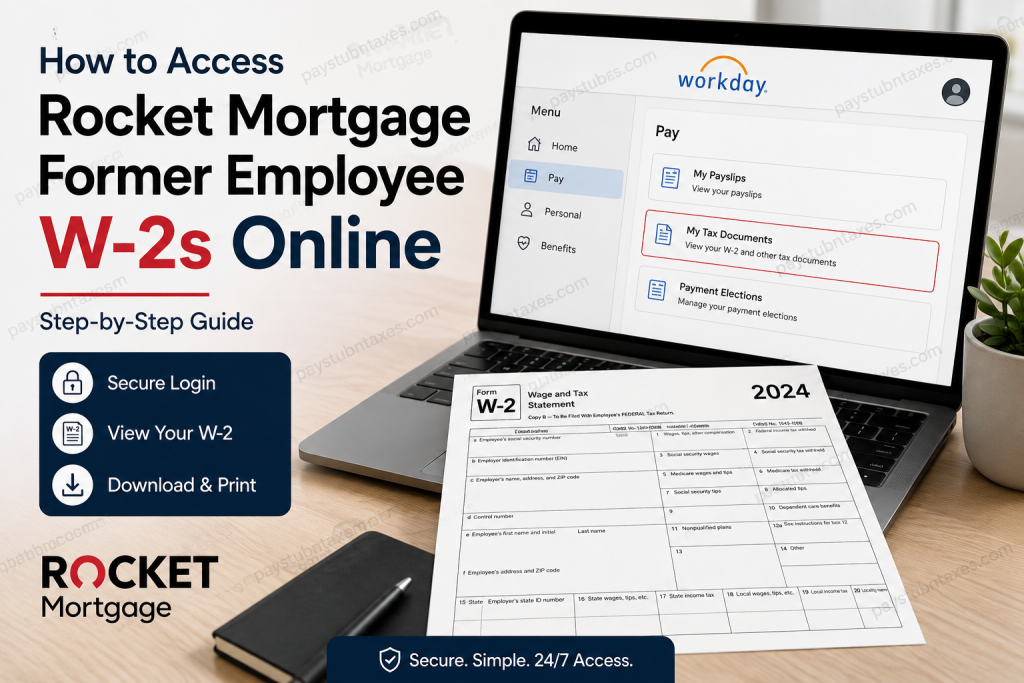
Former employees of Rocket Mortgage can conveniently access their W-2 tax forms online through the company’s Workday self-service platform. Whether you need your W-2 for tax filing, income verification, or personal recordkeeping, Workday provides a secure and efficient way to retrieve your tax documents around the clock. Former Rocket team members receive separate login credentials through their personal email address, allowing continued access to payroll and tax information after employment ends. As one of America’s largest mortgage lenders, Rocket Mortgage has embraced digital solutions across its operations, including employee payroll and tax document management. The company, headquartered in Detroit, Michigan, enables both current and former team members to securely access important employment records online.
About Rocket Mortgage
Rocket Mortgage, formerly known as Quicken Loans, is a leading American mortgage lender headquartered in Detroit, Michigan. Founded in 1985, the company revolutionized the mortgage industry by introducing digital lending solutions and online mortgage applications. Today, Rocket Mortgage operates as the flagship business within Rocket Companies and continues to be recognized for its technology-driven approach to financial services.
Can Former Rocket Mortgage Employees Access W-2 Forms Online?
Yes. Former Rocket Mortgage employees can access their W-2 forms electronically through the Workday self-service portal. The platform provides secure access to:
- Current and historical W-2 tax forms
- Pay stubs and earnings statements
- Tax withholding information
- Personal employment records
- Payroll-related documents
Former employees receive login instructions through their personal email address, enabling continued access to these documents after separation from the company.
Rocket Mortgage Former Employee Workday Login
To access your W-2 online, visit the Rocket Mortgage Workday portal:
Workday Login Portal:
https://wd5.myworkday.com/quickenloans/login.htmld?redirect=n
If you are a former Rocket team member, use the credentials that were provided to your personal email address. If you no longer have access to your login information, contact Rocket’s support team for assistance.
How to Access Your Rocket Mortgage W-2 Online
Follow these steps to locate and download your W-2 form:
Step 1: Sign In to Workday
Visit the Rocket Mortgage Workday portal and log in using your username and password.
Step 2: Navigate to the Pay Section
Once logged in, select the Pay dashboard from your Workday homepage.
Step 3: Open My Tax Documents
Within the Pay dashboard, click My Tax Documents to access available tax forms.
Step 4: Select the Appropriate Tax Year
Locate the desired tax year and choose the W-2 form you wish to view. Tax documents are stored under My Tax Documents and can be accessed by tax year.
Step 5: View or Print Your W-2
Click the View/Print option to open the document. The form may take a few moments to load.
Step 6: Download Your W-2
Use the download icon to save a digital copy for your records, or select the print icon to print a paper copy.
What If You Chose Paper Delivery?
Employees who previously elected paper delivery instead of electronic delivery will generally receive their W-2 forms by mail. Rocket Mortgage typically mails paper W-2 forms on or before January 31 each year to the address on file.
If you have moved since leaving the company, it is advisable to contact Rocket Mortgage support to ensure your mailing information is current.
What to Do If You Cannot Access Workday
If you encounter difficulties accessing your Workday account, recovering your password, or locating your W-2 form, Rocket Mortgage provides several support channels for former employees.
The Force People Support
Phone: (313) 373-7373, Option 4
Verification of Employment
Email: VOE@rocket.com
Team Relations
Email: TeamRelationsLeader@rocket.com
Former employees seeking assistance with payroll documents or W-2 forms may also submit an inquiry through Rocket Companies’ Team Member Inquiry portal.
Requesting Help with W-2 Documents
Rocket Companies maintains a dedicated Team Member Inquiry system where former employees can submit requests related to:
- W-2 forms
- Pay statements
- Payroll concerns
- Employment verification
- General HR inquiries
This resource can be especially valuable if your Workday access has expired or if you need assistance obtaining older tax records.
Common Reasons Former Employees Need a W-2
Former Rocket Mortgage employees frequently require their W-2 forms for:
- Filing federal and state income taxes
- Mortgage applications
- Employment verification
- Financial aid applications
- Loan approvals
- Income documentation requests
- Personal financial recordkeeping
Maintaining a downloaded copy of each year’s W-2 can help streamline these processes and eliminate unnecessary delays.
Frequently Asked Questions
Q. How do former Rocket Mortgage employees access W-2 forms?
A. Former employees can log into the Workday self-service portal using credentials provided to their personal email address and navigate to Pay > My Tax Documents.
Q. Where are W-2 forms located in Workday?
A. W-2 forms are stored under the My Tax Documents section within the Pay dashboard.
Q. Can I download my W-2 as a PDF?
A. Yes. Workday allows users to view, print, and download W-2 forms electronically.
Q. When are W-2 forms available?
A. W-2 forms are generally issued by the end of January each year.
Q. What happens if I select paper delivery?
A. Your W-2 will be mailed to your address on file, typically on or before January 31.
Q. Can former employees still access Workday?
A. Yes, former employees may retain access through dedicated Workday credentials sent to their personal email address.
Q. What if I forgot my Workday password?
A. Use the password recovery feature or contact The Force People Support for assistance.
Q. Who do I contact for W-2 issues?
A. You can contact The Force People Support at (313) 373-7373, Option 4.
Q. Can I request employment verification?
A. Yes. Employment verification requests can be directed to VOE@rocket.com.
Q. How do I contact Team Relations?
A. Email TeamRelationsLeader@rocket.com.
Q. Can I print my W-2 directly from Workday?
A. Yes. Workday includes a print function for tax documents.
Q. Can I access previous years’ W-2 forms?
A. Available tax years can generally be accessed through My Tax Documents within Workday.
Q. Is Workday available 24/7?
A. Yes. The platform provides around-the-clock access, subject to occasional maintenance windows.
Q. What if my mailing address changed after leaving Rocket Mortgage?
A. Contact support promptly to update your information and avoid delays in receiving tax documents.
Q. Is the Team Member Inquiry portal available for former employees?
A. Yes. Former employees may submit inquiries regarding pay statements, W-2 forms, and related payroll matters.
Final Thoughts
Accessing Rocket Mortgage’s former employee W-2 forms online is a straightforward process through the Workday self-service portal. By maintaining your login credentials and understanding where tax documents are stored, you can retrieve, download, and print your W-2 whenever needed. Should any issues arise, Rocket Mortgage provides dedicated support resources to ensure former team members can obtain their tax records quickly and securely.

