
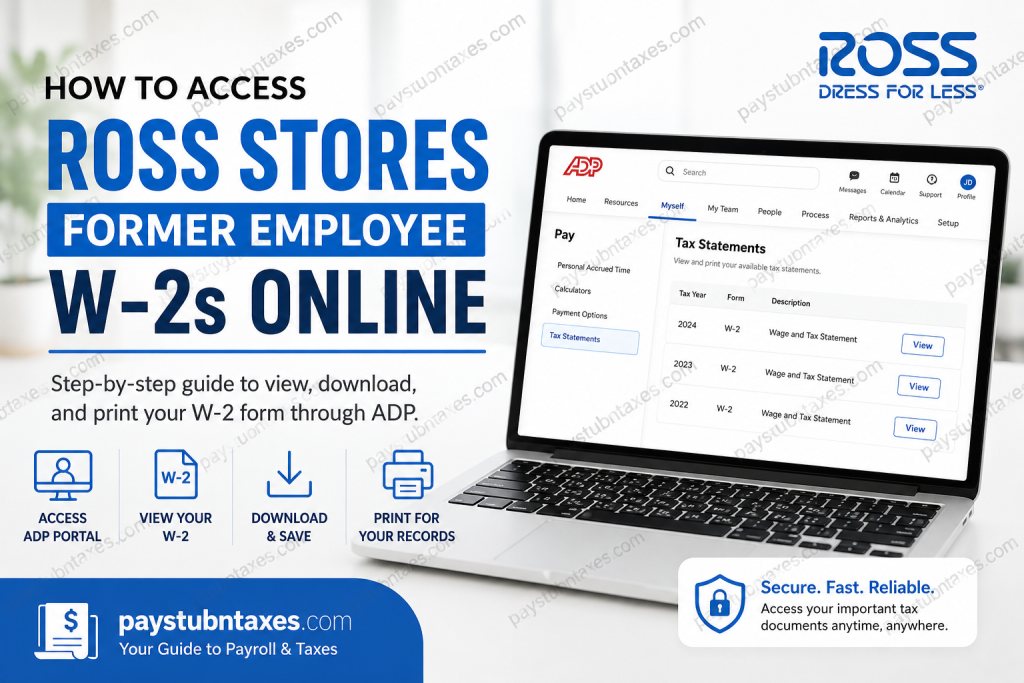
As one of America’s leading off-price retailers, Ross Stores, Inc. has expanded from a modest six-store operation into a Fortune 500 enterprise generating billions in annual revenue. Operating under the renowned Ross Dress for Less® and dd’s DISCOUNTS® brands, the company employs tens of thousands of associates across the United States, Puerto Rico, Guam, and the District of Columbia. If you previously worked for Ross Stores and need a copy of your W-2 form for tax filing, loan applications, income verification, or personal recordkeeping, the process is generally straightforward. Former employees who elected to receive electronic tax documents can typically retrieve their W-2 forms online through the ADP self-service platform. This comprehensive guide explains how to access your Ross Stores former employee W-2 online, register for ADP if necessary, troubleshoot common login issues, and obtain assistance when required.
Can Former Ross Stores Employees Access W-2 Forms Online?
Yes. Former Ross Stores employees who consented to electronic delivery of tax documents can generally access their W-2 forms through the ADP portal.
Electronic access offers several advantages:
- Immediate access to tax documents
- Secure online storage
- Ability to download and print copies anytime
- Faster delivery compared to traditional mail
- Convenient access from computers, tablets, and mobile devices
Employees who did not opt for electronic delivery typically receive a paper W-2 mailed to their address on file.
Ross Stores Former Employee W-2 Login Portal
To access your W-2 online, visit:
ADP Portal: https://my.adp.com
Registration Code
If you have never registered your ADP account, use the following registration code:
RossStores-myADP
This code connects your ADP profile with your employment records maintained by Ross Stores.
How to Register for ADP as a Former Ross Stores Employee
If this is your first time using ADP, follow these steps:
Step 1: Visit the ADP Portal
Navigate to: https://my.adp.com
Step 2: Select “Get Started”
On the login page, click Get Started located beside the New User section.
Step 3: Enter the Registration Code
Input: RossStores-myADP
and proceed to the next screen.
Step 4: Verify Your Identity
You may be asked to provide information such as:
- Last name
- Date of birth
- Social Security Number (or last four digits)
- Email address
- Mobile phone number
Ensure that the information matches your employment records.
Step 5: Create Login Credentials
Establish:
- Username
- Password
- Security questions
- Multi-factor authentication preferences
Step 6: Complete Registration
After verification, your ADP account will be activated, allowing you to access payroll and tax documents online.
How to View Your Ross Stores W-2 Online
Once logged into ADP, retrieving your W-2 takes only a few minutes.
Step 1
Sign in at: https://my.adp.com
Step 2
From the dashboard, select:
Myself → Pay → Tax Statements
Step 3
Locate the tax year you need.
Step 4
Click the applicable W-2 statement.
Step 5
Open the document and choose:
- Download
- Save PDF
for your records.
How to Download and Print Your W-2
After opening the tax statement:
- Click Open Document
- Review the form for accuracy
- Select Download to save a PDF copy
- Select Print if a physical copy is required
Keeping both digital and printed copies is advisable, particularly for future tax audits, mortgage applications, or employment verification.
What If You Forgot Your ADP Username or Password?
If you’ve misplaced your login credentials:
Recover Username
- Visit the ADP login page
- Select Forgot User ID
- Verify your identity
- Follow the recovery instructions
Reset Password
- Select Forgot Password
- Complete identity verification
- Create a new password
- Log in using your updated credentials
What If You No Longer Have Access to Your Registered Email?
Former employees occasionally lose access to their original work or personal email addresses.
In such circumstances:
- Attempt account recovery through ADP.
- Verify your identity using alternate methods.
- Contact Ross HR Services for assistance.
- Request an update to your account credentials if necessary.
How Long Can Former Employees Access ADP?
Access periods vary depending on company policy and system retention schedules.
In many cases, former employees retain access to ADP tax documents for several years following separation. However, availability is not guaranteed indefinitely. Therefore, it is wise to download and securely store copies of your W-2 forms as soon as they become available.
When Are Ross Stores W-2 Forms Available?
Federal regulations require employers to issue W-2 forms by January 31 each year.
Employees who elected electronic delivery often receive access through ADP before or around this date, while paper copies are mailed to the address on file.
Common Issues When Accessing Ross Stores W-2 Forms
Incorrect Registration Information
Ensure your name, birth date, and Social Security information match Ross employment records exactly.
Locked Account
Multiple unsuccessful login attempts may temporarily lock your account.
Outdated Contact Information
An old email address or phone number may prevent authentication.
Browser Compatibility Problems
Try:
- Google Chrome
- Microsoft Edge
- Mozilla Firefox
- Safari
and ensure cookies and JavaScript are enabled.
Ross Stores HR Contact Information
If you experience difficulties accessing your W-2, contact:
Ross HR Services
Phone: 855-474-7677
Representatives can assist with:
- W-2 retrieval issues
- Employment verification
- Account access concerns
- Personal information updates
- Tax document inquiries
Why Electronic W-2 Delivery Is Beneficial
Choosing paperless tax documents offers several practical advantages:
- Faster access each year
- Reduced risk of mail delays
- Enhanced document security
- Environmentally responsible recordkeeping
- Convenient retrieval from virtually anywhere
For former employees who frequently require tax documentation, electronic access can be invaluable.
Final Thoughts
Obtaining a Ross Stores former employee W-2 online is generally a seamless process when using the ADP self-service platform. By registering with the code RossStores-myADP, verifying your identity, and navigating to Myself → Pay → Tax Statements, you can quickly access, download, and print your tax forms whenever needed. Should any complications arise, Ross HR Services and ADP support resources are available to help ensure that your tax documentation remains accessible, secure, and accurate. Whether you are filing taxes, applying for a mortgage, or simply maintaining personal financial records, securing a copy of your W-2 is a prudent step that can save considerable time and inconvenience later.
Frequently Asked Questions
1. How can I access my Ross Stores W-2 online as a former employee?
You can access your W-2 through the ADP portal at my.adp.com using your ADP login credentials.
2. What is the Ross Stores ADP registration code?
The registration code for Ross Stores employees and former employees is RossStores-myADP.
3. Where can I find my W-2 after logging into ADP?
Navigate to Myself → Pay → Tax Statements and select the tax year you need.
4. Can former Ross Stores employees still use ADP?
Yes. Former employees who have electronic access enabled can generally continue accessing their tax documents through ADP.
5. When are Ross Stores W-2 forms available?
W-2 forms are typically available by January 31 each year, in compliance with IRS regulations.
6. What should I do if I forgot my ADP password?
Click the Forgot Password link on the ADP login page and follow the verification process to reset your password.
7. What if I forgot my ADP username?
Use the Forgot User ID option on the ADP login page and verify your identity to recover your username.
8. Can I download a PDF copy of my W-2?
Yes. ADP allows users to download, save, and print PDF copies of W-2 forms.
9. What if I no longer have access to my registered email address?
You may need to update your account information through ADP account recovery or contact Ross HR Services for assistance.
10. Will Ross Stores mail a paper W-2?
Yes. Employees who did not opt for electronic delivery typically receive a paper W-2 by mail.
11. How do I register for ADP as a first-time user?
Visit my.adp.com, click Get Started, enter the registration code, verify your identity, and create login credentials.
12. Can I access previous years’ W-2 forms?
In many cases, ADP retains historical tax documents, allowing access to prior years’ W-2 forms.
13. Why can’t I log into my ADP account?
Common reasons include incorrect credentials, outdated contact information, account lockouts, or incomplete registration.
14. Who should I contact for Ross Stores W-2 assistance?
Contact Ross HR Services at 855-474-7677 for help with W-2 access and payroll-related questions.
15. Is the ADP portal secure for accessing tax forms?
Yes. ADP uses encryption, identity verification, and multi-factor authentication to help protect employee information.

