
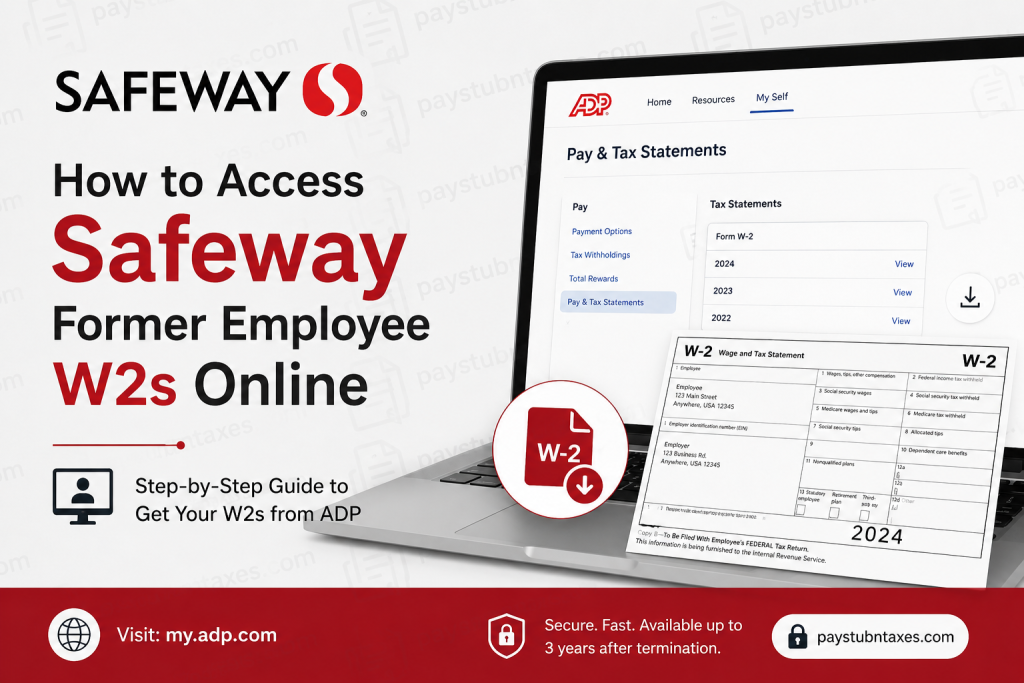
Former employees of Safeway, Inc. can conveniently access their W-2 tax forms online through the ADP self-service portal. Even after leaving the company, Safeway associates generally retain ADP access for up to three years following termination, making it possible to retrieve tax documents without contacting Human Resources directly. Safeway, a major subsidiary of Albertsons Companies, operates hundreds of grocery stores across the United States and continues to provide digital payroll and tax services for both active and former employees. Whether you need your W-2 for tax filing, income verification, financial aid applications, or personal records, this guide explains exactly how to access your Safeway former employee’s W-2 online quickly and securely.
Can Former Safeway Employees Access W-2 Forms Online?
Yes. Former Safeway employees can still access their W-2 tax forms online through the ADP portal after leaving the company.
Safeway maintains post-employment ADP access for approximately three years after termination. During this period, former associates can log in using their existing credentials or create a new ADP account using the Safeway registration code.
Safeway Former Employee W2 Portal Information
| Service | Details |
| W-2 Portal | my.adp.com |
| Registration Passcode | Safeway-reg1 |
| Payroll Provider | ADP |
| Access Availability | Up to 3 years after termination |
| Support Number | 877-286-3200 |
How to Access Your Safeway W-2 Online
Follow these steps to retrieve your Safeway W-2 form online.
Step 1: Visit the ADP Portal
Go to the ADP employee self-service website: my.adp.com
You may also download the ADP Mobile Solutions app from the Apple App Store or Google Play Store.
Step 2: Sign In or Create an Account
If you have already used ADP during employment, sign in using your existing username and password.
If you do not have access anymore, create a new account:
- Click New user? Get started
- Choose I Have a Registration Code
- Enter the Safeway registration code:
Safeway-reg1
ADP registration typically requires your name, Social Security Number, and other identifying information exactly as stored in payroll records.
Step 3: Verify Your Identity
ADP may ask you to verify your identity using:
- Email verification
- Phone verification
- Personal security questions
After verification, create a secure password and complete account setup.
Step 4: Locate Your W-2 Form
Once logged in:
- Navigate to Pay
- Select Tax Statements
- Choose the desired tax year
- Open or download your W-2 form as a PDF
The ADP dashboard typically stores multiple years of tax statements and payroll history.
How to Download or Print Your Safeway W-2
After opening the form:
- Click the Download icon to save the PDF
- Use the Print option for paper filing or personal records
- Store the document securely because it contains sensitive tax information
Forgot Your ADP Username or Password?
If you cannot remember your login credentials:
- Go to the ADP login page
- Click Forgot User ID or Forgot Password
- Follow the identity verification prompts
You may need:
- Last four digits of your SSN
- Registered email address
- Mobile phone number on file
No Longer Have Access to ADP?
If your ADP access has expired or your account cannot be recovered, contact the Safeway Service Desk for assistance.
Safeway Service Desk
Phone: 877-286-3200
Support representatives can help with:
- W-2 retrieval
- Address updates
- Login recovery
- Tax statement delivery issues
When Are Safeway W-2 Forms Available?
Safeway W-2 forms are generally available by the end of January each year.
Employees who previously consented to electronic tax delivery will usually receive online access faster than paper mail delivery.
Can You Access W-2s Through the ADP Mobile App?
Yes. ADP Mobile Solutions allows former Safeway employees to:
- View W-2 forms
- Download tax statements
- Access payroll history
- Manage profile information securely
The mobile app provides nearly identical functionality to the desktop portal.
Why Safeway Uses ADP
ADP is one of the largest payroll and workforce management providers in the United States. Safeway and Albertsons use ADP to streamline:
- Payroll processing
- Tax reporting
- Employee self-service access
- Direct deposit management
- Electronic tax statement delivery
The platform enables former employees to remain connected to their payroll records without relying heavily on HR intervention.
Common Problems and Solutions
W-2 Not Showing Up
- Wait until late January or early February
- Refresh your ADP dashboard
- Verify you selected the correct tax year
Registration Code Not Working
- Double-check spelling and capitalization
- Ensure you selected “I Have a Registration Code”
- Contact the Safeway Service Desk if the issue continues
Locked Out of ADP
- Use the password recovery feature
- Reset credentials using your registered email or phone
- Contact ADP or Safeway support if necessary
Final Thoughts
Safeway makes it relatively simple for former employees to access W-2 forms online through the ADP self-service portal. Because access generally remains active for up to three years after termination, many former associates can retrieve tax documents independently without waiting for HR assistance. By using the ADP portal, downloading the mobile app, and keeping your contact information updated, you can access your Safeway W-2 securely and efficiently whenever needed.
Frequently Asked Questions (FAQ)
1. How do I access my former Safeway employee’s W-2 online?
Visit my.adp.com, sign in with your ADP credentials, and navigate to Tax Statements.
2. What is the Safeway ADP registration code?
The registration code is Safeway-reg1.
3. Can I still access ADP after leaving Safeway?
Yes. Former employees generally retain ADP access for up to three years after termination.
4. What if I forgot my ADP password?
Use the “Forgot Password” option on the ADP login page.
5. Can I access my W-2 from my phone?
Yes. Use the ADP Mobile Solutions app.
6. When will my Safeway W-2 become available?
Typically by the end of January each year.
7. What if my W-2 is missing online?
Wait a few days, confirm the tax year selection, or contact Safeway support.
8. Can I print my W-2 directly from ADP?
Yes. W-2 forms can be downloaded or printed as PDFs.
9. Do I need my old employee ID?
Not always, but it may help during identity verification.
10. Who do I call for Safeway payroll assistance?
Call the Safeway Service Desk at 877-286-3200.
11. Is the ADP portal secure?
Yes. ADP uses encrypted authentication and identity verification systems.
12. Can I update my mailing address in ADP?
Yes, depending on your account status and access permissions.
13. What if my ADP access expired?
You may need to contact Safeway HR or the Service Desk for assistance.
14. Can I access older W-2 forms?
Yes, if they remain stored in your ADP account history.
15. Does Safeway mail paper W-2 forms too?
Yes. Employees who did not consent to electronic delivery usually receive paper copies by mail.

