
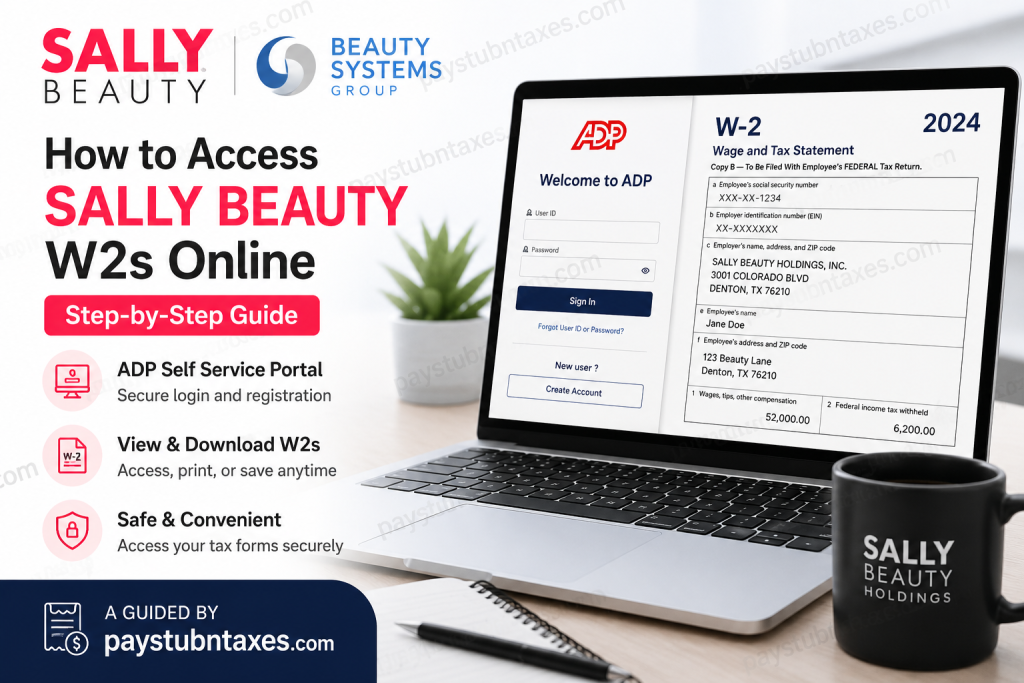
Sally Beauty is one of the world’s largest distributors and retailers of professional beauty products, operating thousands of stores across the United States, Canada, Mexico, Europe, and other international markets. Through its retail division and Beauty Systems Group (BSG), the company supports both retail customers and licensed salon professionals with premium beauty brands, salon tools, and professional supplies. If you are a current or former employee of Sally Beauty or Beauty Systems Group, you can conveniently access your W-2 tax forms online through the ADP Self Service portal. The electronic W-2 system allows employees to securely view, download, print, and save tax statements anytime during tax season.
Sally Beauty W2 Portal Login
Employees can retrieve their W-2 forms online using the official ADP portal:
- my.adp.com
If you are a first-time user, you may need:
- A personal registration code
- An ADP invitation email
- Access to the company hub or internal toolkit
If you have not yet received a registration code, log in to the employee hub where you normally access your pay stubs. On the left-hand menu, locate the file icon or toolkit section, click the magnifying glass search icon, and search for ADP Electronic W2 Aid. Your registration code will typically be listed there.
For additional assistance, contact Sally Beauty HR:
- HR Phone Number: 1-800-777-5706
How to Register for Sally Beauty W2 Access on ADP
New users must create an ADP account before accessing tax documents.
Step 1: Visit the ADP W2 Registration Page
Open your browser and go to:
Click Create Account if you do not already have an ADP login.
Step 2: Select “I Have a Registration Code”
During registration:
- Choose I Have A Registration Code
- Do not select Find Me
Enter your employer registration code and continue.
Step 3: Verify Your Identity
You will be asked to complete identity verification by entering:
- First and last name
- Employee ID or control number
- ZIP code
- Social Security Number
The system may verify your identity through:
- Mobile phone verification
- Security questions based on public records
Step 4: Confirm Contact Information
After identity verification:
- Add your email address
- Add your mobile number
- Optionally provide backup contact information
This information is used for future login authentication and security verification.
Step 5: Create Your ADP Password
Create a secure password and accept the ADP terms and conditions to finalize your account setup.
Once completed:
- Your ADP User ID will appear on screen
- Save your User ID and password securely for future W-2 access
How to View and Download Your Sally Beauty W2
After registration:
- Log in to MyADP Login
- Enter your ADP User ID and password
- Navigate to the Tax Statements section
- Select the desired tax year
- Click View Statement
- Complete the security verification process
- Download, print, or save your W-2 form
What If You Forgot Your ADP Login Information?
If you cannot access your ADP account:
- Use the Forgot User ID or Forgot Password links on the login page
- Verify your identity using your registered phone number or email
- Contact Sally Beauty HR if your account cannot be recovered
Can Former Employees Access Sally Beauty W2s Online?
Yes. Former employees can usually continue accessing their W-2 tax forms through the ADP portal after separation from employment. As long as your ADP account remains active, you can log in and retrieve previous tax statements electronically.
If your account has been disabled, contact HR for assistance with reactivation or paper copy requests.
Benefits of Electronic W2 Access
Using ADP electronic W-2 services offers several advantages:
- Faster access to tax documents
- Secure online storage
- Easy download and printing
- Reduced risk of lost mail
- Convenient year-round availability
Electronic delivery also helps employees receive tax forms earlier than traditional mailed copies.
Common Sally Beauty W2 Login Problems and Solutions
| Problem | Solution |
| Forgot password | Use ADP password recovery |
| Registration code missing | Search “ADP Electronic W2 Aid” in the employee toolkit |
| Locked account | Wait and retry or contact HR |
| Verification failure | Ensure personal information matches company records |
| W-2 unavailable | Wait until forms are officially released in January |
Final Thoughts
Accessing your Sally Beauty or Beauty Systems Group W-2 online is designed to be quick, secure, and convenient. By using the ADP Self Service portal, employees can retrieve tax documents anytime without waiting for mailed copies. Whether you are a current employee or a former team member, keeping your ADP login credentials updated ensures uninterrupted access to payroll and tax information throughout the year. For additional support, contact Sally Beauty HR or access the employee hub for registration assistance and ADP resources.
Frequently Asked Questions
1. When are Sally Beauty W2 forms available online?
W-2 forms are typically available by late January each year through the ADP portal.
2. Can former employees still access ADP?
Yes. Many former employees retain ADP access for tax document retrieval.
3. What website do Sally Beauty employees use for W2s?
Employees use: my.adp.com
4. How do I get my ADP registration code?
You can find it through the company toolkit or internal employee hub by searching for ADP Electronic W2 Aid.
5. Can I print my W2 from ADP?
Yes. ADP allows users to download, save, and print W-2 tax statements.
6. What should I do if my W2 is incorrect?
Contact Sally Beauty Human Resources immediately to request corrections.
7. Does Sally Beauty mail paper W2 forms?
Yes. Paper W-2 forms may still be mailed unless you have enrolled in electronic delivery only.
8. Can I access previous years’ W2 forms?
Yes. ADP usually stores prior-year tax statements within the Tax Statements section.
9. What happens if I no longer have access to my phone number?
You may need to update your verification methods through ADP account recovery or contact HR support.
10. Is the ADP portal secure?
Yes. ADP uses multi-factor authentication and encrypted security protocols to protect employee information.

