
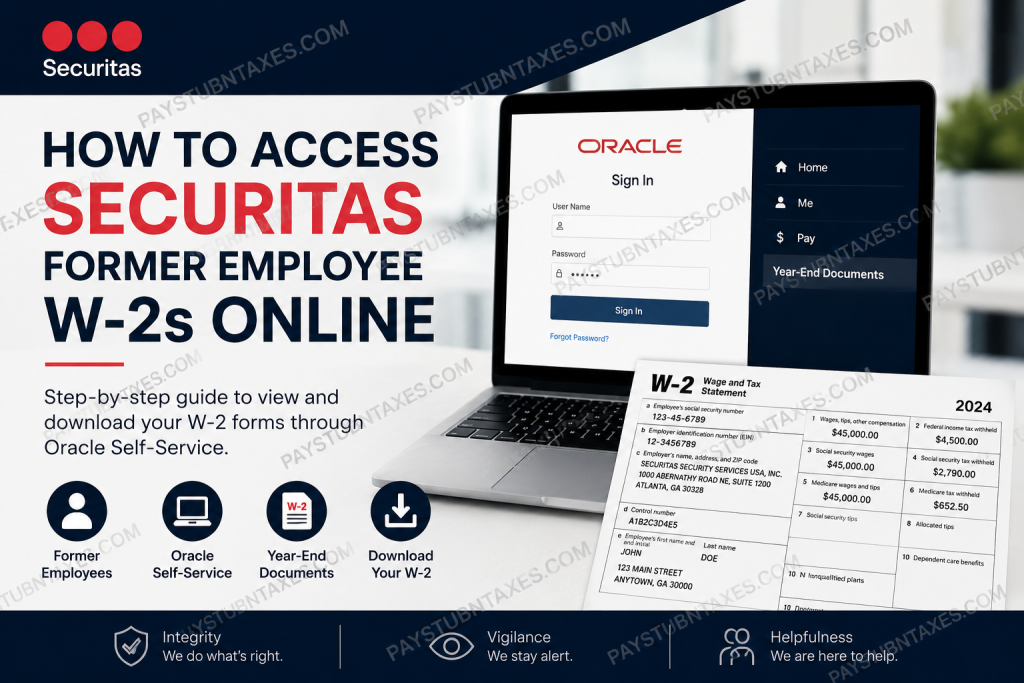
Former employees of Securitas often need access to their W-2 forms for tax filing, income verification, loan applications, or personal financial records. Fortunately, Securitas provides several methods through which former employees may obtain their year-end tax documents, whether electronically through Oracle Self-Service or by contacting their local branch office.
As one of the world’s leading protective services organizations, Securitas continues to modernize its employee support systems by integrating cloud-based payroll and HR platforms designed to simplify document access and workforce management. With operations spanning dozens of countries and hundreds of branch offices across North America, the company emphasizes efficiency, accessibility, and employee support throughout the employment lifecycle.
When Are Securitas W-2 Forms Available?
Securitas generally mails year-end tax documents on or before January 31 of the following calendar year. Former employees who opted for paper delivery should expect their W-2 forms to arrive by mail shortly thereafter.
If you have recently changed your mailing address after leaving the company, it is essential to contact your local Securitas branch office immediately to ensure your tax documents are sent to the correct location.
Employees who previously consented to electronic tax document delivery may continue accessing their W-2 forms online through the Oracle Self-Service payroll platform, provided their access credentials remain active or alternative access instructions have been issued by HR.
How to Access Securitas Former Employee W-2s Online
Former Securitas employees can retrieve their W-2 forms online by accessing the Securitas employee portal and signing into Oracle Cloud HCM.
Step 1: Visit the Securitas Employee Portal
Go to the official Securitas job and employee portal:
https://ekaw.fa.us2.oraclecloud.com/hcmUI/CandidateExperience/en/sites/CX
Once the page loads, locate the menu icon in the upper-right corner of the website.
Select:
“I AM AN EMPLOYEE”
This option redirects you to the Oracle Cloud employee sign-in page used for payroll and HR services.
Step 2: Sign Into Oracle Cloud
Former employees should enter their Oracle login username and password on the Oracle Cloud sign-in screen. The portal may also provide a “Sign in with Okta” option depending on account configuration and regional access settings.
If your Okta credentials were revoked after termination, you may still receive separate Oracle access instructions from HR or your local branch management team.
Step 3: Navigate to Year-End Documents
After successfully logging into Oracle Self-Service, follow this navigation path:
Home Page → Me → Pay → Year-End Documents
Inside the Year-End Documents section, you can view, download, and print available W-2 tax forms for current and prior tax years.
How to Download and Save Your W-2
Once your W-2 becomes visible in Oracle:
- Select the appropriate tax year.
- Open the PDF version of the W-2 form.
- Download the file to your device.
- Print a physical copy for tax filing or recordkeeping purposes.
Keeping both digital and printed copies is highly recommended for future financial verification needs.
What If You Cannot Access Your Oracle Account?
Many former employees experience login difficulties because access to Okta or internal authentication systems may be disabled after separation from the company.
If you are unable to sign in:
- Contact your local Securitas branch office.
- Request Oracle payroll access assistance.
- Ask HR whether electronic W-2 delivery remains active on your account.
- Confirm your mailing address is correct.
- Request a duplicate copy if necessary.
In many cases, district managers or payroll representatives can manually assist former employees with retrieving tax records and pay statements.
Community discussions from former Securitas employees also indicate that persistent follow-up with local management often results in successful document recovery, especially for final pay statements and W-2 access issues.
Alternative Options for Obtaining Your W-2
If online access is unavailable, former employees may still obtain their tax records through the following alternatives:
1. Contact Your Local Branch Office
Your local office remains the primary point of contact for employment verification and payroll assistance.
They may:
- Reset access credentials
- Verify identity
- Update mailing information
- Coordinate with payroll departments
- Reissue tax documentation
2. Request Assistance Through Employee Services
Securitas provides employee support services for HR and payroll-related inquiries through its Employee Services division.
Support requests may include:
- Payroll issues
- Tax form assistance
- Employment verification
- Account access support
- HR inquiries
3. Use The Work Number (If Applicable)
Some employment and income records may be accessible through The Work Number, particularly for employment verification purposes. However, the availability of pay stubs and W-2 forms may vary depending on your employment status and document type.
Important Information Former Employees Should Know
W-2 Mailing Deadline
Federal regulations generally require employers to mail W-2 forms by January 31 each year.
Electronic Consent Matters
Only employees who previously consented to electronic delivery may continue receiving online tax document access.
Address Accuracy Is Critical
An outdated mailing address is one of the most common reasons former employees fail to receive tax forms on time.
Payroll Records Are Retained
Securitas maintains employment and payroll-related records for extended periods in accordance with legal and compliance obligations.
Securitas Employee Support Contact Information
For additional assistance regarding payroll records or W-2 access, contact:
Securitas Employee Support
Phone: 1 (866) 864-3375
You may also contact your local branch office directly for faster assistance regarding payroll and former employee access issues.
About Securitas
Securitas is one of the largest security services providers in the world, employing hundreds of thousands of professionals across multiple continents. Founded in Sweden in 1934, the company has built its global reputation around the core values of Integrity, Vigilance, and Helpfulness.
In North America alone, Securitas operates through hundreds of local branch offices that support clients, employees, and field operations nationwide.
Final Thoughts
Accessing your Securitas W-2 as a former employee is typically straightforward when you still retain Oracle Self-Service credentials. By signing into the employee portal and navigating to the Year-End Documents section, you can quickly retrieve and download your tax forms online. However, if your access has been disabled after separation, contacting your local branch office or HR department remains the most effective solution. Maintaining updated contact information and requesting assistance early can help prevent delays during tax season.
Frequently Asked Questions (FAQs)
1. How do former employees access Securitas W-2 forms online?
Former employees can log into the Securitas Oracle Self-Service portal and access W-2s under the Year-End Documents section.
2. What is the Securitas employee portal link?
The official Securitas employee portal is:
3. Where can I find my W-2 after logging into Oracle?
Navigate to:
Home → Me → Pay → Year-End Documents
4. When does Securitas mail W-2 forms?
Securitas typically mails W-2 forms on or before January 31 each year.
5. What should I do if I changed my address after leaving Securitas?
Contact your local Securitas branch office immediately to update your mailing address before tax forms are distributed.
6. Can former employees still access Oracle after termination?
Some former employees may retain limited Oracle access for tax documents, while others may need assistance from HR or payroll.
7. What happens if my Okta access is revoked?
If your Okta credentials are disabled, contact HR or your local branch office for alternative Oracle access instructions.
8. Can I download and print my W-2 online?
Yes. Once your W-2 is available in Oracle, you can download the PDF version and print it for tax filing.
9. Who should I contact for payroll or W-2 issues?
You can contact your local branch office or call Securitas employee support at:
1 (866) 864-3375
10. Does Securitas offer electronic W-2 delivery?
Yes. Employees who previously consented to electronic delivery may access W-2 forms online through Oracle Self-Service.
11. What if I forgot my Oracle password?
Use the password recovery option on the Oracle sign-in page or contact HR for account assistance.
12. Can The Work Number provide Securitas W-2 forms?
The Work Number may assist with employment verification, but W-2 availability can vary depending on account access and document type.
13. How long does Securitas keep payroll records?
Securitas retains employment and payroll-related records in accordance with legal and compliance requirements.
14. What documents do I need to verify my identity?
You may be asked to provide your employee ID, Social Security Number, date of birth, or previous payroll details.
15. What should I do if I have never received my W-2?
Contact your local branch office or HR department immediately to request a duplicate copy or verify your mailing address.

