
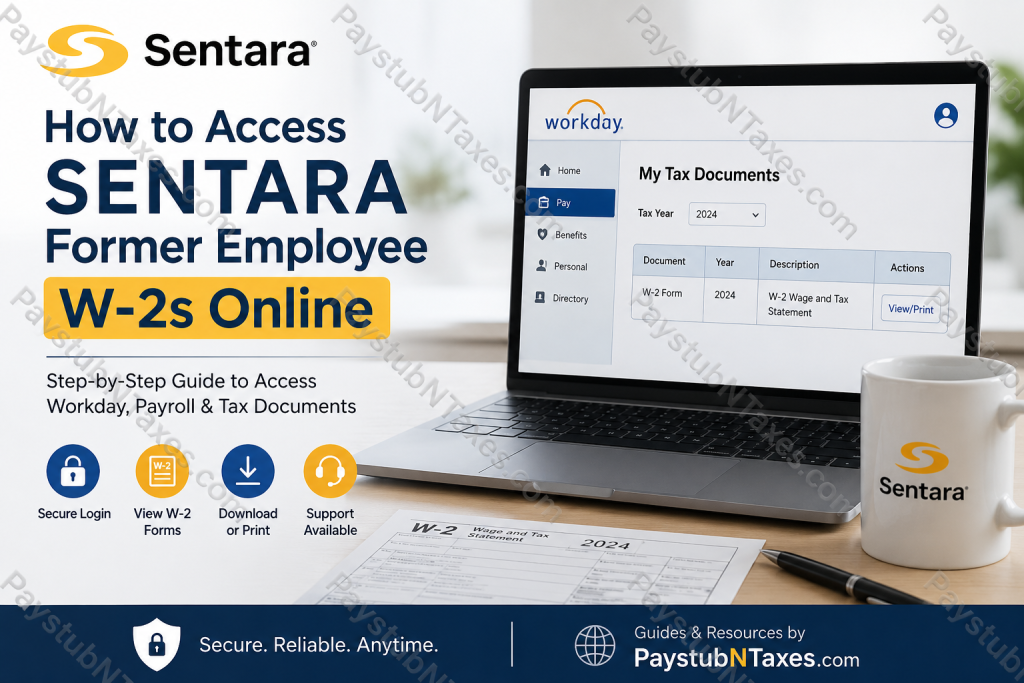
Former employees of Sentara Health can conveniently access their W-2 tax forms online through the organization’s Workday payroll system, provided they previously consented to electronic tax document delivery. Because Sentara utilizes Workday as its official payroll and HR platform, both active and terminated employees may continue to retrieve year-end tax records digitally for a limited post-employment period. As one of the nation’s leading integrated healthcare systems, Sentara Health continues to modernize workforce operations by offering secure electronic access to payroll records, tax documentation, onboarding resources, and employee services through Workday.
About Sentara Health
Founded more than 135 years ago, Sentara Health is a nationally recognized, not-for-profit healthcare organization serving communities across Virginia and Northeastern North Carolina. The organization employs tens of thousands of healthcare professionals and operates hospitals, outpatient facilities, health plans, research programs, and specialty care networks. Sentara’s mission, “We improve health every day,” remains central to its operational philosophy and workforce culture.
The health system has consistently received national recognition for patient safety, innovation, employer excellence, and healthcare quality. Its extensive digital infrastructure, including Workday, enables employees and former associates to manage payroll and tax records securely online.
Can Former Sentara Employees Access W-2 Forms Online?
Yes. Former Sentara employees may still access their W-2 forms electronically through Workday if online delivery consent was previously enabled and their temporary post-termination credentials remain active.
While active employees generally authenticate through Sentara’s internal Single Sign-On (SSO) environment, terminated employees typically lose SSO access after separation. Instead, Sentara provides temporary Workday login credentials that allow former associates to retrieve payroll and tax documents for a designated period.
Employees who did not elect electronic delivery will automatically receive a paper W-2 mailed to the address currently listed in Workday.
Sentara Former Employee Workday Login
Former employees can access the Sentara Workday portal using the following secure login page:
Sentara Former Employee Workday Login
The login interface requires a Workday username and password issued after termination.
How to Access Your Sentara W-2 Online
Follow the steps below carefully to retrieve your W-2 form through Workday.
Step 1: Open the Sentara Workday Portal
Navigate to the official Sentara Workday login page using the secure URL above.
Step 2: Enter Your Temporary Credentials
Input the Workday username and temporary password provided to you via email after your employment ended.
During your first login session, Workday will usually require you to change the temporary password and establish a permanent one for continued access.
Step 3: Access the Pay Dashboard
Once logged into Workday:
- Open the Pay dashboard from the homepage.
- Select My Tax Documents.
- Locate the appropriate tax year.
- Click View/Print beside the W-2 form.
Step 4: Download or Print Your W-2
After opening the form:
- Use the printer icon to print the W-2.
- Use the download icon to save a PDF copy for tax filing purposes.
What If You Cannot Access Workday After Termination?
If your temporary credentials have expired, your password no longer works, or you never received login information, you should contact Sentara support directly.
For Sentara Employees and Contractors
- Phone: 757-857-8190
- Toll-Free: 1-855-306-2252
- Select Option 2
For Physicians or Community Office Staff
- Phone: 757-388-5300
- Toll-Free: 1-866-209-0998
Sentara’s HR and Workday support teams can assist with password resets, account access restoration, and payroll document retrieval.
How Long Can Former Employees Access Workday?
Post-employment Workday access duration may vary depending on departmental policies, security protocols, and separation status. In most situations, Sentara grants former employees temporary access specifically for retrieving essential payroll and tax documents.
Because access periods may expire without notice, former associates should download all important records — including pay stubs and W-2 forms — as soon as they become available.
Important Tips for Former Sentara Employees
To avoid delays during tax season, consider the following recommendations:
- Keep your mailing address updated before leaving Sentara employment.
- Save digital copies of every W-2 immediately after downloading.
- Enable electronic tax delivery whenever available.
- Verify that your phone number and email remain accessible for authentication purposes.
- Contact support promptly if login credentials expire.
Can You Receive a Paper W-2 Instead?
Yes. Former Sentara associates who did not consent to electronic delivery will automatically receive a paper W-2 mailed to the address currently on file in Workday.
If your mailing address has changed since your employment ended, it is essential to update your information with Sentara HR as quickly as possible to prevent delivery complications.
Why Sentara Uses Workday for Payroll and Tax Documents
Workday provides Sentara employees with centralized access to:
- Pay stubs
- W-2 tax forms
- Payroll elections
- Direct deposit information
- Benefits administration
- Learning and onboarding resources
- HR support services
The system is designed to streamline workforce management while maintaining strong security and compliance standards. Sentara’s internal onboarding materials also highlight Workday as the organization’s primary platform for payroll information, learning assignments, and HR administration.
Final Thoughts
Accessing your Sentara former employee W-2 online is generally straightforward through the Workday portal, provided your temporary credentials remain active and electronic delivery was previously authorized. By maintaining updated contact information and downloading your tax forms promptly, you can avoid unnecessary complications during tax filing season. For individuals who experience login difficulties, Sentara’s HR and Workday support teams remain available to assist with account recovery and payroll document access.
Frequently Asked Questions (FAQs)
1. Does Sentara use Workday for payroll and W-2 access?
Yes. Sentara Health uses Workday as its official payroll and HR management platform for pay stubs, tax forms, benefits, and employee records.
2. Can former Sentara employees still access Workday?
Yes. Former employees may retain temporary Workday access after termination specifically to retrieve payroll and tax documents.
3. What is the Sentara former employee Workday login link?
Former employees can log in here:
https://wd1-identity.myworkday.com/wday/authgwy/sentara/upc/login?redirect=n
4. How do I retrieve my Sentara W-2 online?
After logging into Workday:
- Open the Pay dashboard
- Select My Tax Documents
- Choose the tax year
- Click View/Print beside the W-2 form
5. Will Sentara mail paper W-2 forms?
Yes. If electronic delivery consent was not enabled, Sentara automatically mails paper W-2 forms to the address on file.
6. What credentials do former employees use to log in?
Former employees use temporary Workday credentials sent via email after separation from employment.
7. What happens during the first Workday login after termination?
Workday may require users to change their temporary password and complete identity verification during the first login session.
8. Can former employees download PDF copies of W-2 forms?
Yes. Workday allows users to download and save W-2 forms as PDF files for tax filing purposes.
9. How do I print my Sentara W-2 from Workday?
Open the W-2 form in Workday and click the printer icon located in the upper-right corner of the screen.
10. What should I do if my Workday password no longer works?
Contact Sentara support for account assistance and password recovery.
Employee Support:
- 757-857-8190
- 1-855-306-2252 (Option 2)
11. Can physicians access payroll support separately?
Yes. Physicians and community office staff can contact:
- 757-388-5300
- 1-866-209-0998
12. How long can former employees access Sentara Workday?
Access duration varies depending on company policy and separation status, so employees should download tax documents promptly after they become available.
13. What if I changed my address after leaving Sentara?
You should contact HR immediately to update your mailing address to avoid delays in receiving paper W-2 forms.
14. Does Workday store previous tax documents?
Yes. Workday maintains prior-year tax documents within the My Tax Documents section for eligible users.
15. Is Workday secure for accessing payroll records?
Yes. Workday uses encrypted authentication and multi-factor security measures to protect employee payroll and tax information.

