
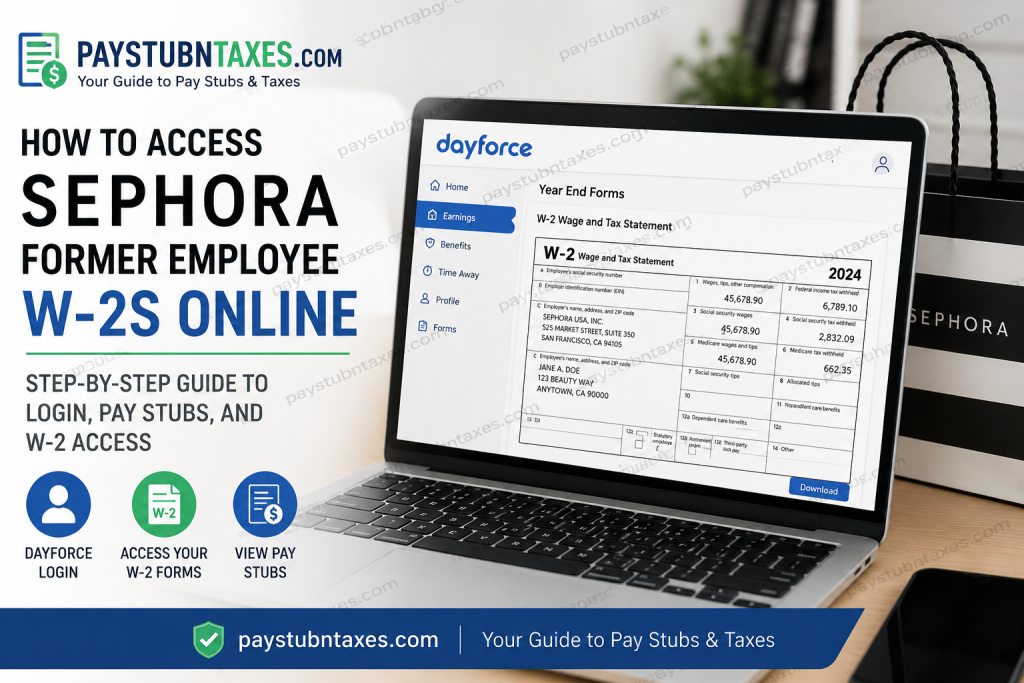
Former Sephora employees frequently encounter difficulties when attempting to retrieve W-2 forms after their employment ends, particularly because corporate Single Sign-On (SSO) access through Okta is typically disabled immediately after offboarding. Fortunately, Sephora still allows former associates to access payroll and tax records online through the Dayforce platform using an alternative login method. As one of the world’s leading prestige beauty retailers, Sephora operates thousands of stores globally and employs tens of thousands of workers across retail, corporate, logistics, and beauty advisory roles. Because tax documentation is essential for annual filing obligations, the company maintains a process through Dayforce that enables former employees to retrieve historical earnings statements and W-2 forms electronically.
Can Former Sephora Employees Still Access Dayforce?
Yes. Even after your Sephora employment has ended and your Okta SSO credentials have been revoked, you may still be able to log in directly through Dayforce to retrieve your W-2 statements and previous pay stubs.
Former associates can access Dayforce by using:
- The Dayforce website
- The Sephora company access code
- Their former employee’s store username
- A legacy password format tied to personal information
This process is especially useful during tax season when employees need immediate access to year-end tax documents without waiting for mailed copies.
Sephora Former Employee Dayforce Login Portal
Former employees should access the Dayforce portal here:
Company Access Code
sephora
Username
Enter your former Sephora employee store username, which is typically your employee number.
Password Format
In many cases, the password structure follows this pattern:
BirthYear + Last4SSN + LastName
Example:
19901234Smith
Important formatting notes:
- The first letter of your last name should usually be capitalized.
- Do not include spaces or symbols.
- If your password has previously been changed, use your updated password instead.
If the login credentials no longer work, you should contact Sephora Human Resources or customer support for assistance.
Step-by-Step Guide to Access Your Sephora W-2 Online
Once logged into Dayforce, follow these instructions carefully to retrieve your tax documents.
Step 1: Open the Dashboard
After successfully signing in, Dayforce will direct you to the Home dashboard.
Step 2: Select the Earnings Icon
Locate and click the Earnings section from the main dashboard. The Dayforce system stores both earning statements and year-end tax forms within this area.
Step 3: Open “Year End Forms”
Inside the Earnings section:
- Select Year End Forms to view W-2 documents
- Select Earning Statements to access electronic pay stubs
Step 4: Choose the Desired Tax Year
Double-click the W-2 file for the applicable year to open the document.
Dayforce also allows access to previous years by expanding archived tax folders.
Step 5: Download or Print the W-2
After opening the form:
- Click the printer icon
- Adjust print scaling if necessary
- Save the file as PDF or print a physical copy
If the document appears too small, expand the print settings and modify the scaling percentage.
How to Access Old Sephora Pay Stubs
Former employees can also retrieve historical earnings statements directly from Dayforce.
To view pay stubs:
- Log in to Dayforce
- Open the Earnings section
- Select Earning Statements
- Choose the desired pay period
- Download or print the statement
The system highlights the most recent earning statement automatically for easier access.
What If You Cannot Log Into Dayforce?
Many former Sephora employees report login difficulties after separation from employment. Community support discussions indicate that this is relatively common, particularly when:
- Employees changed addresses
- Passwords expired
- Dayforce credentials became inactive
- W-2 forms were mailed to outdated addresses
Several former associates noted issues accessing Dayforce or retrieving W-2 forms online.
If your login fails, try the following:
Reset Your Password
Use the “Forgot username?” or password recovery options available on the Dayforce login page.
Verify Your Address
W-2 forms are often mailed automatically. If your address changed after leaving Sephora, your tax form may have been sent to an old location.
Contact Sephora Support
You can contact Sephora directly through:
- Live Chat
- Social media support channels
- Customer support phone line
Sephora Contact Information
Phone:
1-877-SEPHORA (1-877-737-4672)
If live chat appears unavailable, keep the page open until the next representative becomes available.
Why Former Employees Lose Okta Access
Sephora uses Okta SSO authentication for active employee access. Once employment ends, those credentials are generally disabled for security purposes. However, Dayforce may still permit limited standalone access for payroll and tax documentation.
This separation between workforce authentication and payroll retention ensures that former employees can still obtain legally required tax forms even after corporate access termination.
Tips for Faster W-2 Access
To avoid delays during tax season:
- Attempt online Dayforce access before requesting mailed duplicates
- Use a desktop browser instead of a mobile device if login errors occur
- Ensure pop-ups are enabled for PDF downloads
- Keep your mailing address updated with HR before leaving employment
- Save electronic copies immediately after retrieval
Final Thoughts
Retrieving a Sephora former employee W-2 online is generally straightforward once you understand the alternate Dayforce login process. Although Okta SSO access is removed after offboarding, former associates can often continue accessing Dayforce directly using their employee credentials and legacy password structure. If the online portal fails, Sephora’s HR and customer support teams can typically assist with address verification, account recovery, or replacement tax documentation requests. During peak tax season, it is advisable to act early, as support wait times may increase substantially.
FAQ Section
1. How do former Sephora employees get their W-2 online?
Former Sephora employees can retrieve W-2 forms through the Dayforce portal by logging in with the company code “sephora” and their former employee credentials.
2. What is the Sephora Dayforce company code?
The Sephora Dayforce company access code is:
sephora
3. What website do former Sephora employees use to access W-2 forms?
Former employees should use the official Dayforce login portal: www.dayforcehcm.com
4. Can I still access Dayforce after leaving Sephora?
Yes. Although Okta SSO access is revoked after offboarding, many former employees can still access payroll records and tax documents directly through Dayforce.
5. How do I find my Sephora pay stubs online?
After logging into Dayforce:
- Open the Home dashboard
- Select “Earnings”
- Click “Earning Statements”
- Choose the desired pay period
6. What if I forgot my Sephora Dayforce password?
Use the “Forgot username?” or password recovery feature on the Dayforce login page. If unsuccessful, contact Sephora HR or support for account assistance.
7. Are Sephora W-2 forms mailed to former employees?
Yes. W-2 forms are generally mailed to the address Sephora has on file during tax season.
8. What should I do if my mailing address changed after leaving Sephora?
Contact Sephora support immediately to update your address and prevent delays receiving your W-2.
9. Why can’t I access Sephora Okta anymore?
Okta Single Sign-On access is typically disabled once employment ends for security reasons. Former employees must instead use direct Dayforce login access.
10. How do I print my Sephora W-2 from Dayforce?
Open the W-2 document in Year End Forms, click the print icon, adjust scaling if necessary, then print or save the file as a PDF.
11. Can former Sephora employees access previous years’ W-2 forms?
Yes. Dayforce often stores multiple years of tax documents under the “Year End Forms” section.
12. What username do I use for Sephora Dayforce login?
Most former employees use their old employee store username or employee ID number.
13. How do I contact Sephora for W-2 support?
You can contact Sephora through:
- Customer support live chat
- Social media support
- Phone support at:
1-877-737-4672
Or visit: www.sephora.com/beauty/contact-us
14. Why is my Sephora Dayforce account locked?
Accounts may become locked due to password expiration, multiple failed login attempts, or inactive credentials after termination.
15. Can I access Sephora tax documents on mobile devices?
Yes. Dayforce is mobile-compatible, although many users find desktop browsers easier for downloading and printing W-2 PDFs.

