
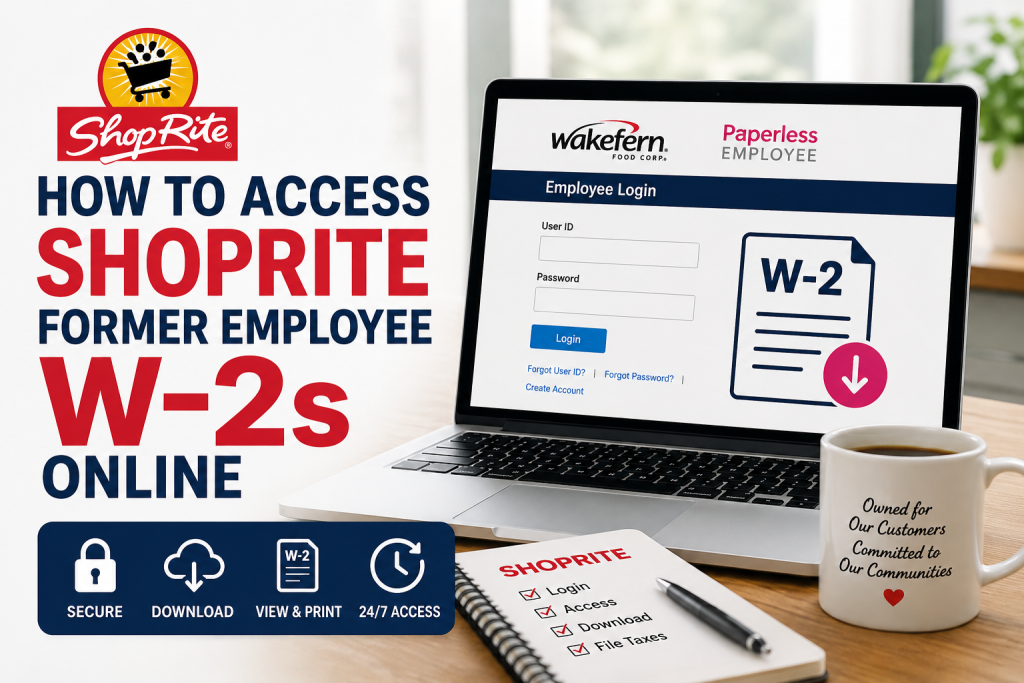
Former employees of ShopRite can conveniently retrieve their W-2 tax forms online through the Paperless Employee self-service portal. ShopRite, a retailer-owned cooperative operated under Wakefern Food Corp., serves millions of customers across the Northeastern United States and maintains hundreds of store locations. If you previously worked for ShopRite or a Wakefern-affiliated location, this guide explains how to securely access your W-2 forms online, create your account, recover login credentials, and troubleshoot common access issues.
What Is the ShopRite Former Employee W-2 Portal?
ShopRite former employees access their electronic tax documents through the Paperless Employee portal:
Official Portal:
https://www.paperlessemployee.com/wakefern/PE/Login
The login page allows former employees to:
- Access W-2 tax forms
- Retrieve previous year tax statements
- Update account settings
- Reset passwords and usernames
- Manage electronic tax delivery preferences
The Paperless Employee login interface specifically supports employee self-service access for tax statements and payroll-related records.
About ShopRite and Wakefern Food Corp.
ShopRite is one of the largest supermarket cooperatives in the United States, operating more than 250 locations across:
- New Jersey
- New York
- Pennsylvania
- Connecticut
- Delaware
- Maryland
Wakefern Food Corp. manages the cooperative distribution and corporate operations supporting independently owned ShopRite stores.
The company has built a strong reputation for community support, customer service, and employee development since the 1940s.
How to Access ShopRite Former Employee W-2s Online
Follow these steps carefully to retrieve your ShopRite W-2 online.
Step 1: Visit the Official Portal
Open your browser and go to:
https://www.paperlessemployee.com/wakefern/PE/Login
You will see options to:
- Log in
- Create an account
- Recover username
- Reset password
Step 2: Create Your Account (First-Time Users)
If you have never used the Paperless Employee portal before:
- Click Create Account
- Enter the required verification information:
- Employee ID
- Social Security Number
- Date of Birth
- Click Authenticate & Create Account
The Paperless Employee guide explains that first-time users must authenticate using employer-provided information before accessing payroll or tax statements.
Step 3: Create Login Credentials
After verification:
- Create a User ID
- Create a secure password
- Set up security questions
- Verify your email address
The system may send a verification code to your registered email or phone number before account activation is completed.
Step 4: Access Your W-2 Forms
Once logged in:
- Navigate to Year-End Tax Statements
- Select the appropriate tax year
- Open or download your W-2 PDF
- Save or print the document for tax filing
The Paperless Employee system supports both current and historical W-2 access for employees who enrolled in electronic tax statement delivery.
How to Register for Electronic W-2 Delivery
To receive your W-2 electronically:
- Open Account Settings
- Choose Electronic Tax Statement Delivery
- Select Yes to electronic delivery
- Save your preferences
The Paperless Employee user guide notes that employees who register for electronic delivery can access W-2 forms online as soon as they are released.
Forgot Your Password or Username?
If you cannot access your account:
- Use the Forgot User ID option
- Use the Forgot Password link
- Answer your security questions
- Verify your identity through email or phone
The login portal includes dedicated recovery tools for username and password assistance.
Common Issues and Solutions
1. W-2 Not Available Yet
Employers usually release W-2 forms by late January. Check again after the tax release period.
2. Incorrect Login Information
Ensure:
- Your Employee ID is correct
- Your SSN matches company records
- Your birth date is entered properly
3. Locked Account
Multiple failed login attempts may temporarily lock your account. Wait a few minutes or reset your password.
4. No Access to Registered Email
Contact your former ShopRite payroll or HR department for identity verification assistance.
Can Former Employees Still Access ShopRite W-2s?
Yes. Former employees generally retain limited access to the Paperless Employee portal specifically for tax document retrieval, depending on company retention policies.
If your online access has expired, contact:
- Store HR department
- Wakefern payroll support
- Paperless Employee customer assistance
Benefits of Online W-2 Access
Using the ShopRite Paperless Employee portal provides several advantages:
- Faster tax document delivery
- 24/7 online access
- Secure electronic storage
- Easy PDF downloads
- Access to historical W-2 forms
- Reduced paper clutter
Final Thoughts
The ShopRite former employee W-2 portal makes tax season significantly easier by allowing secure online access to important payroll records. Whether you recently left the company or worked there years ago, the Paperless Employee system offers a convenient way to retrieve and download your W-2 forms anytime. Always use the official Wakefern Paperless Employee portal and keep your login credentials secure to protect your personal and tax information.
FAQs: About ShopRite Former Employee W-2s Online
1. How do former employees access ShopRite W-2 forms online?
Former employees can access their W-2s through the Wakefern Paperless Employee portal by logging into their account and opening the “Year-End Tax Statements” section.
2. What is the official ShopRite former employee W-2 portal?
The official portal is:
https://www.paperlessemployee.com/wakefern/PE/Login
3. Can former ShopRite employees still log in after leaving the company?
Yes. Many former employees retain limited access to payroll and tax records through the Paperless Employee system.
4. What information is required to create a Paperless Employee account?
You typically need:
- Employee ID
- Social Security Number
- Date of Birth
5. What should I do if I forgot my ShopRite portal password?
Click the “Forgot Password” link on the login page and follow the verification instructions.
6. How can I recover my username for the Paperless Employee portal?
Use the “Forgot User ID” option available on the login page.
7. When are ShopRite W-2 forms available online?
W-2 forms are usually released by the end of January each year.
8. Can I download and print my ShopRite W-2?
Yes. W-2 forms are available in PDF format for downloading, saving, and printing.
9. Is the Paperless Employee portal secure?
Yes. The platform uses secure login authentication and verification procedures to protect employee information.
10. What if my W-2 is missing from the portal?
Contact your former ShopRite HR department or Wakefern payroll support for assistance.
11. Can I access previous years’ W-2 forms?
Yes. Many users can retrieve historical W-2 statements directly from the portal.
12. Do I need to register for electronic W-2 delivery?
Yes. Employees must opt into electronic tax statement delivery to receive W-2s online.
13. Can I access ShopRite W-2s on my phone?
Yes. The Paperless Employee portal is accessible from most smartphones and tablets.
14. What browser works best for the Wakefern Paperless Employee portal?
Updated versions of Chrome, Edge, Firefox, and Safari generally work best.
15. Who should I contact if my account is locked?
You should contact ShopRite HR, Wakefern payroll support, or Paperless Employee customer service for account recovery assistance.

