
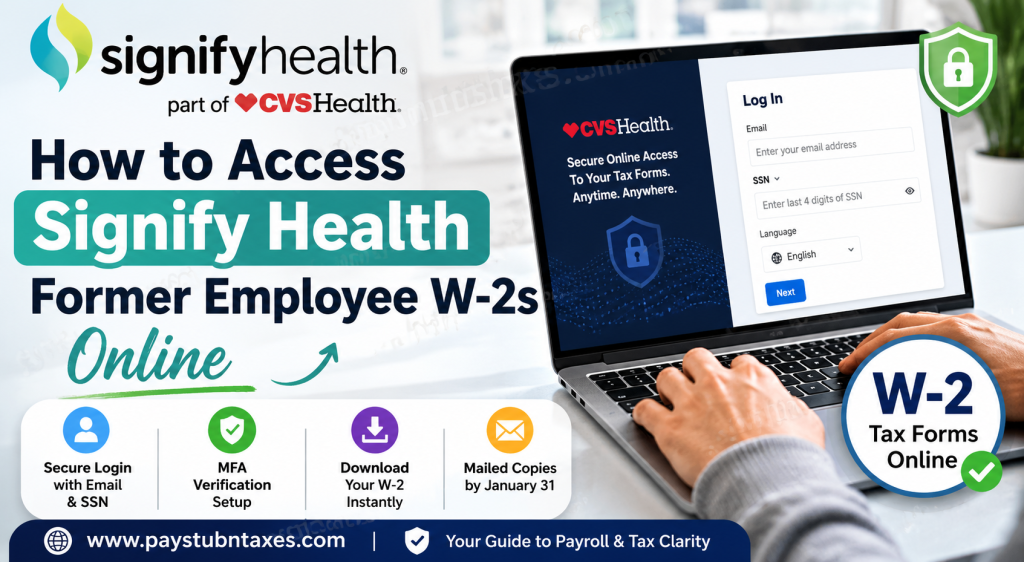
Former employees of Signify Health can conveniently retrieve their W-2 forms and other year-end tax documents online through the secure Yearli self-service portal operated under CVS Health. Whether you need your current tax statement, a historical W-2, or assistance with login credentials, the process is straightforward and secure, allowing former colleagues to access essential payroll tax records from virtually anywhere. As Signify Health became part of CVS Health following the company’s $8 billion acquisition in 2022, former employees now access tax documentation through CVS Health’s designated online tax form platform.
What Is the Signify Health Former Employee W-2 Portal?
The Signify Health alumni W-2 portal is hosted through the Yearli Online Form Portal, a secure electronic tax document system that enables former employees to:
- View and download Form W-2 online
- Access historical tax documents
- Retrieve previously issued forms securely
- Reset passwords and manage multi-factor authentication
- Receive paperless tax statements electronically
The official portal link is:
https://www.onlineformportal.com/cvs
The login interface requires your personal email address and the last four digits of your Social Security Number (SSN).
How to Retrieve Your Signify Health W-2 Online
Former Signify Health employees who previously elected electronic delivery of tax forms can access their W-2 online by following these steps.
Step 1: Visit the Yearli Portal
Open the official CVS Health Yearli portal:
https://www.onlineformportal.com/cvs
The secure login page allows users to access electronic tax documents at any time.
Step 2: Enter Your Login Credentials
On the login page, provide the following information:
- Your personal email address
- The last four digits of your SSN
- Preferred language selection
Then click the Next button to proceed.
Step 3: Complete Email Verification
During your first login, the system sends a verification code to your registered email address. This step confirms your identity and secures your account.
After receiving the code:
- Enter the verification code
- Select Verify Code
- Create a secure password
- Configure Multi-Factor Authentication (MFA)
Users may choose to receive MFA verification codes either through:
- A mobile phone number
- An authenticator application
This additional security layer helps protect sensitive payroll and tax information.
Step 4: Access and Download Your W-2
Once authenticated, your available tax forms will appear within the portal dashboard.
You can:
- Open your W-2 form
- Download a PDF copy
- Print your tax statement for filing purposes
Historical forms may also be available depending on your employment period and tax year eligibility.
What If You Forgot Your Password?
If you cannot remember your Yearli account password, the portal offers a self-service password recovery feature.
To reset your password:
- Select the Forgot Password link
- Receive a verification code via email
- Enter the verification code
- Create a new password
This process restores access without requiring direct HR intervention.
Will Signify Health Mail My W-2?
Yes. Former employees who did not previously consent to electronic W-2 delivery will automatically receive a paper copy by mail.
According to CVS Health alumni payroll procedures:
- W-2 forms are mailed by January 31 each year
- Forms are sent to the mailing address on file as of December 31
- There is no charge for standard mailing
Employees are encouraged to ensure their mailing address is updated in Workday before year-end to avoid delivery delays.
Accessing Historical W-2 Forms
CVS Health states that historical W-2 forms dating back to 2018 may be available electronically or through mailed copy requests.
For W-2 records issued before 2018, former employees may need to contact the HR Service Center directly for additional assistance.
Additional Tax Forms Available
Besides Form W-2, former Signify Health employees may also receive other tax-related documents, including:
Form 1095-C
This document provides proof of employer-sponsored health coverage for the previous tax year.
Copies are typically mailed by the end of January following separation from employment.
Form 5498-SA
Employees who participated in a Health Savings Account (HSA) may receive Form 5498-SA showing annual HSA contributions.
Signify Health W-2 Support Contact Information
If you experience difficulty accessing your tax forms, password issues, or account verification problems, contact support directly:
Support Phone Number: 1-888-905-9500
Support representatives can assist with:
- Login problems
- MFA verification issues
- W-2 delivery concerns
- Historical form requests
- Email verification failures
Important Tips for Former Employees
To avoid delays when accessing your W-2 online:
- Use the same personal email address associated with your payroll records
- Ensure your browser allows verification emails and MFA prompts
- Update your mailing address before December 31 if expecting a mailed form
- Download and save electronic copies immediately for future reference
Because Yearli uses enhanced account protection through Multi-Factor Authentication, maintaining updated contact information is essential for uninterrupted access.
Final Thoughts
Accessing your Signify Health former employee W-2 online is a secure and efficient process through the CVS Health Yearli portal. Whether you elect electronic delivery or rely on mailed tax forms, the system is designed to simplify year-end tax document retrieval while maintaining strict security standards. By keeping your contact details updated and completing MFA setup during your first login, you can quickly obtain your W-2 forms whenever needed for tax filing, loan applications, or income verification purposes.
Frequently Asked Questions
1. How do I access my Signify Health W-2 online?
Visit the Yearli Portal and log in using your personal email address and the last four digits of your SSN.
2. What portal does Signify Health use for former employees’ W-2s?
Former employees access W-2 forms through the secure Yearli portal managed under CVS Health.
3. When will my Signify Health W-2 be available?
Electronic W-2 forms are generally available online by January 31 following the tax year.
4. What if I did not consent to electronic W-2 delivery?
If you did not opt for electronic delivery, your paper W-2 will be mailed to your address on file.
5. Can I download and print my W-2 online?
Yes. Once logged into the Yearli portal, you can download, save, or print your W-2 form instantly.
6. What information do I need to log in?
You need:
- Your personal email address
- The last four digits of your SSN
7. How does first-time login verification work?
A verification code will be sent to your email address. After entering the code, you must create a password and configure MFA security settings.
8. What is Multi-Factor Authentication (MFA)?
MFA is an added security feature requiring a verification code through your phone or authenticator app before account access is granted.
9. What should I do if I forgot my password?
Use the “Forgot Password” option on the login page. A verification code will be sent to your registered email address so you can reset your password.
10. Can former employees access historical W-2 forms?
Yes. Historical W-2 forms from 2018 onward may be available electronically through the portal.
11. How can I request older W-2 forms before 2018?
You may need to contact the HR Service Center for assistance with older tax records.
12. What if my mailing address changed after leaving Signify Health?
You should update your address in Workday before December 31 to ensure mailed tax documents arrive correctly.
13. Does the portal provide other tax forms besides W-2s?
Yes. Former employees may also receive forms such as Form 1095-C and Form 5498-SA.
14. Is the Signify Health W-2 portal secure?
Yes. The Yearli portal uses encrypted login procedures and MFA protection to secure sensitive payroll and tax information.
15. Who do I contact for W-2 support?
For assistance with login issues, tax forms, or verification problems, call 1-888-905-9500.

