
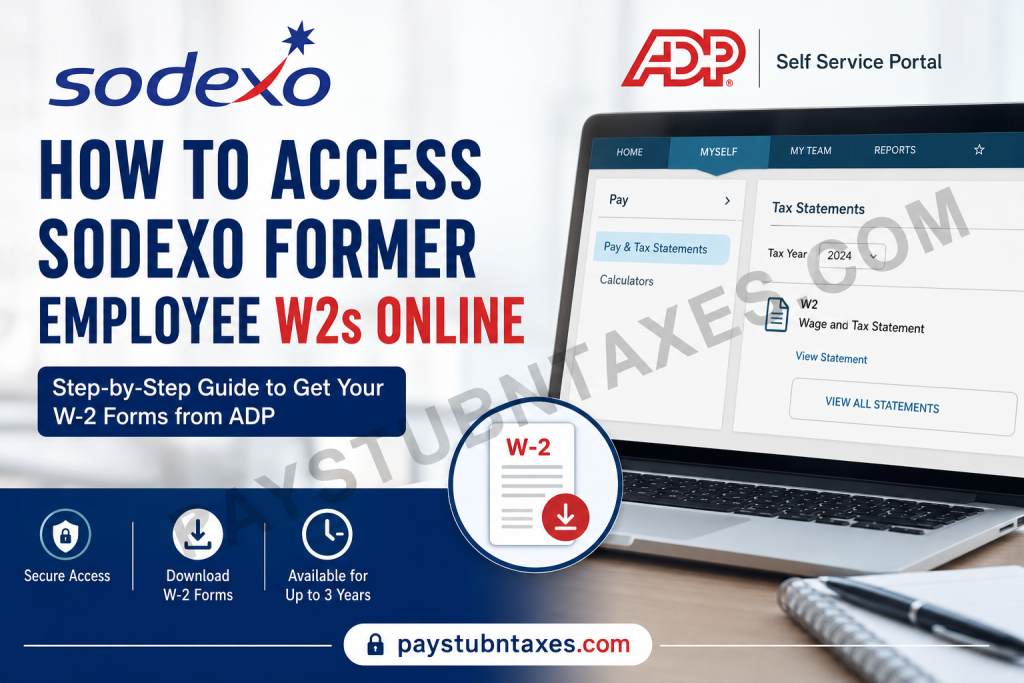
For thousands of current and former employees across the United States, accessing payroll records after leaving a company can often become unnecessarily complicated. Fortunately, Sodexo has streamlined the process by enabling both active and separated employees to retrieve W-2 forms and payroll statements electronically through the ADP self-service platform. Whether you recently left Sodexo or separated several years ago, you may still be eligible to access your W-2 statements online without contacting Human Resources directly. In most cases, former employees retain ADP access for up to three years following termination, making tax season significantly less stressful and considerably more efficient.
About Sodexo
Founded in Marseille, France in 1966 by Pierre Bellon, Sodexo has evolved into one of the world’s leading food services and facilities management corporations, serving millions of consumers daily across healthcare institutions, universities, corporate environments, government facilities, and educational organizations worldwide.
The company is internationally recognized for its commitment to improving quality of life through integrated workplace services, employee wellbeing initiatives, and operational excellence.
Can Former Sodexo Employees Access W-2 Forms Online?
Yes. Former Sodexo USA employees can generally access their W-2 forms electronically through the ADP Workforce Now portal, provided their ADP account remains active.
In many cases:
- ADP access remains available for approximately three years after employment separation
- Employees can download or print previous tax statements directly from the portal
- Electronic copies are accessible faster than mailed versions
- Archived payroll documents may also include prior pay stubs and tax statements
However, to maintain uninterrupted access, it is critically important to ensure your ADP account is linked to a personal email address rather than your former Sodexo company email.
Sodexo W-2 Online Access Portal
Official ADP Login Website
After signing in, navigate to: Myself → Pay → Tax Statements
You can then:
- View available W-2 forms
- Download PDF copies
- Print official tax statements
- Access prior-year documents
The ADP interface also allows users to retrieve payroll records directly from desktop or mobile devices.
Step-by-Step Guide to Retrieve Your Sodexo W-2 Online
Step 1: Visit the ADP Portal
Open the official ADP website:
Enter your:
- User ID
- Password
- Multi-factor authentication code (if enabled)
If you already registered previously, you may log in immediately.
Step 2: Navigate to Tax Statements
After logging in:
- Click Myself
- Select Pay
- Choose Pay & Tax Statements
- Locate the Tax Statements section
- Click View All Statements
The W-2 retrieval workflow inside ADP follows this exact structure.
Step 3: Select the Desired Tax Year
Once inside the Tax Statements area:
- Choose the appropriate year
- Open the W-2 document
- Download or print the file for tax filing purposes
ADP enables employees to save secure PDF copies directly to their device.
How to Register for ADP if You Never Created an Account
If you never activated your ADP self-service account while employed at Sodexo, you can still register online.
Registration Process
- Visit the ADP registration page
- Click Create Account
- Select Find Me
- Enter:
- Personal email address or mobile number
- First name and last name
- Date of birth
- Social Security Number or Employee ID
- Verify your identity using the email verification code
- Create a password and security questions
The registration process additionally allows users to configure authentication settings and notification preferences.
Why Updating Your Email Address Matters
One of the most common issues former employees encounter occurs when ADP notifications continue to route to a discontinued Sodexo corporate email account.
To avoid login complications:
- Update your profile to a personal email address
- Remove inactive company emails
- Verify your mobile number remains current
- Update notification preferences inside ADP
Sodexo employee resources specifically recommend maintaining accurate personal contact information within the ESS and ADP systems.
What If You Forgot Your ADP Login Credentials?
ADP provides automated recovery options for:
- Forgotten User IDs
- Password resets
- Account recovery
- Identity verification
Simply select:
- Forgot User ID
- Forgot Password
on the login page and follow the verification prompts.
The ADP Security Management interface also supports identity recovery using your registered mobile number or personal email.
Can You Access W-2 Forms Through the ADP Mobile App?
Yes. Former Sodexo employees may also retrieve W-2 statements through the ADP Mobile Solutions application.
The mobile app allows users to:
- Access tax forms
- View payroll history
- Download pay statements
- Manage direct deposit information
- Receive payroll notifications
ADP Mobile Solutions is available on both:
- Apple App Store
- Google Play Store
The application provides a secure and convenient alternative to desktop access.
What If You Did Not Consent to Electronic Delivery?
Employees who did not opt into paperless tax delivery will generally receive their W-2 by mail.
Sodexo typically mails W-2 forms to the employee’s home address on or before January 31 of the following tax year.
Therefore, it is equally important to ensure your mailing address remains accurate in the ADP system before year-end.
Sodexo Employee Support Contact Information
If you experience difficulty accessing your W-2 or registering your account, you may contact the Sodexo Employee Service Center directly.
Employee Service Center
Phone: 877-PAYSDXO (877-729-7396)
Support representatives can assist with:
- ESS registration
- ADP login issues
- Account verification
- W-2 access problems
- Contact information updates
Additional Benefits Available Through Sodexo ADP Access
Beyond W-2 retrieval, the Sodexo Employee Self-Service portal also allows eligible users to:
- View and print pay statements
- Update tax withholding elections
- Modify direct deposit settings
- Review work history
- Update mailing addresses and phone numbers
- Access employment-related resources
The Sodexo ESS environment integrates multiple HR and payroll functions into a centralized digital platform.
Final Thoughts
Sodexo’s continued ADP access for former employees substantially simplifies the tax retrieval process, eliminating the need for repeated HR requests or lengthy payroll inquiries. By maintaining updated personal contact information and registering for ADP self-service access in advance, former employees can retrieve W-2 forms securely, efficiently, and independently from virtually anywhere. For individuals preparing taxes, applying for financial documentation, or verifying employment income, electronic W-2 access through ADP remains the fastest and most reliable option available.
Frequently Asked Questions
1. How do former Sodexo employees get their W-2 online?
Former Sodexo employees can log into the ADP portal and access W-2 forms under Myself → Pay → Tax Statements.
2. What is the official Sodexo W-2 website?
The official payroll and W-2 access website is: my.adp.com
3. Can I still access ADP after leaving Sodexo?
Yes. Many former Sodexo employees retain ADP access for approximately three years after termination.
4. What should I do if my Sodexo email no longer works?
Update your ADP profile with a personal email address so verification codes and notifications are sent to an accessible account.
5. How do I register for an ADP account as a former employee?
Visit the ADP portal, select Create Account, verify your identity, and follow the registration instructions using your personal details or employee ID.
6. Where can I find my W-2 after logging into ADP?
Navigate to: Myself → Pay → Pay & Tax Statements → View All Statements
7. Can I download and print my Sodexo W-2?
Yes. ADP allows users to download PDF copies and print official W-2 tax statements instantly.
8. What if I forgot my ADP password?
Use the Forgot Password or Forgot User ID option on the ADP login page to recover your account.
9. Does Sodexo mail paper W-2 forms?
Yes. Employees who did not enroll in paperless delivery usually receive mailed W-2 forms by January 31.
10. Can I access Sodexo payroll documents on my phone?
Yes. You can use the ADP Mobile Solutions app available on both iPhone and Android devices.
11. What information do I need to create an ADP account?
You may need:
- First and last name
- Date of birth
- Social Security Number or Employee ID
- Personal email or phone number
12. Why am I not receiving ADP verification emails?
Your account may still be linked to your old Sodexo work email. Update your contact preferences to a personal email address.
13. What if my W-2 is missing from ADP?
Contact the Sodexo Employee Service Center for assistance with account verification or payroll document availability.
14. What is the Sodexo Employee Service Center phone number?
You can contact support at: 877-PAYSDXO (877-729-7396)
15. Can active Sodexo employees also use ADP?
Yes. Both active and former Sodexo USA employees can use ADP to access payroll records, tax forms, and pay statements online.

