
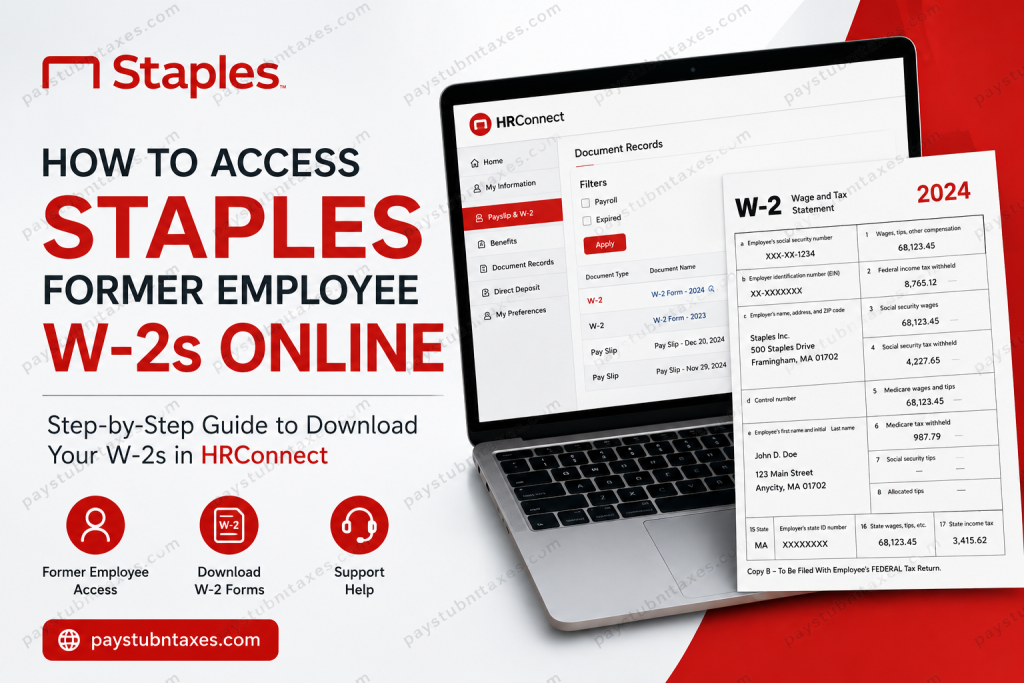
If you are a former employee of Staples Inc. and need a copy of your W-2 form for tax filing, the process has changed significantly since January 2024. Staples transitioned from the traditional Associate Connection system to the newer HRConnect self-service portal, which now stores updated payroll and tax documentation for current and former associates. This comprehensive guide explains exactly how to retrieve your Staples W-2 online, how to log into HRConnect for the first time, where older tax forms are stored, and what to do if you cannot access your account.
Staples HRConnect Portal for Former Employees
Beginning January 2, 2024, Staples introduced HRConnect as its primary employee self-service platform. Former employees can now access newer W-2 forms, direct deposit settings, payroll-related documents, and personal information through this portal.
HRConnect Login Portal
The system is powered by Oracle Cloud and serves as the modern replacement for many functions previously handled through Associate Connection.
Who Can Use HRConnect?
Former Staples employees can use HRConnect to:
- Access W-2 forms for recent tax years
- Download payroll-related documents
- Update personal information
- Manage direct deposit details
- View employment-related records
- Access document archives
However, HRConnect does not include everything from the older Associate Connection system.
Important Difference Between HRConnect and Associate Connection
There is a critical distinction between the two systems:
| Platform | Purpose |
| HRConnect | Current payroll documents, recent W-2s, direct deposit, employee data |
| Associate Connection (AC) | Older pay stubs and historical payroll records before 2024 |
If you need:
- W-2s issued after the HRConnect rollout → Use HRConnect
- Older W-2s and legacy payroll history → Use Associate Connection
How to Log Into Staples HRConnect for the First Time
Former employees can sign in using their Employee ID and temporary password.
User ID
Your User ID is: Your Person Number (Employee ID)
Temporary Password Formula
Your temporary password follows this format:
$$ + Birth Year + Last 4 Digits of SSN + aAExample
If:
- Birth year = 1977
- Last 4 digits of SSN = 2241
Then your password would be: $$19772241aA
The password is case-sensitive.
First-Time Login Instructions
- Visit the HRConnect portal
- Enter your Employee ID
- Use the temporary password format above
- Create a new secure password
- Confirm your personal information
- Update emergency contact details if needed
Your new password must include:
- One uppercase letter
- One lowercase letter
- One number
- One special character
- Minimum 12 characters
How to Find Your Staples W-2 in HRConnect
Once logged in, follow these steps carefully.
Step-by-Step Instructions
Method 1: Document Records Navigation
- Log into HRConnect
- Go to Home
- Select Show More
- Open Document Records
- Click Filters
- Uncheck:
- Payroll
- Expired
- Click Apply
- Locate your W-2 form in the document list
- Click the Glasses/View icon
- Download the PDF copy of your W-2
Alternative Navigation Method
Some users locate their W-2 using this simplified process:
HRConnect → Document Records → Filters → Remove default filters → Apply → Open W-2 → Download PDFYour W-2 may appear alongside pay slips and payroll documents, so review the list carefully.
Where to Find Older Staples W-2 Forms
If you are searching for W-2s from years before the HRConnect migration, you may still need to use Associate Connection.
Older payroll history and archived pay stubs were retained in the legacy system for many former associates.
Can You Access Pay Stubs Through HRConnect?
Yes, but only newer payroll information is available there.
HRConnect contains:
- Recent pay documents
- Updated payroll records
- Direct deposit settings
However, older historical pay stubs may remain inside Associate Connection.
Schedule Access Has Changed
Staples also changed how employee scheduling works.
The old Associate Connection scheduling system was discontinued. Employees now use:
- UKG Workforce
- Kronos mobile scheduling tools
These apps allow users to:
- View schedules
- Check timecards
- Review PTO accruals
- Monitor schedule changes
However, remote clock-in and clock-out functions are generally unavailable.
Troubleshooting HRConnect Login Problems
If you cannot access your account, try the following solutions.
Verify Your Password Format
Many login issues occur because the temporary password format is entered incorrectly.
Double-check:
- The dollar signs ($$)
- Your full 4-digit birth year
- Last 4 digits of SSN
- Lowercase “a” and uppercase “A”
Example: $$19851234aA
Reset Your Password
If your account becomes locked:
- Use the “Forgot Password” option on the login page
- Or contact HR Services directly
Staples HR Services Contact Information
If you cannot retrieve your W-2 online, contact Staples HR Services for assistance.
HR Services Phone Number
888-490-4747
Representatives may assist with:
- Password resets
- Employee ID recovery
- W-2 reissues
- Portal access problems
- Tax document requests
Benefits of the New HRConnect System
Compared to the older Associate Connection platform, HRConnect offers:
- Modern Oracle Cloud interface
- Easier direct deposit updates
- Faster access to payroll documents
- Mobile-friendly access
- Organizational directory visibility
- Improved self-service capabilities
Final Thoughts
Staples has modernized its employee self-service infrastructure by shifting payroll and tax documentation to HRConnect. Former employees can now retrieve recent W-2 forms online using their Employee ID and temporary credentials through the Oracle Cloud portal. If your W-2 is not visible immediately, check the Document Records filters carefully, since payroll filters may hide tax forms by default. For historical W-2s and legacy payroll data, Associate Connection may still be necessary. If all else fails, Staples HR Services can help restore access or issue replacement tax documents.
Frequently Asked Questions
1. Can former Staples employees still access W-2 forms online?
Yes. Former employees can access recent W-2 forms through the HRConnect self-service portal.
2. What is the HRConnect login URL?
The official login portal is: Staples HRConnect Login
3. What is my HRConnect User ID?
Your User ID is your Staples Employee ID (Person Number).
4. What is the default HRConnect password?
The temporary password format is: $$ + birth year + last 4 digits of SSN + aA
5. Where can I find my W-2 inside HRConnect?
Navigate to: Home → Show More → Document Records → Filters → Remove Payroll/Expired filters
Then open the W-2 document and download the PDF.
6. Can I access old W-2s through Associate Connection?
Yes. Older payroll records and historical W-2s may still be available through Associate Connection.
7. Why can’t I see my W-2?
Your document filters may be hiding payroll records. Remove the Payroll and Expired filters inside Document Records.
8. What if I forgot my Employee ID?
Contact Staples HR Services at 888-490-4747 for identity verification and account recovery.
9. Can I access HRConnect on mobile devices?
Yes. HRConnect is mobile-friendly and can be accessed through smartphones and tablets.
10. Does HRConnect include work schedules?
No. Scheduling functions moved to the UKG Workforce and Kronos mobile applications.
11. Can I update direct deposit in HRConnect?
Yes. Direct deposit management is available within HRConnect.
12. Does HRConnect store previous pay stubs?
It stores newer payroll records, but older pay stubs may remain in Associate Connection.
13. Is the HRConnect password case-sensitive?
Yes. The “aA” portion is case-sensitive.
14. What file format does Staples use for W-2 downloads?
W-2 forms are downloadable as PDF documents.
15. Who do I contact if HRConnect is locked?
Call Staples HR Services at 888-490-4747 for assistance.

