
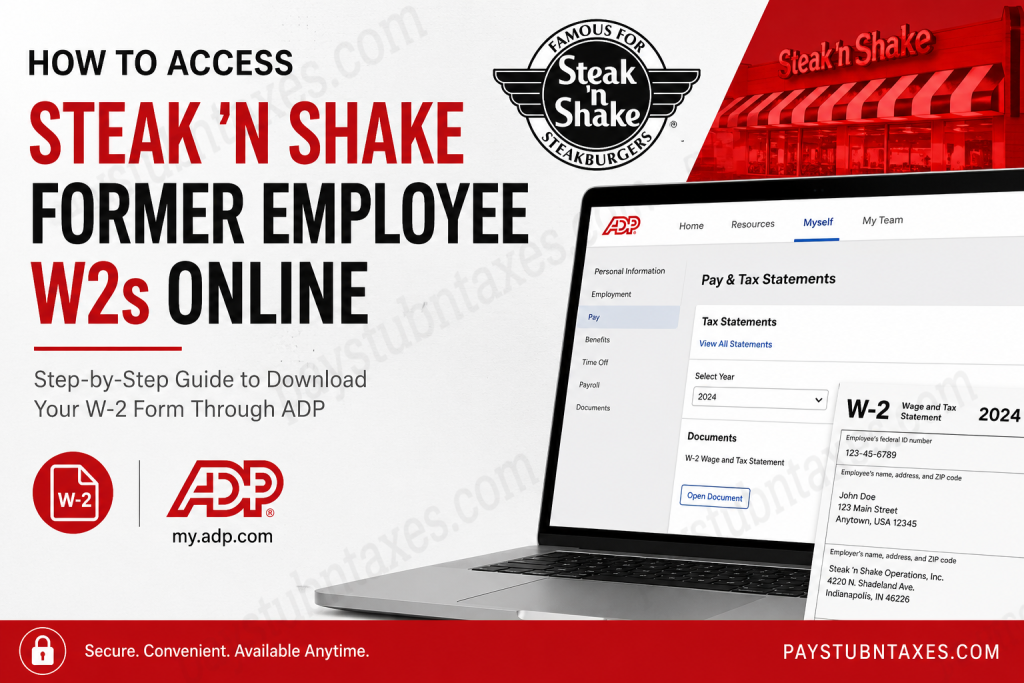
Former employees of Steak ‘n Shake can conveniently access and download their W-2 tax forms online through the ADP self-service portal. Since 2021, Steak ‘n Shake has utilized ADP to process payroll documentation and distribute year-end tax statements electronically, enabling eligible former associates to retrieve their records securely even after separation from employment. As one of America’s most recognizable fast-food restaurant chains, Steak ‘n Shake continues to streamline employee payroll accessibility through digital workforce management systems. The company, headquartered in Indianapolis, Indiana, operates hundreds of locations across the United States and internationally, while maintaining a strong commitment to operational efficiency and employee support.
Can Former Steak ‘n Shake Employees Access W2 Forms Online?
Yes. Former Steak ‘n Shake employees can access their W-2 forms online through the ADP self-service portal, provided they previously registered for online payroll access or still have valid login credentials. In most cases, payroll and tax records remain available for at least three years following termination.
The online portal allows former workers to:
- View and download W-2 tax forms
- Print copies for tax filing purposes
- Access historical payroll information
- Retrieve year-end tax statements securely
Steak ‘n Shake W2 Portal Login
Former employees should use the official ADP portal:
ADP Portal: https://my.adp.com
After opening the portal, users may either log in using existing credentials or create an account if they have not previously registered.
How to Download Your Steak ‘n Shake W2 Online
Follow the instructions below to access and download your W-2 form from ADP:
Step 1: Visit the ADP Website
Go to the official ADP employee self-service portal and sign in using your registered User ID and password.
Step 2: Navigate to Pay & Tax Statements
Once logged in, select: Myself → Pay → Pay & Tax Statements
This section contains all available payroll tax documents associated with your account.
Step 3: Open the Tax Statements Section
On the right-hand side of the page, locate the Tax Statements area and click:
“View All Statements”
Step 4: Select the Desired Tax Year
Choose the applicable tax year for the W-2 form you wish to retrieve. Multiple years may be available depending on your employment history and document retention period.
Step 5: Open and Download the W2 Form
Click “Open Document” to view the statement. Once the document opens, select either:
- Print — to obtain a physical copy
- Download — to save a digital PDF version for future use
What If You Forgot Your ADP Login Credentials?
If you no longer remember your ADP username or password, follow these recovery steps:
Recover Username
- Select “Forgot User ID” on the login screen
- Verify your identity using personal information
Reset Password
- Click “Forgot Password”
- Complete the security verification process
- Create a new password
If account recovery fails, you may need to contact either:
- ADP Customer Support
- Steak ‘n Shake Human Resources or Payroll Department
How to Register for ADP as a Former Employee
If you never activated your ADP account during employment, you may still be able to register.
Typically, registration requires:
- Your Social Security Number
- Date of birth
- Employee identification details
- Company registration code (if required)
Once verification is completed, you can create login credentials and access available tax records.
How Long Does Steak ‘n Shake Keep W2 Forms Online?
Steak ‘n Shake distributes payroll tax forms through ADP, which generally retains employee tax records online for at least three years after termination. However, retention periods may vary depending on payroll policies and account status.
For older records, you may need to request copies directly from the payroll department or the Internal Revenue Service (IRS).
Unable to Access Your W2? Try These Solutions
If you experience difficulty retrieving your W-2 online, consider the following troubleshooting methods:
Verify Your Login Information
Ensure your username and password are entered correctly.
Use a Different Browser
Certain browser extensions or outdated versions may interfere with ADP functionality.
Clear Cache and Cookies
Removing stored browser data can often resolve loading or authentication issues.
Confirm Your Registration
If your ADP account was never activated, registration may still be required.
Contact Payroll Support
If none of the above solutions work, contact Steak ‘n Shake payroll administration for assistance.
About Steak ‘n Shake
Steak ‘n Shake Operations, Inc. is a historic American fast-food restaurant chain founded in 1934 in Normal, Illinois. The company is widely recognized for its signature Steakburgers and hand-dipped milkshakes and currently operates locations throughout the United States and parts of Europe. The organization is headquartered in Indianapolis, Indiana, and functions as a subsidiary of Biglari Holdings.
The company’s mission emphasizes delivering premium-quality burgers and shakes while maintaining excellent customer service at affordable prices. Steak ‘n Shake also promotes a fast-paced and people-oriented workplace culture designed to create engaging career opportunities for employees.
Final Thoughts
Accessing your Steak ‘n Shake former employee W-2 online is generally a straightforward process through the ADP self-service platform. As long as your ADP account remains active and your credentials are valid, you can securely retrieve, download, and print your tax documents within minutes. To avoid future access complications, it is strongly advisable to download and store copies of all important payroll and tax records immediately after they become available.
Frequently Asked Questions
1. Where can former Steak ‘n Shake employees get their W2 forms?
Former employees can access W-2 forms through the ADP self-service portal at my.adp.com.
2. Does Steak ‘n Shake use ADP for payroll?
Yes. Steak ‘n Shake uses ADP to process payroll and distribute tax statements.
3. Can I access my W2 after leaving Steak ‘n Shake?
Yes. Former employees typically retain online access to W-2 forms for several years.
4. What if I forgot my ADP password?
Use the “Forgot Password” option on the ADP login page to reset your credentials.
5. Can I print my Steak ‘n Shake W2 online?
Yes. ADP allows users to print or download W-2 forms in PDF format.
6. How long are W2 forms available in ADP?
Generally, tax forms remain available for at least three years.
7. What information do I need to register for ADP?
You may need your Social Security Number, date of birth, and employee details.
8. Can I download older tax documents?
Yes, provided the records remain within ADP’s retention period.
9. Is the ADP portal secure?
Yes. ADP uses encrypted security protocols to protect employee information.
10. What browser works best with ADP?
Updated versions of Chrome, Edge, Firefox, or Safari typically work best.
11. What should I do if my W2 is incorrect?
Contact Steak ‘n Shake payroll or HR immediately to request corrections.
12. Can I access pay stubs through ADP too?
Yes. ADP may also provide access to historical pay statements.
13. What if my account is locked?
Follow ADP’s account recovery procedures or contact customer support.
14. Does ADP provide mobile access?
Yes. ADP offers mobile-friendly access and a dedicated mobile application.
15. Can the IRS provide a copy of my W2?
If you cannot obtain your W-2 from ADP or your employer, you may request assistance from the IRS.

