
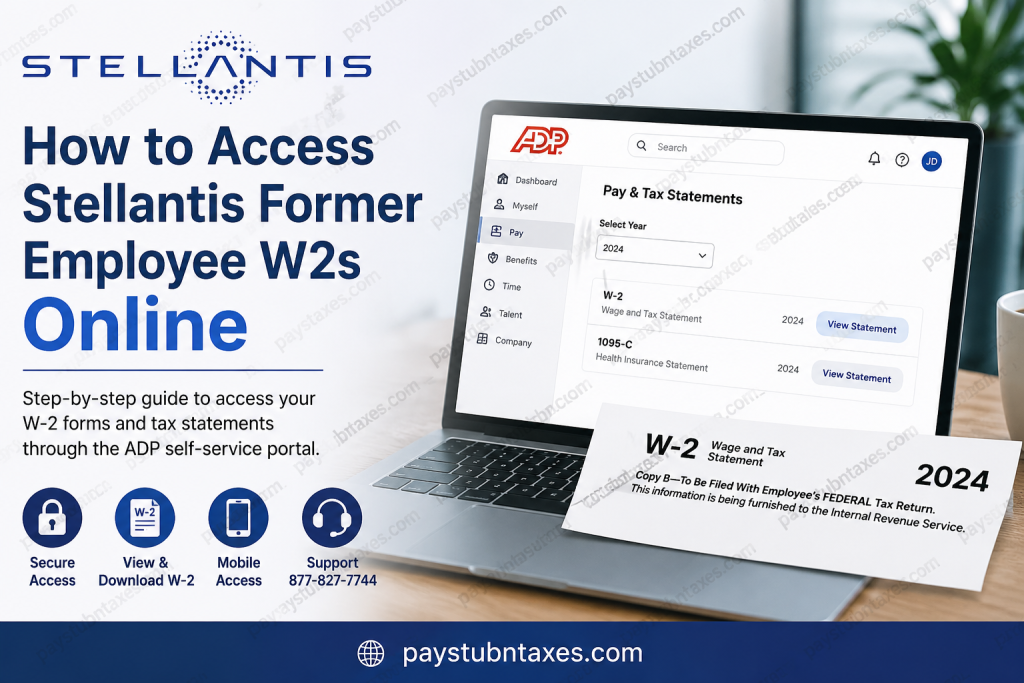
Former employees of Stellantis can conveniently retrieve their W-2 forms and year-end tax statements online through the ADP self-service portal. Because Stellantis utilizes ADP for payroll administration and tax document distribution, eligible former employees typically retain access to their payroll and tax records for up to three years after separation from the company. As one of the world’s leading automotive manufacturers, Stellantis operates an extensive portfolio of globally recognized brands, including Jeep®, Chrysler, Dodge, Ram, Fiat, Peugeot, Citroën, Maserati, Alfa Romeo, Opel, and Vauxhall, while serving customers across more than 130 international markets. Whether you previously worked in manufacturing, engineering, administration, logistics, retail, or corporate operations, accessing your tax documents online is generally straightforward when using the ADP platform correctly.
Stellantis Former Employee W2 Portal
Former Stellantis employees may access their W-2 forms through the ADP portal at:
After logging in, navigate using the following path:
Myself → Pay → Pay & Tax Statements
ADP generally stores W-2s and related payroll tax documents for at least three years following employment separation.
How to Access Your Stellantis W-2 Online
Step 1: Visit the ADP Portal
Open your web browser and go to: my.adp.com
Enter your User ID and Password to sign in.
If you already created an ADP account during your employment with Stellantis, use the same credentials to access your tax records.
Step 2: Navigate to Pay & Tax Statements
Once signed in:
- Select Myself
- Click Pay
- Open Pay & Tax Statements
Your available W-2 forms and other payroll tax documents will appear in this section.
Step 3: Select the Tax Year
Use the year-selection dropdown menu to locate the appropriate W-2 form. The most recent tax statements generally appear first.
After selecting the correct year:
- Click View Statement
- Verify your identity if prompted
- Download or print your W-2 securely
ADP may request additional verification before allowing document access for security purposes.
How to Register for ADP as a Former Employee
If you never activated your ADP account previously, you can create one online.
ADP Registration Instructions
- Visit the ADP registration page
- Click Register Now
- Choose I Have a Registration Code
- Enter the registration code provided by your employer if applicable
- Complete the identity verification process
- Create your User ID and Password
- Confirm your email address and phone number
The registration workflow typically requires:
- Your legal name
- ZIP code
- Employee identification information
- Social Security Number verification
- Email and mobile authentication
During registration, ADP may ask several security questions to validate your identity before granting account access.
Accessing Stellantis W2s on Mobile Devices
Former employees may also retrieve W-2 forms through the ADP Mobile Solutions application.
Mobile Access Steps
- Download the ADP Mobile Solutions app
- Sign in using your ADP credentials
- Tap Pay
- Scroll to Tax Statements
- Choose the desired tax year
- Open, download, or print the W-2 form
The mobile application provides the same tax-document functionality available on the desktop portal.
How Long Does ADP Keep Stellantis W-2 Forms?
ADP generally maintains electronic W-2 access for approximately three years after employment termination.
However, availability can vary depending on:
- State payroll regulations
- Employer retention policies
- Account status
- Document archival schedules
For this reason, former employees are strongly encouraged to download and securely store copies of their tax forms annually.
What If You Cannot Access Your Stellantis W-2?
If you experience login difficulties or cannot locate your tax documents, try the following solutions:
Reset Your Password
Use the Forgot User ID/Password option on the ADP login page.
Verify Your Identity Information
Ensure your:
- Social Security Number
- ZIP code
- Former employee information
- Email address
- Mobile number
match the records associated with your ADP account.
Contact Support
If your W-2 remains unavailable, contact Stellantis payroll or ADP support for further assistance.
Stellantis Support Phone Number:
877-827-7744
Why Former Employees Prefer Online W2 Access
Electronic W-2 access offers several important advantages:
- Faster access during tax season
- Secure digital storage
- Convenient mobile availability
- Reduced risk of lost mail
- Immediate downloadable copies
- Easier access for amended tax filings
For many former Stellantis employees, online retrieval through ADP represents the fastest and most efficient method of obtaining payroll tax documents.
About Stellantis
Stellantis is a multinational automotive manufacturer formed through the merger of Fiat Chrysler Automobiles and PSA Group. The company operates globally and manages some of the automotive industry’s most iconic vehicle brands.
The organization maintains operations across North America, Europe, South America, Africa, and Asia while employing hundreds of thousands of workers worldwide.
Its portfolio includes:
- Jeep®
- Chrysler
- Dodge
- Ram
- Fiat
- Peugeot
- Citroën
- Maserati
- Alfa Romeo
- Opel
- Vauxhall
- DS Automobiles
- Lancia
- Abarth
Final Thoughts
Accessing your Stellantis former employee W-2 online is typically a quick and secure process through the ADP self-service platform. Whether you need your tax form for filing, verification, loan applications, or personal recordkeeping, the portal allows eligible former employees to retrieve payroll documents without waiting for paper mail delivery. By maintaining your ADP credentials, updating your contact information regularly, and downloading copies of important tax records annually, you can ensure uninterrupted access to your employment tax documentation whenever needed.
Frequently Asked Questions
1. How do former employees access Stellantis W-2 forms online?
Former employees can log in to the ADP portal at ADP Self-Service Portal and navigate to Myself → Pay → Pay & Tax Statements to retrieve their W-2 forms.
2. Does Stellantis use ADP for payroll and tax documents?
Yes. Stellantis uses ADP to distribute payroll records and year-end tax statements, including W-2 forms for former employees.
3. How long are Stellantis W-2s available online?
ADP generally keeps W-2 forms and payroll tax records accessible for approximately three years after employment termination.
4. What website do former Stellantis employees use to access W-2s?
Former employees should visit: my.adp.com
5. Can I access my Stellantis W-2 on my phone?
Yes. You can download the ADP Mobile Solutions app and access your W-2 directly from the mobile application.
6. What should I do if I forgot my ADP password?
Use the Forgot User ID/Password feature on the ADP login page to reset your account credentials securely.
7. How do I register for an ADP account as a former employee?
Go to the ADP website, click Register Now, choose I Have a Registration Code, and complete the identity verification process.
8. What information is required to register with ADP?
You may need:
- Social Security Number
- ZIP code
- Employee ID
- Email address
- Mobile phone number
9. Where can I find my tax statements in ADP?
After logging in, go to: Myself → Pay → Pay & Tax Statements
10. Can I download and print my Stellantis W-2 online?
Yes. ADP allows users to download, save, and print W-2 forms directly from the portal after identity verification.
11. Why can’t I see my W-2 in ADP?
Possible reasons include:
- Incorrect login credentials
- Identity verification issues
- Expired account access
- Delayed payroll updates
Contact support if the document is unavailable.
12. What is the Stellantis payroll support phone number?
Former employees may contact Stellantis payroll support at: 877-827-7744
13. Is ADP secure for accessing tax documents?
Yes. ADP uses multi-step verification and encrypted access to help protect payroll and tax information.
14. Can former employees access other payroll records besides W-2s?
Yes. Depending on account permissions, former employees may also view pay stubs, tax statements, and certain payroll history records.
15. What brands operate under Stellantis?
Stellantis manages several major automotive brands, including Jeep®, Chrysler, Dodge, Ram, Fiat, Peugeot, Citroën, Maserati, Alfa Romeo, Opel, and Vauxhall.

