
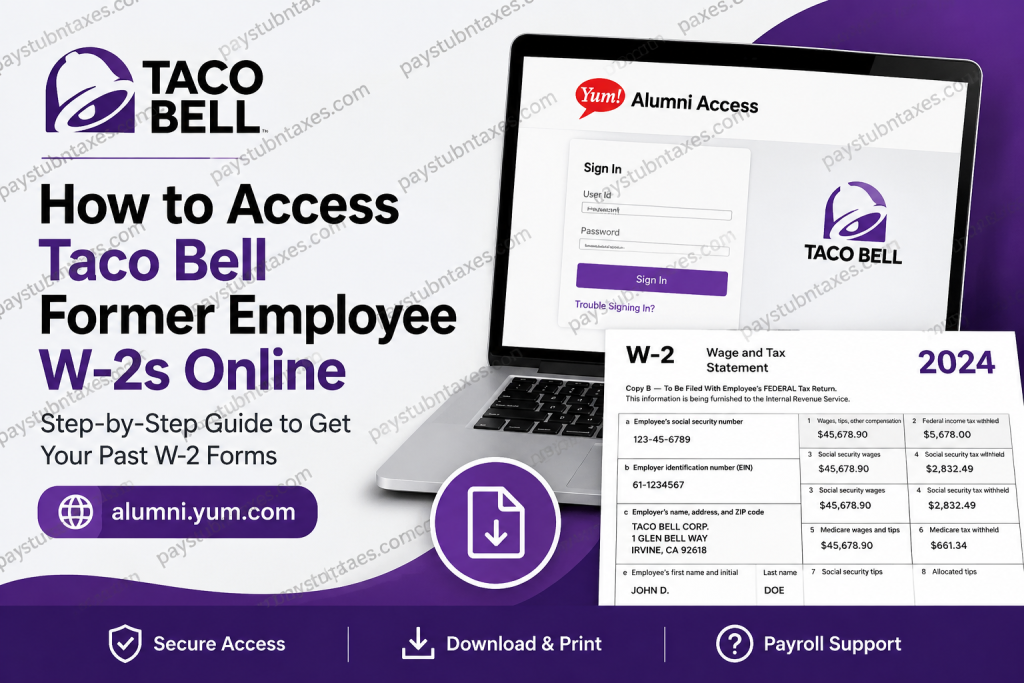
Taco Bell has grown from a single California taco stand in 1962 into one of the world’s most recognized quick-service restaurant brands. As part of Yum! Brands, Taco Bell operates thousands of restaurants globally and supports millions of employees and former team members across corporate and franchise locations. If you previously worked for Taco Bell corporate offices or company-owned locations, accessing your old W-2 forms is usually straightforward through the official Oracle Alumni Access portal. This comprehensive guide explains exactly how former Taco Bell employees can retrieve W-2 forms online, troubleshoot login problems, and contact payroll support when needed. Former corporate employees can access W-2 resources through Oracle Alumni Access at alumni.yum.com
Who Can Access Taco Bell W-2s Online?
Online W-2 access is generally available for:
- Former Taco Bell corporate employees
- Former employees of company-owned Taco Bell restaurants
- Eligible former staff within the Yum! Brands payroll system
However, franchise restaurant employees typically use separate payroll systems managed independently by franchise operators. If you worked for a franchised Taco Bell location, you must contact your franchise’s Human Resources department directly for W-2 assistance.
Taco Bell Former Employee W-2 Portal
Official W-2 Access Website
Former Taco Bell corporate employees can retrieve prior-year W-2 forms through:
Oracle Alumni Access Portal: alumni.yum.com
The portal allows eligible former employees to:
- Access historical W-2 tax forms
- View payroll-related information
- Retrieve employment tax documents securely
- Download and print tax records electronically
Step-by-Step Guide to Access Taco Bell Former Employee W-2s
Step 1: Visit the Alumni Portal
Go to: Taco Bell Alumni Access Login
You will be redirected to the Yum! Brands Oracle Alumni login system.
Step 2: Enter Your Login Credentials
On the login page, enter:
- User ID
- Password
The system is protected by Yum! Brands’ security protocols and requires authorized credentials.
Step 3: Complete Identity Verification
Depending on your account settings, you may need to:
- Verify your identity
- Complete multi-factor authentication
- Confirm your recovery email or phone number
This additional protection helps secure sensitive payroll and tax records.
Step 4: Navigate to Tax Documents
After signing in:
- Open the employee self-service dashboard
- Select Payroll or Tax Documents
- Choose the desired tax year
- Download your W-2 form in PDF format
Step 5: Save or Print Your W-2
Once downloaded, you can:
- Save a digital copy
- Print the form for tax filing
- Submit it to tax preparers or financial institutions
Always store tax documents securely because they contain sensitive personal information.
What If You Forgot Your Login Information?
If you cannot access the Oracle Alumni portal:
- Use the “Trouble Signing In?” option on the login page
- Reset your password through the recovery process
- Verify your identity using your registered email or phone number
The Yum! Brands employee login system also advises employees to contact IT support if login issues persist.
Taco Bell Payroll Support Contact Information
If you still cannot access your W-2 online, contact Taco Bell payroll support directly.
Payroll Support Contacts
payroll-w2s@yum.com
Phone
(800) 927-8287
When contacting payroll support, be prepared to provide:
- Full legal name
- Former employee ID (if available)
- Last known work location
- Approximate employment dates
- Updated mailing address
Franchise Employees: Important Information
Many Taco Bell restaurants are independently owned franchise locations. Franchise operators frequently use separate payroll providers and HR systems.
If you worked for a franchise location:
- Contact your franchise HR department directly
- Reach out to the restaurant’s management office
- Request payroll assistance from your former employer
Corporate payroll support may not have access to franchise employee tax records.
Common Problems and Solutions
W-2 Not Available Online
Possible reasons include:
- Your account was never activated
- Your employment records belong to a franchise operator
- The W-2 has not yet been published for the tax year
Solution:
Contact payroll support or your former franchise HR office.
Locked Account
Too many failed login attempts may temporarily lock your account.
Solution:
Use password recovery tools or contact support.
Incorrect Mailing Address
If your address changed after leaving Taco Bell, your paper W-2 may have been mailed to an old address.
Solution:
Contact payroll support immediately to update your records.
When Are Taco Bell W-2s Released?
Employers in the United States generally issue W-2 forms by January 31 each year. Former Taco Bell employees can usually expect electronic access around the same period.
However, processing times may vary depending on:
- Employment status
- Payroll processing schedules
- Franchise versus corporate employment
- Tax year corrections or updates
Benefits of Electronic W-2 Access
Online W-2 delivery offers several advantages:
- Faster access to tax forms
- Secure digital storage
- Reduced risk of lost mail
- Convenient reprints anytime
- Easier tax filing preparation
Electronic access also helps former employees retrieve historical records without waiting for mailed replacements.
About Working at Taco Bell Corporate
Taco Bell promotes a workplace culture focused on innovation, collaboration, and career growth. Corporate employees may receive benefits such as:
- Flexible schedules
- Career advancement opportunities
- Supportive workplace culture
The company encourages employees to “Live Más” while contributing to bold restaurant innovation and technology initiatives. Corporate career opportunities are available through the Taco Bell careers portal.
Final Thoughts
Accessing Taco Bell’s former employee W-2 forms online is relatively simple for eligible corporate employees through the Oracle Alumni Access portal. By maintaining updated login credentials and contact information, former employees can quickly retrieve important tax documents whenever needed. If online access is unavailable, Taco Bell payroll support and franchise HR departments remain valuable resources for resolving W-2 issues efficiently. For the fastest results, always use the official Yum! Brands alumni portal and avoid third-party payroll websites that are not affiliated with Taco Bell or Yum! Brands.
Frequently Asked Questions (FAQ)
1. How do former Taco Bell employees get W-2 forms online?
Former Taco Bell corporate employees can access W-2 forms through the official Oracle Alumni Access portal at alumni.yum.com.
2. What website does Taco Bell use for former employee W-2 access?
Taco Bell uses the Yum! Brands Oracle Alumni Access portal for former corporate employees’ W-2 retrieval.
3. Can Taco Bell franchise employees use alumni.yum.com?
Usually no. Franchise employees often use independent payroll systems managed by their franchise operator.
4. What should I do if I forgot my Taco Bell alumni login password?
Use the “Trouble Signing In?” option on the login page to reset your password or recover your account credentials.
5. How can I contact Taco Bell payroll support for W-2 help?
You can contact payroll support by:
- Email: payroll-w2s@yum.com
- Phone: (800) 927-8287
6. When are Taco Bell W-2 forms available online?
W-2 forms are typically available by the end of January each year, following IRS deadlines.
7. Can I download and print my Taco Bell W-2 online?
Yes. Eligible former employees can download PDF copies and print them directly from the alumni portal.
8. What information do I need to retrieve my Taco Bell W-2?
You may need:
- Former employee login credentials
- Personal identification details
- Registered email or phone number for verification
9. What if my Taco Bell W-2 was mailed to the wrong address?
Contact Taco Bell payroll support immediately to update your mailing address and request a replacement.
10. Are Taco Bell corporate and franchise payroll systems different?
Yes. Corporate employees use Yum! Brands payroll systems, while franchise restaurants may use separate payroll providers.
11. Can I access multiple years of Taco Bell W-2s online?
Yes, eligible users can often retrieve historical W-2 records through the Oracle Alumni Access portal.
12. Is the Taco Bell alumni portal secure?
Yes. The portal uses Yum! Brands security protections and may require identity verification or multi-factor authentication.
13. What should I do if my Taco Bell alumni account is locked?
Wait for the temporary lock to expire or contact payroll or IT support for account recovery assistance.
14. Can current Taco Bell employees also access W-2 forms online?
Yes. Current employees may access payroll and tax documents through the company’s active employee systems.
15. Who owns Taco Bell?
Taco Bell is owned by Yum! Brands, one of the world’s largest restaurant companies.

