
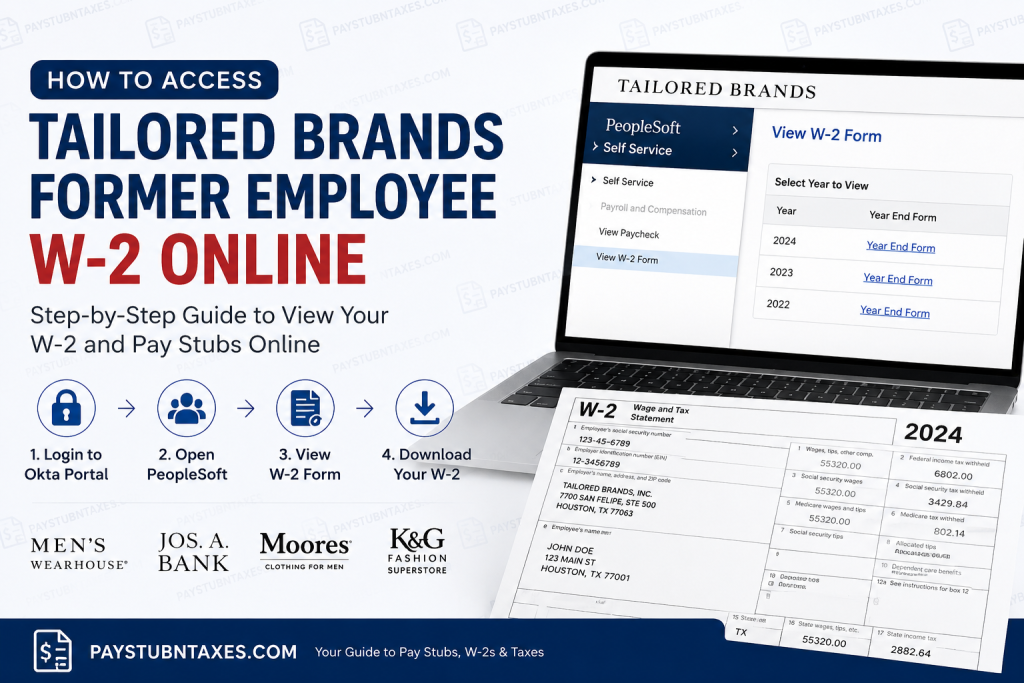
Former employees of Tailored Brands can still conveniently access their W-2 forms and historical pay stubs online through the PeopleSoft Employee Self-Service portal, even after losing company Single Sign-On (SSO) access. Whether you previously worked for Men’s Wearhouse, Jos. A. Bank, Moores, or K&G Fashion Superstore, Tailored Brands continues to provide secure online payroll access for separated employees. Tailored Brands is one of America’s leading specialty menswear retailers, operating a broad portfolio of apparel brands across the United States and Canada. The company focuses on personalized retail experiences, formalwear, business attire, and omnichannel customer service. If you need your W-2 for tax filing, income verification, loan applications, or employment records, this guide explains exactly how to retrieve it online.
Can Former Employees Access Tailored Brands’ W-2 Online?
Yes. Former employees can still access their tax documents and pay records through the Tailored Brands PeopleSoft Self-Service system. Although your active company SSO privileges may eventually expire, your payroll records remain accessible through the employee self-service environment connected to the Tailored Brands Okta portal.
Tailored Brands Employee Login Portal
Former employees can begin by visiting the official Okta login page:
Official Login Link
Once logged in, open the PeopleSoft application from the Okta dashboard to access your payroll and tax information.
Step-by-Step Guide to Access Your Tailored Brands W-2 Online
Follow these instructions carefully to retrieve your W-2 electronically.
Step 1: Open the Tailored Brands Okta Portal
Go to the official login page: Tailored Brands Okta Sign In
Enter your username and password associated with your former employee account.
If multi-factor authentication is enabled, complete the verification process.
Step 2: Launch the PeopleSoft Self-Service Portal
After successfully signing in to Okta:
- Locate the PeopleSoft app icon
- Click the tile to open Employee Self-Service
- Wait for the dashboard to load completely
The PeopleSoft platform allows employees to:
- View W-2 forms
- Access pay stubs
- Update tax details
- Manage direct deposit information
- Review payroll history
Step 3: Navigate to Payroll and Compensation
Inside PeopleSoft:
- Select Self Service
- Open Payroll and Compensation
- Click View W-2 Form
The system will display available W-2 and W-2C tax documents.
Step 4: Open Your W-2 Form
To download your tax document:
- Select the appropriate tax year
- Click the Year End Form hyperlink
- Your W-2 will open in PDF format
Make sure your browser’s pop-up blocker is disabled because the form may open in a separate window.
How to View Old Pay Stubs in PeopleSoft
Former employees can also review historical paycheck records directly within PeopleSoft.
Steps to Access Pay Stubs
- Open Self Service
- Select Payroll and Compensation
- Click View Paycheck
- Choose the paycheck date you want to review
- Open the PDF version for a printable pay stub
The portal allows access to both current and prior pay statements.
What If You Forgot Your Tailored Brands Login Credentials?
If you cannot remember your password:
- Visit the Okta sign-in page
- Select the password recovery option
- Verify your identity using your registered email or phone number
- Follow the reset instructions sent by the system
Some users may also need to complete a one-time password (OTP) verification step for security purposes.
When Will Tailored Brands Mail Paper W-2 Forms?
If you did not consent to electronic tax form delivery, Tailored Brands will mail your W-2 to your address on file.
Paper W-2 forms are typically postmarked on or before January 31 of the following tax year.
To avoid delays, ensure your mailing address remains accurate in the employee self-service system.
Tailored Brands HR Contact Information
If you experience login issues, locked accounts, missing W-2 forms, or payroll discrepancies, contact Tailored Brands Human Resources directly.
Human Resources Support
- Phone: 281-776-7000
- Email: MyHR@TailoredBrands.com
HR representatives can assist with:
- Former employee account recovery
- W-2 reissues
- Payroll corrections
- Address updates
- Tax document access problems
Benefits of Accessing Your W-2 Online
Using the online PeopleSoft portal provides several advantages:
- Faster access to tax documents
- Ability to download multiple tax years
- Secure digital storage
- Immediate PDF printing
- 24/7 availability
- Reduced risk of lost mail
Electronic access is especially helpful during tax season when mailed forms may be delayed.
Common Tailored Brands W-2 Login Problems
W-2 Not Showing Up
Your W-2 may not yet be released for the current tax year. Most forms become available by late January.
Pop-Up Blocker Preventing Download
Disable browser pop-up blocking before opening PDF tax forms.
Forgotten Username
Try using your previous company credentials or contact HR for assistance.
Locked Account
Multiple failed login attempts may temporarily lock your account. Wait a few minutes or reset your password.
MFA Verification Issues
Ensure your registered phone number or email address is still active.
Final Thoughts
Tailored Brands makes it relatively simple for former employees to retrieve W-2 forms and pay stubs online through the PeopleSoft Employee Self-Service portal. Even after separation from the company, access to payroll records remains available through the Tailored Brands Okta system, helping former associates obtain critical tax documents quickly and securely. By following the steps outlined above, you can download your W-2 in minutes and avoid unnecessary delays during tax season.
Frequently Asked Questions (FAQ)
1. How do former employees access Tailored Brands W-2 online?
Former employees can access their W-2 forms through the Tailored Brands PeopleSoft Employee Self-Service portal using the Okta login page.
2. What is the Tailored Brands employee login portal?
The official employee login portal is: https://tailoredbrands.okta.com.
3. Can I still access PeopleSoft after leaving Tailored Brands?
Yes. Former employees generally retain limited access to PeopleSoft for payroll and tax document retrieval.
4. Where can I find my W-2 in PeopleSoft?
Navigate to:
Self Service → Payroll and Compensation → View W-2 Form
5. How do I download my Tailored Brands W-2 PDF?
Click the Year-End Form link beside the tax year you need. The W-2 opens as a downloadable PDF.
6. Can former employees access old pay stubs online?
Yes. Previous paycheck records remain available in PeopleSoft under View Paycheck.
7. What should I do if my W-2 will not open?
Disable your browser’s pop-up blocker because W-2 PDFs often open in a new browser window.
8. When are Tailored Brands W-2 forms available?
Electronic W-2 forms are typically available by late January each year.
9. Will Tailored Brands mail paper W-2 forms?
Yes. If you did not consent to electronic delivery, paper W-2 forms are postmarked on or before January 31.
10. What if I forgot my Tailored Brands password?
Use the password recovery option on the Okta sign-in page or contact HR support for assistance.
11. Does Tailored Brands use multi-factor authentication?
Yes. Some users may need to complete OTP or multi-factor authentication for secure access.
12. How do I contact Tailored Brands HR?
You can contact Human Resources using the following:
- Phone: 281-776-7000
- Email: MyHR@TailoredBrands.com
13. Can I access multiple years of W-2 forms?
Yes. PeopleSoft may allow access to prior-year W-2 forms depending on account availability.
14. What information do I need to log in?
You typically need your employee username, password, and verification access to your registered email or phone number.
15. What should I do if my Tailored Brands account is locked?
Wait a few minutes and try again, reset your password, or contact HR for account recovery assistance.

