
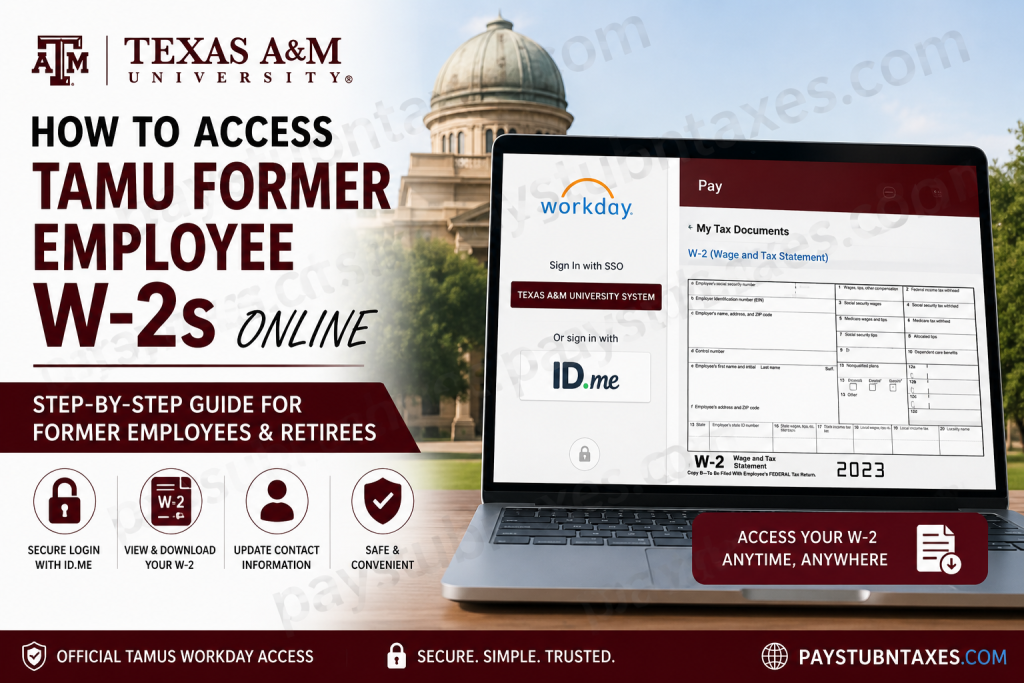
Texas A&M University is one of the most respected public research universities in the United States and the flagship institution of the Texas A&M University System. Founded in 1876, the university is widely recognized for its academic excellence, military tradition, groundbreaking research initiatives, and strong Aggie community. With tens of thousands of students across multiple campuses and research centers, Texas A&M continues to shape leaders in engineering, agriculture, business, medicine, science, and public service. If you are a former employee or retiree of Texas A&M University or the Texas A&M University System, you can conveniently access your W-2 Wage and Tax Statements online through the Workday Self-Service portal using the TAMUS Single Sign On (SSO) system with ID.me authentication.
TAMU Former Employee W-2 Portal
Former employees and retirees can access their W-2 forms online through Workday.
Official Login Link
TAMUS Workday W-2 Access Portal
Requirements Before Logging In
Before accessing your W-2 online, make sure you have:
- Your Texas A&M System Universal Identification Number (UIN)
- Access to your ID.me account
- A verified identity through ID.me
- A secure internet connection
- Updated contact information in Workday
Former employees and retirees use ID.me authentication through TAMUS Single Sign On to securely access Workday services.
How to Access TAMU Former Employee W-2s Online
Follow these steps carefully to retrieve your W-2 form online.
Step 1: Visit the TAMUS SSO Login Page
Open the TAMUS Workday login portal in your web browser.
You will be redirected to the Texas A&M University System Single Sign On (SSO) page, where multiple authentication options are available. Former employees and retirees must select the ID.me option.
Step 2: Select the ID.me Login Option
On the SSO page:
- Choose the ID.me logo
- Continue to the secure ID.me authentication page
The TAMUS SSO platform uses ID.me verification for inactive employees and retirees to ensure secure payroll and tax document access.
Step 3: Enter Your TAMUS UIN
You will be prompted to enter your:
- Texas A&M System Universal Identification Number (UIN)
This step confirms your eligibility for former employee Workday access.
Step 4: Sign In to ID.me
Existing ID.me Users
If you already have an ID.me account:
- Enter your username and password
- Complete multi-factor authentication if prompted
New ID.me Users
If you do not yet have an account:
- Create a new ID.me account
- Verify your identity
- Complete all required security checks
After successful verification, ID.me will request permission to share your verified identity information with TAMUS. Select Allow to continue.
Step 5: Access Workday
Once authentication is complete, you will automatically be redirected to Workday.
Inside Workday, former employees and retirees can:
- View W-2 Wage and Tax Statements
- Download tax forms
- Print official copies
- Update mailing address and personal contact information
- Access available payroll-related records
How to View and Download Your W-2 in Workday
After signing in to Workday:
- Open the Menu from the upper-left corner
- Select Pay
- Choose My Tax Documents
- Locate the applicable tax year
- Select View/Print beside your W-2 form
- Download the PDF copy for your records
W-2 forms are stored under the My Tax Documents section in Workday.
The Workday Pay application allows employees and former employees to manage payroll-related information, including tax forms and year-end statements.
When Will TAMU W-2 Forms Be Available?
Texas A&M University System generally makes W-2 forms available by January 31 each year.
Employees who previously consented to electronic tax document delivery can access forms directly through Workday once processing is completed.
Troubleshooting TAMU Workday Login Issues
If you experience problems accessing your W-2:
Reset Your Password
Use the password recovery or account recovery options available on the SSO login page.
Verify Your ID.me Account
Ensure your identity verification is fully completed through ID.me.
Check Your UIN
Incorrect or outdated UIN information may prevent authentication.
Browser Recommendations
Try:
- Google Chrome
- Microsoft Edge
- Mozilla Firefox
Clear browser cache and cookies before retrying.
Contact HR Support
If problems continue, contact:
- Your former department HR representative
- Texas A&M HR office
- TAMUS IT support
Security Notice
The TAMUS Workday and SSO systems are intended only for authorized users. Unauthorized access, misuse, or data tampering may result in disciplinary or legal action. System usage may also be monitored for security purposes.
Benefits of Accessing W-2 Forms Online
Using Workday Self-Service provides several advantages:
- Faster access to tax documents
- Secure digital delivery
- Convenient PDF downloads
- Reduced paper mail delays
- Easy access to prior-year W-2 forms
- Ability to update contact information anytime
Final Thoughts
Texas A&M University has built a strong reputation for academic excellence, innovation, and service. To simplify payroll and tax management for former employees and retirees, the Texas A&M University System provides secure online access to W-2 forms through Workday Self-Service and ID.me authentication. By following the steps outlined above, former TAMU employees can quickly and securely retrieve their W-2 forms online without waiting for paper copies in the mail.
Frequently Asked Questions (FAQs)
1. Can former TAMU employees still access Workday?
Yes. Former employees and retirees can access Workday through TAMUS Single Sign On using ID.me authentication.
2. What is required to log in?
You need your TAMUS UIN and an ID.me account.
3. When are W-2 forms released?
W-2 forms are generally available by January 31 each year.
4. Can I print my W-2 online?
Yes. Workday allows you to download and print PDF copies of your W-2.
5. What if I forgot my ID.me password?
Use the password recovery options on the ID.me login page.
6. Where are W-2 forms stored in Workday?
They are available under: Pay → My Tax Documents
7. Can retirees access Workday?
Yes. Retirees can continue accessing Workday for tax and payroll information.
8. What should I do if my W-2 is missing?
Contact your HR representative or payroll office for assistance.
9. Can I update my mailing address in Workday?
Yes. Former employees can update personal and contact information inside Workday.
10. Is Workday access secure?
Yes. TAMUS uses secure Single Sign On and ID.me identity verification.
11. Do I need multi-factor authentication?
ID.me may require multi-factor authentication for enhanced security.
12. Can I access older W-2 forms?
Yes. Previous tax documents are generally retained in Workday.
13. What browsers work best with Workday?
Chrome, Edge, and Firefox are recommended.
14. What happens if I deny ID.me authorization?
You will not be able to access TAMUS SSO or Workday.
15. Who should I contact for technical support?
Reach out to TAMUS IT support or your HR department for assistance.

