
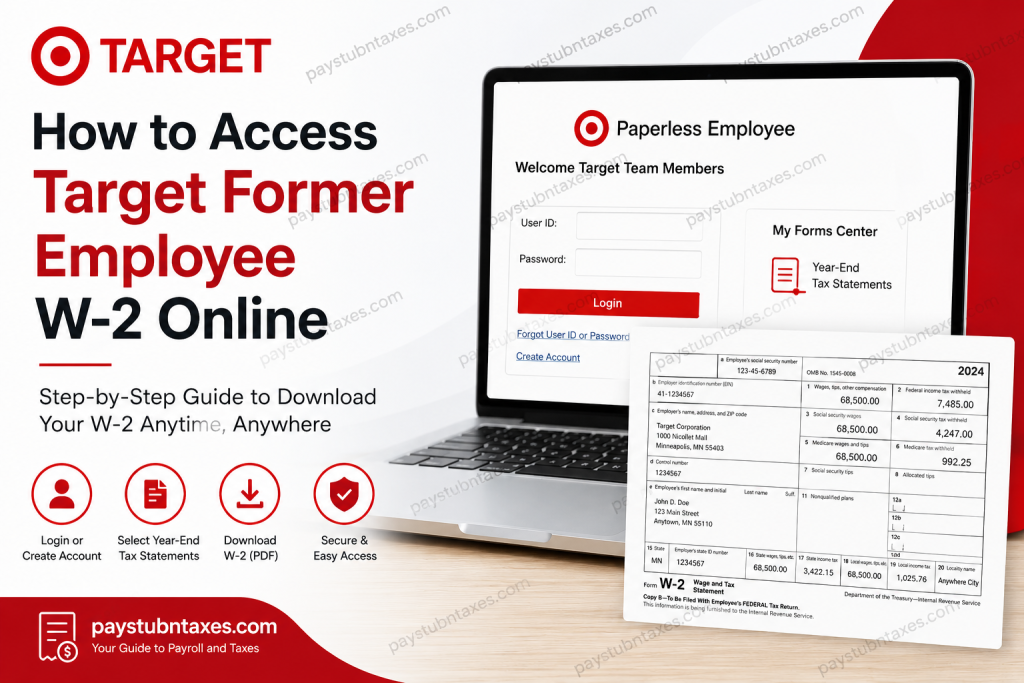
Former employees of Target Corporation can conveniently access and download their W-2 tax forms online through the Paperless Employee Self-Service portal. This secure digital platform allows former Target team members to retrieve current and prior year tax statements without waiting for mailed copies. Target remains one of America’s most recognized retail brands, operating nearly 2,000 stores nationwide and employing hundreds of thousands of team members across the United States. For former employees preparing for tax season, accessing W-2 forms electronically is often the fastest and most efficient option.
What Is the Target Former Employee W-2 Portal?
Target uses the Paperless Employee system to provide electronic access to W-2 tax statements for former team members. The portal allows users to:
- Access current and prior year W-2 forms
- Download tax statements in PDF format
- Update tax delivery preferences
- Order replacement copies if necessary
- Manage electronic delivery settings
The Paperless Employee portal is specifically designed for secure tax document access and employee self-service functionality.
Target Former Employee W-2 Portal Login
Former Target employees can access their W-2 forms here:
Official W-2 Portal
Paperless Employee Target Portal
How to Access Your Target Former Employee W-2 Online
Follow these steps to retrieve your Target W-2 statement online:
Step 1: Visit the Paperless Employee Website
Go to the official Target Paperless Employee portal: https://www.paperlessemployee.com/target
Step 2: Create an Account or Log In
If you already have an account:
- Enter your User ID and Password
- Click Login
If you are a first-time user:
- Select Create Account
- Provide the required identity verification details
According to the login portal, former employees must create an account before accessing employer services for the first time.
Step 3: Enter Your Required Information
To create your account, you must provide:
- Your 10-digit Target team member number
- Date of birth
- Social Security Number (SSN)
This information is used to securely verify your identity before granting access to tax documents.
Step 4: Configure Contact Preferences
After logging in successfully:
- Set your communication and tax form delivery preferences
- Choose electronic delivery options for future tax forms
Step 5: Open Year-End Tax Statements
Inside the dashboard:
- Select Year-End Tax Statements
- Choose the applicable tax year
- Open your W-2 form
Step 6: Download Your W-2 PDF
Click Download (PDF) to save a copy for your records or print it for tax filing purposes.
Important Deadline for Free Electronic Access
Former Target employees receive free electronic W-2 access through October 15 of the filing year.
After October 15:
- Additional fees may apply for access or replacement copies
- Printed or mailed copies may require payment processing
How to Order a Replacement Target W-2
If you lost your W-2 or need an older copy, you can request a replacement directly through the Paperless Employee portal.
Steps to Order a Replacement W-2
- Log in to the Paperless Employee portal
- Select Year-End Statements
- Click Show All Years
- Select the W-2 form you want
- Choose your delivery option:
- Download PDF
- Mail delivery
- Submit payment if applicable
The portal also notes that PDF downloads may only remain available for a limited time after payment processing.
What If You Forgot Your User ID or Password?
The login page provides built-in recovery tools for:
- Forgot User ID
- Forgot Password
Simply select the appropriate recovery option on the login screen and follow the identity verification instructions.
How Current Employees Access W-2 Forms
Current Target employees generally access tax documents through:
- Workday
- Target Pay & Benefits portal
The login page specifically notes that active team members should use Workday or the Target Pay & Benefits Tax Center instead of the former employee portal.
Common Issues When Accessing Target W-2 Forms
Incorrect Team Member Number
Ensure you enter the complete 10-digit team member ID exactly as issued by Target.
Account Verification Problems
Identity verification may fail if:
- Your date of birth is incorrect
- Your SSN does not match Target payroll records
- Your name has changed since employment
Expired Access Window
If your free electronic access period has expired after October 15, additional retrieval fees may apply.
Browser Compatibility Issues
For the best experience:
- Use an updated browser
- Enable PDF downloads
- Disable popup blockers temporarily
Target W-2 Availability Timeline
Target generally issues W-2 forms annually by January 31.
Electronic forms are often available before paper copies arrive by mail, making online access the quickest option for former employees.
Contact Target Team Member Services
If you experience issues accessing your W-2 form, you may contact Target HR or Team Member Services for assistance.
Helpful Resources
- Target Team Member Services at https://www.target.com/team-member-services
- Target Corporate Website at https://corporate.target.com
Final Thoughts
Accessing your Target former employee W-2 online is a straightforward process through the Paperless Employee Self-Service portal. By creating an account and verifying your identity, you can securely retrieve, download, and manage your tax statements from anywhere. Electronic W-2 delivery is not only faster and more convenient, but it also helps ensure you receive your tax documents promptly during filing season.
Frequently Asked Questions (FAQs)
1. How do former Target employees get their W-2 online?
Former Target employees can access their W-2 forms through the Paperless Employee portal at: https://www.paperlessemployee.com/target
After logging in, select “Year-End Tax Statements” to download your W-2.
2. What information is required to create a Target Paperless Employee account?
You must provide:
- Your 10-digit team member number
- Date of birth
- Social Security Number (SSN)
These details are used for identity verification.
3. Can I access old Target W-2 forms online?
Yes. The Paperless Employee portal allows former employees to view and download prior-year W-2 forms.
4. Is there a fee to access my Target W-2 online?
Free electronic access is typically available through October 15 of the filing year. After that date, fees may apply for replacement copies or archived statements.
5. What should I do if I forgot my Target Paperless Employee password?
Use the “Forgot Password” option on the login page to reset your credentials securely.
6. Where can I find my Target team member number?
Your team member number is usually available on old pay stubs, tax forms, employment documents, or previous payroll records.
7. Can current Target employees use the same W-2 portal?
Current employees generally access W-2 forms through Workday or the Target Pay & Benefits portal rather than the former employee Paperless Employee login.
8. When are Target W-2 forms available online?
Target usually releases W-2 forms by January 31 each year. Electronic versions are often available earlier than mailed paper copies.
9. Can I download my Target W-2 as a PDF?
Yes. The portal provides a downloadable PDF version that you can save, print, or upload to tax preparation software.
10. What if I no longer have access to my old email address?
You can still create or recover your account using your team member number, date of birth, and Social Security Number.
11. How do I request a replacement Target W-2?
Log into the Paperless Employee portal, select “Year-End Statements,” choose the desired tax year, and request either a PDF copy or mailed replacement.
12. What browser works best for the Target W-2 portal?
Updated versions of Google Chrome, Microsoft Edge, Firefox, or Safari generally provide the best compatibility with the Paperless Employee system.
13. Why is my Target W-2 unavailable online?
Possible reasons include:
- Incorrect login information
- Expired electronic access period
- Identity verification mismatch
- Delayed payroll processing
14. Can I access my Target W-2 on mobile devices?
Yes. The Paperless Employee portal is accessible through most smartphones and tablets using a mobile browser.
15. Who should I contact if I cannot access my Target W-2?
You can contact Target Team Member Services or HR support for assistance with login issues, account verification, or replacement tax documents.

