
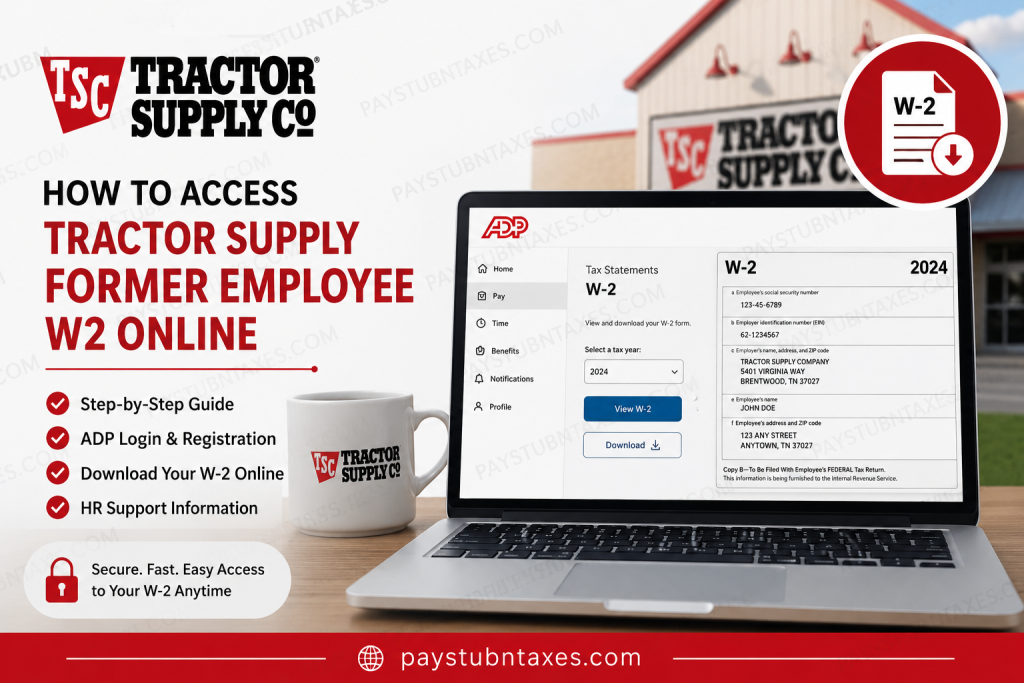
For more than eight decades, Tractor Supply Company has served farmers, ranchers, pet owners, gardeners, and rural lifestyle enthusiasts across the United States. With thousands of stores nationwide and a reputation for legendary customer service, Tractor Supply has become the largest rural lifestyle retailer in America. The company’s “Life Out Here” philosophy reflects its commitment to hardworking communities and dependable service. If you are a former Tractor Supply employee, you may still need access to important payroll and tax records, such as your Form W-2. Fortunately, Tractor Supply provides continued access to year-end tax documents through the ADP self-service portal, even after employment ends. This comprehensive guide explains exactly how to access your Tractor Supply former employee’s W2 online quickly and securely.
Can Former Tractor Supply Employees Access W-2 Forms Online?
Yes. Former Tractor Supply employees can continue accessing W-2 statements through the ADP self-service platform after termination.
While active employees usually reach ADP through the TSC&Me app or the Okta single sign-on portal, former employees generally lose Okta and internal SSO access once employment ends. However, direct ADP access remains available for approximately three years after separation.
This means you can still retrieve:
- W-2 tax statements
- Payroll records
- Pay stubs
- Personal tax information
without needing access to Tractor Supply’s internal employee systems.
Tractor Supply Former Employee W2 Portal
Former employees should access their W-2 forms directly through ADP using the official portal below:
Official ADP Login: ADP Self-Service Portal
How to Access Tractor Supply Former Employee W2 Online
Follow these steps carefully to retrieve your W-2 form online.
Step 1: Visit the ADP Portal
Open your browser and go to: my.adp.com
You may also download the ADP Mobile Solutions app from the Apple App Store or Google Play for mobile access.
Step 2: Sign In to Your Existing ADP Account
If you already created an ADP account during your employment:
- Enter your User ID
- Enter your password
- Complete any multi-factor authentication prompts
- Access your dashboard
Once logged in, navigate to:
Pay > Tax Statements > W-2
You can then:
- View your W-2 online
- Download a PDF copy
- Print your tax form for filing purposes
Step 3: Create an ADP Account if You Never Registered
If you never created an ADP account while employed at Tractor Supply, you can still register online.
Registration Process
On the ADP login page:
- Click “Create Account”
- Select “Find Me”
- Enter your personal identification details:
- Full legal name
- Social Security Number
- Date of birth
- Verify your identity
- Create your username and password
- Set up security questions
ADP will usually identify Tractor Supply automatically during the verification process.
The registration workflow includes identity verification through email or phone authentication before creating your password and security questions.
Step 4: Access Your W-2 Statement
After logging in successfully:
- Open the Pay section
- Select Tax Statements
- Choose the applicable tax year
- Download or print your W-2 form
ADP stores digital tax statements securely, allowing you to access prior-year W-2s whenever needed.
What If You Forgot Your ADP Username or Password?
If you cannot remember your login credentials:
Recover Your Username
On the ADP sign-in page:
- Click “Forgot User ID”
- Verify your identity using email, phone number, or personal information
Reset Your Password
- Click “Forgot Password”
- Follow the verification prompts
- Create a new secure password
For security reasons, ADP may send a verification code to your registered email or mobile device.
Why Former Employees Cannot Use TSC&Me or Okta
Active Tractor Supply employees commonly access payroll tools through:
- TSC&Me app
- Okta portal
- Internal single sign-on systems
However, terminated employees typically lose access to those systems after separation.
The internal TSC&Me platform uses Okta authentication and employee credentials for access.
That is why former employees must use direct ADP access instead of the company’s internal employee applications.
Tractor Supply Employee Support Contact
If you experience issues accessing your W-2 or registering with ADP, contact Tractor Supply Human Resources directly.
HR Support Number: 844-872-4357
You may need to verify:
- Employee ID
- Social Security Number
- Employment dates
- Mailing address
Common Problems and Solutions
ADP Cannot Find My Information
Possible causes include:
- Incorrect Social Security Number
- Name mismatch
- Recently updated personal information
Always enter your name exactly as it appeared on your payroll records.
Locked ADP Account
If too many unsuccessful login attempts occur, your account may become temporarily locked.
Wait several minutes and attempt a password reset before trying again.
W-2 Not Available Yet
Employers generally issue W-2 forms by January 31 each year.
If your form is not visible yet:
- Wait a few business days
- Refresh your account later
- Contact HR if February arrives and the form is still unavailable
Benefits of Online W-2 Access
Using the ADP self-service platform offers several advantages:
- Instant access to tax documents
- Secure digital storage
- Mobile-friendly access
- Faster tax preparation
- Reduced risk of lost paperwork
- Easy reprinting of prior-year forms
Tractor Supply’s Commitment to Team Members
Tractor Supply has built its reputation on dependable service, hardworking values, and strong community relationships. The company emphasizes integrity, reliability, and support for both customers and team members.
Even after employment ends, continued access to tax documentation through ADP demonstrates the company’s ongoing commitment to supporting former employees with essential payroll resources.
Final Thoughts
Accessing your Tractor Supply former employee W2 online is usually a simple process through the ADP self-service portal. Although former employees lose access to TSC&Me and Okta systems after termination, direct ADP access remains available for years afterward. By creating or signing into your ADP account, you can securely download, print, and manage your W-2 forms anytime you need them. If you encounter login or registration problems, Tractor Supply Human Resources can help guide you through the recovery process quickly and efficiently.
Frequently Asked Questions (FAQ)
1. How do former employees access Tractor Supply W-2 forms online?
Former employees can access their W-2 forms through the ADP self-service portal at my.adp.com
2. Can I still access ADP after leaving Tractor Supply?
Yes. Tractor Supply’s former employees usually retain ADP access for up to three years after termination.
3. Does Tractor Supply mail paper W-2 forms?
Yes. W-2 forms are generally mailed to your address on file unless you previously consented to electronic delivery only.
4. What if I forgot my ADP username or password?
Use the “Forgot User ID” or “Forgot Password” links on the ADP login page to recover your account securely.
5. Can I register for ADP without a registration code?
Yes. You can select the “Find Me” option during registration, and ADP will usually identify Tractor Supply automatically.
6. Why can’t former employees use the TSC&Me app anymore?
Former employees lose access to Tractor Supply’s Okta single sign-on system after separation from the company.
7. Where can I download the ADP Mobile Solutions app?
The app is available through both the Apple App Store and Google Play Store.
8. How do I find my W-2 after logging into ADP?
Navigate to: Pay > Tax Statements > W-2
Then select the appropriate tax year.
9. When are Tractor Supply W-2 forms available online?
W-2 forms are typically available by the end of January each year.
10. What information do I need to register with ADP?
You may need:
- Full legal name
- Social Security Number
- Date of birth
- Email address
- Phone number
11. Can I print my W-2 directly from ADP?
Yes. ADP allows you to download and print PDF copies of your W-2 forms anytime.
12. What should I do if ADP cannot verify my identity?
Ensure your personal information matches your payroll records exactly. If problems continue, contact Tractor Supply HR.
13. How do I contact Tractor Supply Human Resources?
Call Tractor Supply HR at: 844-872-4357
14. Can I access older W-2 forms through ADP?
Yes. ADP often stores multiple years of tax documents for eligible former employees.
15. Is the ADP portal secure for accessing tax documents?
Yes. ADP uses encryption, identity verification, and multi-factor authentication to protect sensitive payroll information.

