
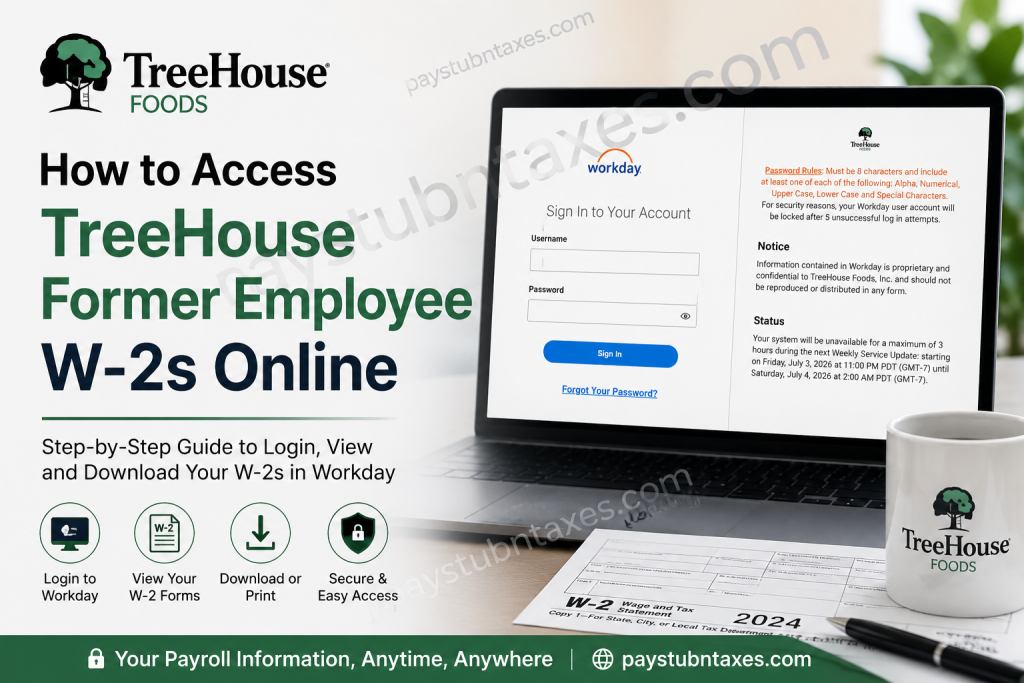
If you are a former employee of TreeHouse Foods and need a copy of your W-2 tax form, you can still access your payroll records online through the company’s dedicated Workday portal for terminated employees. As long as your post-employment access remains active, retrieving your W-2 is a straightforward process that can be completed in just a few minutes. This guide explains everything you need to know about accessing your TreeHouse Foods W-2 online, resetting your password, downloading your tax documents, and obtaining your form if your Workday access has already expired.
About TreeHouse Foods
TreeHouse Foods is one of North America’s leading private-label food and beverage manufacturers. Headquartered in Oak Brook, Illinois, the company serves retail grocery, foodservice, industrial, and e-commerce customers throughout the United States and Canada. The organization employs more than 10,000 people across numerous manufacturing and distribution facilities and is renowned for brands such as Bay Valley Foods, E.D. Smith, and Sturm Foods.
Can Former Employees Access Their TreeHouse Foods W-2 Online?
Yes. Former employees can continue accessing payroll information, including:
- W-2 tax forms
- Previous pay statements
- Tax documents
- Certain employment records
through the dedicated Workday portal established specifically for terminated employees.
However, once your employment ends, your Single Sign-On (SSO) access is revoked. Therefore, you must log in directly through the former employee Workday portal using the credentials provided during your offboarding process.
TreeHouse Foods Former Employee Workday Login
Workday Portal:
https://wd1-identity.myworkday.com/wday/authgwy/treehouse/upc/login?redirect=n
You should have received your:
- Username
- Temporary password
- Login instructions
during your separation from employment.
How to Access Your TreeHouse Foods W-2 Online
Follow these steps to locate and download your W-2:
Step 1: Sign in to Workday
Visit the former employee Workday portal and enter your username and password.
Step 2: Open the Pay Dashboard
After signing in, navigate to: Applications → Pay
Step 3: Select “My Tax Documents”
Inside the Pay dashboard, click: My Tax Documents
This section stores your W-2 forms and other payroll tax documents.
Step 4: Locate Your W-2
Under My Tax Documents, locate the applicable tax year and select: View/Print
Step 5: Download or Print
Once the document loads, you can:
- Download the PDF version.
- Print a physical copy.
- View an accessible version if needed.
The Workday tax document section allows employees to retain electronic copies of their W-2 forms for future reference.
Password Requirements for Workday
TreeHouse Foods requires passwords to contain:
✅ Minimum of 8 characters
✅ At least one uppercase letter
✅ At least one lowercase letter
✅ At least one number
✅ At least one special character
For security purposes, your account will be locked after five unsuccessful login attempts.
What If You Forgot Your Password?
If you cannot remember your password:
- Click Forgot Your Password? on the login page.
- Follow the password reset instructions.
- If you are unable to reset your password, contact TreeHouse Foods directly for assistance.
How Long Can Former Employees Access Workday?
Former employee access remains available only for a limited period after separation from the company.
During this period, you can:
- Download pay stubs
- Retrieve tax forms
- Print payroll records
Once the access window expires, your Workday account is disabled.
What Happens If Your W-2 Is Released After Access Expires?
If your Workday access expires before the new W-2 becomes available, TreeHouse Foods will mail your tax form to your address on file.
W-2 forms are generally postmarked no later than January 31 of the following tax year, in accordance with federal tax reporting requirements.
Therefore, it is extremely important to ensure that your mailing address remains current before leaving the company.
Unable to Access Your W-2?
You should contact TreeHouse Foods if:
- Your account is locked.
- You never received login credentials.
- Your mailing address has changed.
- Your W-2 has not arrived.
- You cannot locate your tax documents.
TreeHouse Foods Contact Information
TreeHouse Foods, Inc.
2021 Spring Road, Suite 600
Oak Brook, Illinois 60523
Phone: (708) 483-1300
Email: info@treehousefoods.com
Website: https://www.treehousefoods.com
Tips for Former Employees
Before your separation from TreeHouse Foods, consider the following:
- Download recent pay statements.
- Verify your home mailing address.
- Save your Workday credentials securely.
- Enable electronic delivery if available.
- Download previous W-2 forms for your records.
A stitch in time saves nine, and taking these simple steps can spare you considerable inconvenience during tax season.
Frequently Asked Questions
1. How do I get my TreeHouse Foods W-2 online?
Sign in to the former employee Workday portal and navigate to Pay → My Tax Documents.
2. What is the TreeHouse Foods Workday login link?
https://wd1-identity.myworkday.com/wday/authgwy/treehouse/upc/login?redirect=n
3. Can I still access Workday after leaving TreeHouse Foods?
Yes, but only for a limited period following your separation.
4. What happens when my Workday access expires?
Your W-2 will be mailed to your address on file.
5. When are W-2 forms issued?
Typically by January 31 each year.
6. Where are W-2 forms stored in Workday?
Under My Tax Documents in the Pay dashboard.
7. Can I print my W-2 from Workday?
Yes. You can print or download the PDF version.
8. What if I forgot my Workday password?
Use the Forgot Password option on the login page.
9. How many failed login attempts are allowed?
Five unsuccessful attempts will lock your account.
10. Can I access old pay stubs?
Yes, if your former employee access remains active.
11. Can I download multiple years of W-2 forms?
Yes, provided those forms are still available within your access period.
12. Who do I contact for W-2 assistance?
TreeHouse Foods, Inc. at (708) 483-1300.
13. Can I receive my W-2 electronically?
Yes, if your Workday account remains active.
14. What if my mailing address changed?
Contact TreeHouse Foods immediately to update your information.
15. Is the former employee Workday portal secure?
Yes. The portal uses secure authentication and account lockout protections to safeguard employee information.

