
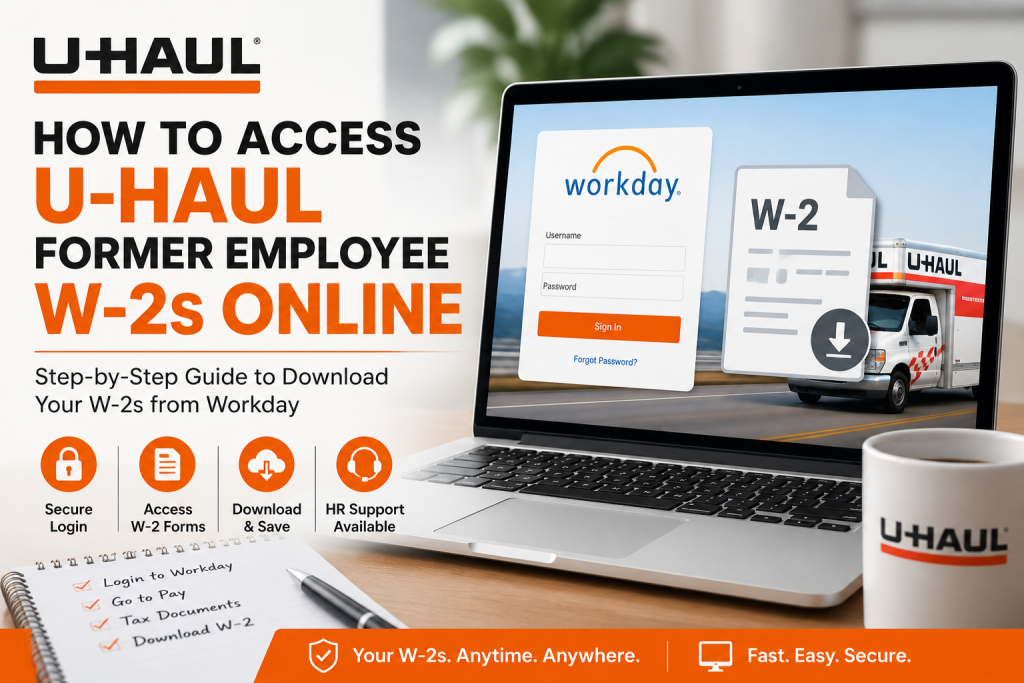
Former employees of U-Haul Holding Company may still be able to retrieve their W-2 tax forms online through the company’s Workday-powered employee self-service system, provided they retain access to U-Haul’s Single Sign-On (SSO) credentials. U-Haul uses Workday as its centralized HR and payroll platform, allowing employees to manage payroll, tax documents, direct deposits, benefits, and personal information securely in one place. Unlike some employers that provide a dedicated former employee portal, U-Haul generally restricts Workday access through its internal SSO authentication system. Therefore, maintaining access to your SMID and HR password is essential if you want to retrieve your W-2 electronically after leaving the company.
U-Haul Workday Login Portal
Former employees who still have active SSO credentials can sign in through the official Workday portal:
Workday Login: U-Haul Workday Portal
The Workday dashboard allows eligible users to:
- View and download W-2 tax forms
- Access payroll history
- Manage direct deposit information
- Review benefits information
- Update personal details
- Access HR-related documents
Can Former Employees Still Access Workday?
Yes — but only if your U-Haul SSO credentials remain active.
U-Haul does not currently provide a separate “former employee” login experience for Workday users. Access depends entirely on whether your SMID account and HR password are still valid within the company’s authentication system.
If your login credentials are still active, you can retrieve your W-2 online without contacting payroll support.
If your access has already been disabled, you may need to contact U-Haul HR Services directly for assistance obtaining your tax documents.
Step-by-Step Guide to Access Your U-Haul Former Employee W-2 Online
Step 1: Visit the U-Haul Workday Login Page
Go to the official Workday portal: U-Haul Workday Login
You will be redirected to the secure U-Haul authentication page.
Step 2: Sign In Using Your U-Haul Credentials
Enter your:
- SMID or U-Haul username
- HR password
The login screen shown in the internal employee materials confirms that employees authenticate using their secure U-Haul credentials through SSO.
If multi-factor authentication is enabled, complete the verification process.
Step 3: Open Your Workday Dashboard
Once logged in, you will gain access to your personalized Workday employee dashboard, where payroll and tax tools are located.
Step 4: Navigate to Tax Documents
Inside Workday, follow this navigation path:
Menu → Pay → Tax Documents → W-2
Depending on your account permissions and tax year availability, your W-2 forms should appear in downloadable PDF format.
You can:
- View current and previous tax forms
- Download copies for tax filing
- Print official records for personal use
Step 5: Download or Print Your W-2
Select the appropriate tax year and download your W-2 securely to your device.
For best compatibility, use:
- Google Chrome
- Microsoft Edge
Forgot Your U-Haul Password?
If you can no longer access your account, use the password recovery tools available through the login page.
The employee support guide instructs users to:
- Click “Forgot Password?”
- Follow the reset instructions
- Verify account ownership
What If Your Former Employee Access Is Disabled?
Many former employees eventually lose access to company SSO systems after separation from employment. If your credentials are inactive:
- Contact U-Haul HR Services
- Request a copy of your W-2
- Verify your mailing address and identity
The employee portal guide lists HR support contact options for account-related assistance.
How U-Haul Uses Workday for Employee Self-Service
U-Haul integrates Workday into its broader UHaulLife ecosystem, giving employees centralized access to:
- Payroll information
- W-2 tax statements
- Benefits enrollment
- Training resources
- Scheduling tools
- Employee records
The platform is designed to simplify HR operations while providing employees with secure, real-time access to important employment information
Security Tips for Accessing Your W-2 Online
When accessing sensitive tax information online, follow these security best practices:
- Never share your SMID or password
- Avoid logging in on public computers
- Use updated browsers
- Enable multi-factor authentication if available
- Log out after each session
The U-Haul employee portal guide strongly recommends protecting login credentials and regularly updating passwords.
Common U-Haul Workday Login Problems
| Problem | Solution |
| Forgot password | Use the password reset option |
| Locked account | Wait several minutes and retry |
| Browser issues | Clear cookies and use Chrome |
| No SSO access | Contact HR Services |
| W-2 not visible | Confirm the tax year is available |
Why Employees Prefer Online W-2 Access
Accessing W-2 forms online offers several advantages:
- Faster tax filing
- Instant document retrieval
- Reduced risk of lost mail
- Secure digital storage
- Convenient access anytime
For former employees who still retain Workday access, online retrieval is often the quickest and most reliable method.
Final Thoughts
U-Haul continues to modernize its workforce systems through Workday and the UHaulLife ecosystem, giving employees streamlined digital access to payroll and tax resources. Former employees who still maintain active SSO credentials can typically retrieve their W-2 forms online quickly and securely through the Workday self-service portal. If your account access has expired, U-Haul HR Services can help you recover your tax documents and ensure you receive the forms required for filing your taxes accurately and on time.
Frequently Asked Questions (FAQ)
1. How do former employees access U-Haul W-2s online?
Former employees can log in to the U-Haul Workday portal using their SMID and HR password, then navigate to the tax documents section to download their W-2.
2. What is the official U-Haul Workday login website?
The official Workday portal is: U-Haul Workday Portal
3. Can I still access Workday after leaving U-Haul?
Yes, if your U-Haul Single Sign-On credentials are still active. Access availability may vary depending on how long ago you left the company.
4. What if I forgot my U-Haul Workday password?
Use the “Forgot Password” option on the login page or contact U-Haul HR Services for account recovery assistance.
5. What is an SMID at U-Haul?
An SMID is your System Member ID used to sign in to U-Haul employee systems such as Workday and UHaulLife.
6. Where can I find my W-2 inside Workday?
After signing in, go to:
Menu → Pay → Tax Documents → W-2
7. Does U-Haul mail paper W-2 forms?
Yes, paper W-2 forms are generally mailed to the address on file if electronic access is unavailable.
8. Why can’t I log in to U-Haul Workday anymore?
Your SSO credentials may have expired after employment separation, or your password may need resetting.
9. Can I access my U-Haul W-2 on my phone?
Yes. You can use the Workday mobile app or a mobile browser to access payroll and tax information.
10. Which browser works best for U-Haul Workday?
Google Chrome is typically recommended for the best compatibility and performance.
11. What should I do if my W-2 is missing in Workday?
Confirm you selected the correct tax year. If the form still does not appear, contact U-Haul HR Services.
12. Does U-Haul use Workday for payroll?
Yes. U-Haul uses Workday to manage payroll, tax forms, benefits, scheduling, and employee information.
13. Can former employees update direct deposit information in Workday?
Only users with active access permissions can update payroll or direct deposit settings.
14. Is the U-Haul Workday portal secure?
Yes. Workday uses secure authentication and encrypted connections to protect employee payroll and tax data.
15. Who do I contact for U-Haul W-2 support?
You can contact U-Haul HR Services or payroll support if you cannot access your account or tax forms.

