
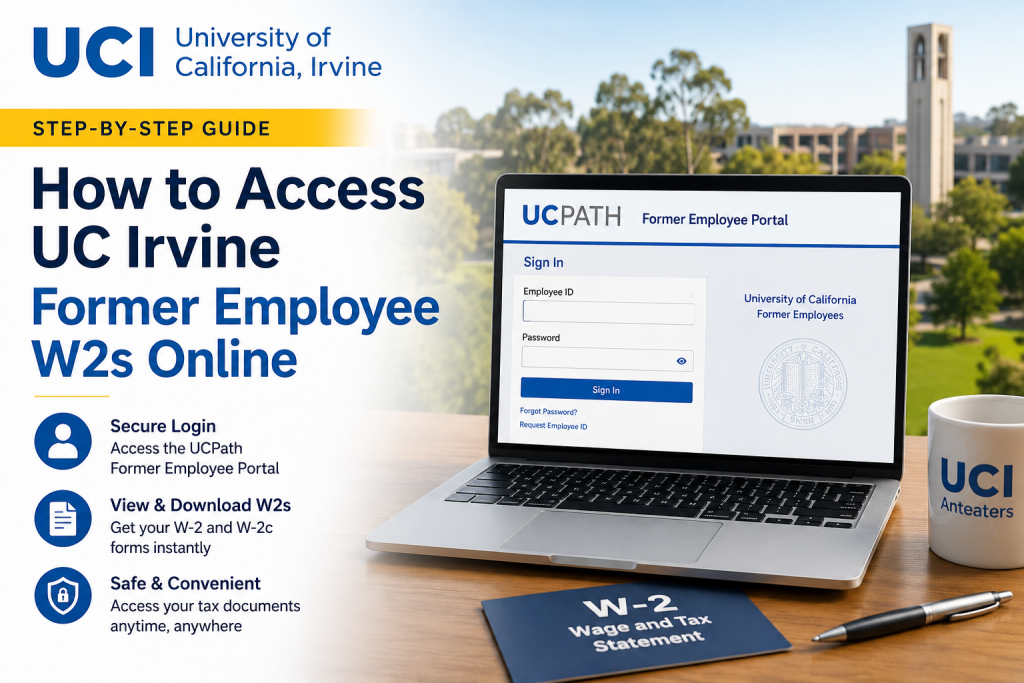
Former employees of the University of California, Irvine can conveniently access their W-2 forms and historical payroll records online through the University of California’s secure UCPath Former Employee Portal. Whether you need your W-2 for tax filing, employment verification, mortgage applications, or personal recordkeeping, the UCPath self-service platform provides a streamlined and secure solution. As one of the nation’s leading public research universities, UC Irvine continues to support former faculty and staff members with reliable digital access to important employment and tax documents after separation from the university.
What Is the UCPath Former Employee Portal?
The UCPath Former Employee Portal is a secure Oracle PeopleSoft self-service system designed specifically for separated University of California employees. Through this portal, former UC Irvine employees can:
- Access and download W-2 and W-2c forms
- Review previous earnings statements
- Access Form 1095-C tax documents
- Update personal contact information
- Generate employment verification summaries
The system is available for eligible former employees whose payroll records were processed through UCPath.
UC Irvine Former Employee W2 Portal Login
Former employees can access their W-2 forms online using the following official portals:
- UCI Website: University of California, Irvine
- UCPath Portal: UCPath Online
- Direct Former Employee Login: UC Former Employee Portal
When logging in, select:
University of California → Former Employees
Do not choose “University of California, UC Irvine” once your former employee account has been activated.
How to Register for Former Employee Access
Before leaving UC Irvine employment, employees should ensure that their personal email address and phone number are updated in UCPath. This step is essential for receiving account activation instructions.
Step-by-Step Registration Process
1. Watch for the UCPath Activation Email
After your separation is finalized, UCPath sends an activation email to your personal email address. This email includes a secure registration link for the Former Employee Portal.
Important details include:
- The activation link remains valid for 90 days
- Reminder emails may be sent if activation is incomplete
- Expired links require assistance from UCPath support
2. Verify Your Identity
During activation, you will need to:
- Enter your date of birth in MMDDYYYY format
- Complete multi-factor authentication (MFA)
- Verify your identity using a U.S.-based phone number via:
- SMS text message
- Automated phone call
3. Create Your Password
Your password must include:
- At least 12 characters
- One uppercase letter
- One lowercase letter
- One number
Special characters are optional but recommended for stronger security.
4. Sign In Using Your Employee ID
Your UC Employee ID becomes your permanent username for the Former Employee Portal.
If you forget your Employee ID, select the Request Employee ID option on the login page.
How to Access Your UC Irvine Former Employee W2 Online
Once your account has been activated, follow these steps to retrieve your W-2 form online:
Step 1: Log Into the Former Employee Portal
Visit the Former Employee login page and sign in using:
- Employee ID
- Password
- Multi-factor authentication verification
Step 2: Navigate to Income and Taxes
From the homepage:
Menu → Income and Taxes
Step 3: Open Tax Statements
Select:
Tax Statements → View Online W-2/W-2c
Step 4: Choose the Tax Year
Select the desired year and download or print your W-2 form instantly.
How Long Can Former Employees Access UCPath?
Former employees generally retain portal access for up to 36 months after separation from the University of California system.
However, historical tax documents processed through UCPath may remain available during that access period, including older W-2 records.
It is strongly recommended that former employees download and save copies of important payroll and tax documents for long-term personal records.
Forgot Your Password?
If you cannot remember your password:
- Click Forgot Password
- Enter your Employee ID and personal email address
- Follow the secure password reset instructions sent via email
Important notes:
- Password reset links expire after one hour
- MFA verification is required during password resets
Employment Verification for Former Employees
The UCPath Former Employee Portal also supports employment verification requests for:
- Mortgage applications
- Loan approvals
- Background checks
- New employment verification
To generate a verification report:
Income and Taxes → Verification of Employment
You can then download or print the summary report directly from the portal.
Troubleshooting Login Issues
Former employees commonly encounter access issues due to:
- Expired activation links
- Missing personal email addresses on file
- Outdated phone numbers
- Incorrect portal selection
- Forgotten Employee IDs
If you experience problems, contact the UCPath Center directly.
UCPath Support Contact Information
- Phone: 855-982-7284
- Hours: Monday–Friday, 8:00 a.m.–5:00 p.m. PT
- Email:
Important Security Tips
To protect your payroll and tax information:
- Never share MFA verification codes
- Use strong passwords
- Update personal contact information regularly
- Download and securely store copies of your W-2 forms
- Log out after each session on shared devices
Final Thoughts
The UCPath Former Employee Portal makes it simple for former UC Irvine employees to access W-2 forms, payroll history, and employment verification documents online. By maintaining updated personal information before separation and activating your account promptly, you can ensure uninterrupted access to your important employment records. Whether you need tax forms for filing season or payroll documentation for financial purposes, the UCPath system provides a secure and efficient self-service experience for former University of California employees. Relevant details were verified using the uploaded UCPath Former Employee Portal documentation.
Frequently Asked Questions (FAQ)
1. How can I access my UC Irvine former employee W-2 online?
You can access your W-2 online through the UCPath Former Employee Portal by logging in with your Employee ID and password.
2. What website should former UC Irvine employees use to log in?
Former employees should use the official UCPath Former Employee Portal at:
https://formeremployee.universityofcalifornia.edu/psp/formeremployee/?cmd=login
3. Can former UC Irvine employees still access UCPath after separation?
Yes. Eligible former employees typically retain access to the Former Employee Portal for up to 36 months after separation.
4. What documents can I access in the UCPath Former Employee Portal?
Former employees can access:
- W-2 and W-2c forms
- Earnings statements
- Form 1095-C
- Employment verification summaries
5. What login credentials are required?
You will need:
- Your UC Employee ID
- Your password
- Multi-factor authentication verification
6. What if I forgot my Employee ID?
Click the “Request Employee ID” option on the login page and follow the verification steps using your personal email and date of birth.
7. How do I reset my UCPath Former Employee password?
Select “Forgot Password” on the login page and follow the secure password reset instructions sent to your registered email address.
8. How long is the account activation link valid?
The activation link sent by UCPath is valid for 90 days after issuance.
9. Can I use an international phone number for MFA verification?
No. The UCPath Former Employee Portal currently supports only U.S.-based phone numbers for multi-factor authentication.
10. What should I do before leaving UC Irvine employment?
Before separation, update your:
- Personal email address
- Personal phone number
- Contact information in UCPath
11. Where can I find my W-2 after logging in?
Navigate to:
Income and Taxes → Tax Statements → View Online W-2/W-2c
12. Can I download and print my W-2 form?
Yes. The system allows you to view, download, and print W-2 forms instantly.
13. What if my activation link expires?
You must contact the UCPath Center to request a new activation link.
14. Can former employees update personal information online?
Yes. Former employees can update certain personal contact information through the portal.
15. How do I contact UCPath support for assistance?
You can contact the UCPath Center at:
- Phone: 855-982-7284
- Email: ucpath@universityofcalifornia.edu

