
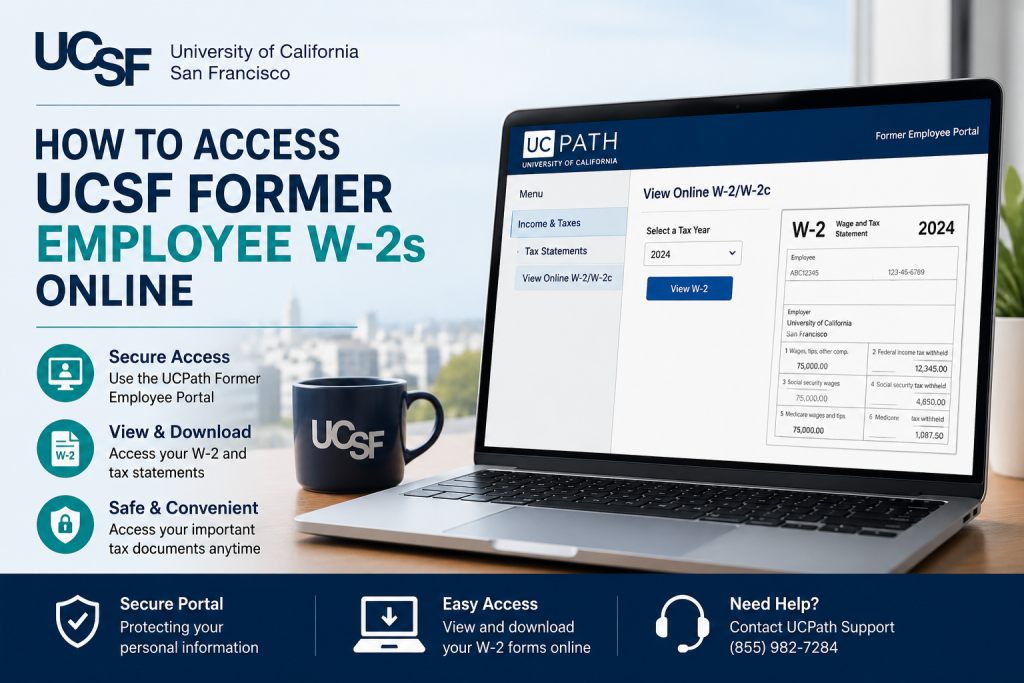
Former employees of the University of California, San Francisco (UCSF) can conveniently access their W-2 tax forms online through the UCPath Former Employee Portal. Whether you need your W-2 for tax filing, income verification, or recordkeeping, the University of California system provides a secure Oracle PeopleSoft self-service platform that allows eligible former employees to retrieve payroll and tax documents electronically. As one of the world’s leading health science institutions, UCSF is recognized for excellence in medical education, patient care, and groundbreaking biomedical research. The university continues to support former employees by offering digital access to important employment records through UCPath.
What Is the UCSF Former Employee Portal?
The UCSF Former Employee Portal is part of the University of California’s UCPath system. It is specifically designed for former employees who need continued access to payroll and tax-related records after separation from employment.
Through the portal, eligible users can:
- Access and download W-2 and W-2c tax forms
- View prior earnings statements
- Retrieve employment verification documents
- Update personal contact information
- Manage account credentials securely
Former employees generally retain portal access for up to three years after separation from UCSF employment.
UCSF Former Employee W2 Portal Login
Official Portal Link: UCPath Former Employee Portal
Direct Oracle PeopleSoft Login Former Employee Login Page
Step-by-Step Guide to Access UCSF Former Employee W2s Online
Step 1: Visit the UCPath Website
Go to the official UCPath website:
http://ucpath.universityofcalifornia.edu/
You will be redirected to the University of California identity provider selection page.
Step 2: Choose “University of California; Former Employees”
On the login page, scroll through the list of UC campuses and select:
University of California; Former Employees
This option is specifically designed for separated employees who no longer use active UCSF credentials.
Step 3: Sign In to Oracle PeopleSoft
Enter your:
- Employee ID (EMPL ID)
- Password
Then click Sign In.
If multi-factor authentication (MFA) is enabled, complete the verification process using your registered phone number or authentication method.
Step 4: Navigate to Your W-2 Forms
After successfully logging in, follow this navigation path:
Menu > Income & Taxes > Tax Statements > View Online W-2/W-2c
Then:
- Select the desired tax year
- Open your W-2 form
- Download or print the document for your records
How to Register for UCPath Former Employee Access
Former employees must activate their UCPath access after separation from employment.
Registration Process
Within approximately 48 hours after your separation becomes finalized:
- UCPath sends an activation email to your personal email address on file
- Open the unique activation link
- Complete identity verification
- Set up a secure password
- Enable MFA authentication
- Receive confirmation with your Employee ID and portal access instructions
Important Tips Before Leaving UCSF
Before separating from employment, it is highly recommended that employees:
- Update personal email addresses
- Verify home mailing addresses
- Add a personal phone number
- Save or note their Employee ID
This ensures uninterrupted access to payroll and tax documents after employment ends.
Forgot Your Employee ID or Password?
The Former Employee Portal provides recovery tools directly on the login page.
Recover Employee ID
- Click Request Employee ID
- Enter your email address on file
- Complete identity verification
- Your Employee ID will be emailed to you
Reset Password
- Select Forgot Password
- Enter your Employee ID and registered email
- Use the password reset link sent to your inbox
- Complete MFA verification
- Create a new password
How Long Can Former Employees Access W-2s?
Former employees typically retain UCPath access for up to three years after separation from UCSF employment. During this period, you can continue downloading historical earnings statements and tax forms online.
What Documents Can Former UCSF Employees Access?
The UCPath Former Employee Portal provides access to:
- W-2 and W-2c tax forms
- Earnings statements
- Employment verification documents
- 1095-C healthcare tax forms
UCPath Support Contact Information
If you experience login issues or need assistance with account recovery, contact UCPath support.
UCPath Support Center
- Phone: (855) 982-7284
- Hours: Monday–Friday, 8:00 AM–5:00 PM (PT)
- Email: ucpath@universityofcalifornia.edu
Why Former UCSF Employees Prefer Online W-2 Access
Accessing W-2 forms online through UCPath offers several advantages:
- Faster tax preparation
- Secure electronic document storage
- Instant access to historical forms
- Paperless convenience
- Easy downloading and printing
- Reduced risk of lost mail
The system is especially helpful for former employees who have relocated or changed mailing addresses after leaving UCSF.
Frequently Asked Questions (FAQs)
Can former UCSF employees still access UCPath?
Yes. Former employees can access the UCPath Former Employee Portal for up to three years after separation from employment.
What is the UCSF former employee W2 portal?
It is the Oracle PeopleSoft self-service portal managed through UCPath that allows former University of California employees to retrieve payroll and tax documents online.
Where can I download my UCSF W-2 online?
You can download your W-2 from: Menu > Income & Taxes > Tax Statements > View Online W-2/W-2c
What if I forgot my UCPath password?
Use the “Forgot Password” option on the Former Employee Login page to reset your credentials securely.
What is an Employee ID in UCPath?
Your Employee ID (EMPL ID) is the unique eight-digit identification number assigned to you within the University of California payroll system.
Can I access old W-2 forms online?
Yes. Eligible former employees can access historical W-2 forms during their UCPath access eligibility period.
How do I recover my Employee ID?
Click “Request Employee ID” on the login page and follow the identity verification process.
Does UCPath use multi-factor authentication?
Yes. Former employees must complete MFA verification during login and account recovery.
Can I update my address after leaving UCSF?
Yes. Former employees can update mailing addresses and contact details through the Personal Information section of the portal.
What if I no longer have access to my old email address?
You should contact the UCPath Center for assistance with identity verification and account recovery.
Is the UCPath Former Employee Portal secure?
Yes. The portal uses secure authentication and MFA protocols to protect employee information.
Can retirees use the same portal?
Yes. Retirees may also access payroll and retirement-related information through UCPath and related UC retirement systems.
When are W-2 forms available online?
W-2 forms are generally available electronically by the end of January each year.
Can I print my W-2 from UCPath?
Yes. W-2 forms can be downloaded as PDFs and printed directly from the portal.
Who should I contact if the portal is not working?
You should contact the UCPath Center by phone or email for technical support and account assistance.

