
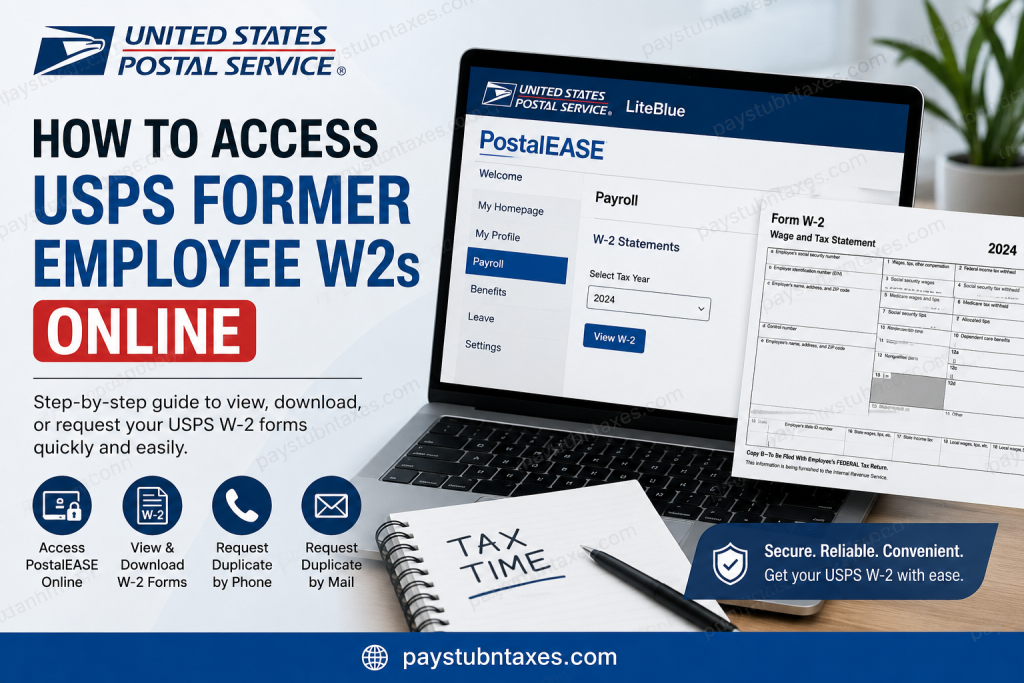
The United States Postal Service (USPS) remains one of the most recognized and essential institutions in America, connecting more than 157 million addresses across the nation through reliable mail and package delivery services. As one of the country’s largest employers, USPS provides former and current employees with access to important payroll and tax documents, including Form W-2. If you previously worked for USPS and need a copy of your W-2 form for tax filing, income verification, or personal records, there are several ways to retrieve it online or request a duplicate copy. This guide explains everything former USPS employees need to know about accessing W-2 forms through PostalEASE and alternative support channels.
Can Former USPS Employees Access W2 Forms Online?
Yes, former USPS employees may still be able to access their W-2 forms online through the PostalEASE self-service portal if their login credentials remain active.
PostalEASE is the USPS employee self-service platform that allows employees to manage payroll-related information, tax statements, direct deposits, and other personnel records. Former employees with valid credentials can log in and retrieve electronic copies of their W-2 forms quickly and securely.
However, if your PostalEASE or LiteBlue access has been disabled after separation from USPS, you may need to request a duplicate copy by phone or mail.
USPS Former Employee W2 Access Options
Former USPS workers generally have three methods to obtain their W-2 forms:
- Access W-2 online through PostalEASE
- Receive the paper W-2 by postal mail
- Request a duplicate W-2 from USPS Accounting Services
How to Access USPS Former Employee W2 Online Through PostalEASE
Step 1: Visit the USPS LiteBlue Portal
Go to the official USPS employee portal:
LiteBlue Website:
https://liteblue.usps.gov
Step 2: Log In Using Your Employee Credentials
Enter your:
- Employee ID
- USPS Self-Service Password
If your credentials are still active, you can continue to PostalEASE services.
Step 3: Open PostalEASE
After signing in:
- Navigate to PostalEASE
- Select Payroll
- Choose W-2 Statements
- Select the applicable tax year
- Download or print your W-2 form
Electronic W-2 forms are typically available before mailed copies arrive.
What If You Cannot Log In to PostalEASE?
Many former employees lose access to LiteBlue and PostalEASE after separation from USPS. If this happens, USPS usually mails paper W-2 forms to the employee’s address on file by January 31 each year.
If you moved after leaving USPS, ensure that your mailing address has been updated properly because W-2 mailings are often marked “Do Not Forward.”
Request a Duplicate USPS W2 by Phone
If you did not receive your W-2 or lost it, you can contact the USPS Employee Self-Service Line.
USPS Employee Self-Service Number
Phone: 877-477-3273
Select Option 1
A representative can help you request a duplicate copy of your W-2 form.
Request a Duplicate USPS W2 by Mail
You may also submit a written request to USPS Accounting Services for a replacement W-2. USPS requires the following information:
- Full name
- Current mailing address
- Social Security Number or Employee ID
- Tax year requested
- Signature
USPS Accounting Services instructions for W-2 requests are outlined in payroll guidance documents.
Mailing Address for W2 Requests
Accounting Services
ATTN: Payroll Adjustments/W-2
2825 Lone Oak Parkway
Eagan, MN 55121-9631
When Does USPS Mail W2 Forms?
USPS generally mails W-2 forms on or before January 31 each year, which complies with federal IRS deadlines. Former employees who no longer have PostalEASE access usually receive physical copies through standard postal mail.
Common Reasons USPS Former Employees Need W2 Forms
Former USPS employees may require W-2 forms for:
- Filing federal or state income taxes
- Applying for loans or mortgages
- Employment verification
- Financial aid applications
- Income documentation
- Correcting tax return discrepancies
Tips for Accessing USPS W2s Successfully
Keep Your Address Updated
Always ensure USPS has your current mailing address before tax season begins.
Save Electronic Copies
Download and securely save digital copies of your W-2 for future use.
Request Duplicates Early
Avoid last-minute delays during tax season by requesting replacement forms early.
Check Spam or Browser Issues
If PostalEASE login pages fail to load properly, try another browser or clear cache and cookies.
USPS W2 Troubleshooting
Forgot Your USPS Password
Use the password recovery tools available through LiteBlue if your account remains active.
Moved After Leaving USPS
W-2 forms marked “Do Not Forward” may not reach your new address automatically. Contact USPS support promptly.
W2 Never Arrived
Call the Employee Self-Service line or submit a written duplicate request.
Need Older W2 Forms
USPS Accounting Services can often provide copies of previous-year tax statements upon request.
Why USPS Still Matters in America
The United States Postal Service continues to serve as one of the nation’s most important public institutions, delivering mail and packages across every state, city, and territory. USPS operates one of the world’s largest delivery networks and remains committed to universal service without relying on taxpayer funding. For former employees, maintaining access to payroll and tax records remains an important part of that long-standing employee support infrastructure.
Final Thoughts
Accessing USPS’s former employee W-2 forms online is straightforward if your PostalEASE credentials remain active. Former employees can log into LiteBlue, open PostalEASE, and retrieve electronic tax documents within minutes. If online access is unavailable, USPS still provides multiple alternatives, including mailed paper copies, phone support, and duplicate W-2 requests through Accounting Services. By keeping your contact information current and requesting documents early, you can avoid unnecessary delays during tax season.
USPS Former Employee W2 FAQs
1. How do former USPS employees get their W-2 forms?
Former USPS employees can access W-2 forms online through PostalEASE if their credentials remain active. Otherwise, USPS mails paper copies to the employee’s address on file.
2. What is the USPS website for accessing W-2 forms?
Former employees may access W-2 forms through the LiteBlue and PostalEASE portals:
3. Can I still access PostalEASE after leaving USPS?
Some former employees retain temporary access to PostalEASE, but many accounts become inactive after separation from USPS.
4. When does USPS mail W-2 forms?
USPS generally mails W-2 forms on or before January 31 each year to comply with IRS regulations.
5. What should I do if I cannot log in to LiteBlue?
If you cannot access LiteBlue or PostalEASE, contact the USPS Employee Self-Service line or request a duplicate W-2 from USPS Accounting Services.
6. What is the USPS Employee Self-Service phone number?
The USPS Employee Self-Service number is:
877-477-3273
Select Option 1 for W-2 assistance.
7. Can USPS send me a duplicate W-2?
Yes. USPS can provide duplicate W-2 copies upon request through phone support or written correspondence.
8. Where do I mail a USPS W-2 replacement request?
Send written requests to:
Accounting Services
ATTN: Payroll Adjustments/W-2
2825 Lone Oak Parkway
Eagan, MN 55121-9631
9. What information is required to request a duplicate USPS W-2?
You typically need:
- Full name
- Current mailing address
- Employee ID or Social Security Number
- Tax year requested
- Signature
10. Can USPS W-2 forms be forwarded to a new address?
Some USPS W-2 mailings may be marked “Do Not Forward,” so it is important to update your mailing address before tax season.
11. How do I download my USPS W-2 online?
After logging into PostalEASE:
- Open Payroll or Tax Statements
- Select W-2 Statements
- Choose the tax year
- Download or print the form
12. Can I access previous years’ USPS W-2 forms?
Yes. USPS Accounting Services may provide older W-2 copies if requested.
13. What if my USPS W-2 contains incorrect information?
Contact USPS Payroll or Accounting Services immediately to request a corrected W-2 form.
14. Is PostalEASE secure for accessing tax documents?
Yes. PostalEASE uses secure login systems and encrypted access for employee payroll and tax information.
15. Why have I not received my USPS W-2 yet?
Possible reasons include:
- Incorrect mailing address
- Delayed mail delivery
- Inactive PostalEASE access
- USPS mailed the form near the IRS deadline date
If your W-2 does not arrive, contact USPS support for assistance.

