
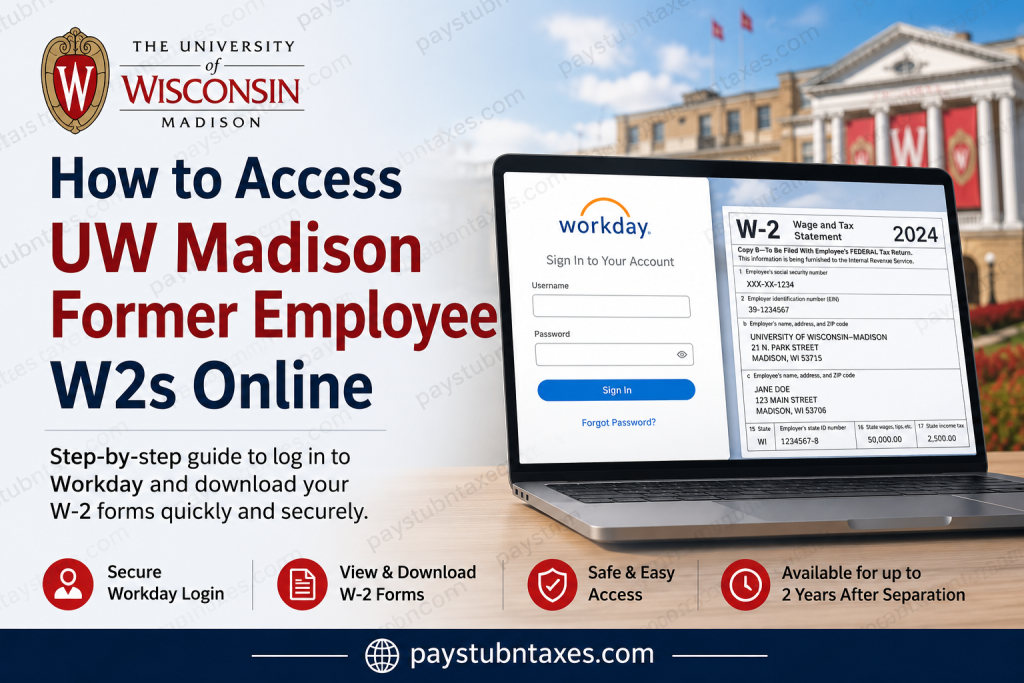
The University of Wisconsin–Madison has long been recognized as one of America’s premier public universities, celebrated for its academic excellence, groundbreaking research, and vibrant campus culture. Located along the scenic shores of Lake Mendota, UW–Madison continues to support both current and former employees through secure digital services, including online access to payroll and tax documents. If you are a former employee of UW–Madison, you can conveniently access your W-2 forms online through the Workday self-service portal. The system allows eligible former staff members to retrieve tax statements, view payroll records, and manage personal information securely from virtually anywhere.
UW Madison Former Employee Workday Login
Former employees can access their W-2 forms through the official Workday portal:
Workday Login Portal:
UW Madison Former Employee Workday Login
Former employees whose employment ended after July 1, 2025, must use a dedicated Workday username and password instead of a UW–Madison NetID. Eligible users can continue accessing Workday for up to two years after separation from the university.
If you do not know your Workday username or password, check your personal email for the automated setup email sent after termination. You may also contact the UW support team at:
Support Email: gethelpuw@support.wisconsin.edu
Who Can Access W-2 Forms Online?
You may access your W-2 statements online if:
- Your UW–Madison employment ended within the last two years
- You received Workday’s former employee credentials
- You still have access to your registered email address
- Your account remains active within the Workday system
Former employees who are still enrolled as students at UW–Madison should continue logging in with their campus Single Sign-On (SSO) credentials instead of the former employee login process.
Step-by-Step Guide to Access UW-Madison Former Employee W-2 Forms
Step 1: Open the Workday Login Page
Visit the official former employee Workday portal using the secure login link above.
You will see the Workday sign-in screen requesting your username and password.
Step 2: Sign In With Your Workday Credentials
Enter your:
- Workday Username
- Workday Password
Click Sign In.
If this is your first login after termination, you may be prompted to reset your temporary password.
Step 3: Navigate to Tax Documents
After successfully logging in:
- Hover over Personal
- Select Benefits and Pay
- Click My Tax Documents
- Locate the desired tax year
- Select View/Print under Employee Copy
Your W-2 form will then generate as a downloadable PDF file.
Step 4: Download or Print Your W-2
Once the document is ready:
- Open the generated PDF
- Download a copy for your records
- Print the form if needed for tax filing purposes
Workday may briefly process the document before making it available. In some cases, you may receive a notification when the PDF is ready.
How to Reset a Forgotten Workday Password
If you cannot remember your password:
- Visit the Workday login page
- Click Forgot Password?
- Enter the email address associated with your Workday account
- Follow the password reset instructions sent to your email
The system will send an automated password reset link to your registered email address.
Forgot Your Username?
Workday does not currently offer self-service username recovery for terminated employees.
If you forgot your username, contact:
GetHelpUW: gethelpuw@support.wisconsin.edu
Requesting Additional or Older W-2 Copies
If your W-2 form is unavailable online or you require older tax documents, UW Shared Services can provide duplicate copies.
Former employees must submit a Duplicate Statement Request Form for:
- W-2 statements
- 1042-S forms
- Fellowship tax letters
Documents from 2017 and earlier may require a processing fee of $10 per form, per year.
Additional Features Available in Workday
In addition to W-2 access, former employees may also use Workday to:
- View historical payslips
- Update mailing addresses
- Manage personal phone numbers
- Update personal email addresses
- Access certain benefit statements
These self-service options remain available during the two-year access period after employment separation.
Common Issues and Troubleshooting
Unable to Sign In
Ensure you are using:
- Your Workday username
- Your Workday password
- The former employee’s Workday portal
Do not use your UW–Madison NetID if your employment ended after July 1, 2025.
Didn’t Receive Login Information
Check:
- Your personal email inbox
- Spam or junk folders
- Any email address previously associated with UW employment
If necessary, contact UW technical support for credential assistance.
W-2 Not Showing
Possible reasons include:
- The form has not yet been released
- Your account access period expired
- Technical synchronization delays
In such cases, contact UW Shared Services or submit a duplicate statement request.
Why Online W-2 Access Matters
Online W-2 access provides several important benefits for former employees:
- Faster tax preparation
- Secure document retrieval
- Reduced paper mail delays
- Convenient access from anywhere
- Easy digital storage and printing
The Workday platform helps ensure that sensitive payroll and tax information remains protected while still being readily accessible to eligible former employees.
Final Thoughts
The University of Wisconsin–Madison makes it relatively simple for former employees to retrieve W-2 forms online through the Workday self-service portal. With continued access for up to two years after separation, former staff members can securely view, download, and print essential tax documents without relying solely on mailed copies. By keeping your contact information updated and maintaining access to your Workday credentials, you can ensure uninterrupted access to your payroll and tax records whenever needed.
Frequently Asked Questions (FAQs)
1. How do I access my UW-Madison former employee’s W-2 online?
Log in to the UW-Madison former employee Workday portal using your Workday username and password. Then navigate to Benefits and Pay > My Tax Documents to access your W-2 form.
2. Can I use my UW-Madison NetID to access Workday after leaving the university?
Former employees whose positions ended after July 1, 2025 must use a dedicated Workday username and password instead of their UW-Madison NetID.
3. What is the official UW-Madison former employee Workday login link?
The official login page is: UW Madison Workday Portal
4. How long can former employees access Workday after termination?
Most former employees can continue accessing Workday self-service features for up to two years after leaving UW–Madison.
5. What should I do if I forgot my Workday password?
Click the Forgot Password? link on the Workday login page and follow the password reset instructions sent to your registered email address.
6. How can I recover my Workday username?
Username recovery is not available through self-service. You must contact UW support at gethelpuw@support.wisconsin.edu for assistance.
7. Where can I find my W-2 form in Workday?
After logging in:
- Hover over Personal
- Select Benefits and Pay
- Click My Tax Documents
- Choose the tax year
- Select View/Print
8. Can I print my W-2 directly from Workday?
Yes. Workday generates a downloadable PDF version of your W-2 that you can print or save digitally.
9. What if my W-2 is not available online?
If your W-2 is unavailable, you may need to submit a duplicate statement request through UW Shared Services.
10. Can former employees access old pay stubs in Workday?
Yes. Eligible former employees may still access historical payslips and payroll information through Workday.
11. What information do I need to log in to Workday?
You need:
- Your Workday username
- Your Workday password
- Access to the official former employee Workday portal
12. Can former student employees still use NetID login?
Yes. Former employees who are still active students at UW–Madison should continue using campus Single Sign-On (SSO) credentials.
13. Is there a fee for duplicate W-2 requests?
Documents from 2017 and earlier may require a fee of $10 per form, per year.
14. Can I update my mailing address in Workday after leaving UW-Madison?
Yes. Former employees can update contact information, including mailing addresses, within Workday during the access period.
15. Who should I contact for Workday technical support?
For login issues, password assistance, or technical support, contact:
- gethelpuw@support.wisconsin.edu

