
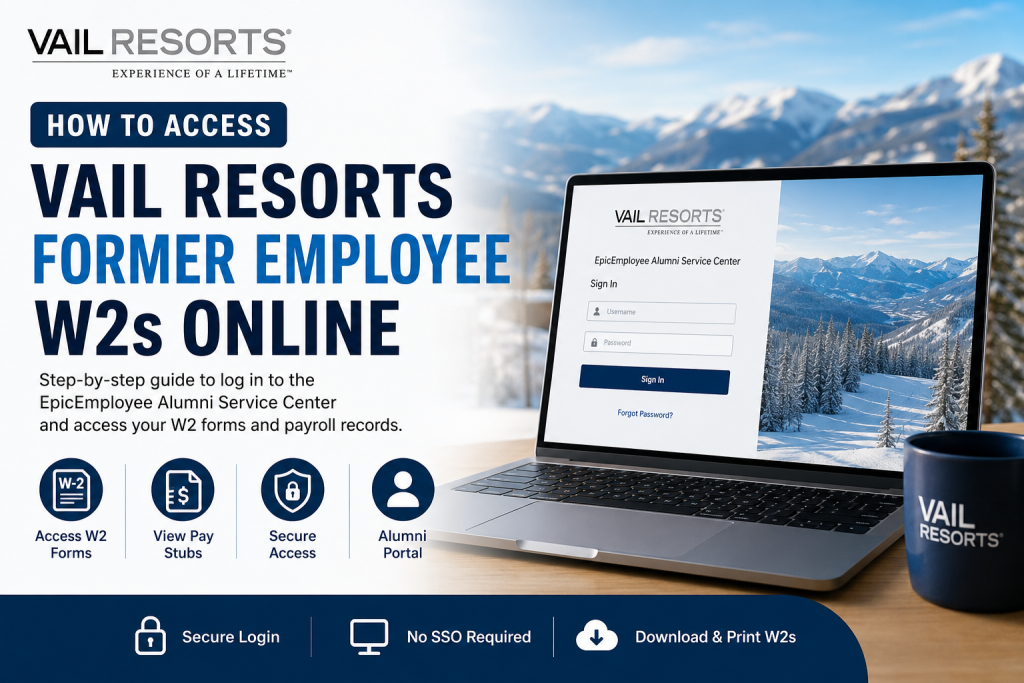
Former employees of Vail Resorts can conveniently access their W-2 forms and payroll records online through the EpicEmployee Alumni Service Center. Unlike active employees, alumni users do not need Single Sign-On (SSO) access to retrieve their tax documents. Instead, they can securely log in using their dedicated alumni credentials through the Vail Resorts alumni portal. Whether you need your W-2 for tax filing, income verification, or personal recordkeeping, the online alumni system provides a fast and secure solution without contacting payroll directly.
Vail Resorts Former Employee W2 Portal
Former employees can access their W-2 statements through the official EpicEmployee Alumni Service Center:
Vail Resorts Alumni Service Center
The alumni login page requires only a username and password and does not use SSO authentication.
What You Can Access Through the Alumni Portal
The EpicEmployee Alumni Service Center allows former employees to:
- Download current and previous W-2 forms
- Access historical pay stubs
- Review payroll information
- Update certain account details
- Reset login credentials
- Maintain access without an active employee account
The portal is specifically designed for separated employees who no longer have access to the internal employee network.
How to Access Your Vail Resorts Former Employee W2 Online
Follow these steps to retrieve your W-2 form:
Step 1: Visit the Alumni Portal
Open the official alumni login page:
The login interface includes fields for your username and password along with password recovery options.
Step 2: Enter Your Login Credentials
Use your:
- Vail Resorts username
- Password associated with your alumni account
Since former employees do not use SSO access, you can sign in directly through the alumni service center.
If you previously set up your account during employment, your existing credentials may still work.
Step 3: Complete MFA Verification if Prompted
Vail Resorts uses Multi-Factor Authentication (MFA) to secure employee and alumni accounts. The company supports:
- Microsoft Authenticator App
- SMS verification
- Phone verification
- Security questions
The MFA system is designed to protect payroll and personal tax information.
Step 4: Navigate to Payroll or Tax Documents
After logging in:
- Open the payroll section
- Select “Tax Documents” or “W-2”
- Choose the appropriate tax year
- Download or print your W-2 form
You may also be able to view pay stubs and earnings history from the same dashboard.
First-Time Login Instructions
If you are accessing your Vail Resorts account for the first time after separation, you may need to complete an initial account setup.
Initial Setup May Include:
- Updating your temporary password
- Setting up MFA verification
- Choosing authentication methods
- Configuring security questions
Vail Resorts provides multiple authentication options for account security.
The setup process generally includes:
- Password update
- Phone verification or authenticator app setup
- Security question registration
- Final account verification
Forgot Your Password?
If you cannot remember your password:
- Visit the alumni login page
- Click “Forgot Password”
- Follow the identity verification process
- Reset your password securely
The portal includes self-service recovery tools to help former employees regain access quickly.
Common Login Issues and Solutions
Incorrect Username or Password
- Verify that Caps Lock is off
- Use your alumni username instead of employee SSO credentials
- Reset your password if necessary
MFA Verification Problems
- Reinstall or reconfigure Microsoft Authenticator
- Ensure your phone number is current
- Use backup verification methods
Locked Account
Too many failed login attempts may temporarily lock your account. Use password recovery tools or contact support for assistance.
How Long Are W2 Forms Available Online?
Former employees are generally able to access historical W-2 statements through the alumni portal for multiple tax years. However, document availability may vary depending on your separation date and account status.
For older tax records, contacting payroll or HR support may be necessary.
Vail Resorts Payroll and IT Support
If you experience login or access issues, contact the Vail Resorts IT support team or employee support services.
Support Information
- IT Support Email: itconnect@vailresorts.com
- Support Portal: IT Connect
- Password Reset: Available directly through the alumni portal
When contacting support, be prepared to provide:
- Employee ID
- Resort or department name
- Best contact method
Why Online W2 Access Matters
Accessing your W-2 online through the EpicEmployee Alumni Service Center offers several advantages:
- Faster tax filing
- Immediate document retrieval
- Secure digital access
- Reduced paper dependency
- Convenient historical payroll access
Instead of waiting for mailed tax forms, former employees can securely download documents anytime from virtually anywhere.
Final Thoughts
The Vail Resorts EpicEmployee Alumni Service Center makes it easy for former employees to retrieve W-2 forms and payroll records online. Because the alumni portal does not require SSO authentication, separated employees can continue accessing important tax documents independently using their alumni credentials. By maintaining your MFA settings, keeping your contact information updated, and using the official alumni portal, you can quickly obtain the payroll documents you need for tax season and financial recordkeeping.
FAQ – Vail Resorts Former Employee W2 Access
1. How do I access my Vail Resorts W2 online as a former employee?
Visit the EpicEmployee Alumni Service Center, log in with your alumni credentials, and open the tax documents section to download your W-2.
2. What is the Vail Resorts alumni portal link?
The official alumni portal is: https://epicemployee.vailresorts.com/alumni
3. Do former employees need SSO to access W2 forms?
No. Former employees can access the alumni portal without Single Sign-On (SSO).
4. Can I download old W2 forms from the alumni portal?
Yes. Former employees may access multiple years of W-2 statements depending on account availability.
5. What login credentials do I need for EpicEmployee Alumni?
You need your Vail Resorts username and password associated with your alumni account.
6. What should I do if I forgot my password?
Use the “Forgot Password” option on the alumni login page to reset your password securely.
7. Does Vail Resorts use Multi-Factor Authentication (MFA)?
Yes. MFA is used to protect employee and alumni payroll accounts.
8. What MFA methods are supported by Vail Resorts?
Supported methods include:
- Microsoft Authenticator App
- SMS verification
- Phone verification
- Security questions
9. Can I access pay stubs through the alumni portal?
Yes. Former employees may also access historical pay stubs and payroll records online.
10. Why can’t I log in to the alumni portal?
Common reasons include:
- Incorrect username or password
- Expired password
- MFA verification failure
- Locked account after multiple failed attempts
11. How do I set up Microsoft Authenticator for Vail Resorts?
Download the Microsoft Authenticator app, sign in to the MFA setup page, scan the QR code, and complete verification prompts.
12. Who should I contact for Vail Resorts payroll support?
You can contact Vail Resorts IT support or payroll assistance through the IT Connect support system.
13. Can former employees still access payroll records after termination?
Yes. The EpicEmployee Alumni Service Center is specifically designed for former employees to access payroll and tax documents.
14. Is the Vail Resorts alumni portal secure?
Yes. The portal uses MFA and secure authentication measures to protect sensitive employee information.
15. Can I print my Vail Resorts W2 directly from the portal?
Yes. After downloading the PDF copy of your W-2, you can print it for tax filing or personal records.

