
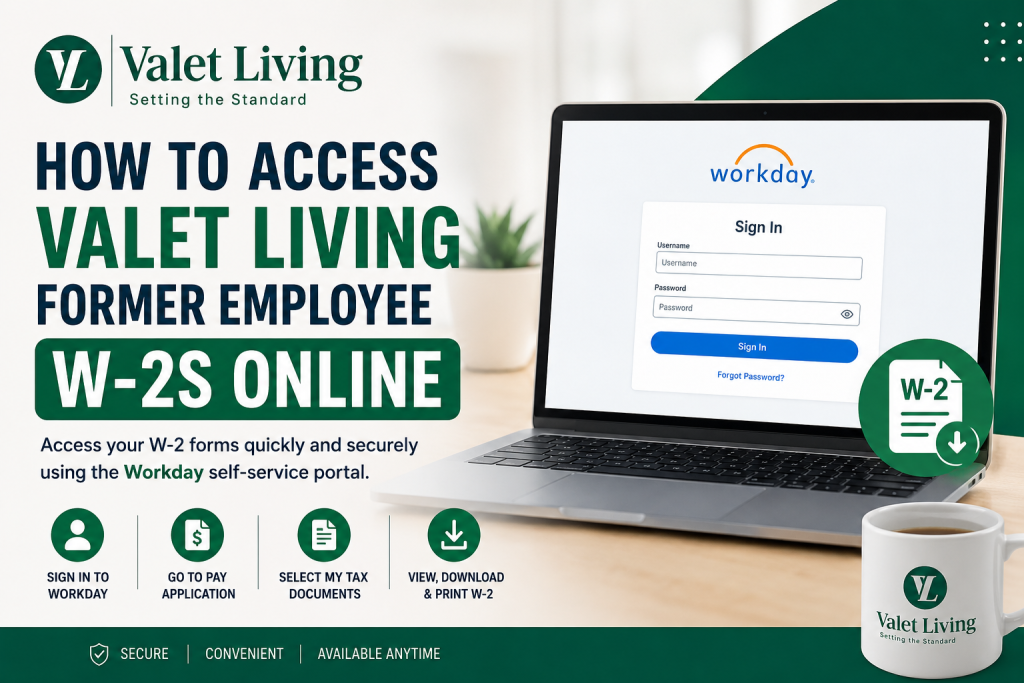
Former employees of Valet Living can conveniently access their W-2 tax forms online through the Workday self-service portal. Although Single Sign-On (SSO) access is disabled after termination, Valet Living provides temporary login credentials so former associates can still retrieve payroll and tax documents securely. Whether you need your W-2 for tax filing, income verification, or personal records, this guide explains the complete process of accessing, viewing, and printing your Valet Living W-2 online.
About Valet Living
Valet Living is the nation’s leading full-service amenities provider for the multifamily housing industry. The company performs more than 460 million services annually across 1.8 million apartment homes in 40 states. Founded in 1995 and headquartered in Tampa, Florida, Valet Living pioneered doorstep waste and recycling collection while expanding into premium residential services and sustainability solutions.
Can Former Employees Access W-2 Forms Online?
Yes. Former Valet Living employees can continue accessing their W-2 statements through the Workday portal after separation from the company.
However, there are several important things to know:
- Your SSO access will no longer work after termination
- Temporary Workday login credentials will be provided
- Paper W-2 forms are mailed and postmarked on or before January 31 each year
- Delivery by mail usually takes approximately 5–7 business days
- Address changes can still be updated through Workday or by contacting support
Valet Living Former Employee Workday Login
Official Workday Portal
Former associates should use the temporary username and password provided by Valet Living after separation.
The Workday portal allows you to:
- Access W-2 tax forms
- View historical pay information
- Update personal information
- Review payroll records
- Download tax documents securely
The Workday system is also available through the Workday mobile application.
How to Access Valet Living Former Employee W2s Online
Follow these steps carefully to retrieve your W-2 form from Workday.
Step 1: Sign In to Workday
Go to the Valet Living Workday portal and log in using your temporary credentials.
After termination, standard SSO login access is removed, so you must use the temporary credentials issued by Valet Living.
Step 2: Open the Pay Application
After signing in:
- Locate the Applications section
- Select the Pay icon
- Open the payroll dashboard
The Pay application stores payroll-related records, including W-2 forms and tax documents.
Step 3: Select “My Tax Documents”
Inside the Pay application:
- Navigate to My Tax Documents
- A table of available tax forms will appear
- Select the appropriate tax year
Your W-2 form will be listed under the Employee Copy section.
Step 4: Generate the PDF Version
After selecting your W-2:
- Click View/Print
- Workday may temporarily display a processing message
- Choose Notify Me Later if prompted
Once processing is complete, Workday sends a notification through the bell icon in the upper-right corner.
Step 5: Download and Print Your W-2
- Open the notification
- Click the generated PDF file
- Download or print your W-2
For best printing results, use standard 8×11 letter-size paper.
How to Change Your Mailing Address
If you moved after leaving Valet Living, you should update your address immediately to avoid delays receiving your paper W-2.
You can update your address in either of these ways:
Option 1: Update Address in Workday
Log in to Workday and update your personal information directly.
Option 2: Contact Support
Call:
- 877-574-2587 Option 6
- 877-574-2587 Option 7
These support lines assist with HR and payroll-related inquiries.
What If You Cannot access Workday?
If you experience login problems or have never received temporary credentials, contact Valet Living support immediately.
Payroll Support
- Phone: 877-574-2587 Option 7
- Email: payroll@valetliving.com
Human Resources
- Phone: 877-574-2587 Option 6
- Email: HR@valetliving.com
Can You Access W-2 Forms Without VPN?
Yes. Workday tax documents are cloud-based and do not require a company VPN connection. Former employees can securely access W-2 forms from personal devices, including laptops, tablets, and smartphones.
Benefits of Accessing W-2 Forms Online
Using the Workday self-service portal provides several advantages:
- Faster access than waiting for postal mail
- Secure digital document storage
- Ability to print multiple copies instantly
- Access from mobile devices
- Reduced risk of lost paperwork
- Convenient tax preparation
Common Workday Login Issues and Solutions
Forgot Temporary Password
Contact Payroll or HR support to reset your credentials.
W-2 Not Showing
W-2 forms are generally available by late January. Wait until processing is complete.
Browser Problems
Use updated versions of Chrome, Edge, Firefox, or Safari.
Locked Account
Too many failed login attempts may temporarily lock your account. Contact support for assistance.
Final Thoughts
Accessing your Valet Living former employee’s W-2 online is straightforward through the Workday self-service portal. Even after termination, temporary login credentials allow former associates to securely retrieve tax documents without waiting for postal delivery. To avoid delays during tax season, ensure your mailing address is current and download digital copies of your W-2 as soon as they become available.
Frequently Asked Questions
When will Valet Living mail paper W-2 forms?
Paper W-2 forms are postmarked on or before January 31 each year.
How long does W-2 mail delivery take?
Most former employees receive their forms within 5–7 business days.
Can I still access Workday after termination?
Yes, using temporary credentials supplied by Valet Living.
Does SSO work for former employees?
No. Former employees lose SSO access after separation.
Can I access my W-2 on a mobile phone?
Yes. You can use either the Workday mobile app or a mobile browser.
What should I do if I have moved recently?
Update your mailing address in Workday or contact HR/payroll support immediately.
Is Workday secure for tax documents?
Yes. Workday uses encrypted cloud-based security protections.
Can I print multiple copies of my W-2?
Yes. Download the PDF and print as many copies as needed.
What if I never received temporary login credentials?
Contact Valet Living Payroll or HR support.
Is there a deadline to access old W-2 forms online?
Availability varies by payroll retention policy, so download copies as soon as possible.
Do I need a company VPN?
No. VPN access is not required.
Can I request a replacement paper W-2?
Yes. Contact payroll support for assistance.
Which browser works best with Workday?
Google Chrome and Microsoft Edge typically provide the best experience.
Can former employees view pay stubs too?
Yes. Historical payroll information may still be available in Workday.
What is the official Valet Living payroll support number?
877-574-2587 Option 7.

