
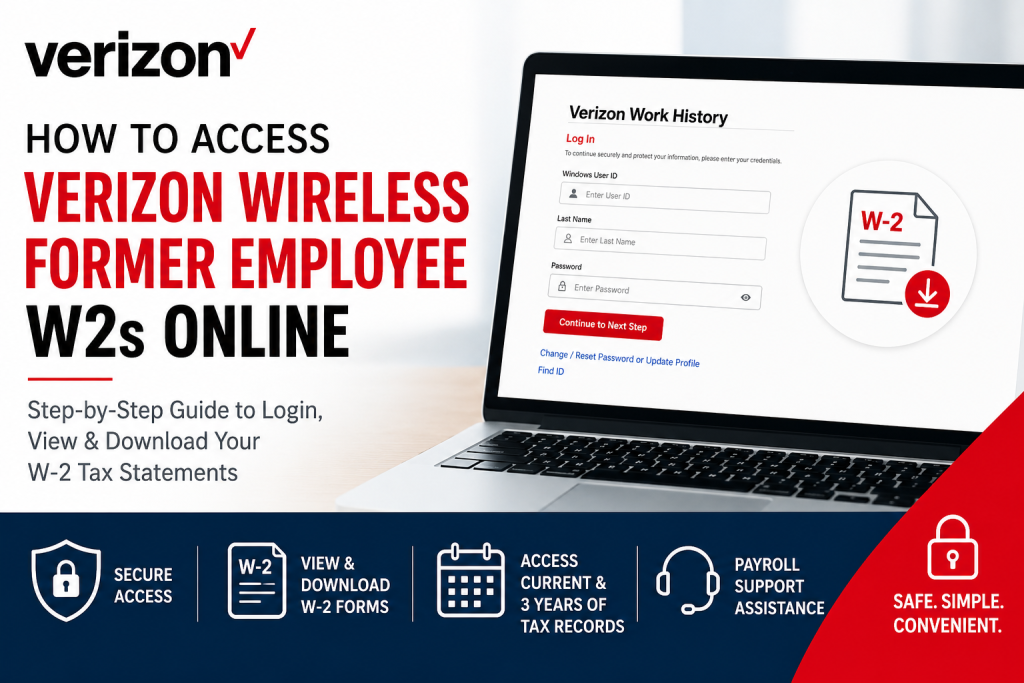
Former employees of Verizon Communications can conveniently access their W-2 tax statements online through the official Verizon Work History Site. The platform provides secure self-service access to historical paychecks, electronic W-2 forms, and prior tax statements without requiring active employee credentials. Whether you recently left Verizon or need copies of previous tax documents, this guide explains the exact steps required to access your Verizon Wireless former employee W2s online quickly and securely.
Verizon Former Employee W2 Portal
Former Verizon Wireless employees can access their W-2 forms through the official Work History website:
Portal Link: Verizon Work History Site
The portal allows eligible former U.S.-based employees and individuals on long-term leave to:
- View historical paychecks
- Access current and prior W-2 tax statements
- Update W-2 electronic delivery preferences
- Retrieve tax documents from the previous three years
For W-2 forms older than three years, Verizon recommends contacting Global Payroll support.
Requirements Before Logging In
Before beginning the login process, make sure you have:
- Your Verizon Windows User ID (VZID or USWIN)
- Your last name exactly as it appears in Verizon records
- Access to a personal email address
- Your birth year
- Access to a PC or laptop for the best experience
The Work History Site sends an activation link to your personal email during initial setup, so you must have immediate access to that inbox.
How to Access Verizon Wireless Former Employee W2s Online
Step 1: Visit the Verizon Work History Website
Open your browser and go to: https://workhistory.verizon.com/
Click “I Agree” to accept the Terms & Conditions.
Step 2: Enter Your Verizon Login Credentials
You will be asked to provide:
Windows User ID
Your Windows User ID is the same ID previously used to log into your Verizon work computer.
Examples include:
- VZID format:
v12345 - USWIN format:
donutdu
Important:
- Use lowercase letters only
- The User ID is case-sensitive
If you do not remember your ID, click “Find ID” on the login page.
Step 3: Enter Your Last Name
Type your last name exactly as stored in Verizon records.
Be sure to include:
- Hyphens
- Suffixes
- Spaces
Any mismatch may prevent successful login.
Step 4: Use the Default Password
During your first login, your temporary password is:
Windows User ID + Birth Year
Example:
- User ID:
v12345 - Birth Year:
1970 - Password:
v123451970
Another example:
- User ID:
donutdu - Birth Year:
1985 - Password:
donutdu1985
After entering the password, click “Continue to Next Step.”
Step 5: Set Up Your Security Profile
During the first-time setup process, Verizon requires you to:
- Select security questions
- Provide answers
- Add a personal email address
- Create a new password
Your personal email cannot use a @verizon.com domain.
Password Requirements
Your new password must include:
- Minimum 8 characters
- At least one uppercase letter
- At least one number
Save your security questions and password for future access.
Step 6: Activate Your Account
After saving your profile, Verizon sends an activation email to your personal email address.
Open the email and click the activation link within 15 minutes.
Once activated:
- Return to the Verizon Work History portal
- Log in using your new password
How to View and Download Your Verizon W2
After logging into the portal:
- Navigate to the Tax Statements or W-2 section
- Select the tax year you need
- Open the W-2 PDF
- Download or print the form for your records
The Work History Site typically stores:
- Current W-2 forms
- Previous three years of tax statements
Forgot Your Verizon Work History Password?
If you previously activated your account but forgot your password:
- Select “Change/Reset Password or Update Profile”
- Answer your security questions
- Create a new password
If you cannot remember your security question answers:
- Submit incorrect answers multiple times
- Verizon will allow you to reset your profile
- A new temporary password will be sent to your email
Verizon W2 Troubleshooting Tips
Login Not Working
Double-check:
- User ID is lowercase
- Birth year is correct
- Last name matches Verizon records exactly
Activation Email Not Received
Check:
- Spam or junk folders
- Correct personal email entry
- Expired activation links
If the activation link expires, repeat the setup process.
Best Devices for Access
Verizon recommends using:
- Google Chrome
- Microsoft Edge
- Firefox
- Safari
Using a desktop or laptop computer is strongly recommended instead of a mobile device.
How to Get Older Verizon W2 Forms
The Work History Site only stores:
- Current W-2 forms
- Previous three years of statements
For older records, contact Verizon Global Payroll support.
Verizon Global Payroll Support
If you continue experiencing login issues or need older tax records, contact Verizon payroll support directly.
Payroll Support Email
GlobalPayroll@VerizonWireless.com
For Work History Site assistance, include:
- Full name
- Employee ID
- Birth year
- Description of the error message
Why Verizon Uses the Work History Site
The Verizon Work History portal provides former employees with secure access to employment and payroll records after separation from the company. This eliminates the need for former workers to rely solely on mailed paper copies during tax season.
The portal also improves:
- Faster W-2 delivery
- Digital tax access
- Secure identity verification
- Historical payroll tracking
Final Thoughts
Accessing Verizon Wireless former employee W2s online is straightforward once your Work History Site account is activated. By using your previous Verizon User ID and completing the initial verification process, you can securely download tax forms, view historical pay statements, and manage payroll records from virtually anywhere.
To avoid delays during tax season, former Verizon employees should activate their Work History Site access early and keep their personal email and password information updated.
Frequently Asked Questions (FAQ)
1. Where can former Verizon Wireless employees get their W2 online?
Former employees can retrieve W-2 forms through the official Verizon Work History portal at: https://workhistory.verizon.com/
2. What is the Verizon Work History Site?
The Verizon Work History Site is a secure self-service portal that allows former employees to access:
- W-2 forms
- Historical paychecks
- Tax statements
- Payroll-related information
3. What login ID should I use for Verizon Work History?
Use your previous Verizon Windows User ID, which may be:
- A VZID
- A USWIN/5+2 ID
The User ID must be entered in lowercase letters.
4. What is the default password for first-time Verizon W2 login?
Your temporary password is:
Windows User ID + Birth Year
Example:
- User ID:
v12345 - Birth Year:
1970 - Password:
v123451970
5. Can I access Verizon W2 forms after leaving the company?
Yes. Former Verizon Wireless employees can still access W-2 statements through the Work History Site after separation from the company.
6. What should I do if I forgot my Verizon Work History password?
Use the “Change/Reset Password or Update Profile” option on the login page and answer your security questions to reset your password.
7. What if I do not remember my Verizon User ID?
Click the “Find ID” option on the Work History login page and follow the prompts to recover your User ID.
8. Does Verizon require a personal email for W2 access?
Yes. During initial setup, you must provide a personal non-Verizon email address to activate your account.
9. How long do Verizon W2 forms stay available online?
The Work History portal generally provides access to:
- Current W-2 forms
- Previous three years of tax statements
10. How can I request older Verizon tax records?
For W-2 statements older than three years, contact Verizon Global Payroll support directly.
11. What browsers work best with the Verizon Work History portal?
The portal works best with:
- Google Chrome
- Microsoft Edge
- Firefox
- Safari
A desktop or laptop computer is recommended.
12. Why am I not receiving the Verizon activation email?
Check:
- Spam or junk folders
- Correct personal email entry
- Whether the activation link has expired
If expired, restart the registration process.
13. Can I access Verizon W2 forms from my phone?
You may activate your account from a mobile device, but Verizon recommends completing the login process on a desktop or laptop computer.
14. What information is needed to contact Verizon payroll support?
When requesting assistance, include:
- Full name
- Employee ID
- Birth year
- Description of the issue
15. How do I contact Verizon for W2 assistance?
Former employees can contact Verizon Global Payroll support at:
GlobalPayroll@VerizonWireless.com

