
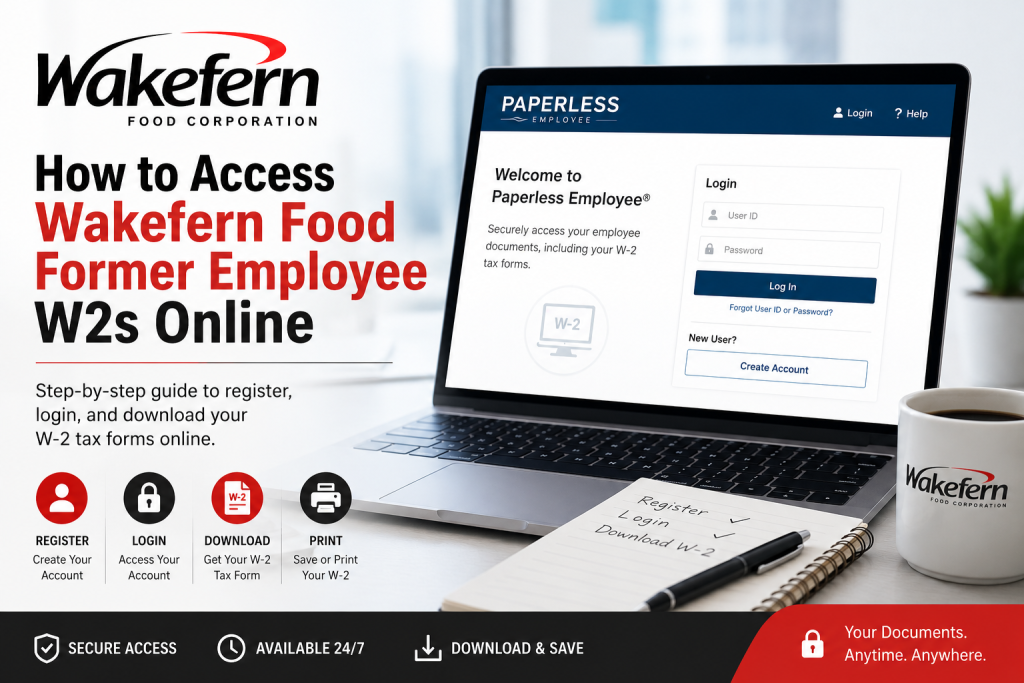
Former employees of Wakefern Food Corporation can conveniently retrieve their W-2 tax forms online through the Paperless Employee self-service portal. Wakefern Food Corp. powers a vast network of supermarket banners, including ShopRite, Price Rite Marketplace, The Fresh Grocer, Dearborn Market, Gourmet Garage, Fairway Market, Di Bruno Bros., and Morton Williams, serving millions of customers across the Northeastern United States. If you previously worked for any Wakefern-affiliated banner and need access to your W-2 form for tax filing, employment verification, or personal records, this detailed guide explains every step of the process.
Wakefern Former Employee W2 Portal
Wakefern former employees can access their W-2 forms through the official Paperless Employee portal:
Portal Link:
https://www.paperlessemployee.com/wakefern/PE/Login
The Paperless Employee system allows eligible former employees to:
- Download current and prior-year W-2 forms
- Access tax statements electronically
- Reissue lost W-2 documents
- Update notification preferences
- Recover forgotten login credentials
The tutorial information referenced in this guide is based on the official Paperless Employee registration and tax form instructions.
About Wakefern Food Corporation
Founded in 1946, Wakefern Food Corp. is the nation’s largest retailer-owned cooperative and one of the largest supermarket cooperatives in the United States. The company supports independent grocery businesses through logistics, procurement, advertising, merchandising, and technology services.
Wakefern operates and supports several major grocery banners, including:
- ShopRite
- Price Rite Marketplace
- The Fresh Grocer
- Dearborn Market
- Gourmet Garage
- Fairway Market
- Di Bruno Bros.
- Morton Williams
The cooperative serves communities throughout New Jersey, New York, Pennsylvania, Connecticut, Delaware, Maryland, Rhode Island, Massachusetts, and neighboring states.
How to Register for a Wakefern Former Employee W2 Account
If this is your first time accessing the Paperless Employee portal, you must create an account before downloading your W-2.
Step 1: Visit the Official Portal
Go to:
https://www.paperlessemployee.com/wakefern/PE/Login
Click Create Account on the login page.
Step 2: Verify Your Identity
You will need to provide:
- Social Security Number (SSN)
- Date of Birth
- CAPTCHA verification
After entering your information, click Authenticate & Create Account.
Unable to Verify?
If the system cannot verify your identity, your employer records may contain outdated information.
You should contact your former employer or HR department to confirm:
- SSN
- Date of Birth
- Email address
- Phone number
Once updated, wait approximately 2–3 business days before attempting registration again.
Create Your Login Credentials
After successful verification:
- Enter your first and last name
- Create a unique User ID
- Create a secure password
- Confirm the password
- Choose a verification method:
- Text message
- Phone call
The system will send a one-time verification code to confirm your identity.
Set Up Security Questions
The portal requires you to configure three security questions for account recovery.
You must:
- Select three security questions
- Enter answers for each
- Save your settings
These questions are important if you later forget your password.
Choose Electronic W2 Delivery
Wakefern former employees can opt into electronic W-2 delivery.
To receive electronic W-2 forms:
- Select Yes for electronic tax statements
- Choose notification preferences
- Email alerts
- Text alerts
- Save notification settings
Important: Employees must opt into electronic delivery before December 31 to receive that year’s W-2 electronically.
How to Download Your Wakefern W2 Online
Once your tax statement becomes available, follow these steps:
Step 1: Log Into the Portal
Visit the official Wakefern Paperless Employee login page and sign in using your User ID and password.
Step 2: Open Year-End Tax Statements
From the dashboard:
- Click Year-End Tax Statements
OR - Select Access Current Year-End Statements
Step 3: Download Your W-2 PDF
Locate your W-2 form and click:
Download PDF
Your W-2 will open in a new browser tab where you can:
- View
- Save
The system may require Adobe Reader or another PDF reader to open the file.
How Long Are W-2 Forms Available?
According to the Paperless Employee instructions, W-2 documents remain available online until October 15 of the current tax year.
After that date, you must request a reissued copy.
How to Request a Reissued W2
If your W-2 is no longer available for direct download, you can request a reissued copy.
Steps to Request a Reissue
- Open Year-End Tax Statements
- Select the desired tax form
- Choose your delivery method:
- Download PDF
- Mail delivery
Important Notes
- Mailed copies may take up to 10 business days
- Electronic reissues are typically available immediately
- Download links remain active for 10 minutes after order completion
Forgot Your User ID or Password?
The Paperless Employee portal includes built-in recovery tools.
Recover a Forgotten User ID
You must provide:
- SSN
- Date of Birth
Then click Authenticate to retrieve your User ID.
Reset a Forgotten Password
To reset your password:
- Enter your User ID
- Verify you are not a robot
- Confirm your identity
- Answer security questions or use verification codes
- Create a new password
Tips for Accessing Wakefern W2 Forms Successfully
To avoid login issues:
- Use updated contact information
- Enable email and text notifications
- Save your User ID securely
- Download and store copies of all tax forms
- Access your W-2 before the October 15 deadline
Final Thoughts
The Wakefern Paperless Employee portal provides former employees with a secure and efficient way to retrieve W-2 tax forms online. Whether you previously worked for ShopRite, Price Rite Marketplace, The Fresh Grocer, Fairway Market, or another Wakefern-affiliated banner, the online system allows you to quickly access, download, and manage your year-end tax statements from virtually anywhere.
By registering for electronic delivery and maintaining updated account information, former employees can simplify tax season while avoiding delays associated with mailed forms.
Frequently Asked Questions (FAQs)
1. How do I access my Wakefern former employee W-2 online?
Visit the official Paperless Employee portal, log in with your User ID and password, then navigate to “Year-End Tax Statements” to download your W-2.
2. What is the official Wakefern W-2 portal link?
The official portal is:
https://www.paperlessemployee.com/wakefern/PE/Login
3. Can former ShopRite employees use the same W-2 portal?
Yes. Former employees of ShopRite and other Wakefern-affiliated banners use the same Paperless Employee portal to access W-2 forms.
4. Which Wakefern grocery brands are covered under this portal?
The portal may support former employees from:
- ShopRite
- Price Rite Marketplace
- The Fresh Grocer
- Dearborn Market
- Gourmet Garage
- Fairway Market
- Di Bruno Bros.
- Morton Williams
5. How do I create a Paperless Employee account?
Click “Create Account” on the login page, then enter your SSN, date of birth, and verification details to register your account.
6. What should I do if my identity cannot be verified?
Contact your former employer or HR department to confirm your:
- Social Security Number
- Date of Birth
- Email address
- Phone number
After updates are made, wait 2–3 business days before trying again.
7. How can I download my Wakefern W-2 PDF?
After logging in:
- Open “Year-End Tax Statements”
- Select your W-2
- Click “Download PDF”
You can then save or print the document.
8. How long are W-2 forms available online?
W-2 forms are generally available online until October 15 of the current tax year.
9. Can I request a reissued copy of my W-2?
Yes. The portal allows eligible users to request reissued W-2 forms either electronically or by mail.
10. How long does mailed W-2 delivery take?
Mailed reissued forms may take up to 10 business days for delivery.
11. What if I forgot my User ID?
Use the “Forgot User ID or Password” option on the login page and verify your identity using your SSN and date of birth.
12. How do I reset my Wakefern W-2 portal password?
Click “Forgot Password,” verify your identity through security questions or verification codes, then create a new password.
13. Can I receive my W-2 electronically?
Yes. During account setup, you can opt into electronic tax statement delivery and receive notifications by email or text.
14. Do I need Adobe Reader to open my W-2?
Yes. Since W-2 forms are provided as PDF files, you may need Adobe Reader or another PDF viewer to access them.
15. Is the Wakefern Paperless Employee portal secure?
Yes. The portal uses identity verification, passwords, security questions, and verification codes to help protect employee tax information.

