
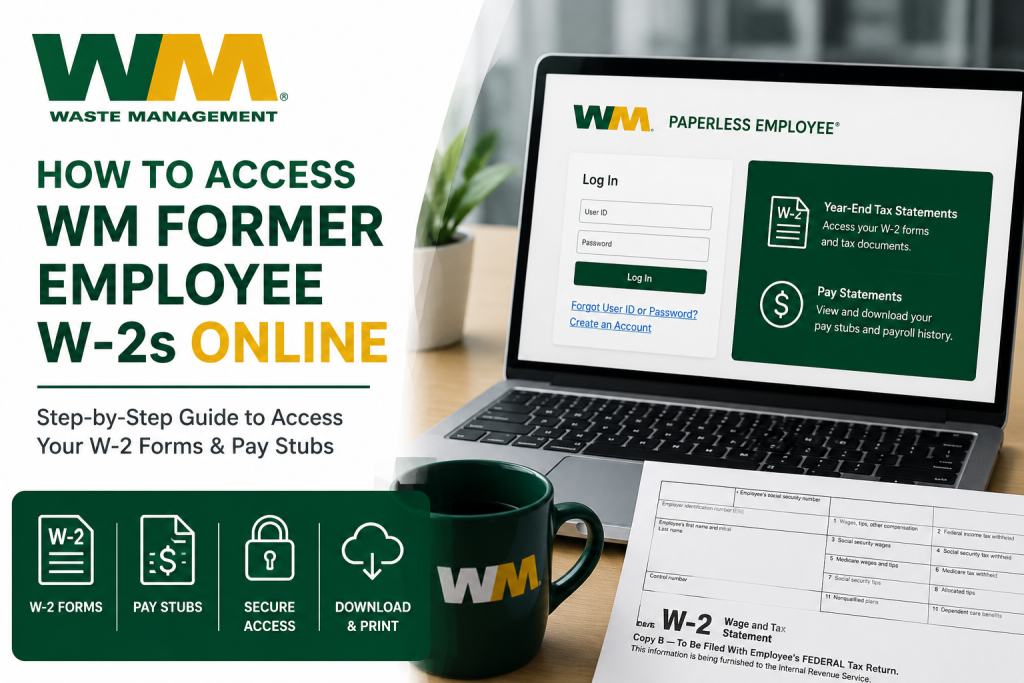
WM is one of North America’s largest environmental solutions providers, serving millions of residential, commercial, industrial, and municipal customers across the United States and Canada. Headquartered in Houston, Texas, the company operates an extensive network of recycling plants, transfer stations, landfill sites, renewable energy facilities, and collection operations dedicated to sustainability and environmental innovation. If you are a former Waste Management (WM) employee, accessing your W-2 forms and historical pay stubs online is simple through the Paperless Employee self-service portal. The platform allows eligible former employees to securely retrieve tax documents, payroll records, and year-end statements anytime and from virtually anywhere.
WM Former Employee W-2 Portal
Former employees can access their payroll and tax information online through the WM Paperless Employee portal.
Portal Link:
WM Paperless Employee Portal
Through the portal, former employees can:
- Download W-2 tax forms
- Access historical pay stubs
- View prior-year payroll records
- Manage electronic delivery preferences
- Print payroll and tax documents instantly
How to Access Your WM Former Employee W-2 Online
Step 1: Visit the WM Paperless Employee Website
Open the official WM Paperless Employee login page using your preferred web browser.
Once on the homepage, you will see options to:
- Sign in to an existing account
- Create a new account
- Access pay statements
- Retrieve year-end tax statements
Step 2: Log Into Your Account
If you already registered previously, simply enter your:
- User ID
- Password
Then click the Login button.
If you are a first-time user, select Create an Account and complete the registration process by verifying your identity and setting up secure login credentials.
Step 3: Navigate to Year-End Tax Statements
After successfully logging in:
- Open the left-side navigation menu
- Select Year-End Tax Statements
- Click Access Year-End Tax Statements
This section allows you to view and download available W-2 forms for current and previous tax years.
Step 4: Enroll in Electronic Tax Statements
To receive and access electronic W-2 forms, you may need to enable electronic delivery preferences inside the portal.
To do this:
- Open Manage Electronic Tax Statement Options
- Choose Yes to receive electronic tax forms
- Confirm your preferred notification method
- Save your settings
Once electronic delivery is activated, your preference generally remains active for future tax years.
How to Download Your WM W-2
When your W-2 becomes available:
- Open the Get Tax Statements section
- Select the applicable tax year
- Choose the desired W-2 form
- Download or print the PDF copy
You can securely save the document for tax filing, income verification, or personal recordkeeping.
How to Access Historical WM Pay Stubs
Former employees can also retrieve historical payroll records through the same Paperless Employee portal.
To access pay stubs:
- Sign into your account
- Select Pay Statements
- Choose the desired pay period
- View, print, or download the statement
The system also allows employees to view pay summaries and full payroll statements in PDF format.
Common Login Issues and Solutions
Forgot Password
If you cannot remember your login credentials, use the Forgot User ID or Password option available on the login page.
You may need to verify:
- Employee ID
- Date of birth
- Social Security Number
- Registered email address
Account Locked
Multiple unsuccessful login attempts may temporarily lock your account for security purposes. In this situation, contacting WM HR support is recommended.
Former employees can receive assistance regarding:
- Payroll questions
- Tax form access
- Address updates
- Employment verification
Benefits of Online W-2 Access
Using the WM Paperless Employee portal provides several advantages for former employees.
Faster Access to Tax Forms
Electronic W-2 forms are often available sooner than mailed paper copies.
Secure Online Storage
Payroll records remain safely stored in a secure digital environment.
Easy Access Anywhere
Employees can retrieve tax forms and pay statements from any internet-connected device.
Historical Payroll Access
The portal maintains prior-year tax forms and historical pay records for convenient retrieval.
Environmentally Friendly
Electronic document delivery supports WM’s sustainability-focused initiatives by reducing paper consumption.
Who do I contact for WM payroll issues?
Former employees can contact the WM HR Service Center at:
- Phone: (800) 964-3373
- Email: WMHRSC@wm.com
Final Thoughts
Waste Management makes it easy for former employees to access W-2 forms and historical pay stubs online through the Paperless Employee self-service portal. With secure login access, downloadable tax documents, and convenient payroll management tools, former employees can quickly retrieve the records they need without waiting for paper copies in the mail. By enabling electronic delivery and maintaining updated account information, users can enjoy a faster, safer, and more convenient payroll and tax document experience year after year.
Frequently Asked Questions (FAQs)
1. How do former WM employees access W-2 forms online?
Former WM employees can access W-2 forms by logging into the Paperless Employee portal and selecting “Year-End Tax Statements.”
2. What is the official WM former employee W-2 website?
The official portal is: www.paperlessemployee.com/wm
3. Can former WM employees still access historical pay stubs?
Yes. Former employees can access historical pay statements through the Pay Statements section of the portal.
4. When are WM W-2 forms available online?
WM W-2 forms are typically available by the end of January each year.
5. Do I need to register for electronic tax statements?
Yes. Employees may need to enable electronic tax statement delivery within their account settings before accessing online W-2 forms.
6. Can I print my WM W-2 online?
Yes. W-2 forms can be downloaded and printed directly from the Paperless Employee portal.
7. What should I do if I forgot my WM portal password?
Use the “Forgot User ID or Password” option on the login page to reset your credentials.
8. Can former employees access prior-year W-2 forms?
Yes. The portal allows eligible users to retrieve prior-year tax statements and payroll records.
9. Is the WM Paperless Employee portal secure?
Yes. The portal uses secure login authentication to protect employee payroll and tax information.
10. Can I access WM pay stubs from my mobile device?
Yes. The Paperless Employee portal works on smartphones, tablets, laptops, and desktop computers.
11. What documents do I need to create a Paperless Employee account?
You may need your employee ID, Social Security Number, date of birth, and registered email address.
12. What file format are WM W-2 forms downloaded in?
W-2 forms are generally available as downloadable PDF files.
13. Why can’t I see my W-2 in the portal?
Your W-2 may not yet be released, or your electronic tax statement preferences may not be enabled.
14. Who should I contact for WM payroll or W-2 assistance?
Former employees can contact WM HR support for payroll questions, tax forms, and account assistance.
15. Can I receive WM tax forms electronically every year?
Yes. Once electronic delivery is activated, the preference usually remains active for future tax years.

