
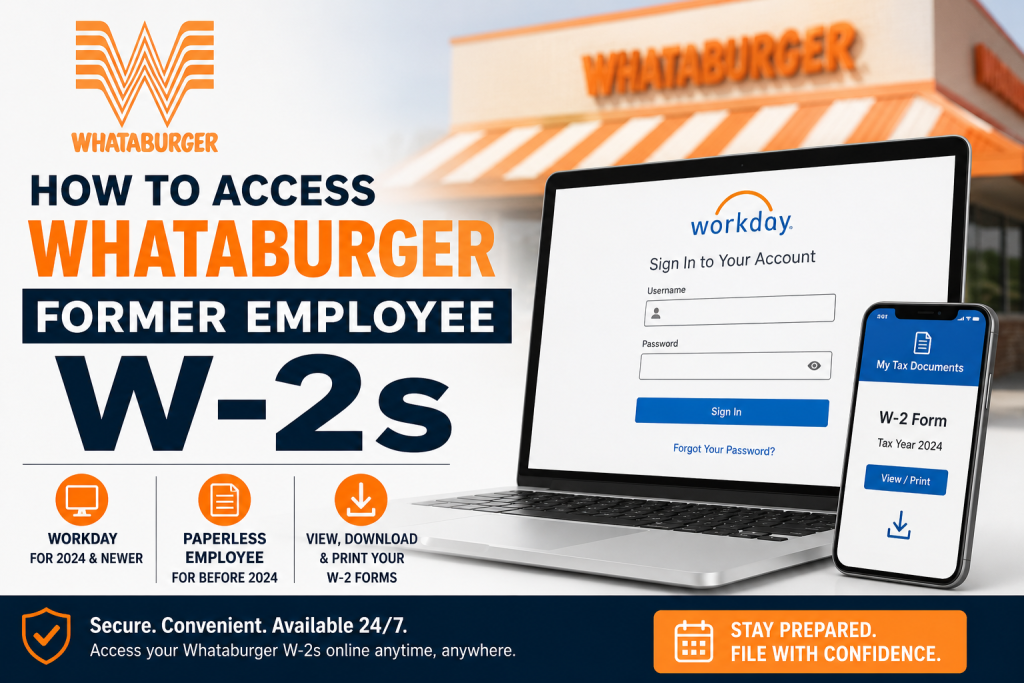
For thousands of former Whataburger Family Members, tax season often begins with one important question: How can I access my W-2 online after leaving the company? Fortunately, Whataburger provides convenient digital access to W-2 tax forms through its Workday self-service platform and the Paperless Employee portal for older records. Founded in 1950 in Corpus Christi, Texas, Whataburger has grown into one of America’s most iconic fast-food chains, serving made-to-order burgers across more than 1,100 locations in 16 states. The company employs more than 51,000 Family Members and continues to maintain modern employee self-service systems for payroll and tax documentation. Whether you recently separated from the company or need tax documents from previous years, this complete guide explains exactly how to retrieve your former Whataburger employee W-2 forms online.
Can Former Whataburger Employees Access W-2s Online?
Yes. Former Whataburger employees can still access their W-2 forms online through two different systems:
1. Workday Portal (For 2024 and Newer W-2 Forms)
If you need a W-2 from tax year 2024 or later, you should log into the Whataburger Workday portal.
Workday Login:
https://wd5.myworkday.com/wday/authgwy/whataburger/login.htmld?redirect=n
2. Paperless Employee Portal (For W-2s Before 2024)
If you need older tax statements issued before 2024, Whataburger stores those records in the Paperless Employee system.
Paperless Employee Portal:
https://www.paperlessemployee.com/whataburger
Step-by-Step: Access Whataburger Former Employee W-2 in Workday
If your W-2 was issued in 2024 or later, follow these instructions carefully.
Step 1: Visit the Whataburger Workday Login Page
Open the official Workday login portal using the following link:
https://wd5.myworkday.com/wday/authgwy/whataburger/login.htmld?redirect=n
The login page includes a dedicated section for former Family Members.
Step 2: Enter Your Login Credentials
Use your former employee credentials to sign in.
You will typically need:
- Username or employee ID
- Password associated with your Workday account
If you still remember your password, simply log in as usual.
Step 3: Reset Your Password if Needed
Forgot your password? No problem.
The Workday portal includes a “Forgot Your Password?” option directly on the sign-in screen. Former employees can use this tool to reset their password through email verification.
If you no longer have access to your registered email or experience login issues, contact Whataburger Human Resources for assistance.
Step 4: Open the Pay Dashboard
Once signed into Workday:
- Navigate to the homepage
- Select the Pay dashboard
- Click My Tax Documents
This section stores your digital W-2 tax forms.
Step 5: View, Download, or Print Your W-2
Inside the My Tax Documents section:
- Locate your W-2 form by tax year
- Click View/Print
- Download the PDF copy
- Print the document for tax filing purposes
Workday also allows you to save electronic copies for future reference.
How to Access Older Whataburger W-2 Forms Before 2024
If you need W-2 statements issued before 2024, those records are available through Paperless Employee.
Step 1: Visit the Paperless Employee Website
Go to:
https://www.paperlessemployee.com/whataburger
Step 2: Log Into Your Account
Enter your:
- User ID
- Password
If you forgot your login details, use the password recovery option available on the portal.
Step 3: Access Tax Documents
After signing in:
- Navigate to the tax forms section
- Select the appropriate tax year
- Download or print your W-2
This portal is especially useful for former employees who worked at Whataburger several years ago.
What if You Cannot Access Your Whataburger W-2?
Sometimes former employees encounter login or verification problems. Here are the most common solutions.
Contact Whataburger Human Resources
If your account is locked or inaccessible, contact HR support for assistance with:
- Username recovery
- Password resets
- Address changes
- W-2 reissues
The Workday support page specifically advises former Family Members to contact Human Resources if they need additional help accessing the system.
Important Tips for Former Whataburger Employees
Keep Your Mailing Address Updated
If electronic delivery is unavailable, your W-2 may be mailed to the address on file. Make sure your information is current to avoid delays.
Download Your W-2 Early
Most W-2 forms become available by the end of January. Download your copy early to avoid heavy traffic during peak tax season.
Save a Digital Backup
Always save a PDF version of your W-2 for:
- Tax filing
- Loan applications
- Income verification
- Future employment records
Why Whataburger Employees Prefer Digital W-2 Access
Online W-2 access offers several advantages:
- Faster than postal delivery
- Available 24/7
- Easy to print anytime
- Secure digital storage
- Accessible from mobile devices and computers
For former employees who frequently relocate or travel, online access eliminates the stress of missing important tax documents.
Final Thoughts
Whataburger has streamlined the process for former employees to retrieve tax documents online. Whether you need a recent W-2 through Workday or an older tax statement from Paperless Employee, the process is straightforward and secure. By maintaining access to digital payroll systems, Whataburger ensures former Family Members can quickly obtain the documentation they need for tax filing and financial verification purposes. If you experience login difficulties, password issues, or missing records, contacting Whataburger Human Resources remains the fastest way to resolve the problem.
Frequently Asked Questions (FAQ)
1. How do I access my Whataburger former employee W-2 online?
You can access your W-2 online through Whataburger Workday for 2024 and newer tax years or through Paperless Employee for older W-2 forms.
2. What is the Whataburger Workday login link?
The official Workday login portal is:
https://wd5.myworkday.com/wday/authgwy/whataburger/login.htmld?redirect=n
3. Where can I find Whataburger W-2 forms before 2024?
Older W-2 statements issued before 2024 are available through the Paperless Employee portal:
https://www.paperlessemployee.com/whataburger
4. Can former Whataburger employees still use Workday?
Yes. Former Family Members can continue accessing Workday to retrieve payroll and tax documents after leaving the company.
5. What should I do if I forgot my Workday password?
Click the “Forgot Your Password?” option on the Workday sign-in page and follow the account recovery instructions.
6. When will my Whataburger W-2 become available?
Most W-2 forms are typically available by the end of January each year.
7. Can I print my Whataburger W-2 online?
Yes. Both Workday and Paperless Employee allow you to download and print your W-2 forms in PDF format.
8. Do I need my employee ID to access my W-2?
In most cases, you may need your employee ID or username along with your password to log into the system.
9. What if my Workday account is locked?
You should contact Whataburger Human Resources for account recovery or login assistance.
10. Can I access my W-2 on a mobile phone?
Yes. Both portals are mobile-friendly and can be accessed using smartphones, tablets, or computers.
11. What happens if I no longer have access to my old email address?
You may need to contact HR support to verify your identity and update your account information.
12. Is Paperless Employee secure for accessing tax forms?
Yes. Paperless Employee uses secure login and encrypted access to protect employee payroll information.
13. Can I download multiple years of W-2 forms?
Yes. If available in your account, you can access and download multiple tax years from the portal.
14. What should I do if my W-2 contains incorrect information?
Immediately contact Whataburger Payroll or Human Resources to request corrections or a revised W-2 form.
15. Can I receive my Whataburger W-2 by mail?
Yes. If electronic delivery is unavailable, your W-2 may be mailed to the address on file with the company.

