
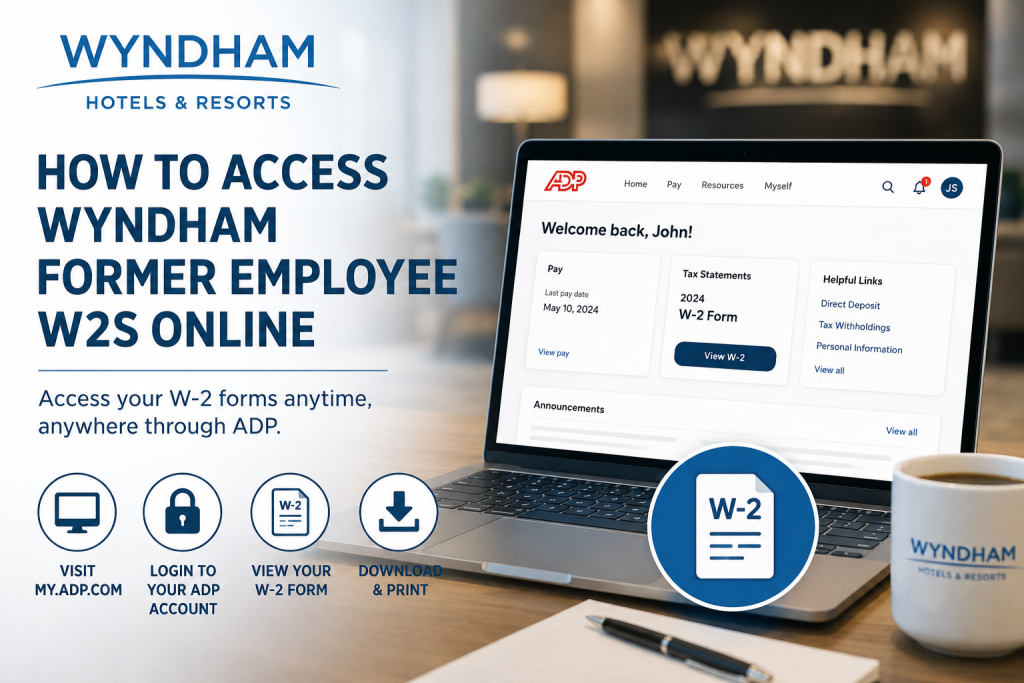
Former employees of Wyndham Hotels & Resorts can conveniently access their W-2 forms online through the ADP self-service portal if they previously enrolled in electronic tax form delivery. If electronic delivery was not selected, Wyndham will mail your W-2 form to the home address listed in your employee records. As one of the world’s largest hotel franchising companies, Wyndham Hotels & Resorts operates thousands of hotels across approximately 100 countries and manages an extensive portfolio of globally recognized hospitality brands. Whether you worked at Wyndham Hotels & Resorts corporate offices, a managed property, or one of its affiliated hospitality brands, this guide explains how to retrieve your Wyndham former employee W-2 online quickly and securely.
Wyndham Former Employee W-2 Overview
Former Wyndham employees generally receive their W-2 forms through one of two methods:
- Paper Delivery by Mail
Wyndham mails W-2 forms to the employee’s address on file. - Electronic Delivery Through ADP
Employees who consented to paperless tax forms can access W-2 statements online using the ADP portal.
Wyndham Former Employee W-2 Portal
- ADP Portal: my.adp.com
- Mobile Access: ADP Mobile Solutions App
- Wyndham Community Support Line: 1-855-849-3487 (Option 4)
Steps to Access Wyndham Former Employee W2s Online
Step 1: Visit the ADP Portal
Go to the ADP self-service portal using your browser:
- my.adp.com
You may also download the ADP Mobile Solutions app from the Apple App Store or Google Play Store.
Step 2: Sign In to Your Existing ADP Account
If you already created an ADP account while employed at Wyndham:
- Enter your User ID
- Enter your password
- Complete multi-factor authentication if prompted
- Navigate to:
- Pay
- Tax Statements
- W-2 Forms
From there, you can:
- View your W-2
- Download a PDF copy
- Print your tax statement
Step 3: Create an ADP Account (If You Never Registered)
If you have never activated your ADP account previously, you can still create one online.
Users should select “Sign Up/Create Account” from the ADP login page.
Registration Process
1. Click “Create Account”
Choose:
- “I Have a Registration Code”
2. Enter Registration Information
You will need:
- Your legal name
- Social Security Number (SSN) or Tax ID
- Email address
- Phone number
Your information must exactly match the records already stored in ADP.
3. Verify Your Identity
ADP may verify your identity through:
- Email verification
- Phone verification
- Security questions
4. Create Username and Password
Create:
- Secure password
- Security questions
- Authentication preferences
Once registration is complete, you can access:
- Pay stubs
- W-2 forms
- Payroll records
How to Download Your Wyndham W-2 Form
After logging into ADP:
- Open the Pay section
- Select Tax Statements
- Choose the correct tax year
- Click Download PDF
- Save or print the form for filing purposes
It is recommended to save a digital backup for future tax and employment verification needs.
What If You Cannot Access Your Wyndham W2 Online?
If you experience login or account issues, try the following:
Reset Your Password
Use the:
- “Forgot User ID”
- “Forgot Password”
options available on the ADP login page.
Confirm Your Mailing Address
If you moved after leaving Wyndham, your W-2 may have been mailed to an outdated address. Contact Wyndham support immediately to update your records.
Contact Wyndham Community Support
If your W-2 is missing, unavailable, or inaccessible, contact:
Wyndham Community Support Line
- Phone: 1-855-849-3487
- Option: 4
Support representatives can assist with:
- W-2 reprints
- Address updates
- ADP access issues
- Tax document questions
Benefits of Accessing Wyndham W2s Online
Using the ADP self-service portal provides several advantages:
- 24/7 secure access
- Faster tax document retrieval
- Ability to download previous tax forms
- Reduced paper clutter
- Mobile-friendly access
- Easy printing for tax filing
Common Issues Former Wyndham Employees Face
Incorrect Login Credentials
Ensure you use the same email or username associated with your ADP account.
Locked Account
Multiple failed login attempts may temporarily lock your account.
Identity Verification Problems
Your personal information must exactly match payroll records.
Electronic Consent Not Enabled
If you never opted into paperless delivery, you may only receive a mailed W-2.
Final Thoughts
Accessing Wyndham former employee W-2 forms online is straightforward through the ADP self-service platform. Former employees who enrolled in electronic delivery can quickly retrieve, download, and print their tax statements from virtually anywhere.
If online access is unavailable, Wyndham’s Community Support team can assist with mailed copies, account recovery, and payroll-related concerns. By maintaining updated contact information and securing your ADP login credentials, you can ensure uninterrupted access to your important tax documents.
FAQs
1. How do I access my Wyndham former employee W-2 online?
You can access your W-2 through the ADP portal at my.adp.com using your registered ADP account credentials.
2. What if I never signed up for ADP?
You can create an ADP account online by selecting “Create Account” on the ADP login page.
3. Will Wyndham mail my W-2 automatically?
Yes. If you did not consent to electronic delivery, Wyndham mails your W-2 to your address on file.
4. What is the Wyndham W-2 support phone number?
Call the Wyndham Community Support Line at 1-855-849-3487 and select Option 4.
5. Can I access old W-2 forms through ADP?
In many cases, yes. ADP often stores historical tax documents for eligible employees.
6. What website does Wyndham use for payroll tax forms?
Wyndham uses the ADP self-service portal.
7. Can former employees still log into ADP?
Yes. Former employees can usually maintain limited access to payroll and tax records.
8. What if I forgot my ADP password?
Use the “Forgot Password” option on the ADP login page.
9. Can I download my W-2 as a PDF?
Yes. ADP allows users to download and print W-2 forms in PDF format.
10. Does Wyndham use paperless W-2 delivery?
Yes. Employees may opt into electronic W-2 delivery through ADP.
11. What information do I need to register for ADP?
Typically, your SSN, legal name, email address, and phone number.
12. Why can’t ADP verify my identity?
Your information may not exactly match payroll records.
13. Is the ADP Mobile App available?
Yes. You can use the ADP Mobile Solutions app for mobile access.
14. How long does Wyndham keep W-2 forms online?
Retention periods vary, but previous years may remain accessible within ADP.
15. What should I do if my W-2 was sent to the wrong address?
Contact Wyndham Community Support immediately to update your mailing information.

