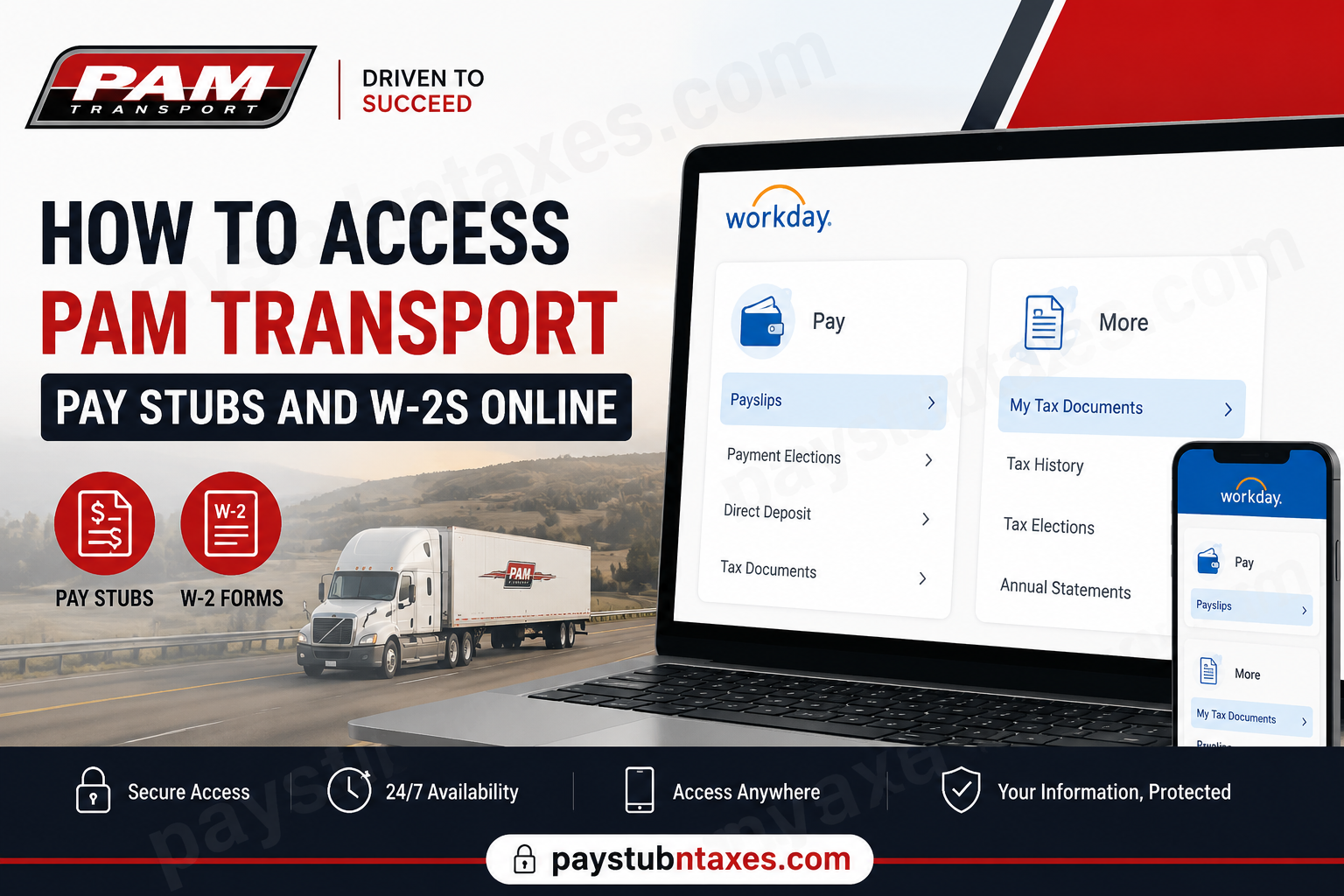
PAM Transport employees can conveniently access their payroll records, including pay stubs and W-2 tax forms, through the Workday platform managed by HR-1, Corp. Since transitioning to Workday in June 2024, PAM Transport has streamlined payroll and HR services into a centralized digital system, enabling employees to view compensation details, tax documents, paid time off (PTO), and personal information from virtually anywhere. Whether you are an active employee seeking your latest payslip or preparing for tax season by retrieving your W-2, this comprehensive guide walks you through every step of the process.
About PAM Transport
Founded in 1980 by Paul Allen Maestri in Tontitown, Arkansas, PAM Transport began as a modest five-truck operation and has since evolved into a major transportation and logistics provider across North America. Today, the company operates more than 2,000 trucks and 6,000 trailers, delivering dry van truckload, expedited freight, and logistics services throughout the United States, Canada, and Mexico.
Despite its remarkable growth, PAM Transport has retained the close-knit culture and community spirit that characterized its early years. With its headquarters nestled in the scenic Ozark Mountains of Northwest Arkansas, PAM continues to invest heavily in its workforce, recognizing that exceptional employees are the cornerstone of exceptional service.
PAM Transport Payroll Portal
PAM Transport partners with HR-1, Corp. to administer payroll and human resources functions. Beginning in June 2024, employees transitioned to Workday as the primary HR and payroll platform.
Workday Login Portal
Portal URL: https://wd1.myworkday.com/hrone/
Through Workday, employees can:
- Access pay stubs and payroll history
- View and download W-2 tax forms
- Manage personal information
- Review benefits and compensation
- Request and track PTO
- Update tax and banking details
- Access payroll-related forms and documents
Because payroll data contains sensitive information, employees are strongly encouraged to enable Multi-Factor Authentication (MFA) for enhanced account security.
How to Access PAM Transport Pay Stubs Online
Retrieving your payslips in Workday is a straightforward process.
Steps to View Your Pay Stubs
- Visit the Workday portal:
https://wd1.myworkday.com/hrone/ - Log in using your credentials.
- Complete Multi-Factor Authentication (MFA), if prompted.
- Navigate to:
Pay → Payslips
- Select the desired check date or check number.
- View, download, or print your pay stub.
Employees can access all pay slips generated after the Workday launch. Additionally, Workday allows users to print either individual payslips or multiple records simultaneously.
If you need pay records that predate the Workday transition, those documents may still reside in the previous employee portal.
How to Access PAM Transport W-2 Forms Online
Workday also serves as the repository for tax documents, making W-2 retrieval remarkably convenient during tax season.
Steps to View Your W-2
- Log in to Workday.
- Select:
Pay → More → My Tax Documents
- Locate the desired tax year.
- Click the tax document to open your W-2.
- Download or print the form for filing purposes.
W-2 forms are typically issued no later than January 31, in accordance with IRS regulations.
Verify Your Social Security Number Before Tax Season
To ensure your W-2 is accurate, employees should verify that their Social Security Number (SSN) is correctly recorded in Workday.
How to Verify Your National ID
- Open your Workday profile.
- Select Personal.
- Click the IDs tab.
- Choose Verify National ID.
- Enter your SSN and submit.
If your SSN is incorrect:
- Return to the IDs section.
- Select Edit.
- Choose Change My Government IDs.
- Correct the information and save your changes.
Avoid adding a second SSN entry; simply update the existing record to prevent payroll discrepancies.
Accurate tax information is indispensable because even minor errors may delay tax filings or necessitate corrected forms later.
Set Up Multi-Factor Authentication (MFA)
PAM Transport strongly encourages employees to enable MFA, thereby adding an extra layer of protection to their Workday accounts.
Recommended Authenticator Apps
Employees may use:
- Okta Verify
- Microsoft Authenticator
- Duo Mobile
- Other compatible authenticator applications
MFA Setup Process
- Download an authenticator app to your smartphone.
- Visit: https://wd1.myworkday.com/hrone/
- Log in using your username and temporary password.
- Create a secure password containing:
- At least 8 characters
- Uppercase and lowercase letters
- A number
- A special character
- Follow the prompts to link your Workday account to the authenticator app.
Enabling MFA significantly reduces the risk of unauthorized access and safeguards sensitive payroll information.
Access PAM Transport Payroll on Mobile Devices
Workday offers a robust mobile application compatible with both Android and iOS devices, allowing employees to access payroll information while on the move.
Features of the Workday Mobile App
- View payslips
- Download W-2 forms
- Request PTO
- Update personal information
- Review schedules
- Manage notifications
Download Workday Mobile
- iPhone/iPad: Apple App Store
- Android: Google Play Store
After installing the application, configure it using the PAM Transport Workday tenant and sign in with your existing credentials.
The mobile app provides unparalleled convenience, ensuring that payroll information is never more than a few taps away.
Common Login Issues and Solutions
Forgot Your Password?
Use the password reset option on the Workday login page or contact support.
MFA Not Working?
Verify that your authenticator app is synchronized correctly and that notifications are enabled.
Unable to Find Your W-2?
Ensure your tax documents have been published for the selected year.
Missing Pay Stubs?
Older pay records may still be housed in the legacy employee portal.
PAM Transport Payroll Support
If you require assistance accessing Workday or payroll documents, contact:
PAM Transport Corporate Office
Phone: (800) 879-7261
Workday Help Desk
Phone: (586) 467-0140 Ext. 3606
Email: tac@datasystemservicesllc.com
Your local office may also be able to assist with payroll or account-related concerns.
Final Thoughts
PAM Transport’s transition to Workday has transformed payroll management into a seamless, user-friendly experience. From retrieving pay stubs to downloading W-2 forms and updating personal records, employees can manage nearly every HR-related function through a single, secure platform. By enabling Multi-Factor Authentication, verifying your Social Security information, and familiarizing yourself with the Workday mobile app, you can ensure uninterrupted access to your payroll records whenever you need them. In today’s increasingly digital workplace, having immediate access to financial and tax documents is not merely convenient—it is indispensable.
Frequently Asked Questions
1. How do I log in to the PAM Transport Workday portal?
Visit https://wd1.myworkday.com/hrone/ and sign in using your Workday username and password. Complete MFA verification if prompted.
2. Where can I find my PAM Transport pay stubs?
After logging in to Workday, navigate to Pay → Payslips. Select the check date or check number to view, download, or print your pay stub.
3. How do I access my PAM Transport W-2 form online?
Log in to Workday and go to Pay → More → My Tax Documents. Choose the applicable tax year and open your W-2.
4. When are PAM Transport W-2 forms available?
W-2 forms are generally issued by January 31 each year in compliance with IRS regulations.
5. Can former PAM Transport employees access Workday?
Former employees should contact PAM Transport or HR-1 support to determine whether post-employment access remains available.
6. What should I do if I forgot my Workday password?
Use the password reset feature on the Workday login page or contact the Workday Help Desk for assistance.
7. How do I print my pay stub from Workday?
Open the desired payslip and use the print or download option available within Workday.
8. Can I access PAM Transport payroll information on my phone?
Yes. The Workday mobile app is available for both Android and iOS devices, allowing employees to view pay stubs, W-2s, PTO balances, and more.
9. Why is Multi-Factor Authentication (MFA) required?
MFA adds an extra layer of security to protect sensitive payroll and tax information from unauthorized access.
10. Which authenticator apps work with Workday?
Employees may use apps such as Okta Verify, Microsoft Authenticator, or Duo Mobile.
11. What if my Social Security Number is incorrect in Workday?
Navigate to Profile → Personal → IDs and update your National ID information to ensure accurate tax reporting.
12. Can I download my W-2 as a PDF?
Yes. Workday allows employees to view, download, and print W-2 forms in PDF format.
13. Are older pay stubs available in Workday?
Pay stubs generated after the June 2024 Workday launch are available in Workday. Older records may reside in the legacy employee portal.
14. Who do I contact for payroll assistance at PAM Transport?
You may contact PAM Transport corporate at (800) 879-7261 or the Workday Help Desk at (586) 467-0140 Ext. 3606.
15. What can employees do besides accessing payroll in Workday?
Employees can update personal information, manage tax forms, request PTO, review benefits, and access HR documents through Workday.
