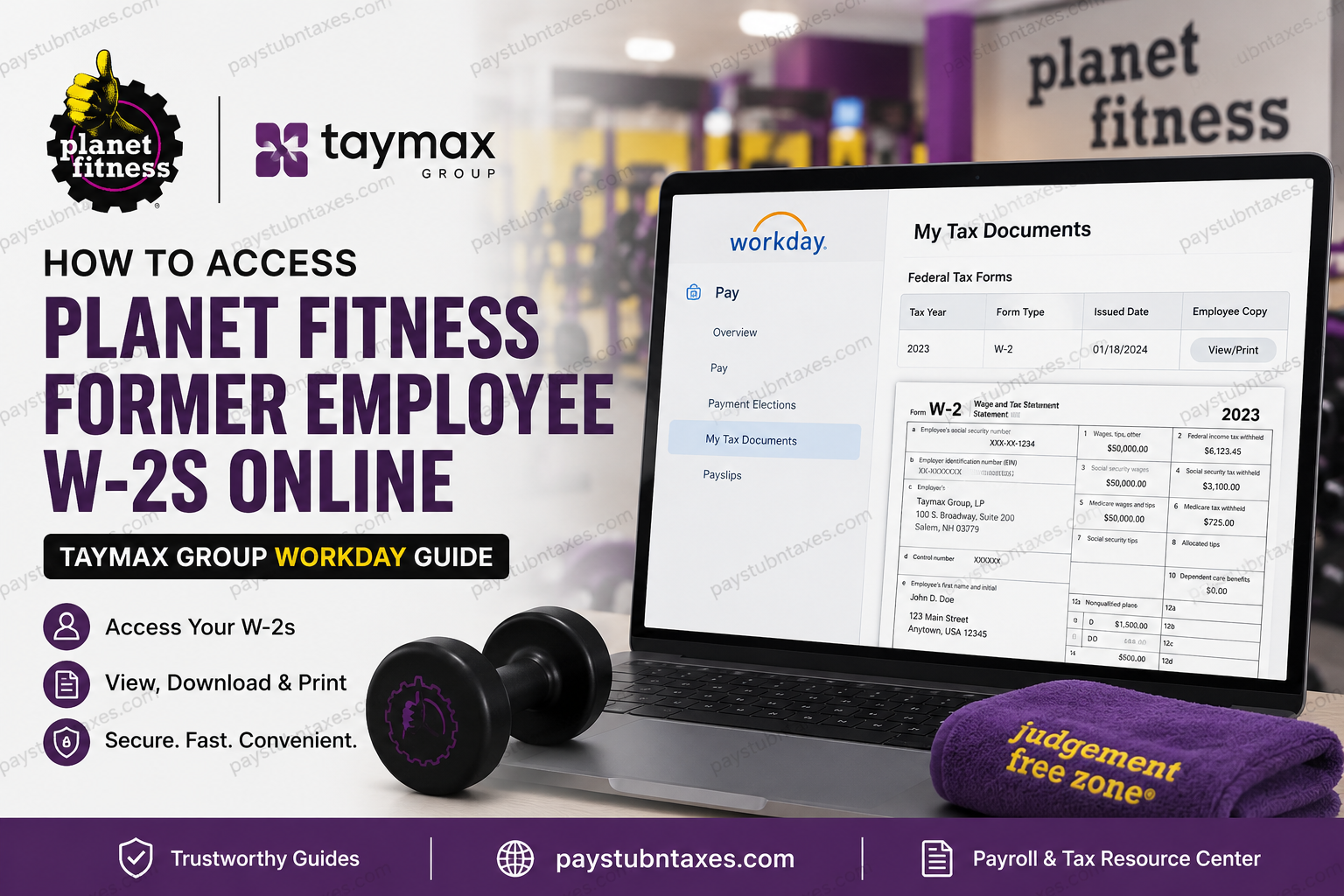
Former employees of Planet Fitness clubs operated by Taymax Group often need access to their W-2 forms for tax filing, loan applications, income verification, or personal recordkeeping. Fortunately, Taymax utilizes Workday, a secure human capital management platform that allows eligible current and former employees to access payroll documents electronically. This comprehensive guide explains how former Taymax employees can retrieve their W-2 forms online, what to do if Workday access has expired, and how to resolve common issues during the process.
About Taymax Group and Planet Fitness
Planet Fitness is one of the largest fitness club operators in the world, with more than 2,000 locations and millions of members. Known for its welcoming and non-intimidating “Judgement Free Zone®” philosophy, the company has become a dominant force within the high-value, low-price fitness industry.
A significant portion of Planet Fitness locations are independently owned and operated by franchisees. Among them, Taymax Group stands out as one of the largest and fastest-growing franchise operators in the Planet Fitness system.
Headquartered in Salem, New Hampshire, Taymax owns and operates more than 175 Planet Fitness clubs across:
- California
- Texas
- Pennsylvania
- Tennessee
- Alabama
- Florida
- Georgia
- Ontario, Canada
- Atlantic Provinces of Canada
The company has received numerous accolades from Planet Fitness, including multiple Developer of the Year awards and Franchisee of the Year recognition.
Can Former Taymax Employees Access W-2 Forms Online?
Yes. Former employees may continue to access their tax documents through Workday for a limited period after separation from employment.
When an employee leaves Taymax, Workday access generally remains available for a designated period, allowing the individual to retrieve important payroll records, including:
- W-2 Forms
- Pay Stubs
- Tax Documents
- Personal Employment Records
Because post-employment access periods may vary, it is advisable to download and save all important documents as soon as they become available.
Planet Fitness Taymax Workday Login
Former employees can access the Workday Employee Self-Service portal using the following login page:
Workday Portal:
https://wd5.myworkday.com/taymax/login.htmld?redirect=n
You will need the credentials provided during or after your offboarding process.
How to Access Your Taymax W-2 Online
Once logged into Workday, follow these steps to locate and download your W-2:
Step 1: Sign In to Workday
Visit the Taymax Workday portal and enter your username and password.
Step 2: Open the Pay Dashboard
From the Workday home screen, locate and select the Pay application.
Step 3: Navigate to Tax Documents
Within the Pay section, click My Tax Documents.
Step 4: Locate Your W-2 Form
Your available W-2 forms will appear in the Tax Documents section.
Review the following information:
- Tax Year
- Form Type
- Issue Date
- Employee Copy
Step 5: Open the W-2
Select the View/Print option next to the desired tax year.
The document may take a few moments to load.
Step 6: Download or Print
After the W-2 opens:
- Click the Download icon to save a PDF copy.
- Click the Print icon to print the form immediately.
- Use navigation arrows to move between pages if necessary.
Step 7: Save a Personal Copy
Because former employee access may eventually expire, save copies of all W-2 forms for future reference.
What If I Can’t Log Into Workday?
If your Workday credentials no longer function, try the following:
Reset Your Password
Use the password recovery option available on the login screen.
Contact Human Resources
For account assistance, document requests, or access issues, contact:
Human Resources
Email: hr@taymaxgroup.com
Be prepared to provide:
- Full legal name
- Employee ID (if available)
- Last work location
- Current mailing address
- Last four digits of your Social Security Number (if requested for verification)
When Does Taymax Mail W-2 Forms?
Taymax generally mails W-2 forms to former employees on or before January 31 of each year.
The form is typically mailed to the most recent address on file in Workday.
If you have recently moved, it is important to update your mailing address or contact Human Resources before tax season begins.
What If I Never Received My W-2?
If your W-2 has not arrived by early February:
- Verify your mailing address with Human Resources.
- Check Workday to see if an electronic copy is available.
- Request a duplicate W-2 from HR.
- Allow additional mailing time if recently issued.
Do not wait until the tax filing deadline approaches before requesting assistance.
Security and Scam Awareness
Taymax regularly reminds employees to remain vigilant against fraud.
Employees should never provide money, gift cards, banking information, or other sensitive financial data in response to unsolicited requests.
Legitimate Taymax representatives, Planet Fitness staff, and authorized vendors will not contact clubs requesting:
- Cash payments
- Gift cards
- Wire transfers
- Financial account information
Any such request should be treated as a potential scam and reported immediately.
Benefits of Accessing Your W-2 Through Workday
Using Workday provides several advantages:
- 24/7 access to tax documents
- Secure online storage
- Instant downloads
- Faster tax preparation
- Reduced risk of lost paperwork
- Convenient access from any location
For many former employees, electronic access is significantly faster than waiting for replacement forms to arrive through the mail.
Final Thoughts
If you previously worked for a Planet Fitness location operated by Taymax Group, obtaining your W-2 online is generally straightforward through the Workday Employee Self-Service portal. Former employees typically retain access for a limited time after separation, making it easy to download, print, and save tax documents whenever needed. If your Workday access has expired or you encounter login issues, Taymax Human Resources can assist with account recovery and W-2 replacement requests. To avoid future complications, download and store copies of your W-2 forms as soon as they become available each tax season.
Frequently Asked Questions
1. How do I get my Planet Fitness W-2 online after leaving Taymax Group?
Former employees can log in to the Taymax Workday portal and navigate to Pay > My Tax Documents to access available W-2 forms.
2. What is the Workday login for former Taymax employees?
The Workday portal is:
https://wd5.myworkday.com/taymax/login.htmld?redirect=n
3. Can former Planet Fitness employees still access Workday?
Yes. Former employees generally retain Workday access for a limited period after separation, allowing them to retrieve payroll and tax documents.
4. Where can I find my W-2 in Workday?
After signing in, go to Pay, then select My Tax Documents to view available W-2 forms.
5. When does Taymax send W-2 forms?
Taymax generally mails W-2 forms on or before January 31 of the following tax year.
6. What should I do if I forgot my Workday password?
Use the password reset option on the Workday login page or contact Human Resources for assistance.
7. Can I download a PDF copy of my W-2?
Yes. Workday allows users to download and save a PDF version of their W-2 form.
8. Can I print my W-2 directly from Workday?
Yes. After opening the form, click the printer icon to print a copy.
9. What if I no longer have access to Workday?
Contact Taymax Human Resources to request assistance obtaining a copy of your W-2.
10. How do I contact Taymax HR for W-2 help?
Email Human Resources at hr@taymaxgroup.com for account recovery or tax document assistance.
11. What information should I provide when requesting a duplicate W-2?
You may need your full name, employee ID, former work location, current mailing address, and identity verification information.
12. What if my W-2 was mailed to an old address?
Contact HR immediately to update your mailing information and request a replacement copy if necessary.
13. Can I access previous years’ W-2 forms in Workday?
If available in your account, previous tax-year W-2 forms can be viewed under My Tax Documents.
14. Is Workday secure for accessing payroll records?
Yes. Workday uses secure authentication and encrypted connections to protect employee payroll and tax information.
15. What should I do if I suspect a scam related to payroll or tax forms?
Do not provide money, gift cards, banking information, or personal data. Report suspicious requests to management or Human Resources immediately.
