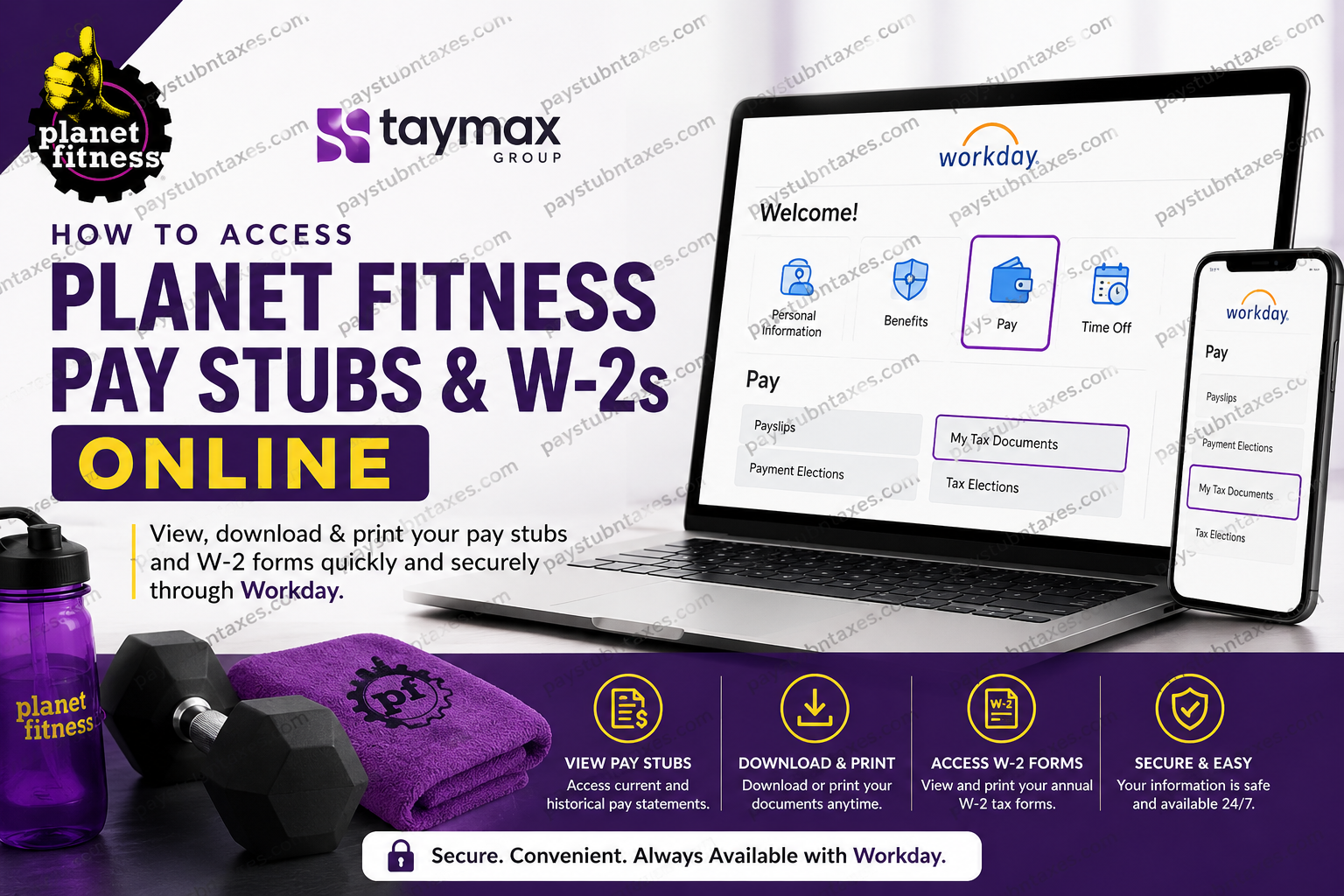
Planet Fitness has earned a reputation as one of the world’s largest and most accessible fitness franchises, serving millions of members through its famous Judgement Free Zone® philosophy. While the majority of Planet Fitness clubs are independently owned and operated by franchisees, one of the largest and fastest-growing operators within the system is Taymax Group, LP. Taymax Group owns and manages nearly 200 Planet Fitness locations across the United States and Canada, including clubs in California, Texas, Pennsylvania, Tennessee, Alabama, Florida, Georgia, Ontario, and the Atlantic Provinces. As a leading franchisee, Taymax provides its employees with convenient digital access to payroll and tax documents through the Workday Employee Self-Service platform. Whether you need to review a recent paycheck, download a previous pay statement, or obtain your annual W-2 tax form, Workday enables you to manage these tasks securely and efficiently from virtually anywhere.
What Is Workday?
Workday is Taymax Group’s cloud-based Human Capital Management (HCM) platform that allows employees to access payroll information, tax documents, direct deposit details, benefits information, personal records, and other employment-related resources through a single online portal.
Employees can access Workday at:
Workday Employee Self-Service Portal:
https://wd5.myworkday.com/taymax/login.flex
Once logged in, employees can view, download, and print pay stubs and W-2 forms whenever needed.
How to Access Planet Fitness Pay Stubs Online
Current Taymax Group employees can retrieve their payroll information through Workday in just a few steps.
Step 1: Sign In to Workday
Visit the Taymax Workday portal:
https://wd5.myworkday.com/taymax/login.flex
Enter your username and password to access your employee account.
Step 2: Navigate to the Pay Section
After signing in, locate the Pay application from your Workday dashboard.
The Pay section serves as the central hub for payroll-related information, including:
- Current pay statements
- Historical pay stubs
- Direct deposit details
- Tax elections
- Payroll preferences
Step 3: Select Payslips or Pay Statements
Within the Pay dashboard, choose Payslips.
A list of available pay periods will appear, allowing you to review payroll records from previous pay cycles.
Step 4: Open and Review Your Pay Stub
Select the desired pay period and click the PDF document link.
Your pay stub will display detailed information such as:
- Gross earnings
- Net pay
- Federal withholding
- State withholding
- Social Security deductions
- Medicare deductions
- Year-to-date totals
Step 5: Download or Print
You may:
- Download a PDF copy for personal records
- Print a physical copy
- Save the file securely for future reference
How to Access Planet Fitness W-2 Forms Online
Workday also provides electronic access to annual W-2 tax forms, making tax preparation significantly easier.
Step 1: Log In to Workday
Access your account through the Workday portal using your employee credentials.
Step 2: Open the Pay Dashboard
From the homepage, select the Pay application.
Step 3: Access My Tax Documents
Under the Pay section, locate and select My Tax Documents.
This section stores your available tax forms and year-end payroll records.
Step 4: Locate Your W-2 Form
Find the applicable tax year and select View/Print.
Your W-2 form will open in a secure PDF viewer where you can review all wage and tax information.
Step 5: Download or Print Your W-2
Employees may:
- Download the W-2 as a PDF
- Print the form for filing purposes
- Save an electronic copy for future tax records
Workday typically makes W-2 forms available shortly after they are finalized each tax season.
Can Former Planet Fitness Employees Access W-2 Forms?
In many cases, former Taymax Group employees may retain limited access to Workday after separation from employment. If your access has expired or your login credentials no longer function, contact Human Resources for assistance obtaining tax documents.
Employees should ensure their mailing address remains up to date before leaving the company to avoid delays in receiving tax forms.
Workday Mobile Access
Employees can also use the Workday mobile application to manage payroll information conveniently from a smartphone or tablet.
Through the mobile app, users can:
- View pay stubs
- Access W-2 forms
- Update personal information
- Review benefits
- Manage direct deposit details
The app is available for both iOS and Android devices.
Common Workday Login Issues
Forgot Your Password
Select Forgot Your Password? on the Workday login page and follow the verification process to reset your credentials.
Account Locked
Multiple unsuccessful login attempts may temporarily lock your account. Wait for the lockout period to expire or contact Human Resources for assistance.
Unable to Access Tax Forms
If your W-2 has not yet been published or you have recently changed employment status, contact HR to verify availability.
Human Resources Contact Information
If you experience difficulties accessing your payroll or tax documents, contact Taymax Group Human Resources:
Email: hr@taymaxgroup.com
The HR team can assist with:
- Workday login issues
- Password resets
- W-2 requests
- Payroll discrepancies
- Employment verification questions
Security Reminder
Taymax Group actively warns employees about payroll-related scams.
Employees, vendors, and club staff should remember that company representatives will never request cash payments, gift cards, wire transfers, or similar forms of payment over the phone. Any such request should be treated as fraudulent and reported immediately.
Protecting your personal and payroll information is essential, particularly when accessing online employee portals.
Final Thoughts
Taymax Group has streamlined payroll management by providing employees with secure access to Workday Employee Self-Service. Whether you need to review a recent paycheck, download historical pay statements, or obtain your annual W-2 tax form, Workday offers a centralized and user-friendly solution that can be accessed anytime and from virtually anywhere. By familiarizing yourself with the Workday platform and maintaining current account information, you can ensure uninterrupted access to the payroll and tax documents you need throughout the year.
Frequently Asked Questions
1. How do I access my Planet Fitness pay stubs online?
Planet Fitness employees working under Taymax Group can log in to Workday, navigate to the Pay section, and select Payslips to view, download, or print their pay statements.
2. What website do I use to view my Planet Fitness pay stubs?
Employees can access payroll records through the Workday Employee Self-Service portal at:
https://wd5.myworkday.com/taymax/login.flex
3. How can I download my Planet Fitness W-2 form?
Log in to Workday, open the Pay dashboard, select My Tax Documents, choose the desired tax year, and click View/Print to download your W-2.
4. When are W-2 forms available in Workday?
W-2 forms are typically available by the end of January each year after payroll processing and tax reporting have been completed.
5. Can I print my pay stubs from Workday?
Yes. Workday allows employees to open pay statements as PDF files and print them directly from their browser or PDF viewer.
6. Can former Planet Fitness employees access Workday?
Former employees may retain limited access for a period after separation. If access has expired, contact Human Resources for assistance obtaining payroll or tax records.
7. What information appears on a pay stub?
A pay stub generally includes gross pay, net pay, taxes withheld, deductions, direct deposit information, and year-to-date earnings.
8. How do I reset my Workday password?
Click the Forgot Your Password? link on the Workday login page and follow the account recovery instructions.
9. Can I access Workday from my phone?
Yes. Employees can use the Workday mobile app on iPhone and Android devices to access payroll and tax information.
10. What should I do if my account is locked?
Wait for the lockout period to expire or contact Taymax Group Human Resources for assistance unlocking your account.
11. How can I update my direct deposit information?
After logging into Workday, navigate to the Pay section and select the direct deposit or payment election settings to update your banking details.
12. Why can’t I find my W-2 in Workday?
Your W-2 may not have been published yet, or there may be an issue with your account access. Contact HR for assistance if the form is unavailable.
13. Is Workday secure for accessing payroll records?
Yes. Workday uses secure authentication and encrypted connections to protect employee payroll, tax, and personal information.
14. Who do I contact for payroll or W-2 issues?
Employees should contact Taymax Group Human Resources at hr@taymaxgroup.com for payroll-related questions or document requests.
15. What should I do if I receive a suspicious payroll-related call?
Do not provide personal information, gift cards, or payments. Taymax Group warns employees that legitimate representatives will never request cash payments or gift cards over the phone. Report suspicious activity immediately.
