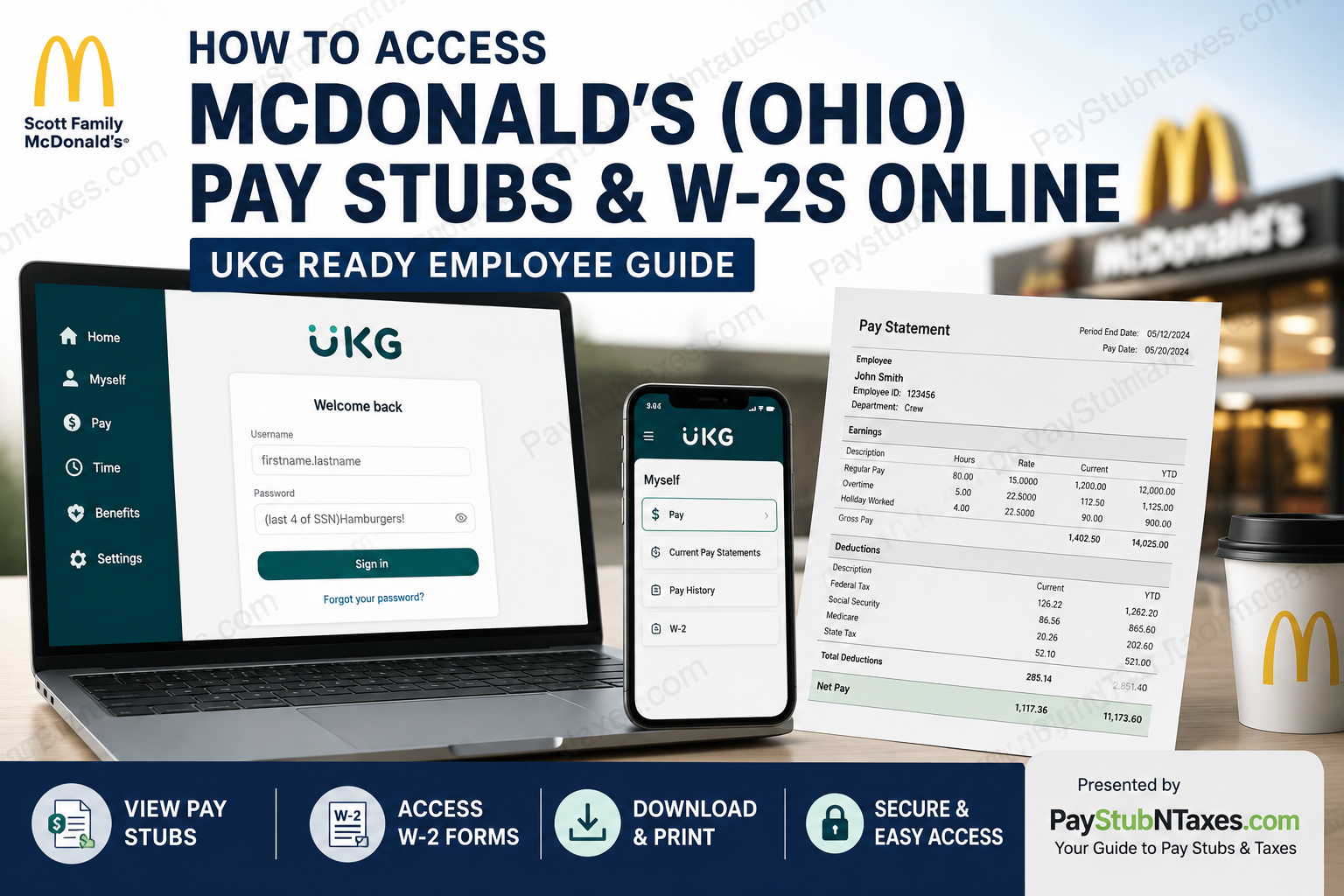
Working for a Scott Family McDonald’s restaurant in Ohio? Accessing your pay stubs, W-2 tax forms, direct deposit details, and payroll information is straightforward through the UKG (formerly UltiPro) employee portal. Whether you prefer using a desktop browser or the UKG mobile app, you can securely view and download your payroll records anytime, anywhere. This comprehensive guide explains everything you need to know—from creating your UKG account for the first time to viewing historical pay statements and downloading your annual W-2 forms.
About Scott Family McDonald’s
The story of Scott Family McDonald’s began in 1972, when Ben Scott decided to pursue a McDonald’s franchise after successfully operating several businesses in Toledo, Ohio. His first McDonald’s restaurant opened in Piqua in January 1974, marking the beginning of a remarkable family enterprise.
What started with a single restaurant steadily expanded over the following decades. In 2001, Ben’s son Benny Scott and his wife Stacy assumed ownership of the business and continued its impressive growth. Today, the Scott family proudly operates 15 McDonald’s restaurants throughout Ohio, employing more than 1,000 team members while maintaining an enduring commitment to customer service, employee development, and community involvement. Their dedication has been recognized with the prestigious Fred L. Turner Golden Arch Award, one of the highest honors bestowed upon McDonald’s owner-operators.
How Scott Family McDonald’s Employees Access Pay Stubs and W-2s
Scott Family McDonald’s utilizes UKG (formerly UltiPro) as its Human Capital Management platform for payroll and employee self-service.
Through the secure employee portal, eligible employees can:
- View current pay statements
- Download historical pay stubs
- Access annual W-2 tax forms
- Review direct deposit information
- Update payroll preferences (where permitted)
- Access payroll records from both desktop and mobile devices
Employees may log in through either:
- The UKG web portal
- The UKG Ready mobile application
Before You Log In
If you’re a newly hired employee, your UKG account is typically created shortly after your onboarding process is completed.
You’ll receive an email containing your initial login information using the email address you provided during the McHire onboarding process. During your first login, UKG requires you to:
- Change your temporary password
- Configure multi-factor or virtual authentication
- Secure your employee account before accessing payroll information
UKG Login Information
Web Portal
Log in through the Scott Family McDonald’s UKG portal: https://secure.entertimeonline.com/ta/scottmcds.login
UKG Mobile App
Download the UKG Ready mobile application from the Apple App Store or Google Play Store.
Use the following company access code: ScottMcDs
Initial Login Credentials
Your temporary login information generally follows this format:
Username: firstname.lastname
Temporary Password: Last 4 digits of your SSN + Hamburgers!
Example: 1234Hamburgers!
After your first login, UKG will immediately require you to create a new secure password.
How to View Your Pay Stubs Online
Once you’ve successfully logged into UKG:
Step 1: Sign in to your UKG employee account.
Step 2: Select the Myself menu.
Step 3: Click Current Pay Statements.
Step 4: Your latest paycheck will appear on screen.
Step 5: To download or print your pay stub:
- Select Print
- Choose your preferred print format
- Click Finish
- Save as PDF or print directly
How to Access Previous Pay Statements
If you need an older paycheck:
- Log in to UKG.
- Open the Myself menu.
- Select Pay History.
- Choose the desired pay period.
- Download or print the statement.
Historical pay records remain available within the Pay History section, making it easy to retrieve past earnings information whenever required.
How to View Your W-2 Tax Form
When annual tax documents become available:
- Log in to UKG.
- Open the Myself menu.
- Select W-2.
- Choose the appropriate tax year.
- Open the form.
- Print or save a PDF copy for your records.
Accessing Payroll Information on the UKG Mobile App
Employees who prefer managing payroll from their smartphones can use the UKG Ready mobile application.
Within the app, you can:
- View pay statements
- Review payroll history
- Access direct deposit information
- Update eligible banking details
- View tax documents
- Check payroll information anytime
The mobile experience closely mirrors the desktop version while providing convenient access on the go.
Scott Family McDonald’s Payroll Schedule
Scott Family McDonald’s follows a bi-weekly payroll schedule.
Important payroll information includes:
- Paydays occur every other Monday
- The workweek runs Monday through Sunday
- Payroll is processed after the pay period closes
- New employees should confirm their first payday with their restaurant manager, as it depends on their hiring date.
Ways to Receive Your Pay
Scott Family McDonald’s offers several convenient payment options.
Direct Deposit
Employees can have wages deposited directly into their personal checking or savings account.
Instant Pay
Eligible employees may access up to 50% of earned wages shortly after completing their shifts through the Instant Pay program.
Elite Pay Card
Employees without a traditional bank account may choose to receive wages through the company’s payroll debit card.
Employee Benefits
In addition to competitive compensation, Scott Family McDonald’s offers an extensive benefits package that may include:
- Flexible scheduling
- Competitive wages
- Free uniforms
- Free employee meals during shifts
- 30% nationwide McDonald’s food discount
- Health insurance
- Dental insurance
- Life insurance
- 401(k) retirement plan
- Archways to Opportunity educational assistance
- Tuition support through Colorado Technical University
- Paid time off (eligible positions)
- Pet insurance
- Employee recognition programs
- Instant Pay
- Career advancement opportunities
Forgot Your Password?
If you’re unable to sign in:
- Click Forgot your password? on the UKG login page.
- Follow the password recovery instructions.
- Complete the required authentication steps.
- Create a new password and sign back in.
Need Payroll Assistance?
If you experience issues accessing your pay statements, tax documents, or direct deposit information:
- Speak with your restaurant manager first.
- If additional assistance is required, contact the Scott Family McDonald’s office:
Phone: 937-773-7200
Conclusion
Scott Family McDonald’s has combined decades of family-owned leadership with modern payroll technology to provide employees with secure, convenient access to their payroll records. Through the UKG platform, team members can review current and historical pay statements, download W-2 tax forms, manage direct deposit information, and monitor their earnings from virtually anywhere. Whether you choose the web portal or the UKG Ready mobile app, your payroll information remains available around the clock, allowing you to stay informed and organized throughout the year.
Frequently Asked Questions
1. How do I log in to the Scott Family McDonald’s employee payroll portal?
Visit the Scott Family McDonald’s UKG login page and sign in using your assigned username and password. First-time users will be prompted to change their password and configure multi-factor authentication.
2. What payroll system does Scott Family McDonald’s use?
Scott Family McDonald’s restaurants in Ohio use UKG Ready (formerly UltiPro) for payroll, employee self-service, and tax document management.
3. Can I access my pay stubs online?
Yes. Current and historical pay statements are available through your UKG employee account 24/7.
4. How do I view my current paycheck?
After logging in, go to Myself > Current Pay Statements to view your latest paycheck.
5. Where can I find older pay stubs?
Select Myself > Pay History to view and download previous pay statements.
6. How do I download my W-2 online?
Log into UKG, choose Myself > W-2, select the tax year, and download or print your W-2 form.
7. What is the UKG Ready company access code?
The company access code is ScottMcDs.
8. What is my default username?
Your initial username is generally formatted as: firstname.lastname
9. What is my temporary password?
Your temporary password is usually your last four digits of your Social Security Number followed by “Hamburgers!” You’ll be required to create a new password during your first login.
10. Can I use my smartphone to access payroll?
Yes. Download the UKG Ready app from the Apple App Store or Google Play Store and sign in using your company access code.
11. How often do Scott Family McDonald’s employees get paid?
Employees are paid bi-weekly, with paydays occurring every other Monday.
12. Can I change my direct deposit information?
Eligible employees can review and update direct deposit information through the UKG employee portal or mobile app, depending on company policy.
13. What should I do if I forgot my UKG password?
Click Forgot Password on the UKG login page and follow the password recovery instructions.
14. Who should I contact if my paycheck is incorrect?
First, speak with your restaurant manager. If additional assistance is needed, contact the Scott Family McDonald’s office at 937-773-7200.
15. Can former employees access their W-2s through UKG?
Former employees may have limited portal access depending on company policy. If you cannot log in, contact the Scott Family McDonald’s office for assistance obtaining your W-2.
