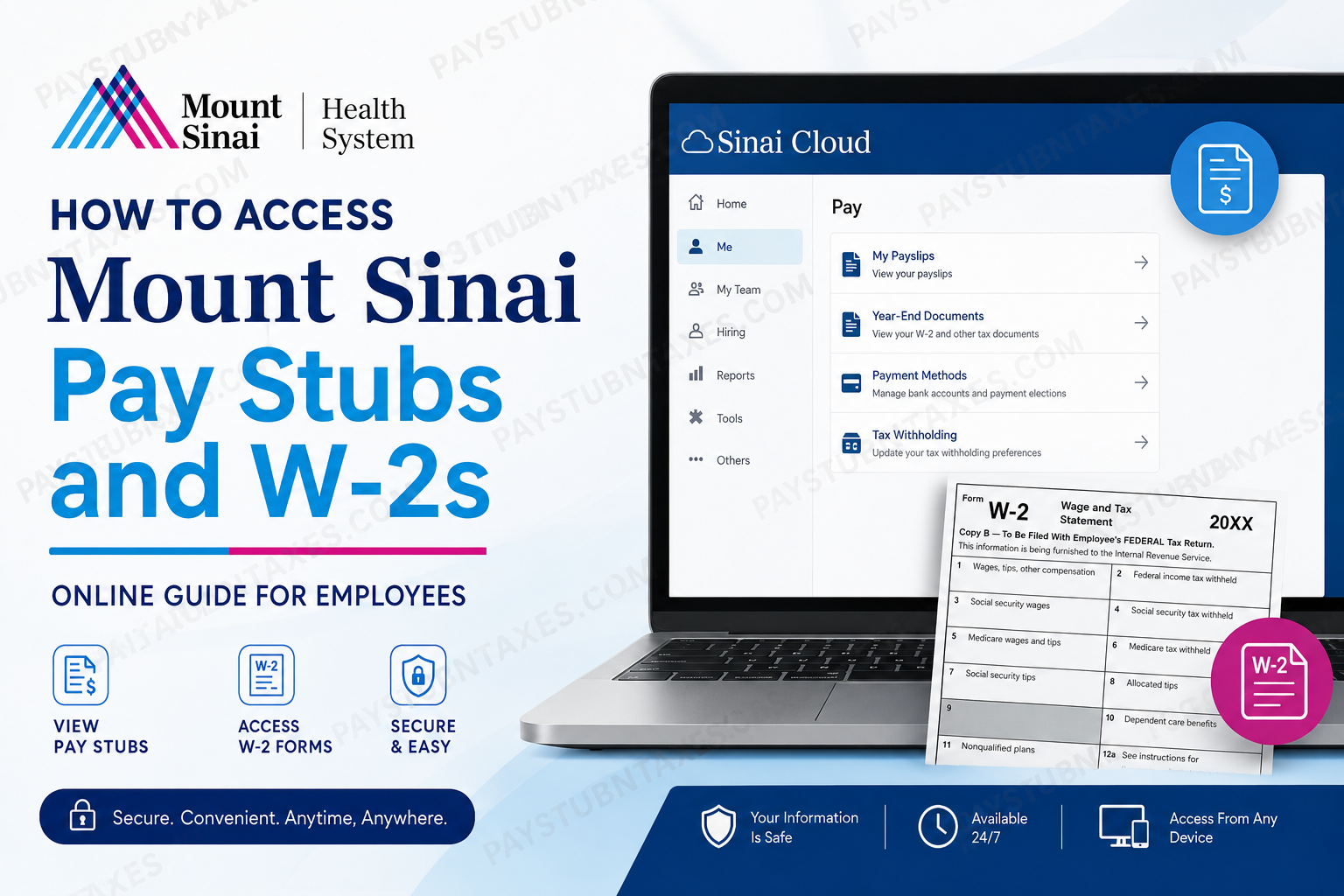
The Mount Sinai Health System stands among the most respected healthcare organizations in the United States, operating an expansive network of hospitals, specialty centers, research institutes, and outpatient facilities throughout New York City. Recognized globally for its clinical excellence, biomedical innovation, and patient-centered philosophy, Mount Sinai employs tens of thousands of healthcare professionals, administrative staff, researchers, and physicians who collectively contribute to one of the nation’s most advanced integrated health systems. To streamline payroll and employee self-service operations, Mount Sinai provides digital access to payroll records and tax documents through its Oracle Cloud employee portal, commonly referred to as Sinai Cloud. Through this secure platform, employees can conveniently view, download, and print their pay stubs, W-2 forms, direct deposit information, and tax withholding details from virtually any location. This comprehensive guide explains how Mount Sinai employees can securely access their pay stubs and W-2s online, troubleshoot common login issues, update payroll preferences, and obtain assistance when necessary.
What Is Sinai Cloud?
Sinai Cloud is Mount Sinai Health System’s centralized Oracle Cloud Human Capital Management (HCM) platform, designed to provide employees with secure access to payroll, benefits, tax documents, scheduling tools, and personal employment records.
The platform enables employees to:
- View and print pay stubs
- Access annual W-2 tax forms
- Manage direct deposit information
- Update tax withholding elections
- Modify personal information
- Review employment and benefits records
- Access payroll history electronically
Mount Sinai employees and physicians may log into the Sinai Cloud portal using their organizational credentials and multi-factor authentication (MFA).
Sinai Cloud Login Portal: Sinai Cloud Login
How to Access Mount Sinai Pay Stubs Online
Employees can access electronic payslips directly through the Sinai Cloud payroll dashboard. Internal payroll documentation confirms that the process is completed through the “Me” and “Pay” sections within Oracle Cloud.
Follow these steps carefully:
Step 1: Open the Sinai Cloud Portal
Navigate to the official Oracle Cloud employee login page:
Mount Sinai Oracle Cloud Portal
For optimal performance, Google Chrome is generally recommended for accessing the system.
Step 2: Sign In Securely
Enter your:
- Mount Sinai network username
- Password
- Multi-factor authentication verification code (if prompted)
Mount Sinai strongly advises employees never to share passwords or MFA codes with anyone.
Step 3: Navigate to Payroll
After logging in:
- Click Navigator or Home
- Select Me
- Click Pay
- Choose Payslips
Internal payroll job aids confirm this navigation path within Oracle Cloud self-service payroll functions.
Step 4: Open Your Payslip
Locate the desired pay period and click the pink PAYSLIP hyperlink.
The system will generate a PDF version of your pay statement, which you may:
- Open immediately
- Download
- Save for future reference
- Print for personal or financial documentation
The official payroll instructions specifically indicate that employees may either open or save the document directly from the payroll dialogue window.
How to Access Mount Sinai W-2 Forms Online
Mount Sinai employees can also retrieve year-end tax forms electronically through Sinai Cloud.
Steps to View Your W-2
- Log into Sinai Cloud
- Select Home
- Click Me
- Open the Pay section
- Select Year-End Documents
- Choose the appropriate tax year
- Download or print your W-2 form
Electronic W-2 access significantly accelerates tax preparation because employees may retrieve forms immediately after release rather than waiting for postal delivery.
How to Update Tax Withholding in Sinai Cloud
Employees may update federal or state withholding preferences directly within the payroll module.
According to Mount Sinai payroll guidance, employees can edit withholding details through the Tax Withholding section of Sinai Cloud.
Steps to Change Tax Withholding
- Log into Sinai Cloud
- Go to Me
- Select Pay
- Click Tax Withholding
- Select the pencil icon to edit existing withholding
- Enter updated tax information
- Choose the effective start date
- Confirm the accuracy of the information
- Click Save
Employees may also review historical withholding changes through the “View Prior Tax Withholding” option.
Setting Up Direct Deposit
New employees are typically encouraged to establish direct deposit shortly after hire.
To enroll:
- Sign into Sinai Cloud
- Navigate to Me
- Select Pay
- Open Payment Methods
- Add banking information
- Save changes
Mount Sinai payroll materials note that employees who fail to establish direct deposit before payroll processing deadlines may initially receive a paper paycheck.
Mount Sinai Payroll Schedule
Mount Sinai employees are generally paid on a bi-weekly schedule, with payday occurring every other Friday for the preceding two-week payroll cycle.
Because payroll processing timelines may vary by department, employees should regularly review their Sinai Cloud payroll dashboard to confirm:
- Pay dates
- Gross earnings
- Tax deductions
- Benefit deductions
- Overtime payments
- PTO balances
- Direct deposit details
Common Sinai Cloud Login Issues
Although Sinai Cloud is highly reliable, employees occasionally encounter login difficulties.
Forgotten Password
Use the “Can’t access your account?” recovery option on the login screen to reset credentials securely.
Browser Compatibility Problems
If pages fail to load correctly:
- Clear browser cache
- Disable pop-up blockers temporarily
- Use Google Chrome
- Ensure JavaScript is enabled
MFA Verification Problems
If multi-factor authentication codes are not received:
- Verify registered mobile device information
- Check spam or junk folders
- Re-sync authentication apps if applicable
Payroll and HR Support Contact Information
Employees requiring assistance with payroll access, W-2 retrieval, or account troubleshooting may contact Mount Sinai Human Resources directly.
Mount Sinai HR Call Center
- Phone: 646-605-4310
- Email: HRCallCenter@mountsinai.org
Additional payroll and benefits support may also be available through internal employee service channels.
Why Electronic Payroll Access Matters
Digital payroll systems such as Sinai Cloud provide substantial advantages for healthcare professionals who require rapid and secure access to employment documentation.
Electronic access allows employees to:
- Retrieve payroll records instantly
- Access W-2 forms during tax season
- Reduce paper document dependency
- Improve financial record organization
- Maintain secure access remotely
- Monitor payroll accuracy in real time
For large healthcare systems employing thousands of clinicians, administrators, and support staff, centralized payroll technology substantially improves operational efficiency while enhancing employee convenience.
Final Thoughts
Mount Sinai Health System continues to modernize its workforce infrastructure through advanced digital platforms like Sinai Cloud, enabling employees to manage payroll and tax documentation with exceptional efficiency and security.
Whether you need to print a recent pay stub, retrieve a prior-year W-2, update direct deposit details, or modify tax withholding elections, Sinai Cloud centralizes these essential payroll functions within a secure Oracle Cloud environment accessible at any time. Employees are encouraged to maintain updated login credentials, enable secure MFA verification, and periodically review payroll information to ensure continued accuracy and uninterrupted access to financial records.
Frequently Asked Questions
1. How do I access my Mount Sinai pay stubs online?
Log into the Sinai Cloud Oracle portal using your employee credentials. Then go to:
Me → Pay → Payslips
Select the desired pay period and click the PAYSLIP link to open or download your pay stub.
2. Where can I log into Sinai Cloud?
You can access the employee payroll portal here: https://ejis.login.us6.oraclecloud.com.
3. How do I get my Mount Sinai W-2 online?
After logging into Sinai Cloud, navigate to:
Home → Me → Pay → Year-End Documents
Choose the applicable tax year and download your W-2 form.
4. What is Sinai Cloud?
Sinai Cloud is Mount Sinai Health System’s Oracle Cloud employee self-service platform used for payroll, tax forms, benefits, direct deposit, and HR-related services.
5. Can former employees access Mount Sinai W-2s?
Former employees may still retain limited access to Sinai Cloud depending on account status and separation policies. If access is unavailable, contact the HR Call Center for assistance.
6. What should I do if I forgot my Sinai Cloud password?
Click the “Can’t access your account?” option on the login screen and follow the password recovery instructions.
7. Does Mount Sinai use direct deposit?
Yes. Employees can enroll in or update direct deposit information through:
Me → Pay → Payment Methods
8. How often does Mount Sinai pay employees?
Mount Sinai employees are generally paid on a bi-weekly payroll schedule, with payday occurring every other Friday.
9. Can I print my pay stubs from Sinai Cloud?
Yes. After opening your payslip PDF, you may download, save, or print the document for personal or financial use.
10. How do I update my tax withholding at Mount Sinai?
Log into Sinai Cloud and go to:
Me → Pay → Tax Withholding
You may edit federal and state withholding elections directly within the system.
11. Which browser works best for Sinai Cloud?
Google Chrome is generally recommended for the best performance and compatibility with the Oracle Cloud payroll platform.
12. Why is multi-factor authentication required?
Mount Sinai uses MFA to enhance account security and protect employee payroll and tax information from unauthorized access.
13. What should I do if my pay stub is missing?
If your current or prior payslip does not appear, contact Mount Sinai HR or Payroll support for assistance.
14. How do I contact Mount Sinai payroll support?
You may contact the HR Call Center:
- Phone: 646-605-4310
- Email: HRCallCenter@mountsinai.org
15. Can I access Sinai Cloud from home?
Yes. Employees can securely access Sinai Cloud remotely using an internet-connected device and valid login credentials.
