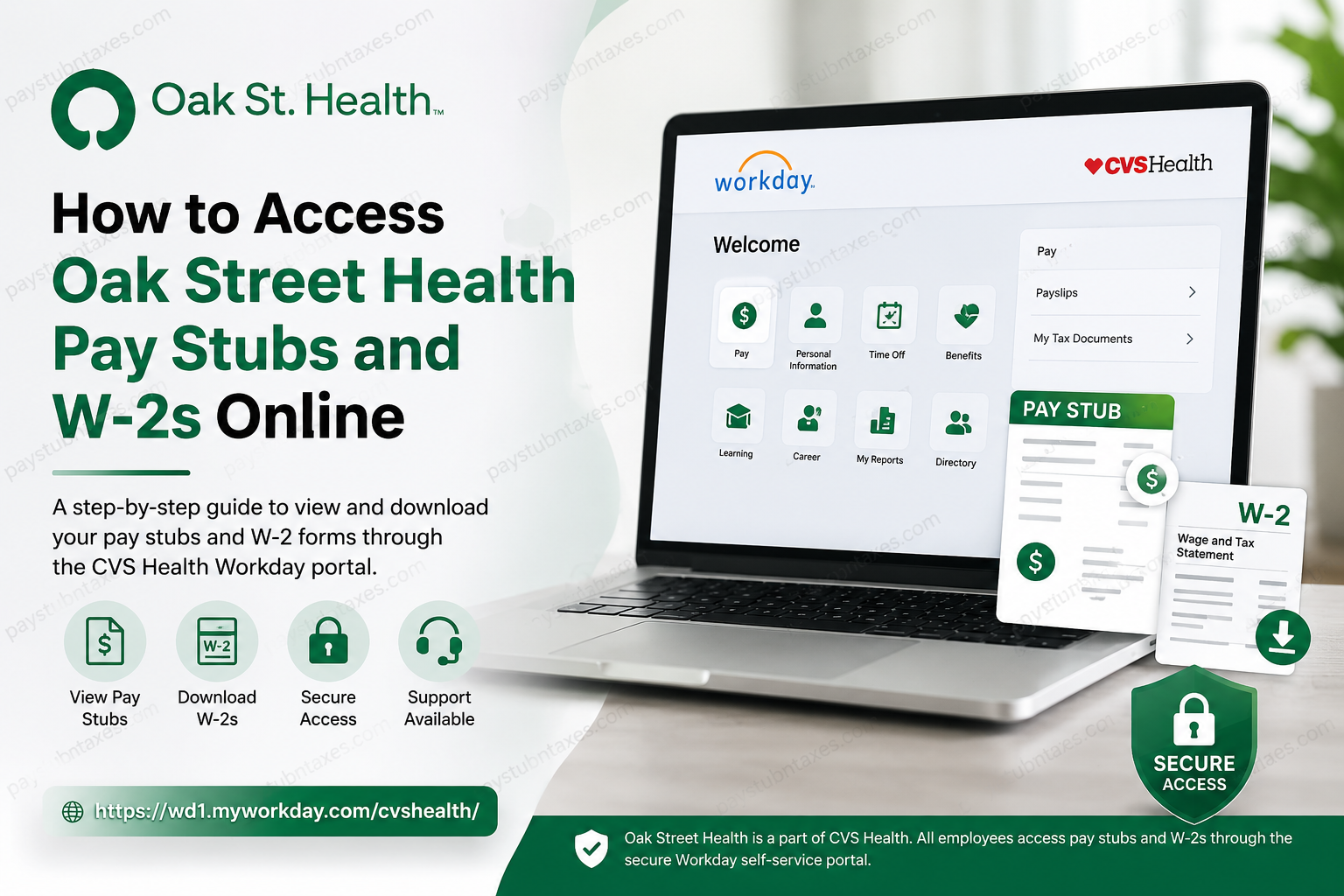
Managing your payroll documents should be straightforward, secure, and available whenever you need them. If you work for Oak Street Health, accessing your pay stubs and annual W-2 tax forms is remarkably simple because the company operates under the CVS Health umbrella and uses the Workday self-service platform for payroll and human resources management. Whether you need a recent payslip for a loan application, proof of income for renting an apartment, or your W-2 form for filing taxes, this guide walks you through every step of the process.
About Oak Street Health
Oak Street Health is one of America’s leading value-based primary care organizations, serving older adults through more than 230 medical centers and a network of over 900 primary care providers across 27 states. The organization focuses on preventive care, personalized wellness plans, integrated health services, and community-based support that enables patients to enjoy healthier and fuller lives.
As part of CVS Health, Oak Street Health employees benefit from a centralized HR and payroll system powered by Workday, which streamlines everything from time-off requests to compensation management and tax document access.
What Is the Oak Street Health Workday Portal?
The Workday portal is an all-in-one human resources platform that allows employees to:
- View and download pay stubs
- Access annual W-2 forms
- Update personal information
- Manage direct deposit information
- Request paid time off (PTO)
- Complete training and eLearning modules
- Access benefits information
- Manage employment records
The portal is available 24 hours a day and can be accessed from any internet-connected device.
Oak Street Health Workday Login Information
Employee Portal: https://wd1.myworkday.com/cvshealth/
Password Reset Portal: https://mypassword.cvs.com
MFA Self-Service Portal: https://mfa.cvshealth.com/myaccount/
Employee Support Number: 1-855-280-4872
How to Log into Oak Street Health Workday
Follow these steps to access your payroll information online:
Step 1: Visit the Workday Website
Open your preferred browser and go to: https://wd1.myworkday.com/cvshealth/
Step 2: Sign In Using Enterprise SSO
Click Enterprise Login and enter:
- Network ID or Employee ID
- Password
Step 3: Complete Multi-Factor Authentication (MFA)
You may be asked to verify your identity using:
- Text message verification
- Authentication app
- Email verification
- Security questions
Step 4: Access Your Dashboard
After successful authentication, your Workday dashboard will appear, giving you access to payroll, benefits, and HR services.
How to View Oak Street Health Pay Stubs Online
Once you are logged into Workday, retrieving your payslips takes only a few moments.
Method 1: Through the Pay Application
- Sign in to Workday.
- Select Pay from the dashboard.
- Click Payslips.
- Choose the desired pay period.
- Open the PDF version of your pay statement.
- Download or print the document if necessary.
Information Included on Your Pay Stub
Your Oak Street Health pay stub generally contains:
- Employee name and ID
- Pay period dates
- Gross earnings
- Federal and state tax deductions
- Social Security and Medicare taxes
- Benefit deductions
- Retirement contributions
- Paid time off balances
- Net pay amount
- Direct deposit details
Reviewing your pay statement regularly is a prudent habit, as it allows you to identify discrepancies before they become more complicated payroll issues.
How to Download and Print Pay Stubs
To save a copy of your payslip:
- Open the desired pay statement.
- Click the Download icon.
- Save the PDF to your device.
- Select the Print icon if you need a physical copy.
Keeping digital copies of your payroll records can be particularly useful during mortgage applications, tax filings, and employment verification processes.
How to Access Your Oak Street Health W-2 Form Online
Every year, employees can obtain their W-2 tax documents directly from Workday.
Step-by-Step Instructions
Step 1: Log into Workday.
Step 2: Select the Pay application.
Step 3: Click My Tax Documents.
Step 4: Locate the current tax year’s W-2 form.
Step 5: Select View/Print.
Step 6: Download or print the form for your records.
When Are W-2 Forms Available?
W-2 forms are generally issued each year by the end of January in accordance with federal regulations.
Employees often receive notifications once their tax forms become available in Workday.
Forgot Your Password?
If you cannot access your account because of a forgotten password:
- Visit: https://mypassword.cvs.com
- Follow the password reset instructions.
- Create a new password.
- Sign back into Workday.
Need to Update Multi-Factor Authentication?
If you have changed your phone number or authentication device:
- Visit: https://mfa.cvshealth.com/myaccount/
- Update your authentication methods.
- Save the changes.
- Attempt to log in again.
Troubleshooting Workday Login Issues
If you cannot access your account, try the following:
Verify Your Credentials
Ensure you are entering the correct:
- Network ID
- Employee ID
- Password
Clear Browser Cache
Sometimes stored browser data can interfere with the login process.
Try Another Browser
Workday generally performs best on updated versions of:
- Google Chrome
- Microsoft Edge
- Mozilla Firefox
- Safari
Disable Browser Extensions
Certain extensions may block authentication pages.
Check Internet Connectivity
A weak or unstable connection can interrupt the login process.
Contact Oak Street Health Payroll Support
If you continue experiencing difficulties accessing your pay stubs or W-2 forms, contact the support team:
Employee Support Center: 1-855-280-4872
The support representatives can assist with:
- Login problems
- Password resets
- MFA issues
- Payroll questions
- W-2 access concerns
- Account troubleshooting
Why Employees Prefer Workday
The Workday platform offers several advantages:
✅ Secure access to payroll documents
✅ Mobile-friendly interface
✅ Instant access to tax forms
✅ Easy document downloads
✅ Centralized HR management
✅ Reduced paperwork
✅ Enhanced account security through MFA
Final Thoughts
Oak Street Health has embraced a modern, employee-centric approach to payroll administration by leveraging the CVS Health Workday platform. Instead of waiting for paper documents or contacting HR for routine payroll requests, employees can access pay stubs, W-2 forms, and essential HR information from virtually anywhere and at any time. By keeping your login credentials secure, maintaining updated MFA information, and periodically downloading copies of important payroll documents, you can ensure that your employment records remain readily accessible whenever life throws a curveball your way. If you encounter any difficulties, the dedicated support team is only a phone call away and can help you get back on track in no time.
Frequently Asked Questions
1. How do I access my Oak Street Health pay stubs online?
Log in to the CVS Health Workday portal, click Pay, and then select Payslips to view or download your pay statements.
2. What is the Oak Street Health Workday login website?
The official employee portal is: https://wd1.myworkday.com/cvshealth/.
3. Can I access my pay stubs from my phone?
Yes. Workday is mobile-friendly and can be accessed through your smartphone’s web browser or the Workday mobile app.
4. Where can I find my W-2 form in Workday?
After logging in, go to Pay and select My Tax Documents to view and download your W-2 forms.
5. When are Oak Street Health W-2 forms available?
W-2 forms are generally issued by the end of January each year.
6. What should I do if I forgot my Workday password?
Visit https://mypassword.cvs.com and follow the instructions to reset your password.
7. What is Enterprise SSO?
Enterprise Single Sign-On (SSO) allows employees to log in using their CVS Health network ID or employee ID and password.
8. How do I update my Multi-Factor Authentication information?
Visit https://mfa.cvshealth.com/myaccount/ and update your phone number or authentication methods.
9. Can former employees access their W-2 forms online?
Former employees may retain limited access to Workday. If access has expired, contact payroll support for assistance.
10. How do I print my pay stub?
Open the desired pay statement in Workday and click the Print icon or download the PDF and print it from your device.
11. Can I download my W-2 form as a PDF?
Yes. Workday allows employees to download and save W-2 forms in PDF format.
12. Why can’t I log into Workday?
Common reasons include an incorrect password, expired credentials, outdated MFA information, or browser-related issues.
13. What information appears on my pay stub?
Your pay stub includes gross pay, deductions, taxes, benefits, direct deposit information, and net pay.
14. Who should I contact if I have payroll issues?
You can contact Oak Street Health and CVS Health employee support at 1-855-280-4872.
15. Is the Workday portal secure?
Yes. The portal uses Enterprise SSO and Multi-Factor Authentication (MFA) to protect employee payroll and personal information.
