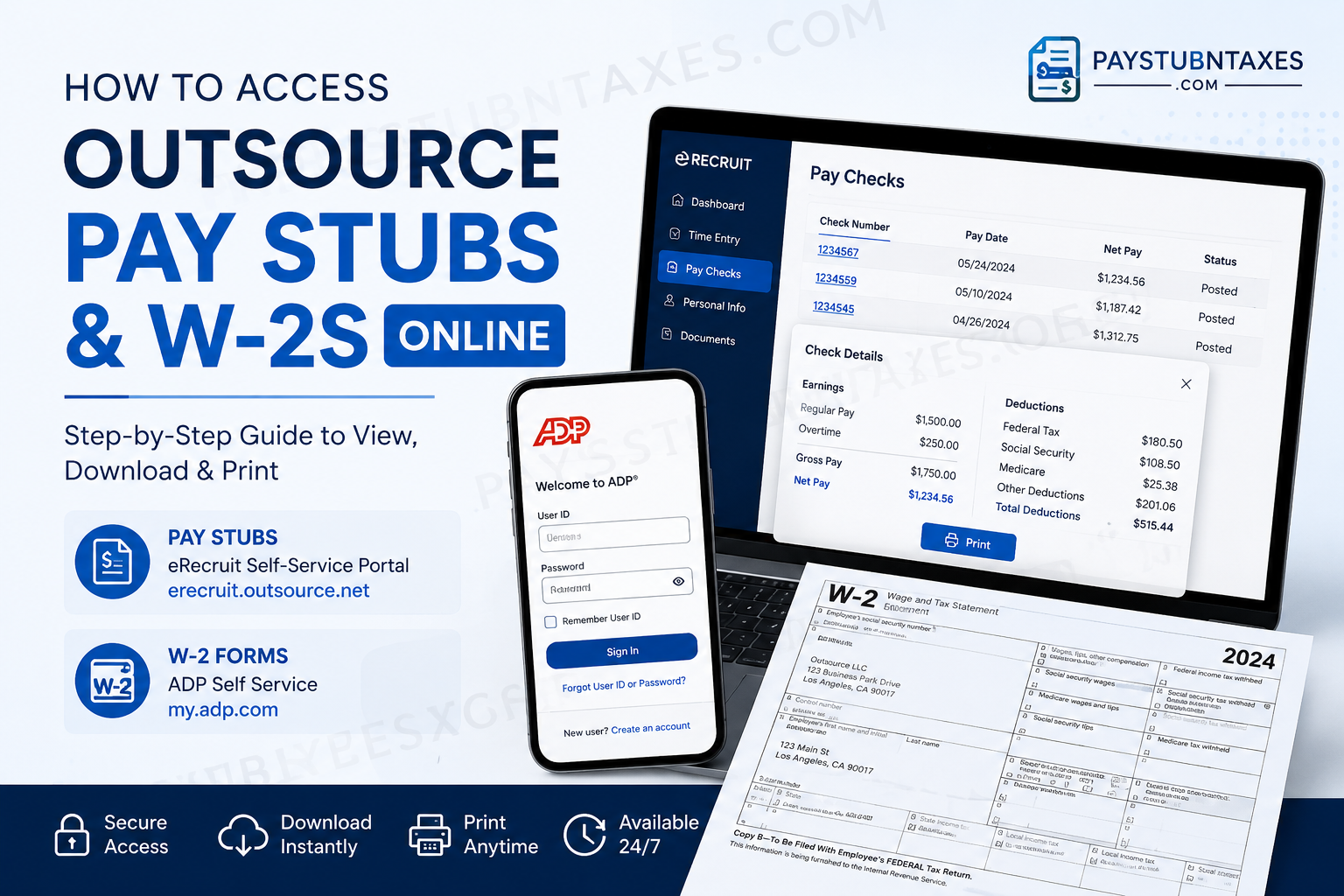
Working in the electrical and low-voltage industries often means being on the move from one project to another. Whether you need proof of income for a loan application, wish to verify your deductions, or are preparing your annual tax return, having quick access to your payroll documents is essential. Fortunately, Outsource provides employees with convenient online access to both pay stubs and W-2 tax forms through two separate platforms: the eRecruit Self-Service Portal and ADP. Employees can view, download, and print these documents anytime, eliminating the need to wait for paper copies or contact payroll for routine requests. This guide explains everything you need to know about accessing your Outsource pay stubs and W-2s online.
About Outsource
Founded in 1998 and headquartered in Los Angeles, California, Outsource is the nation’s largest staffing firm specializing in low-voltage and electrical talent. The company provides highly skilled technicians and on-demand labor solutions across all 50 states, serving approximately 2,000 businesses and placing more than 7,000 workers annually.
Outsource supports a wide array of industries, including:
- Electrical contracting
- Low-voltage systems
- Security systems
- Fire alarm installation
- Building controls
- Telecommunications infrastructure
How to Access Outsource Pay Stubs Online
Outsource employees can view their paycheck information through the eRecruit Self-Service Portal, the same platform used for submitting timesheets and managing employment information.
Outsource Pay Stub Login
Website: https://erecruit.outsource.net/
Step 1: Visit the eRecruit Portal
Open your web browser and navigate to: https://erecruit.outsource.net/
Step 2: Sign In
Enter your:
- Email address
- Password
Then click Log In.
Step 3: Go to the Pay Checks Section
After logging in:
- Locate the Pay Checks section.
- Select the desired paycheck.
Step 4: View Your Pay Stub
Click on the Check Number to open the paycheck details in a pop-up window.
Step 5: Print or Save
To print your pay stub:
- Click Print at the bottom of the pop-up window.
- Save the document as a PDF or print a hard copy.
Information Available on Your Pay Stub
Your Outsource pay statement typically includes:
- Employee information
- Pay period dates
- Hours worked
- Gross earnings
- Overtime pay
- Tax withholdings
- Benefits deductions
- Direct deposit information
- Net pay amount
- Year-to-date earnings
Regularly reviewing your pay stubs helps ensure your compensation and deductions are accurate.
How to Access Outsource W-2 Forms Online
Outsource makes annual tax forms available through the ADP Self-Service Portal. Employees can view and download electronic W-2 statements once they become available.
ADP W-2 Login Information
Website: https://my.adp.com
Registration Code: OSTLLC-1960
First-Time ADP Registration
If you have never used ADP before, follow these steps.
Step 1: Go to MyADP
Visit: https://my.adp.com
Click Create Account.
Step 2: Select Registration Code
Choose:
I Have a Registration Code
Enter: OSTLLC-1960
Step 3: Locate Your Employee ID
You will need your Employee ID to register.
You can find it:
- In an email previously sent by Outsource.
- On your pay stub in eRecruit under EE#.
Step 4: Verify Your Identity
You will need to provide:
- First name
- Last name
- Employee ID
- ZIP code
- Social Security Number
The company control code is: R2M.
Step 5: Complete Security Verification
ADP will ask several identity verification questions to protect your account.
You will then enter:
- Personal email address
- Mobile phone number
for account recovery and multi-factor authentication.
Step 6: Create Your Account
ADP will automatically assign you a User ID.
You must:
- Create a password.
- Accept the terms and conditions.
- Click Create Your Account.
Your registration is now complete.
How to Download Your W-2
Once your ADP account is set up:
Step 1: Visit: https://my.adp.com
Step 2: Sign in using:
- User ID
- Password
Step 3: Select: Pay → Tax Statements
Step 4: Choose the desired tax year.
Step 5: Click: View Statement
Step 6: Download or print your W-2.
ADP may send a security verification code before generating your download.
When Does Outsource Send W-2 Forms?
Federal law requires employers to provide Form W-2 no later than January 31 each year.
Outsource mails paper W-2 forms to employees using the address on file and also provides electronic access through ADP.
How to Change Your Address
If your mailing address has changed, update your information as soon as possible to avoid delays in receiving your tax documents.
For address updates or W-2 issues, contact:
Email: w2issues@outsource.net
You may also contact your Field Coordinator regarding personal information changes, including:
- Home address changes
- Tax withholding changes
- Contact information updates.
What If You Haven’t Received Your W-2?
If your W-2 has not arrived:
- Check your ADP account first.
- Verify your mailing address.
- Allow sufficient mailing time.
- Contact Outsource at:
w2issues@outsource.net
Common Pay Stub and W-2 Problems and Solutions
| Issue | Solution |
| Forgot eRecruit password | Use the “Forgot Your Password?” link on the login page |
| Can’t access ADP | Reset your password or contact ADP support |
| Employee ID missing | Retrieve it from your pay stub under EE# |
| W-2 not received | Download from ADP or email w2issues@outsource.net |
| Wrong address | Update your information immediately |
| Missing pay stub | Log into eRecruit and review the Pay Checks section |
Why Electronic Payroll Access Matters
Online payroll access offers several advantages:
- 24/7 access to documents
- Faster tax preparation
- Secure storage of payroll records
- Easy printing and downloading
- Reduced risk of losing important paperwork
- Convenient access from any device
In an increasingly digital workplace, having your payroll documents available at your fingertips is not merely convenient—it is indispensable.
Final Thoughts
Outsource has streamlined payroll management by providing employees with two user-friendly systems:
- eRecruit for pay stubs and paycheck information.
- ADP for annual W-2 tax forms.
By creating your ADP account and regularly reviewing your payroll records, you can ensure that your financial information remains accurate, accessible, and ready whenever life demands proof of income or tax documentation. Whether you are applying for a mortgage, filing your taxes, or simply keeping your personal records in order, these online tools place everything you need only a few clicks away.
Frequently Asked Questions
1. How do I access my Outsource pay stubs online?
Log in to the eRecruit portal at https://erecruit.outsource.net/ and navigate to the Pay Checks section to view your paycheck details.
2. What website do I use to view Outsource pay stubs?
Use the Outsource eRecruit portal: https://erecruit.outsource.net/
3. How do I print my Outsource pay stub?
After opening your paycheck details, click the Print button at the bottom of the pop-up window.
4. Where can I get my Outsource W-2 online?
You can access your W-2 through ADP at: https://my.adp.com/
5. What is the ADP registration code for Outsource employees?
The registration code is: OSTLLC-1960
6. How do I create an ADP account for my W-2?
Visit my.adp.com, select Create Account, choose I Have a Registration Code, and enter OSTLLC-1960.
7. Where can I find my Employee ID for ADP registration?
Your Employee ID can be found on your pay stub in eRecruit under EE#.
8. What company code should I use during ADP registration?
The company control code is: R2M
9. When will Outsource mail W-2 forms?
Outsource mails W-2 forms no later than January 31 of each year.
10. Can former Outsource employees access their W-2 online?
Yes. Former employees can typically access their W-2 through their ADP account if they previously registered.
11. What should I do if I forgot my eRecruit password?
Use the Forgot Your Password? link on the eRecruit login page to reset your password.
12. What if I haven’t received my W-2 in the mail?
First, check your ADP account. If the form is unavailable or you still haven’t received it, contact:
w2issues@outsource.net
13. How do I change my mailing address with Outsource?
Email w2issues@outsource.net or contact your Field Coordinator to update your address information.
14. Can I download and save my W-2 as a PDF?
Yes. ADP allows employees to download, print, and save electronic copies of their W-2 forms.
15. Why should I regularly review my pay stubs?
Reviewing your pay stubs helps you verify:
- Hours worked
- Earnings
- Tax withholdings
- Benefit deductions
- Year-to-date income information
