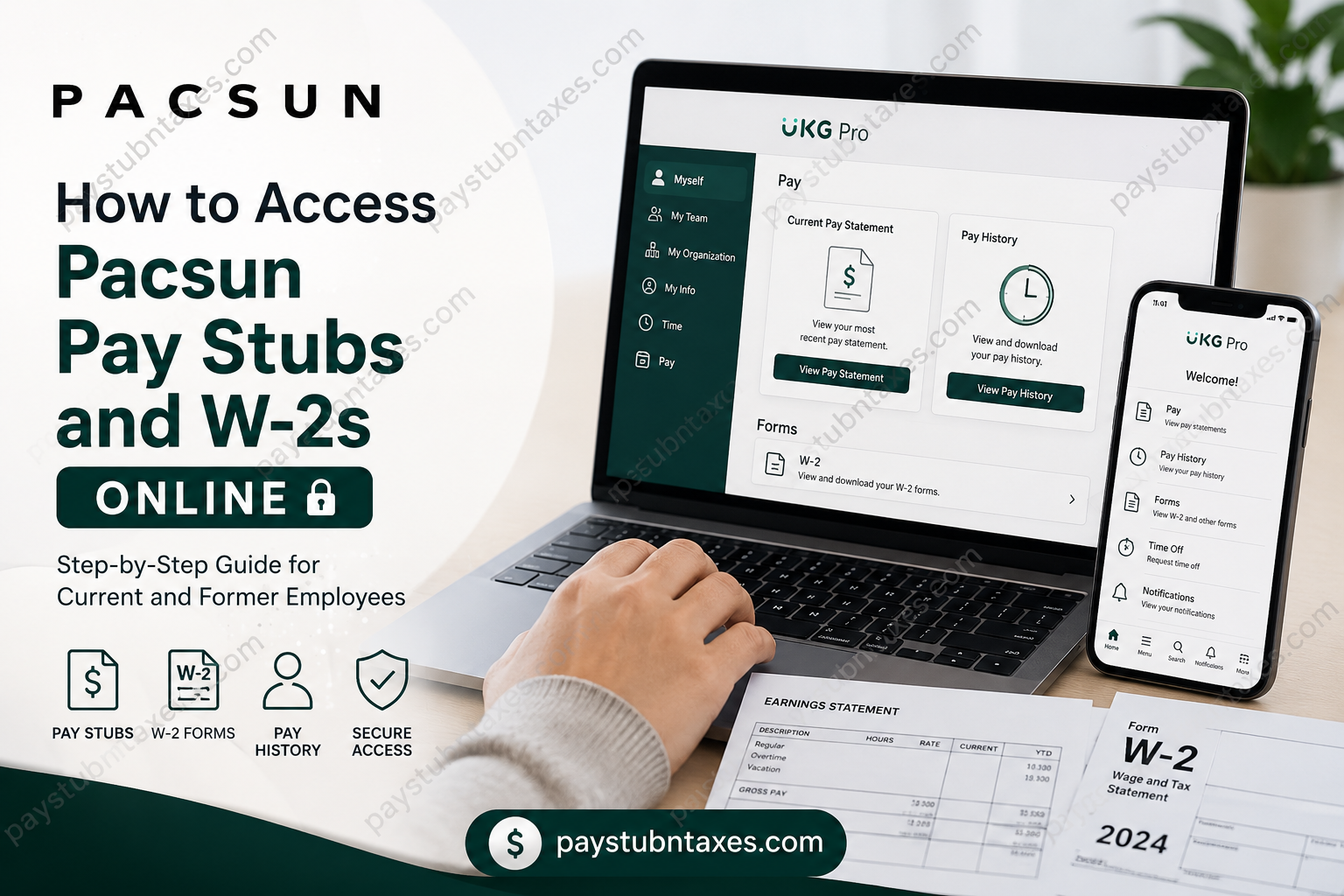
Pacsun, short for Pacific Sunwear, has grown from a California-inspired surfwear retailer into one of the most influential youth lifestyle brands in the United States. With hundreds of stores nationwide and a strong digital presence, Pacsun continues to connect fashion, music, art, and sport while fostering an inclusive, community-driven culture. As part of its commitment to employee convenience, Pacsun utilizes UKG Pro (formerly UltiPro) as its official Human Resources and payroll platform, enabling employees to access payroll documents, tax forms, benefits information, and personal records anytime and anywhere. Whether you are a current associate seeking your latest paycheck details or a former employee looking for a W-2 form during tax season, UKG Pro provides a secure self-service portal that streamlines access to essential payroll information.
What Is the Pacsun Employee Portal?
The Pacsun Employee Self-Service Portal is powered by UKG Pro, a cloud-based Human Capital Management (HCM) platform that allows employees to manage employment-related information without contacting Human Resources for routine requests.
Through UKG Pro, employees can:
- View and download current pay stubs
- Access historical pay statements
- Retrieve annual W-2 tax forms
- Update personal information
- Manage direct deposit details
- Review benefits information
- Request time off
- Access company announcements and notifications
The platform is available through both a web browser and the UKG Pro mobile application, ensuring convenient access regardless of location.
Pacsun UKG Pro Login Information
Current Employees
Current Pacsun employees should access UKG Pro using Microsoft Single Sign-On (SSO).
Company Access Code: pacsun
Former Employees
Former or terminated employees can continue accessing payroll and tax documents by logging in with their UKG username and password credentials.
If login issues occur, employees can use the password recovery option or contact Pacsun support through the employee assistance portal.
How to Access Pacsun Pay Stubs Online
Method 1: Access Pay Stubs Through the UKG Pro Website
- Open the Pacsun UKG Pro login page.
- Enter the company access code pacsun if prompted.
- Sign in using:
- Microsoft SSO credentials (current employees), or
- UKG username and password (former employees).
- Complete any multi-factor authentication requirements.
- Once logged in, navigate to:
Myself → Pay → Current Pay Statement
- Select the desired pay statement.
- Download, save, or print the document for your records.
Important Note
The most recently processed payroll statement appears automatically. In many cases, employees may see a pay stub before the official payday arrives, allowing them to review earnings and deductions in advance.
How to View Historical Pay Statements
If you need older payroll records, UKG Pro maintains an archive of previous pay statements.
Steps
- Log in to UKG Pro.
- Navigate to:
Myself → Pay → Pay History
- Enter search criteria if necessary.
- Click Search.
- Select the desired pay date.
- View, download, or print the pay statement.
This feature is particularly useful when verifying income for mortgage applications, rental agreements, financial audits, or employment verification purposes.
How to Access Pacsun W-2 Forms Online
Each year, UKG Pro makes electronic W-2 forms available for eligible employees.
Steps to Download Your W-2
- Log in to UKG Pro.
- Open the menu icon (☰).
- Navigate to:
My Info → My Pay → Forms → W-2
- Locate the tax year you need.
- Click the Preview W-2 icon.
- Review the document.
- Select Download PDF.
- Save or print the form for tax filing purposes.
Employees can typically access multiple years of tax documents directly from the portal.
How to Access Pacsun Pay Stubs Using the UKG Pro Mobile App
The UKG Pro mobile application offers convenient access to payroll information while on the move.
Download the App
- Apple App Store (iPhone/iPad)
- Google Play Store (Android)
The app is free to download and use.
Mobile Login Steps
- Install the UKG Pro app.
- Open the application.
- Enter the Company Access Code: pacsun
- Select Continue.
- Sign in using:
- Microsoft SSO credentials (current employees), or
- UKG username and password (former employees).
- Complete MFA verification if required.
- Enable Face ID, Touch ID, or biometric authentication for faster future access if desired.
Mobile Features
Using the UKG Pro mobile app, employees can:
- View pay statements
- Download PDF pay stubs
- Access W-2 forms
- Review benefits information
- Submit time-off requests
- Receive payroll notifications
- Update personal information
The app also supports biometric login, push notifications, and secure authentication features.
Troubleshooting Pacsun UKG Pro Login Issues
Incorrect Username or Password
If you receive an error stating:
“We don’t recognize that username and password combination”
try the following:
- Verify your username spelling.
- Ensure Caps Lock is turned off.
- Reset your password using Forgot Your Password.
- Clear browser cache and cookies.
- Attempt login from another browser.
Microsoft SSO Issues
Current employees using Microsoft SSO should:
- Verify their company credentials are active.
- Ensure any required VPN connection is established.
- Complete all authentication prompts.
Account Lockout
Multiple failed login attempts may temporarily disable your account. In such cases:
- Use the password reset option.
- Contact Human Resources or payroll support for assistance.
Benefits of Accessing Payroll Documents Online
Using Pacsun’s UKG Pro platform offers several advantages:
- 24/7 access to payroll records
- Immediate retrieval of W-2 forms during tax season
- Reduced paperwork and administrative delays
- Secure document storage
- Mobile-friendly access
- Faster verification of income and employment history
Rather than waiting for mailed copies or contacting HR, employees can retrieve documents in just a few clicks.
Contacting Pacsun Support
If you experience difficulties accessing your account, pay statements, or W-2 forms:
- Visit the Pacsun employee login portal.
- Sign in if possible.
- Submit a support ticket describing the issue.
- Include details such as:
- Employee ID (if available)
- Error messages received
- Tax year requested
- Preferred contact information
Providing detailed information helps accelerate resolution times.
Final Thoughts
Pacsun’s adoption of UKG Pro reflects a broader commitment to providing employees with efficient, secure, and user-friendly access to payroll and human resources services. Whether you need your latest pay stub, historical earnings records, or annual W-2 tax documents, the platform places critical employment information at your fingertips. Current employees can conveniently sign in through Microsoft SSO, while former associates retain access through their UKG credentials, ensuring that important payroll records remain available whenever they are needed. By leveraging the UKG Pro web portal or mobile application, Pacsun employees can manage payroll and tax documentation with confidence, accuracy, and ease.
Frequently Asked Questions
1. How do I access my Pacsun pay stubs online?
Log in to the UKG Pro Employee Self-Service portal and navigate to Myself > Pay > Current Pay Statement to view or download your pay stub.
2. What payroll system does Pacsun use?
Pacsun uses UKG Pro (formerly UltiPro) as its payroll and human resources management platform.
3. What is the Pacsun UKG Pro company access code?
The Pacsun UKG Pro company access code is pacsun.
4. How do current Pacsun employees log in to UKG Pro?
Current employees must sign in using their Microsoft Single Sign-On (SSO) credentials.
5. Can former Pacsun employees access pay stubs and W-2 forms?
Yes. Former employees can log in using their UKG username and password to access available payroll and tax documents.
6. Where can I find historical pay statements in UKG Pro?
Go to Myself > Pay > Pay History, select a pay date, and view, download, or print previous pay statements.
7. How do I download my Pacsun W-2 online?
Navigate to My Info > My Pay > Forms > W-2, select the applicable tax year, and download the PDF version.
8. Can I access Pacsun payroll information from my phone?
Yes. Employees can use the UKG Pro mobile app available for iOS and Android devices.
9. Is the UKG Pro mobile app free?
Yes. The UKG Pro mobile application is free to download from the Apple App Store and Google Play Store.
10. What should I do if I forget my UKG Pro password?
Select Forgot Your Password on the login page and follow the password reset instructions.
11. Why am I receiving an invalid username or password error?
This usually occurs because of incorrect login credentials, an expired password, account lockout, or using the wrong login method.
12. Does Pacsun use multi-factor authentication (MFA)?
Yes. Depending on company security settings, employees may be required to complete MFA during login.
13. Can I print my pay stubs from UKG Pro?
Yes. Both the web portal and mobile app allow employees to download and print PDF pay statements.
14. When are pay stubs available in UKG Pro?
The most recently processed payroll statement typically appears in UKG Pro before or on the official payday.
15. Who should I contact if I cannot access my W-2 or pay stubs?
Employees should submit a support ticket through the Pacsun employee portal or contact the Human Resources or Payroll department for assistance.
