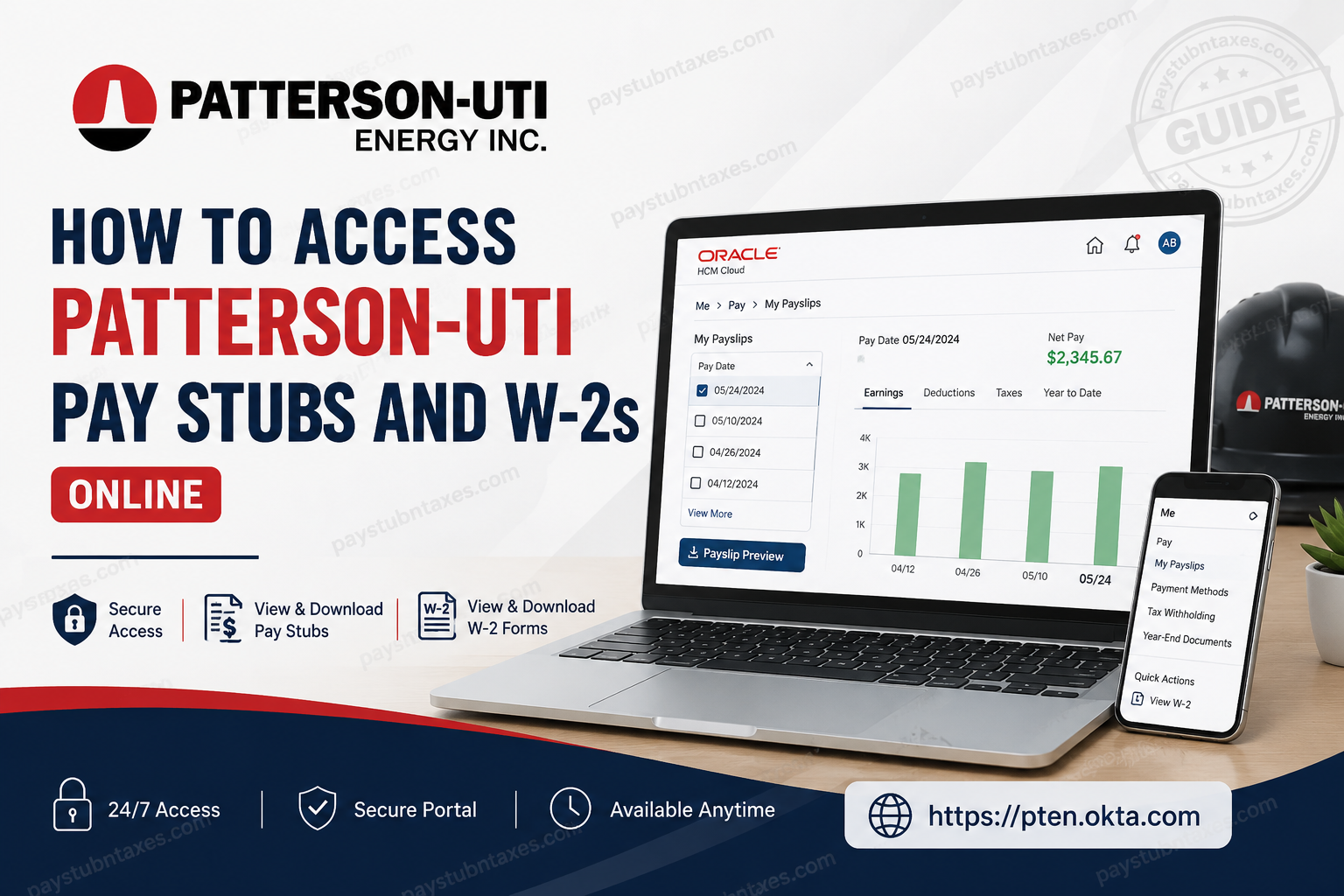
Patterson-UTI Energy is one of North America’s foremost providers of drilling, completion, directional drilling, and oilfield technology services. Operating through well-known subsidiaries such as Patterson-UTI Drilling, Universal Pressure Pumping, MS Directional, Great Plains Oilfield Rental, Warrior Rig Technologies, Current Power Solutions, Superior QC, and NexTier OFS, the company employs thousands of professionals across the United States and other global markets. To streamline workforce management and enhance employee self-service capabilities, Patterson-UTI utilizes Oracle HCM and Oracle PeopleSoft technologies, enabling employees to securely access payroll records, tax documents, benefits information, direct deposit settings, and other HR resources from virtually anywhere. This guide explains how current employees can access Patterson-UTI pay stubs, download W-2 tax forms, and obtain payroll assistance when needed.
Patterson-UTI Employee Payroll Portal
Patterson-UTI employees can access payroll and human resources services through the company’s secure Oracle HCM platform, which is integrated with Okta Single Sign-On (SSO). The employee login portal is available 24 hours a day, seven days a week, providing convenient access to payroll information whenever it is needed.
Employee Login Portal:
https://pten.okta.com/
After signing in with company credentials, employees can launch the Oracle HCM application directly from their Okta dashboard to manage payroll and tax-related information.
How to Access Patterson-UTI Pay Stubs Online
Employees can view current and historical payslips through Oracle HCM’s Employee Self-Service portal.
Step 1: Log In to the Employee Portal
- Visit the Patterson-UTI Okta login page.
- Enter your company email address and password.
- Complete any required authentication steps.
- Open the Oracle HCM application from your dashboard.
Step 2: Navigate to the Pay Section
Once inside Oracle HCM:
- Select the Me tab from the homepage.
- Click Pay.
- Choose My Payslips.
Step 3: View Your Payslip
- Locate the desired pay date.
- Select the checkbox next to the corresponding pay period.
- Review earnings, deductions, taxes, and net pay information displayed on the screen.
- Use the Earnings and Deductions tabs to examine detailed payroll breakdowns and historical comparisons.
Step 4: Download a PDF Copy
To save or print your payslip:
- Select Payslip Preview.
- Open the PDF preview window.
- Click the download icon.
- Save the PDF to your computer or mobile device.
Employees may also download multiple payslips simultaneously by selecting several pay periods before choosing the download option.
When Are Patterson-UTI Pay Stubs Available?
Employees can generally review their electronic payslips on Wednesday mornings through Oracle HCM. Although payslips become available before payday, direct deposits are typically issued on Thursdays. Actual deposit times may vary depending on the employee’s financial institution and ACH processing schedule.
Understanding Your Patterson-UTI Payslip
Your online payslip contains a comprehensive summary of compensation and deductions, including:
Earnings
- Regular wages
- Overtime earnings
- Shift differentials
- Taxable compensation
- Non-payroll payments
- Expense reimbursements
Tax Deductions
- Federal income tax withholding
- Social Security tax
- Medicare tax
- State and local taxes (where applicable)
Pre-Tax Deductions
- Medical insurance
- Vision insurance
- Health Savings Account (HSA) contributions
- 401(k) retirement contributions
Other Voluntary Deductions
- Life insurance
- Charitable contributions
- Loan repayments
- Employee benefit deductions
The payslip also includes year-to-date totals, allowing employees to track earnings and deductions throughout the tax year.
How to Access Patterson-UTI W-2 Forms Online
Employees can retrieve their annual Wage and Tax Statement directly from Oracle HCM.
Step-by-Step Instructions
- Sign in to Oracle HCM through the Patterson-UTI Okta portal.
- Navigate to the Me page.
- Select Pay.
- Click Tax Withholding.
- Choose View End-of-Year Tax Form.
- Open your W-2 form.
- Download or print the PDF for tax filing purposes.
Electronic W-2 forms provide employees with quick access to tax information while reducing the need for paper documents.
Former Employee Access to Payroll Records
Former Patterson-UTI employees who require payroll documents, employment verification, or tax-related assistance should contact the Payroll Center directly. The company maintains dedicated resources to assist both current and former employees with payroll matters.
Patterson-UTI Payroll Contact Information
For assistance regarding payroll records, W-2 forms, address changes, or employment verification, contact:
Patterson-UTI Payroll Center
Hours: Monday–Friday, 8:00 a.m. – 5:00 p.m. Central Time
Phone: 325-527-6380
Email: payroll@patenergy.com
The payroll team can provide support for:
- W-2 questions
- Pay statement inquiries
- Direct deposit concerns
- Address updates
- Employment verification requests
- Payroll corrections and adjustments
Benefits of Using Oracle HCM Self-Service
By leveraging Oracle HCM’s modern self-service capabilities, Patterson-UTI employees can:
- Access pay stubs anytime, anywhere
- Retrieve W-2 forms electronically
- Update tax withholding preferences
- Manage direct deposit information
- Review compensation history
- Access payroll records securely
- Reduce dependency on paper documentation
This digital-first approach ensures greater efficiency, stronger data security, and a more convenient employee experience.
Final Thoughts
Patterson-UTI’s Oracle HCM platform simplifies payroll management by giving employees immediate access to payslips, W-2 forms, tax information, and employment records through a secure online portal. Whether you need to download your latest pay stub, retrieve an end-of-year tax form, or update payroll preferences, the system provides a centralized and user-friendly solution that keeps critical payroll information readily accessible. By following the steps outlined above, Patterson-UTI employees can efficiently manage their payroll documents and maintain accurate financial records throughout the year.
Patterson-UTI Pay Stubs and W-2 FAQs
1. How do I access my Patterson-UTI pay stubs online?
Log in to the Patterson-UTI Okta portal, open Oracle HCM, navigate to Me > Pay > My Payslips, and select the pay period you wish to view.
2. What is the Patterson-UTI employee login portal?
Employees can access payroll and HR services through the Patterson-UTI Okta portal at https://pten.okta.com.
3. Which payroll system does Patterson-UTI use?
Patterson-UTI uses Oracle HCM and Oracle PeopleSoft technologies to manage employee payroll, tax forms, benefits, and HR information.
4. When are Patterson-UTI pay stubs available?
Electronic payslips are generally available on Wednesday mornings before the scheduled Thursday payday.
5. How do I download a PDF copy of my payslip?
Open My Payslips, select the desired pay date, choose Payslip Preview, and click the download icon to save a PDF version.
6. Can I download multiple Patterson-UTI pay stubs at once?
Yes. Oracle HCM allows employees to select multiple pay periods and download several payslips simultaneously.
7. How do I access my Patterson-UTI W-2 form online?
Log in to Oracle HCM and navigate to Me > Pay > Tax Withholding > View End-of-Year Tax Form to view and download your W-2.
8. When will Patterson-UTI W-2 forms be available?
W-2 forms are typically issued annually and made available before the IRS filing deadline, usually by January 31.
9. Can former employees access Patterson-UTI W-2 forms?
Former employees may need to contact the Patterson-UTI Payroll Center for assistance obtaining W-2 forms or payroll records.
10. What should I do if I forget my Patterson-UTI login credentials?
Use the password recovery or account unlock options available on the Okta login page or contact your HR or IT department.
11. Can I print my Patterson-UTI pay stubs?
Yes. Payslips can be downloaded as PDF files and printed directly from Oracle HCM.
12. What information is included on a Patterson-UTI payslip?
Payslips typically include gross earnings, taxes withheld, deductions, direct deposit details, net pay, and year-to-date totals.
13. Who should I contact for payroll-related questions?
Employees can contact the Patterson-UTI Payroll Center at 325-527-6380 or email payroll@patenergy.com.
14. How do I update my address for payroll and tax purposes?
Address changes can be made through the employee self-service portal or by contacting the Payroll Center for assistance.
15. Can I access Patterson-UTI payroll information from a mobile device?
Yes. Oracle HCM is mobile-friendly and can be accessed through supported mobile browsers and company-approved applications.
