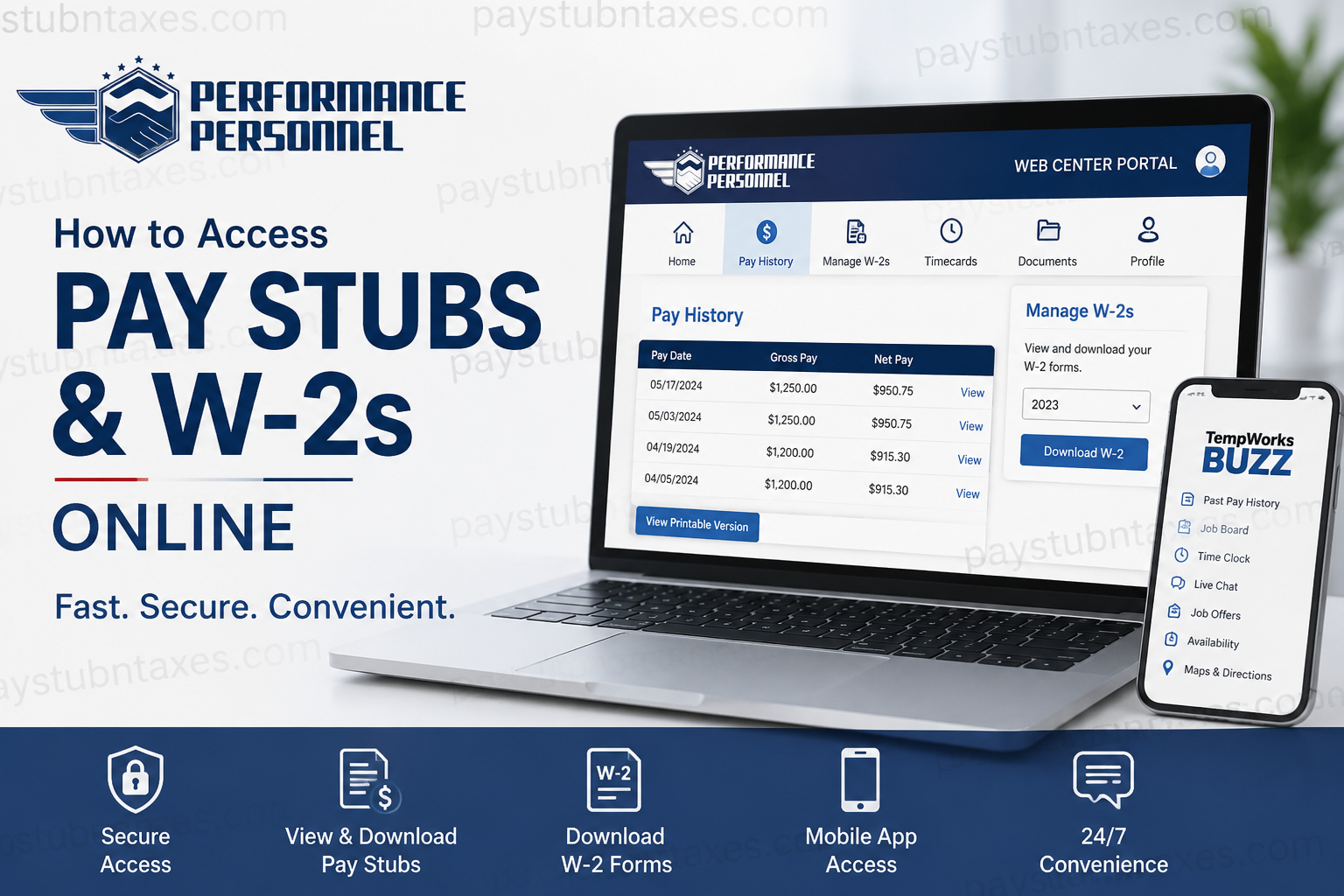
In today’s fast-paced employment landscape, having instant access to payroll documents is no longer a luxury—it is a necessity. Whether you need a recent pay stub to verify income, apply for a loan, or download your annual tax documents, Performance Personnel makes the process remarkably straightforward through its WebCenter Portal. As a modern staffing company driven by data and technology, Performance Personnel equips its workforce with digital tools that streamline everything from onboarding to payroll management. Through the WebCenter Portal and Tempworks Buzz mobile application, employees can conveniently access pay information, review tax forms, monitor assignments, and stay connected with recruiters from virtually anywhere.
What Is the Performance Personnel WebCenter Portal?
The Performance Personnel WebCenter Portal is a secure online employee self-service platform that allows workers to:
- View and print pay stubs
- Access annual W-2 tax forms
- Review past pay history
- Check assignment information
- Submit and manage timecards
- Update availability status
- Communicate with recruiters via live chat
- Search and apply for jobs
- Access worksite directions and job details
The platform is compatible with modern browsers, including:
- Google Chrome
- Mozilla Firefox
- Microsoft Edge
- Safari
Important: Internet Explorer is no longer supported.
Performance Personnel Employee Login Portal
Official WebCenter Login:
Performance Personnel WebCenter Portal
How to Access Performance Personnel Pay Stubs Online
Obtaining your paycheck history through the WebCenter Portal takes only a few minutes.
Step 1: Visit the WebCenter Portal
Open your preferred browser and navigate to:
https://webcenter.ontempworks.com/performancepersonnel/Account/LogIn
Step 2: Sign In
Enter:
- Username
- Password
Then click Log In.
If you cannot remember your credentials, select:
- Forgot Username
- Forgot Password
and follow the recovery instructions.
Step 3: Open the Pay History Section
After signing in:
- Navigate to the top menu.
- Click Pay History.
- A complete list of your paychecks will appear.
Step 4: Select the Desired Pay Date
Choose the paycheck you wish to view.
The portal will display:
- Gross pay
- Net pay
- Hours worked
- Tax deductions
- Adjustments
- Accrual information
- Assignment details
Step 5: Download or Print Your Pay Stub
To save a copy:
- Click View Printable Version.
- Download the document.
- Print or save it for future reference.
Keeping digital copies of your pay stubs can prove invaluable when applying for:
- Mortgages
- Apartment rentals
- Car loans
- Government benefits
- Income verification requests
How to Access Performance Personnel W-2 Forms Online
Your annual W-2 form summarizes your earnings and taxes withheld during the year.
Step 1: Log Into WebCenter
Sign in using your employee credentials.
Step 2: Locate “Manage W-2s”
After logging in:
- Select Manage W-2s.
- The W-2 management page will open.
Step 3: Enroll in Electronic W-2 Delivery
If you have not already enrolled:
- Click Change W-2 Options.
- Select:
“Click here to receive your W-2’s electronically.”
This consent allows you to receive and download your tax forms online.
Step 4: Download Your W-2
Once electronic delivery is activated:
- Return to Manage W-2s.
- Select the tax year you need.
- Download the PDF version of your W-2.
You may then:
- Print the document
- Save it securely
- Submit it to your tax preparer
How to Access Pay Information on Mobile
Performance Personnel also supports mobile payroll access through the Tempworks Buzz App.
The app offers convenient features such as:
- Past pay history
- Job offers
- Availability updates
- Time clock entry
- Live chat
- Job board access
- Maps and directions
The application is available for:
- Android
- iPhone
- iPad
Simply search for Tempworks in your device’s app store.
Benefits of Using the WebCenter Portal
Using the online portal provides several advantages:
24/7 Access
Retrieve payroll documents whenever you need them.
Paperless Convenience
No waiting for mailed copies.
Secure Document Storage
Payroll records remain safely accessible online.
Mobile-Friendly Experience
Access information from virtually anywhere.
Faster Tax Preparation
Download W-2 forms immediately once available.
Unable to Access Your Pay Stubs or W-2?
If you experience login difficulties:
Try these solutions:
- Verify your username and password.
- Reset your password.
- Clear your browser cache.
- Use an updated browser.
- Disable pop-up blockers if downloads fail.
- Try another browser or device.
Performance Personnel HR Contact Information
If you still cannot access your account, contact your local Performance Personnel office or email:
📧 dept.hr@performancepersonnel.com
Your local representative can assist with:
- Username recovery
- Password resets
- W-2 questions
- Payroll discrepancies
- Portal access issues
Final Thoughts
Performance Personnel has embraced digital innovation by providing employees with a robust online payroll platform that makes accessing pay stubs and W-2 forms both simple and secure. Whether you need proof of income, historical paycheck records, or tax documents for filing season, the WebCenter Portal and Tempworks Buzz app place essential payroll information directly at your fingertips. By taking advantage of these self-service tools, employees can save time, reduce paperwork, and manage their employment records with greater confidence and convenience.
Frequently Asked Questions
1. How do I access my Performance Personnel pay stubs?
Log in to the WebCenter Portal and click Pay History to view and download your pay stubs.
2. What is the Performance Personnel employee login website?
The official employee portal is:
https://webcenter.ontempworks.com/performancepersonnel/Account/LogIn
3. Can I print my pay stubs from WebCenter?
Yes. Select a paycheck and click View Printable Version to print or save it.
4. How do I get my Performance Personnel W-2 online?
Log in to WebCenter, select Manage W-2s, and download the desired tax year’s W-2.
5. Do I need to enroll in electronic W-2 delivery?
Yes. You must opt into electronic delivery before downloading W-2 forms online.
6. What should I do if I forgot my password?
Click Forgot Password on the login page and follow the recovery instructions.
7. What if I forgot my username?
Select Forgot Username on the login screen or contact your local office for assistance.
8. Is there a mobile app for accessing pay information?
Yes. Employees can use the Tempworks Buzz mobile application.
9. Is the Tempworks Buzz app available for iPhone and Android?
Yes. The app is available for both iOS and Android devices.
10. Can I view previous paychecks online?
Yes. The Pay History section provides access to historical paycheck information.
11. When are W-2 forms available online?
W-2 forms are generally available by the end of January each year.
12. Can former employees access their W-2 forms?
In many cases, yes. Former employees should contact Performance Personnel if they cannot log in.
13. Which web browsers support the WebCenter Portal?
Google Chrome, Mozilla Firefox, Microsoft Edge, and Safari are supported.
14. Is Internet Explorer supported?
No. Internet Explorer is no longer supported by the WebCenter Portal.
15. Who should I contact for payroll assistance?
Contact your local Performance Personnel office or email dept.hr@performancepersonnel.com for help with payroll and account issues.
