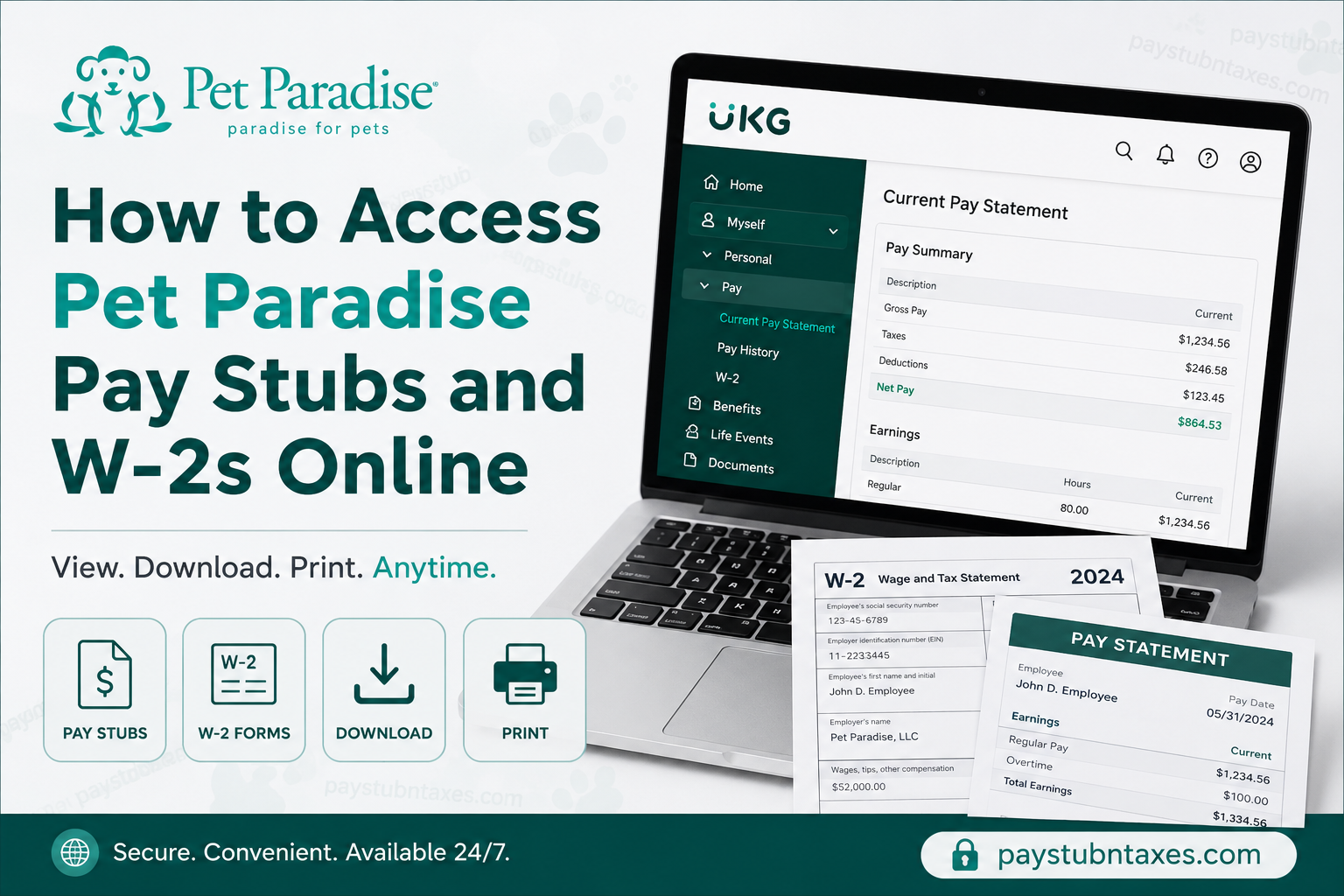
Pet Paradise has earned a sterling reputation as one of America’s premier pet care providers, offering everything from overnight boarding and doggy day camp to professional grooming, training, and veterinary care. With more than 60 resorts spread across 10 states, the company continues to redefine complete pet wellness by placing every aspect of a pet’s health and happiness under one roof. For employees, Pet Paradise has also embraced modern technology by providing convenient digital access to payroll and tax documents through the UKG (formerly UltiPro) self-service platform. Whether you need to review your latest paycheck, download historical pay statements, or retrieve your annual Form W-2, the process can be completed online in just a few minutes. This guide explains exactly how to access your Pet Paradise pay stubs and W-2 forms online.
Pet Paradise Employee Payroll Portal
Pet Paradise manages payroll information through the UKG Pro (UltiPro) Human Resources Information System.
UKG Employee Login Portal: https://ew13.ultipro.com/
Through the portal, employees can:
- View current and previous pay stubs
- Download and print pay statements
- Access annual W-2 forms
- Review tax withholdings and deductions
- Check direct deposit information
- Update certain personal information
- Review pay history and compensation details
How to Access Pet Paradise Pay Stubs Online
Accessing your pay statements is straightforward and can be completed from any computer or mobile device with internet access.
Step 1: Visit the UKG Login Page
Go to: https://ew13.ultipro.com/
Enter your:
- Username
- Password
Then click Sign In.
Step 2: Open the Menu
After signing in, your dashboard will display your employee profile and payroll information.
Click the Menu icon located in the upper-left corner of the screen.
Step 3: Navigate to the Pay Section
Select: Myself → Pay → Current Pay Statement
Your most recent pay stub will appear immediately.
Step 4: Review Your Pay Statement
Your pay statement contains detailed payroll information, including:
Pay Details
- Employee name
- Address
- Employee ID
- Department
- Pay rate
- Pay frequency
Earnings
- Regular hours
- Overtime pay
- Holiday pay
- Bonuses
- Other earnings
Deductions
- Insurance premiums
- Retirement contributions
- Benefits deductions
- Other payroll deductions
Taxes
- Federal income tax
- Social Security tax
- Medicare tax
- State and local taxes
Net Pay Distribution
- Direct deposit accounts
- Deposit amounts
Pay Summary
- Current gross earnings
- Year-to-date earnings
- Taxes withheld
- Total deductions
- Net pay
The portal also provides accumulated Paid Time Off (PTO) information whenever applicable.
How to Print Your Pet Paradise Pay Stub
If you need a physical copy for a loan application, apartment lease, or proof of income, printing your pay statement is simple.
Steps to Print:
- Open your current pay statement.
- Click the Print icon.
- Select whether to:
- Display your full Social Security Number
- Display only the last four digits
- Hide the Social Security Number entirely.
- Click Finish.
- A printer-friendly version of your pay statement will open.
- Click Print again to generate a hard copy.
How to Access Previous Pay Stubs
Employees can also review historical payroll records.
Navigate to: Menu → Myself → Pay → Pay History
This section stores previous pay statements, allowing you to:
- Download old pay stubs
- Print historical payroll records
- Review year-to-date earnings
- Verify past deductions and taxes
Maintaining access to historical pay records can be particularly useful when preparing tax returns or verifying employment income.
How to Access Your Pet Paradise W-2 Online
Pet Paradise employees can retrieve their annual Wage and Tax Statement directly through UKG.
Step 1: Log In
Visit: https://ew13.ultipro.com/
Sign in using your employee credentials.
Step 2: Navigate to the W-2 Section
From the dashboard: Menu → Myself → Pay → W-2
Step 3: Select the Tax Year
A list of available W-2 forms will appear.
Simply click the tax year you wish to view.
Examples:
- 2025 W-2
- 2024 W-2
- 2023 W-2
Step 4: Print or Download Your W-2
After opening your W-2:
- Click the Print icon.
- Save a PDF copy or print the document for your records.
Keeping an electronic copy of your W-2 is always advisable, as it may be needed for:
- Filing income taxes
- Mortgage applications
- Financial aid verification
- Immigration documentation
- Employment verification
What If You Forgot Your UKG Password?
If you cannot access your account:
- Visit the login page.
- Click Forgot your password?
- Enter your username.
- Complete the identity verification process.
- Create a new password.
If you continue to experience difficulties, contact the Human Resources department.
Can Former Employees Access Their Pay Stubs and W-2s?
In many cases, former employees retain access to their UKG accounts for a period after separation from employment. If your account has been deactivated, you should contact Human Resources to request copies of your payroll records or tax documents.
Pet Paradise Payroll Contact Information
For payroll-related questions or assistance, contact:
Pet Paradise Human Resources Team
📞 Phone: 1-877-738-7752
📧 Email: hrteam@petparadise.com
HR representatives can assist with:
- Login issues
- Password resets
- W-2 requests
- Payroll discrepancies
- Direct deposit concerns
- Updating personal information
About Pet Paradise
Founded by Fred Goldsmith, Pet Paradise was born out of a desire to create a boarding experience that felt more like home and less like a sterile kennel environment. Today, the company has evolved into one of America’s leading providers of complete pet care, offering:
- Overnight boarding
- Resort-style day camp
- Professional grooming
- Dog training
- Veterinary services through NewDay Veterinary Care
Headquartered in Jacksonville, Florida, Pet Paradise operates more than 60 locations across the United States and has been recognized as a Best-in-Class employer and one of America’s top pet care brands.
Final Thoughts
Pet Paradise’s partnership with UKG makes accessing payroll information remarkably convenient. Employees can securely review pay stubs, monitor earnings, retrieve historical payroll data, and download annual W-2 forms from virtually anywhere. By taking advantage of the self-service portal, team members can manage their payroll records efficiently without waiting for paper copies or contacting payroll for routine requests. Should any issues arise, the Pet Paradise HR team remains available to provide assistance and ensure employees have uninterrupted access to their important financial documents.
Frequently Asked Questions
1. What payroll system does Pet Paradise use?
Pet Paradise uses UKG Pro (formerly UltiPro) as its payroll and human resources platform.
2. What is the Pet Paradise employee login website?
The employee self-service portal is: https://ew13.ultipro.com/
3. How can I view my current pay stub?
After logging in, go to: Menu → Myself → Pay → Current Pay Statement.
4. Can I print my pay stubs?
Yes. Open your pay statement and click the Print icon to print or save a PDF copy.
5. How do I access old pay stubs?
Navigate to: Menu → Myself → Pay → Pay History
You can view and download previous pay statements.
6. How do I access my W-2 online?
Go to: Menu → Myself → Pay → W-2
Then select the tax year you want to view.
7. When are W-2 forms available?
W-2 forms are typically available by the end of January each year in compliance with IRS regulations.
8. Can I download my W-2 as a PDF?
Yes. Open the W-2 and click the Print icon to save or print the document.
9. What information appears on my pay stub?
Your pay stub includes:
- Gross earnings
- Taxes withheld
- Deductions
- Net pay
- Direct deposit information
- Year-to-date earnings
10. Can I check my PTO balance in UKG?
Yes. Paid Time Off balances are displayed on your pay statement when applicable.
11. What should I do if I forgot my UKG password?
Click Forgot your password? on the login page and follow the password reset instructions.
12. Can former employees access their pay stubs and W-2s?
Former employees may retain access for a limited period. If access has expired, contact Human Resources for assistance.
13. How do I update my personal information?
Certain personal information can be updated through the UKG self-service portal, while some changes may require HR assistance.
14. Who should I contact for payroll problems?
Contact the Pet Paradise HR Team:
- Phone: 1-877-738-7752
- Email: hrteam@petparadise.com
15. Is the Pet Paradise payroll portal secure?
Yes. UKG uses secure authentication and encryption technologies to protect employee payroll and tax information.
