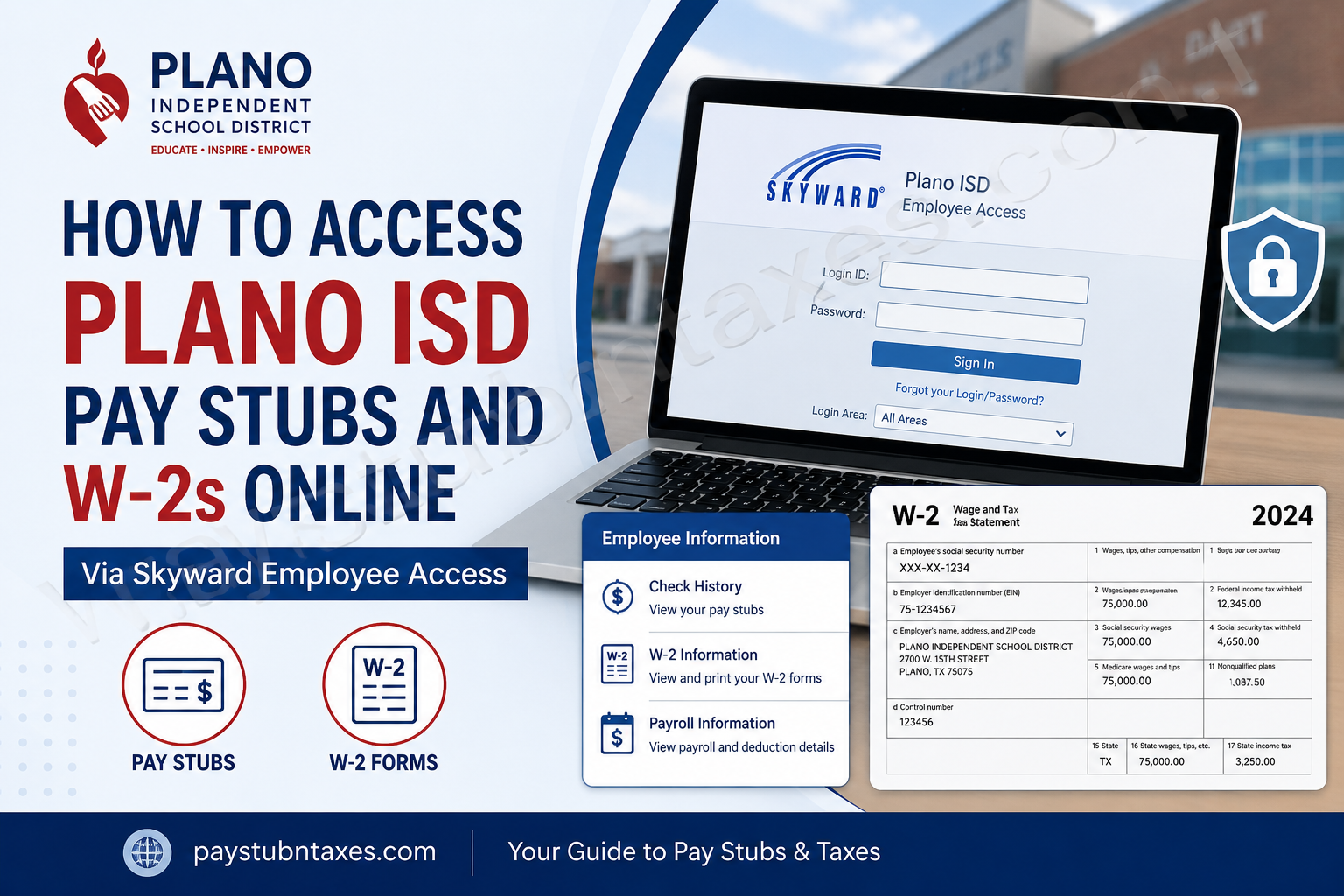
Plano Independent School District (Plano ISD) has earned a reputation as one of the premier public school districts in the Dallas–Fort Worth metroplex, serving nearly 50,000 students across dozens of campuses while maintaining a longstanding commitment to academic excellence and student success. The district’s mission is to provide every student with an exceptional educational experience that fosters lifelong learning, critical thinking, and meaningful contributions to the global community. To support its educators, administrators, and staff members, Plano ISD utilizes Skyward Employee Access, a secure self-service platform that allows employees to manage payroll-related information online. Through Skyward, staff can conveniently access pay stubs, W-2 tax forms, direct deposit information, payroll history, and other employment records from virtually anywhere. This guide explains how current Plano ISD employees can access their pay statements and annual W-2 forms online.
What Is Skyward Employee Access?
Skyward Employee Access is Plano ISD’s payroll and employee information portal. The system provides authorized staff members with secure access to:
- Current and historical pay stubs
- Annual W-2 tax statements
- Direct deposit information
- Payroll deductions
- Employee records
- Tax withholding information
Because the portal contains sensitive payroll and tax data, employees must authenticate through Plano ISD’s secure login process before gaining access. Skyward Employee Access is listed among the district’s official ERP staff resources and employee tools.
How to Log In to Plano ISD Skyward Employee Access
Step 1: Visit the Staff Portal
Go to: https://staff.pisd.edu/
Step 2: Enter Your Plano ISD Email Address
In the Username field:
- Enter your full Plano ISD email address
- Click Next
Step 3: Complete Authentication
After selecting Next, the district’s ClassLink authentication system will automatically sign you into the employee portal.
Once authenticated, you will be directed to your Skyward Employee Access dashboard.
How to View Plano ISD Pay Stubs Online
Employees can review current and previous payroll statements directly through Skyward.
Follow These Steps:
- Log in to Skyward Employee Access.
- Select the Employee Information tab.
- Navigate to the Payroll section.
- Click Check History.
- Choose the desired pay period.
- Open or download your pay statement.
Your pay stub will display important payroll details, including:
- Gross earnings
- Net pay
- Federal tax withholding
- State deductions (if applicable)
- Retirement contributions
- Insurance deductions
- Year-to-date earnings
This information can be downloaded or printed for personal recordkeeping.
How to Access Your Plano ISD W-2 Online
Skyward also provides electronic access to annual W-2 tax forms.
Step-by-Step Instructions
Step 1: Sign In
Access your Skyward account through the Plano ISD staff portal.
Step 2: Open Employee Information
Select the Employee Information tab from the main navigation menu.
Step 3: Select W-2 Information
Under the Payroll section, click: W-2 Information
Step 4: View Your W-2
In the upper-right corner, select: View W2 Form
Step 5: Verify Your Identity
To protect confidential tax information:
- Enter your Social Security Number when prompted
- Click Print
Step 6: Open the PDF
A PDF copy of your W-2 will automatically generate and download.
Step 7: Save or Print
Open the PDF file to:
- View your W-2
- Download a copy
- Print for tax filing purposes
These steps follow the district’s Skyward W-2 access procedure.
Who Can Access W-2 Forms Through Skyward?
At this time, Skyward Employee Access is intended for current Plano ISD employees. Employees with active district credentials can log in and retrieve payroll records and tax documents whenever needed.
Former employees who no longer have access to their district account may need to contact the Payroll or Human Resources department for assistance obtaining copies of tax documents.
Benefits of Electronic W-2 Access
Using Skyward Employee Access offers several advantages:
Faster Access
Employees can obtain tax documents immediately after release.
Enhanced Security
Secure authentication helps safeguard sensitive payroll and tax information.
Convenient Recordkeeping
Digital copies can be stored electronically for future reference.
24/7 Availability
Employees may access payroll information outside normal business hours.
Reduced Paper Clutter
Electronic documents eliminate the need to maintain paper records.
Troubleshooting Login Problems
If you cannot access Skyward, consider the following solutions:
Verify Your Email Address
Ensure you are using your complete Plano ISD email address during sign-in.
Check ClassLink Authentication
Authentication issues may require password assistance through district technology services.
Try Another Browser
Clear browser cache and cookies or use a different browser.
Confirm Active Employment Status
Only active employee credentials typically provide access to payroll records.
Contact Technology Services
If login issues persist, contact the district Help Desk.
Plano ISD Payroll and Employee Support Contacts
Payroll Department
- Email: payroll@pisd.edu
- Phone: (469) 752-8108
Human Resources
- Email: hr@pisd.edu
- Phone: (469) 752-8135
Benefits Department
- Email: benefits@pisd.edu
- Phone: (469) 752-8138
Help Desk and Technology Services
- Email: helpdesk@pisd.edu
- Phone: (469) 752-8767
Safety and Security
- Phone: (469) 752-8057
General Information
- Website: www.pisd.edu/letstalk
- Phone: (469) 752-8100
Contact information is listed in Plano ISD employee resources and handbook materials.
Final Thoughts
Plano ISD’s Skyward Employee Access platform streamlines payroll management by providing employees with secure, around-the-clock access to pay statements and W-2 tax forms. Whether you need to verify earnings, prepare tax returns, or review payroll deductions, the portal places essential employment information at your fingertips. By following the steps outlined above, Plano ISD staff members can quickly retrieve payroll records and tax documents whenever they are needed.
Frequently Asked Questions (FAQs)
1. How do I access my Plano ISD pay stubs?
Log into Skyward Employee Access, select Employee Information, and click Check History under Payroll.
2. What website do Plano ISD employees use for payroll information?
Employees use the Plano ISD Staff Portal at https://staff.pisd.edu/.
3. Can I download my pay stubs?
Yes. Pay statements can be viewed, downloaded, and printed through Skyward.
4. Where can I find my W-2 form?
Navigate to Employee Information > W-2 Information > View W2 Form.
5. Why does Skyward ask for my Social Security Number?
It is used as an identity verification measure before displaying your W-2.
6. Can I print my W-2 directly from Skyward?
Yes. The system generates a printable PDF version of your W-2.
7. Is Skyward available outside school hours?
Yes. Employees can access Skyward online 24 hours a day.
8. What if I forgot my login credentials?
Contact the Plano ISD Help Desk or Technology Services team.
9. Can I access payroll information on a mobile device?
Yes. The portal is accessible through most modern mobile browsers.
10. Does Skyward show payroll history?
Yes. Employees can review prior pay periods through Check History.
11. Who should I contact about payroll errors?
Contact the Payroll Department at payroll@pisd.edu or (469) 752-8108.
12. Can I update direct deposit information in Skyward?
Eligible payroll-related updates are available through Employee Access.
13. When are W-2 forms typically available?
W-2 forms are generally issued annually before IRS filing deadlines.
14. What should former employees do if they need a W-2?
Former employees should contact Plano ISD Payroll or Human Resources for assistance.
15. Is Skyward secure?
Yes. The system uses authenticated access through Plano ISD’s secure employee login process.
