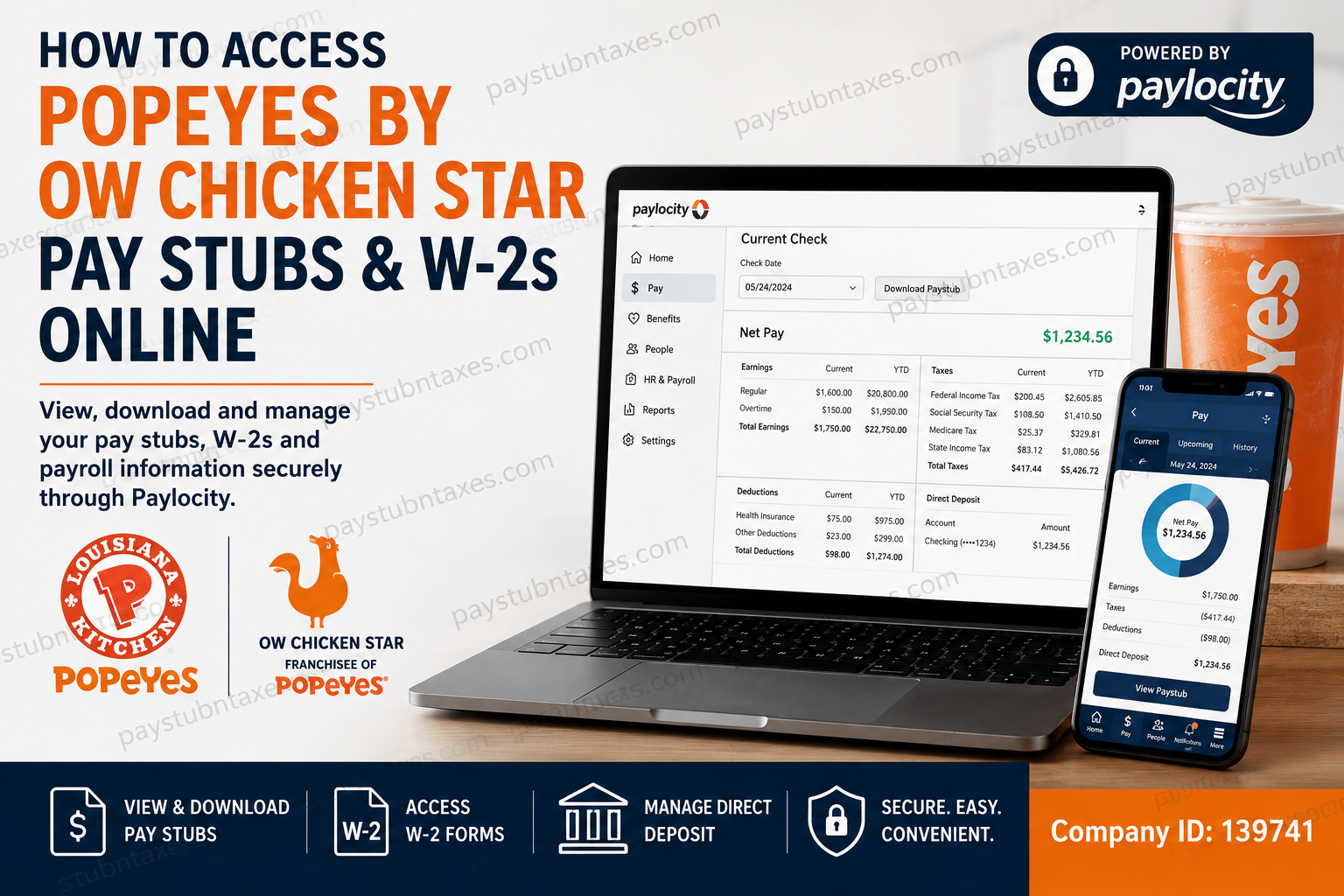
OW Chicken Star LLC is a prominent franchisee of Popeyes® Restaurants, operating multiple restaurant locations and employing team members across its organization. To streamline payroll administration and employee self-service, OW Chicken Star utilizes Paylocity as its official Human Capital Management (HCM) platform. Through Paylocity, employees can conveniently access pay stubs, W-2 tax forms, direct deposit information, benefits details, payroll history, and other employment-related records anytime and anywhere. Whether you are a current employee seeking your latest paycheck details or a former team member looking for a copy of your W-2, this comprehensive guide explains everything you need to know about accessing your payroll information online.
Quick Answer
Employees of Popeyes by OW Chicken Star can access pay stubs and W-2 forms through the Paylocity Employee Self-Service Portal:
Website: https://access.paylocity.com/
Mobile App: Paylocity Mobile App
Company ID: 139741
After signing in, employees can view, download, print, or email their payroll documents directly from the platform.
Why OW Chicken Star Uses Paylocity
Paylocity serves as the central employee portal for payroll and workforce management. Through a single secure login, employees can access:
- Pay stubs
- Payroll history
- W-2 tax forms
- Benefits information
- Direct deposit settings
- Company communications
- Employment records
- Tax withholding information
- Time-off balances and accruals
This self-service approach eliminates unnecessary paperwork while providing employees with round-the-clock access to critical payroll information.
How to Register for a Paylocity Account
New employees must create a Paylocity Self-Service account before accessing payroll information.
Registration Steps
- Download the Paylocity Mobile App.
- Select Register Account.
- Enter the company identifier:
Company ID: 139741
- Create a username and password.
- Complete any required security questions.
- Select a security image and phrase.
- Review your information and click Finish.
Once registration is complete, you can log in using your newly created credentials.
How to Access Popeyes by OW Chicken Star Pay Stubs Online
Desktop Instructions
To view or download your paycheck information:
- Visit the Paylocity portal.
- Sign in using your username and password.
- Navigate to:
HR & Payroll → Employees → Current Check
- Select the desired pay date.
- Click Download Paystub.
- Choose whether to password-protect the PDF.
- Select View PDF.
- Print, save, or email the pay stub as needed.
Information Available on Your Pay Stub
Your pay statement typically includes:
- Gross earnings
- Net pay
- Federal tax deductions
- State tax deductions
- Social Security deductions
- Medicare deductions
- Benefit deductions
- Direct deposit allocations
- Year-to-date earnings
How to View Pay Stubs Using the Paylocity Mobile App
Employees can also access payroll information directly from their smartphones.
Mobile Steps
- Open the Paylocity Mobile App.
- Select Pay from the main menu.
- View your current paycheck information.
- Review:
- Earnings
- Taxes
- Benefits
- Deductions
- Direct deposit details
- Tap YTD to review year-to-date totals.
- Tap the Download icon to view the complete pay stub.
- Use Share to save, print, or email the document.
This feature is especially useful when proof of income is required for loans, apartment applications, or financial verification.
How to Access Your W-2 Online
Employees who elected electronic delivery can retrieve their W-2 directly through Paylocity.
Desktop Instructions
- Log in to Paylocity.
- Navigate to the Pay section.
- Click More.
- Select Tax Forms.
- Choose the desired tax year.
- Click Download W-2.
- Open the PDF and save or print the document.
Mobile App Instructions
- Open the Paylocity App.
- Tap the menu icon.
- Select Pay.
- Choose Tax Forms.
- Select the applicable year.
- View or download the W-2 PDF.
- Save, print, or email the form as necessary.
When Are W-2 Forms Available?
Federal regulations require employers to furnish W-2 forms no later than January 31 following the close of the tax year.
OW Chicken Star generally mails W-2 forms on or before January 31 to employees who have not consented to electronic delivery. Employees enrolled in paperless tax forms can typically access their W-2 electronically through Paylocity as soon as it becomes available.
How to Set Up Direct Deposit
Paylocity also allows employees to manage banking information for payroll deposits.
Direct Deposit Setup
- Log in to Paylocity.
- Locate the Employment section.
- Select Dept/Position.
- Click Payroll Setup.
- Choose Direct Deposit.
- Enter your banking information.
- Designate the account as primary.
- Save your changes.
Always verify routing and account numbers carefully before saving to avoid payroll delays.
Forgot Your Paylocity Password?
If you cannot access your account:
- Visit the Paylocity login page.
- Select Forgot Password.
- Complete identity verification.
- Follow the reset instructions sent to your registered email address.
If access issues persist, contact Payroll or Human Resources for assistance.
Payroll and HR Contact Information
Payroll Department
Phone: 877-312-4287 Ext. 4
Fax: 866-224-1588
Email: payroll@starcorpus.com
Human Resources Department
Phone: 877-312-4287 Ext. 6
Email: zabril@starcorpus.com
These departments can assist with:
- Missing pay stubs
- W-2 corrections
- Login issues
- Direct deposit changes
- Tax withholding questions
- Employee record updates
Final Thoughts
Paylocity makes managing payroll records remarkably straightforward for Popeyes employees working under OW Chicken Star LLC. By leveraging the Paylocity Employee Self-Service Portal, team members can securely access pay stubs, retrieve W-2 forms, update direct deposit information, review payroll history, and manage employment records without needing to contact payroll for routine requests. To ensure uninterrupted access, employees should maintain current contact information, enable paperless tax documents whenever possible, and periodically review their payroll profile for accuracy. With both desktop and mobile access available, your earnings and tax documents are never more than a few clicks away.
FAQ: Popeyes by OW Chicken Star Pay Stubs and W-2s
1. How do I access my Popeyes by OW Chicken Star pay stubs online?
You can access your pay stubs through the Paylocity Employee Self-Service Portal at https://access.paylocity.com/ or through the Paylocity mobile app using Company ID 139741.
2. What payroll system does OW Chicken Star LLC use?
OW Chicken Star LLC uses Paylocity to manage payroll, employee records, tax forms, benefits, and direct deposit information.
3. What is the Paylocity Company ID for OW Chicken Star employees?
The Paylocity Company ID is 139741.
4. Can I view my pay stubs on my phone?
Yes. Download the Paylocity mobile app, log in, select Pay, and access current and previous pay statements directly from your smartphone.
5. How do I download a pay stub PDF?
After selecting the desired paycheck, click Download Paystub and save the PDF to your device.
6. How can I print my pay stubs?
Open the downloaded PDF pay stub and use your device’s print function to print a physical copy.
7. Where can I find my W-2 form in Paylocity?
Navigate to Pay > More > Tax Forms, choose the tax year, and download your W-2.
8. When are W-2 forms available each year?
W-2 forms are generally available by the end of January, and paper copies are mailed no later than January 31 if electronic delivery has not been selected.
9. Can former employees access their W-2 online?
In most cases, former employees can continue accessing Paylocity using their existing credentials. If access has expired, contact Payroll or HR for assistance.
10. How do I enroll in paperless tax forms?
Log in to Paylocity and review your tax document preferences under the Pay or Tax Forms section to enable electronic delivery.
11. What should I do if I forgot my Paylocity password?
Use the Forgot Password option on the Paylocity login page and follow the verification steps to reset your password.
12. Can I update my direct deposit information in Paylocity?
Yes. Log in to Paylocity, navigate to Employment > Payroll Setup > Direct Deposit, and update your banking information.
13. What information is included on my pay stub?
Pay stubs typically show gross pay, net pay, taxes withheld, deductions, benefits, direct deposit allocations, and year-to-date totals.
14. Who do I contact for payroll-related issues?
Contact the Payroll Department at 877-312-4287 Ext. 4 or email payroll@starcorpus.com.
15. Who should I contact for HR or W-2 assistance?
Contact the Human Resources Department at 877-312-4287 Ext. 6 or email zabril@starcorpus.com.
