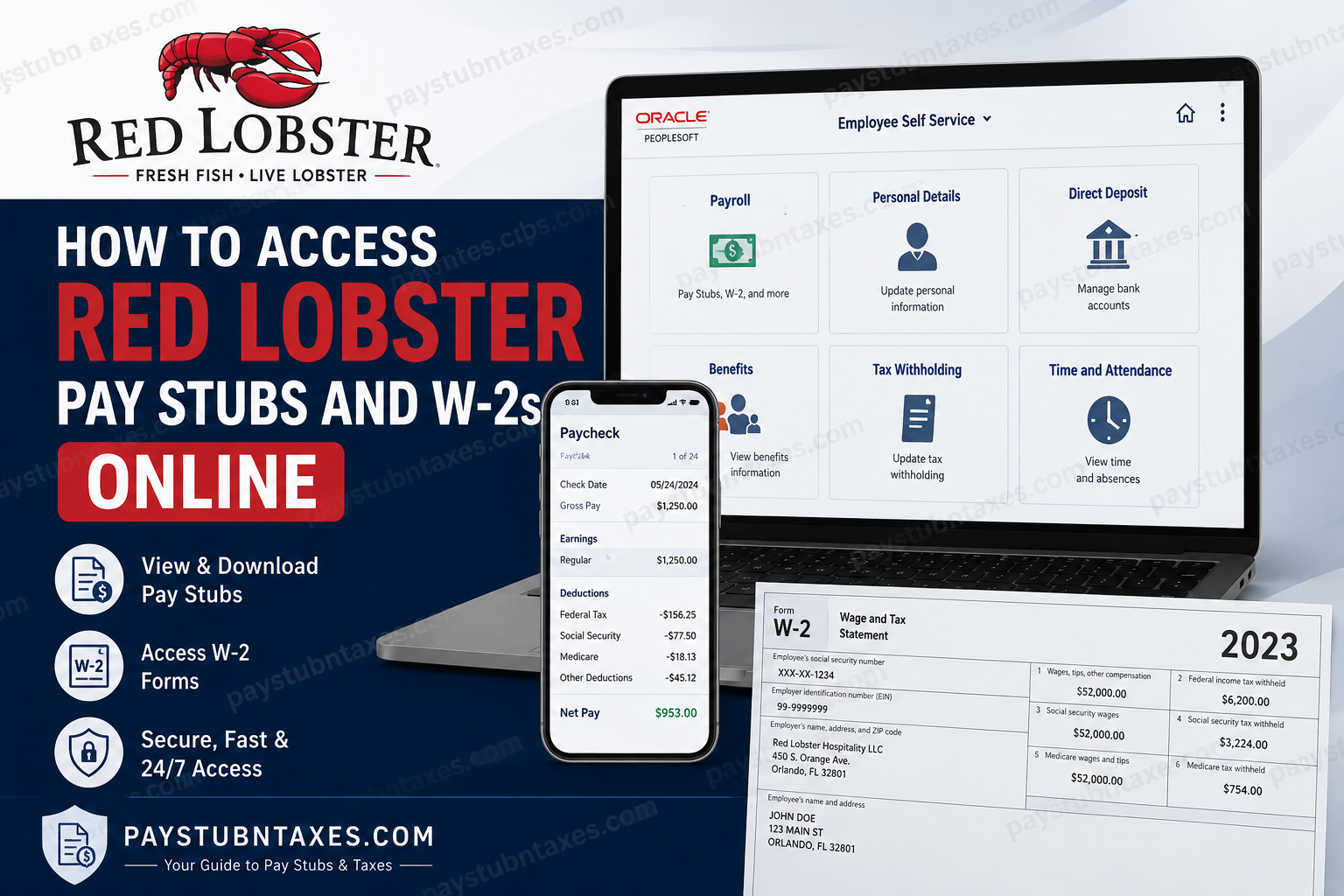
Red Lobster employees can conveniently access pay stubs, tax documents, and payroll information online through the Oracle PeopleSoft Employee Self-Service portal. Whether you are a current employee or need a copy of your W-2 for tax filing purposes, the portal provides secure, round-the-clock access to essential payroll records.
About Red Lobster
Red Lobster Hospitality LLC is the world’s largest seafood restaurant company, operating hundreds of restaurants across the United States, Canada, and several international markets. Headquartered in Orlando, Florida, the company has long been recognized for its commitment to delivering exceptional seafood experiences, signature Cheddar Bay Biscuits, and unparalleled hospitality.
Founded in 1968, Red Lobster has evolved into an iconic restaurant brand with a workforce exceeding 30,000 employees. Despite undergoing restructuring and emerging from Chapter 11 bankruptcy proceedings in 2024, the company continues to serve millions of guests while maintaining its commitment to operational excellence and employee development.
Red Lobster Payroll and Tax Portal
Red Lobster utilizes the Oracle PeopleSoft Employee Self-Service Portal to manage payroll services and tax documentation. Through this secure platform, employees can:
- View and download pay stubs
- Access current and prior-year W-2 forms
- Update tax withholding information
- Manage direct deposit details
- Review payroll history
- Access other employment-related records
The portal is available 24 hours a day, 7 days a week, allowing employees to retrieve their documents whenever needed.
Red Lobster Employee Portal Login
Portal URL:
https://myportal.redlobster.com/psp/RLHRPRD/
Employees may also encounter the company’s Single Sign-On (SSO) authentication page, which requires organizational credentials for secure access.
How to Access Red Lobster Pay Stubs Online
Retrieving your pay stubs through Oracle PeopleSoft is straightforward. Follow these steps carefully:
Step 1: Visit the Employee Portal
Navigate to the Red Lobster PeopleSoft portal:
https://myportal.redlobster.com/psp/RLHRPRD
Step 2: Sign In
Enter your employee credentials, including your username or employee ID and password.
Step 3: Open the Payroll Section
After logging in, locate and click the “Payroll” tile on the home screen. If the tile is not immediately visible, select the Home icon to return to the main dashboard.
Step 4: Access Paychecks
Within the Payroll section, navigate to: Payroll → Paychecks
Step 5: View or Download Your Pay Stub
Select the desired check date or check number to view detailed earnings information, deductions, taxes, and net pay. You may print or save the document for future reference.
How to Access Red Lobster W-2 Forms Online
Employees who elected electronic delivery can conveniently obtain their W-2 forms through the PeopleSoft portal.
Step 1: Log Into PeopleSoft
Access the portal using your employee credentials.
Step 2: Open Payroll
Click the Payroll tile from the home screen.
Step 3: Navigate to W-2 Forms
Follow this menu path:
Payroll → W-2/W-2c → View W-2/W-2c Forms
Step 4: Select the Tax Year
Choose the desired tax year and click the corresponding form to view, download, or print your W-2.
Electronic W-2 Consent
Under IRS regulations, employees must provide electronic consent before receiving W-2 forms online.
If your account indicates:
“You currently receive W-2 or W-2c paper forms by mail,”
you may switch to electronic delivery by:
- Navigating to:
Payroll → W-2/W-2c → W-2/W-2c Consent
- Checking the consent box.
- Clicking Submit.
Once consent is granted, you will receive an email confirmation. Thereafter, your future W-2 forms will become available electronically each year without requiring renewed consent.
Conversely, employees who prefer paper forms may withdraw electronic consent, after which future W-2s will be mailed to their registered address.
When Are Red Lobster W-2 Forms Available?
Federal law requires employers to furnish W-2 forms no later than January 31 each year.
- Employees enrolled in electronic delivery typically receive an email notification once forms become available online.
- Employees who selected paper delivery will receive their W-2 by mail on or before January 31.
Should your W-2 fail to arrive, verify your mailing address and contact payroll support promptly.
Accessing W-2s as a Former Employee
Former Red Lobster employees may still be able to access payroll records depending on account availability. If online access has been disabled, contact Red Lobster support for assistance.
Payroll Support Phone Number
1-800-762-5637
Follow the automated prompts to reach the appropriate department.
Payroll Email
PAYROLLPROCESSING@REDLOBSTER.COM
Benefits Email
BENEFITSTEAM@REDLOBSTER.COM
When contacting support, be prepared to provide:
- Full legal name
- Employee ID (if available)
- Dates of employment
- Last known work location
- Updated mailing address
Troubleshooting Red Lobster Portal Login Issues
Forgot Username or Password
Use the password recovery option available on the login page or contact support.
Account Locked
Multiple unsuccessful login attempts may temporarily lock your account. Wait briefly before retrying or contact technical support.
Missing Payroll Tile
If the Payroll tile does not appear, return to the home dashboard using the Home icon or verify your account permissions.
W-2 Not Available
Ensure that you previously consented to electronic delivery. Otherwise, your form may have been mailed instead.
Why Use the Oracle PeopleSoft Portal?
The Oracle PeopleSoft system offers employees a secure and efficient method of managing payroll information without relying on paper records. By digitizing pay stubs and tax forms, employees enjoy immediate access to vital documents while reducing administrative delays.
In an era where convenience is paramount and time is a scarce commodity, having instant access to payroll records is not merely advantageous—it is indispensable.
Final Thoughts
Red Lobster’s Oracle PeopleSoft Employee Self-Service portal provides employees with a seamless and secure avenue for accessing pay stubs, W-2 forms, and other payroll-related information. Whether you are an active team member preparing for tax season or a former employee seeking historical records, the platform simplifies what might otherwise be an arduous administrative process. By opting for electronic W-2 delivery and familiarizing yourself with the PeopleSoft system, you can ensure that your financial records remain only a few clicks away whenever the need arises.
Frequently Asked Questions
1. How do I log in to the Red Lobster employee portal?
Visit the Red Lobster Oracle PeopleSoft portal at https://myportal.redlobster.com/psp/RLHRPRD/ and sign in using your employee ID or organizational credentials and password.
2. Where can I find my Red Lobster pay stubs online?
After logging in, go to Payroll → Paychecks and select the desired check date or check number to view or download your pay stub.
3. How do I access my Red Lobster W-2 form?
Navigate to Payroll → W-2/W-2c → View W-2/W-2c Forms, then choose the tax year you wish to view.
4. When are Red Lobster W-2 forms available?
W-2 forms are generally available by January 31 each year, in accordance with federal tax regulations.
5. Does Red Lobster mail paper W-2 forms?
Yes. Employees who opted for paper delivery receive their W-2 forms by mail on or before January 31.
6. Can former employees access Red Lobster W-2 forms online?
Former employees may retain portal access for a limited period. If access is unavailable, they should contact payroll support for assistance.
7. What is the Red Lobster payroll support phone number?
Current and former employees can call 1-800-762-5637 and follow the prompts for payroll assistance.
8. How do I enroll in electronic W-2 delivery?
Go to Payroll → W-2/W-2c → W-2/W-2c Consent, check the consent box, and click Submit.
9. Can I withdraw consent for electronic W-2 forms?
Yes. Employees can withdraw electronic consent through the same W-2 consent page in PeopleSoft.
10. What should I do if I forgot my portal password?
Use the password recovery option on the login page or contact Red Lobster support for assistance.
11. Why can’t I see the Payroll tile?
If the Payroll tile is missing, click the Home icon to return to the dashboard or verify your account permissions.
12. Can I download and print my pay stubs?
Yes. Pay stubs and W-2 forms can be downloaded, saved, or printed directly from the PeopleSoft portal.
13. What information appears on a Red Lobster pay stub?
Pay stubs typically display gross earnings, deductions, taxes withheld, benefits, and net pay.
14. Who do I contact for payroll or benefits questions?
Employees may email:
- PAYROLLPROCESSING@REDLOBSTER.COM for payroll inquiries.
- BENEFITSTEAM@REDLOBSTER.COM for benefits-related questions.
15. Is the Red Lobster employee portal secure?
Yes. Oracle PeopleSoft uses secure authentication and encrypted access to protect employee payroll and tax information.
